통계
This article describes AdGuard for Windows v8.0, a comprehensive ad blocker that protects your device at the system level. This is a beta release that is still under development. To try it, download the beta version of AdGuard for Windows.
In Statistics, you see a complete picture of what is happening with the traffic on your computer: how many requests are being sent and to which companies, how much data is being uploaded and downloaded, what requests are being blocked. You can check statistics for various time frames: all time, the last 14 days, the last 7 days, the last 24 hours, and broken down by ads, trackers, or requests.
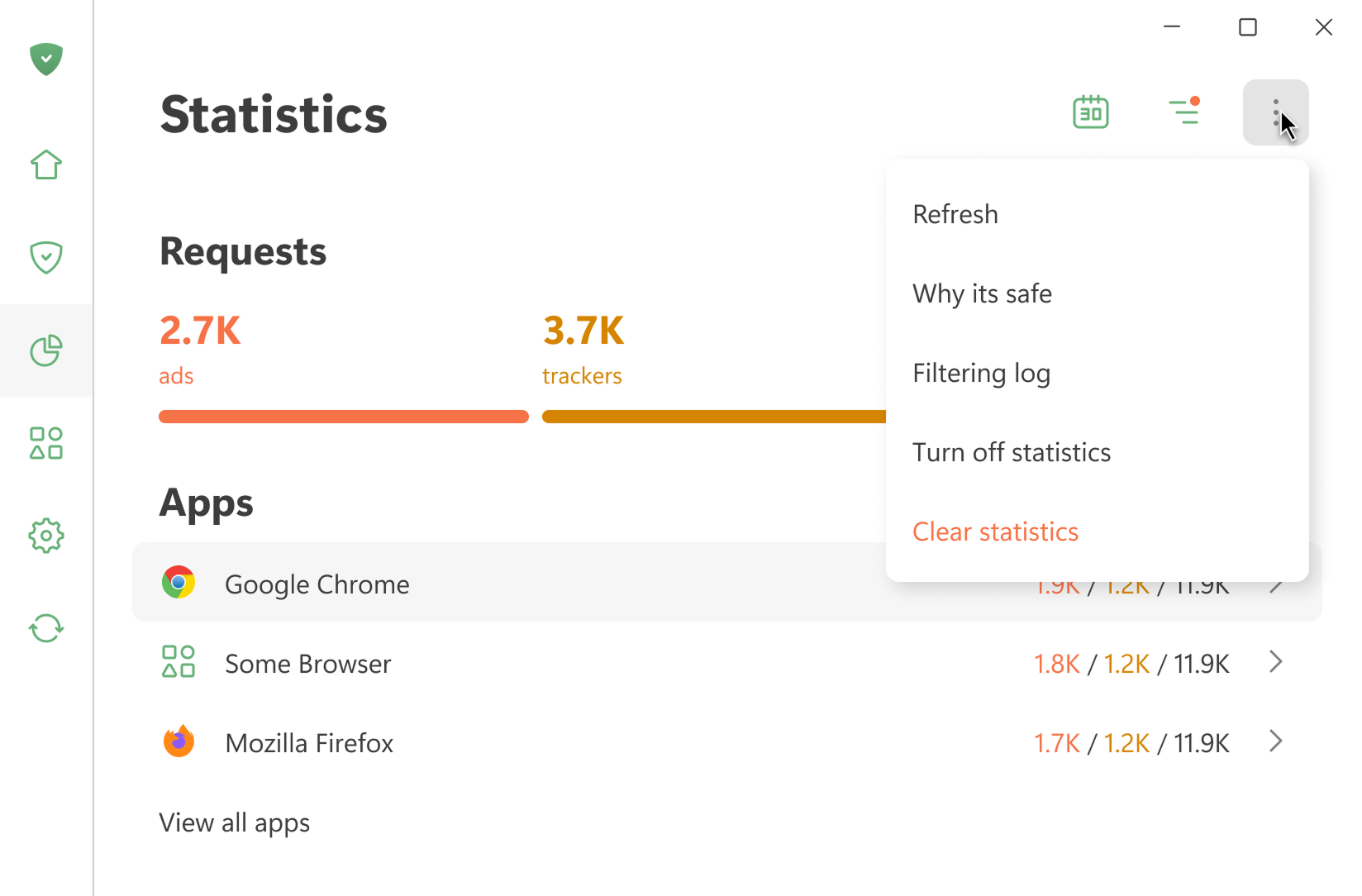
All statistics are stored locally on your device. We only calculate how much data is used — we don’t see what websites you visit. You can also turn off statistics if you don’t need them.
Open Filtering log shows the last 10,000 requests processed by AdGuard
앱
이 섹션에는 기기에 설치된 모든 앱에 대한 통계가 표시됩니다. 차단된 광고 또는 추적기의 수 또는 전송된 요청의 수에 따라 앱을 정렬할 수 있습니다.
If you click an app, you can see its full stats: the requests it sends and the domains and companies it reaches out to.
DNS
This section shows data about the requests handled by DNS protection. You can see the total number of requests sent and how many were blocked by AdGuard
기업
이 섹션에는 기기가 연결할 수 있는 회사가 표시됩니다. 그것은 무엇을 의미합니까?
AdGuard는 기기가 요청을 보내는 도메인을 감지하고 해당 도메인이 속한 회사를 확인합니다. 기업 데이터베이스는 GitHub에서 확인할 수 있습니다.
데이터 사용량
This section shows the amount of downloaded and uploaded data and saved traffic.