확장 프로그램
유저스크립트
유저스크립트('확장 프로그램'이라고도 함)는 사실상 자바스크립트로 작성된 미니 프로그램입니다. 하나 이상의 웹사이트의 기능을 수정하거나 확장합니다. 많은 AdGuard 사용자는 이미 AdGuard 어시스턴트, 팝업 차단기 및 AdGuard Extra와 같은 유저스크립트에 익숙할 것입니다.
AdGuard는 유저스크립트 관리자 역할을 수행하여 웹사이트 기능을 크게 확장할 수 있습니다. You can add your custom scripts or manage the existing ones in our three products: AdGuard for Windows, AdGuard for Android, and AdGuard for Mac.
권장 AdGuard 스크립트
이러한 유저스크립트는 AdGuard에서 개발되었습니다. 효과적이고 안전하게 작동한다는 것을 보장할 수 있습니다. 다른 사람들이 개발한 신뢰할 수 있는 유저스크립트도 있습니다. 이러한 스크립트를 확인하려면 다음 섹션으로 스크롤하세요. 아래에서 인기 있는 스크립트 웹사이트를 찾을 수도 있습니다. 그러나 출처를 알 수 없는 곳에서 유저스크립트를 다운로드하는 것은 위험할 수 있다는 점을 기억하세요. 일부 스크립트는 컴퓨터에 해로울 수 있기 때문입니다.
AdGuard Extra
일반적인 필터 기반 접근 방식으로는 충분하지 않은 어려운 경우에 광고를 차단하는 확장 프로그램입니다. AdGuard Extra는 iOS용 앱을 제외한 AdGuard 독립 실행형 앱에 사전 설치되어 제공되므로 활성화하기 위해 별도의 작업을 수행할 필요가 없습니다. 하지만 AdGuard 브라우저 확장 프로그램이나 다른 광고 차단기와 함께 사용하려면 추가 확장 프로그램을 사용해야 합니다. 이 사용자 스크립트에 대한 자세한 내용과 설치 방법은 GitHub에서 확인할 수 있습니다.
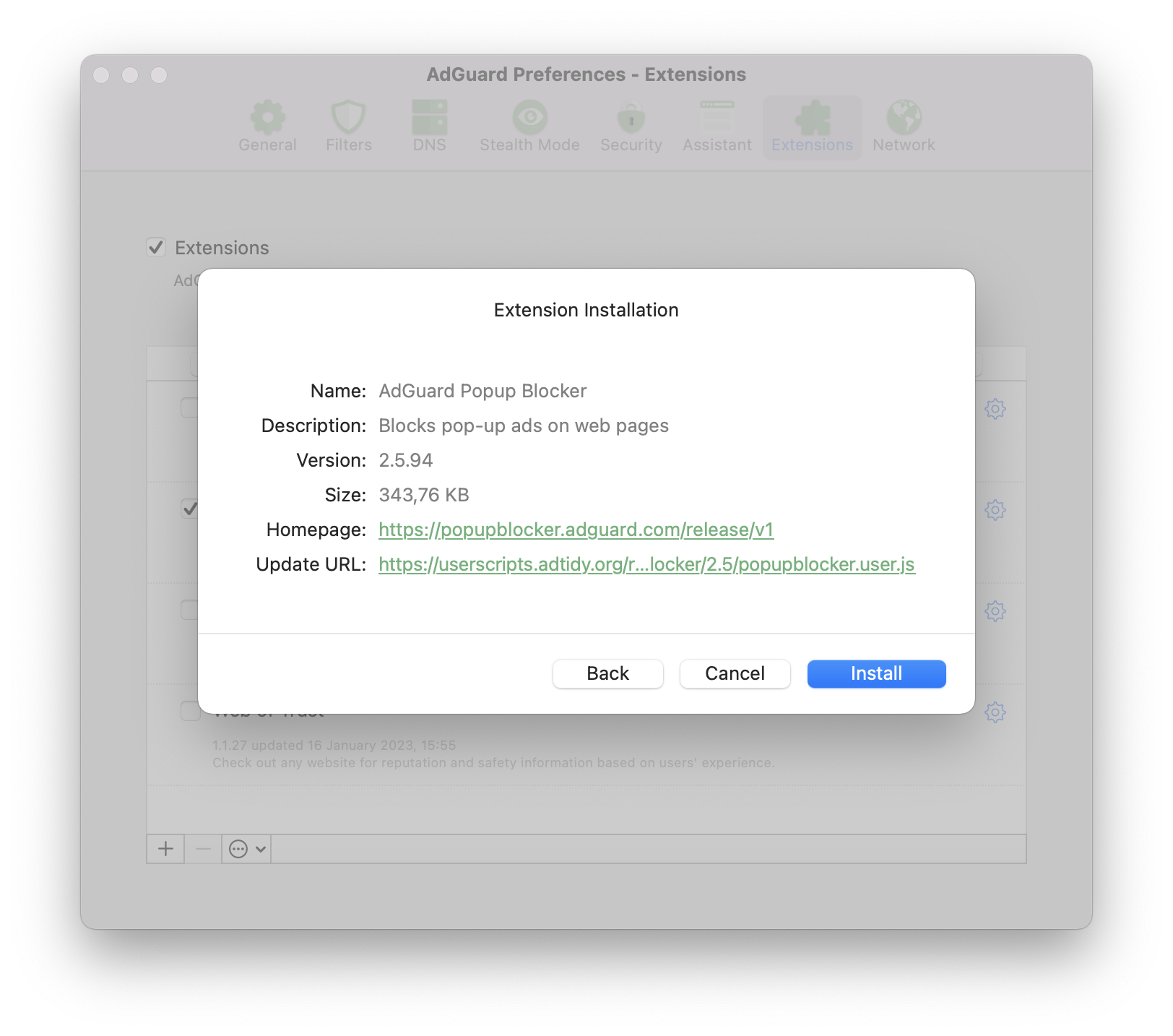
AdGuard 팝업 차단기
이름 그대로 웹사이트에서 가장 성가신 광고 유형 중 하나인 팝업을 차단합니다. 이 사용자 스크립트, 주요 기능 및 설치에 대한 자세한 내용은 GitHub에서 확인하세요.
AdGuard 어시스턴트(이전 버전)
이 사용자 저의 확장 프로그램은 브라우저 페이지에서 직접 필터링(수동 차단, 허용 목록 등)을 제어할 수 있도록 설계되었습니다.
이 어시스턴트 버전은 이전 버전이며 본격적인 브라우저 어시스턴트로 대체되었으므로 새 시스템에서 사용할 필요가 없습니다. 하지만 사용 중인 브라우저에 브라우저 어시스턴트가 없는 경우, 이전 어시스턴트가 도움이 될 수 있습니다. 이 경우, GitHub에서 AdGuard 어시스턴트를 설치하는 방법을 알아보세요.
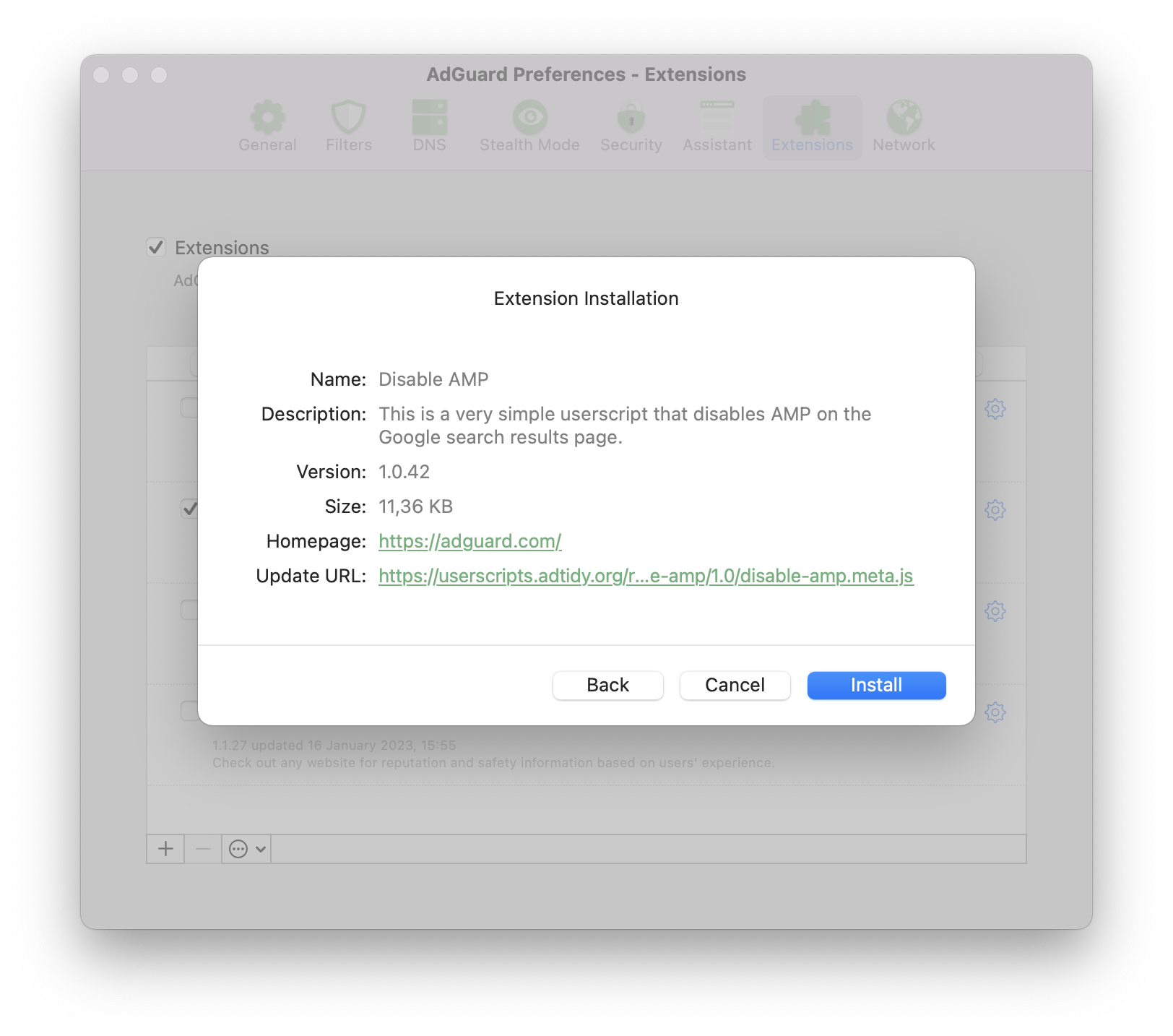
Disable AMP
Android용 AdGuard에만 사전 설치된 스크립트입니다. Google 검색 결과 페이지에서 AMP(가속화된 모바일 페이지)를 비활성화합니다. 이 사용자 스크립트에 대한 자세한 내용과 설치 방법은 GitHub에서 확인할 수 있습니다.
AdGuard 외부에서 추천하는 제품
이 유저스크립트는 AdGuard에서 개발한 것이 아니므로, 항상 안전하고 제대로 작동한다고 보장할 수 없습니다.. 하지만 저희의 경험에 비추어 볼 때 모두 좋은 평판을 얻었기 때문에 추천할 만한 가치가 있습니다.
Don't track me Google
이 스크립트는 Google 검색 결과의 링크에서 Google의 추적 기능을 제거합니다. 검색 결과 로딩 속도가 빨라지고 마우스 오른쪽 버튼을 클릭하거나 탭하여 링크 URL을 복사할 수 있습니다.
소스 코드는 Github에서 확인할 수 있습니다. 이 사용자 스크립트는 GreasyFork에서 다운로드하여 모든 AdGuard CoreLibs 기반 앱에 설치할 수 있습니다.
SponsorBlock
SponsorBlock skips sponsored segments in YouTube videos. It saves time by jumping straight to the main content and removes interruptions from ads and self-promotions.
This userscript runs exclusively on our desktop applications, AdGuard for Windows and AdGuard for Mac.
To try it out:
- Go to https://mchangrh.github.io/sb.js/.
- Click Generate link.
- Copy the link that appears.
- Open AdGuard and go to Extensions → Add extension → Import from file or URL.
- Paste the copied link and confirm.
tinyShield
tinyShield is primarily designed for Korean websites protected by Ad-Shield, but it also supports many international websites that use the same ad anti-adblocking technology. This userscript can be installed in AdGuard CoreLibs-based apps, Violentmonkey, Tampermonkey, and quoid/userscripts. Learn more about tinyShield and how to install it on GitHub.
더 많은 유저스크립트는 어디서 구할 수 있나요?
대부분의 경우 유저스크립트는 아마추어가 만들므로 특정 스크립트를 설치할 때 매우 주의해야 합니다. 출처를 알 수 없는 스크립트는 잠재적인 위험을 수반합니다. 하지만 신중하게 설치하면 일부 웹사이트를 더 편리하게 사용할 수 있는 흥미로운 스크립트가 많이 있습니다.
아래에서 가장 인기 있는 일부 유저스크립트 카탈로그에 대해 설명합니다.
Userscript.Zone
Userscript.Zone은 일치하는 URL 또는 도메인을 입력하여 유저스크립트를 검색할 수 있는 웹사이트입니다. 이 웹사이트는 사용하기 쉽고 조정된 페이지의 스크립트만 표시되므로 신뢰도가 높습니다.
Greasy Fork
Greasy Fork는 Stylish 크리에이터의 사용자 스크립트 카탈로그입니다. 이 카탈로그의 스크립트는 조정된 것이므로 신뢰도가 훨씬 높습니다.
OpenUserJS.org
OpenUserJS.org는 nodeJS로 작성된 오픈 소스 유저스크립트 카탈로그입니다. 중재되지 않으므로 의심스러운 스크립트를 주시하세요.
NamuLink
NamuLink is an open-source userscript that removes Naver PowerLink advertisements from NamuWiki by bypassing the site's advanced link obfuscation mechanisms. The project is maintained by the AdGuard team and the broader ad-blocking community.
Crackle
Crackle is an open-source userscript designed to remove ads and bypass anti-adblock measures on the Chzzk web platform. It detects and replaces ad-related responses used by Chzzk’s advertising systems with compatible ad-free responses and disables pre-roll and mid-roll video ads.
Community
If you like the idea of customizing your browser with userscripts and have questions, you can ask them on one of these websites:
Development
Request license
If you are developing your own userscript and want to test how it works with AdGuard, you can request a license by filling in the form.
Compatibility
Metadata block
Supported properties
@name@namespace@description@version@match@include@exclude@grant@connect@require@resource@downloadURL@updateURL@homepage,@homepageURL,@source,@website@run-at@noframes@icon,@iconURL,@defaulticon@icon64,@icon64URL
Unsupported properties
These properties will be simply ignored by AdGuard.
Supported GM functions
AdGuard supports both old GM_ functions and new GM4 API that use GM object.
All listed old Greasemonkey functions are deprecated but still supported.
GM.info,GM_infoGM.setValue,GM_setValueGM.getValue,GM_getValueGM.listValues,GM_listValuesGM.deleteValue,GM_deleteValueGM.getResourceUrl,GM_getResourceURLGM.setClipboard,GM_setClipboardGM.xmlHttpRequest,GM_xmlhttpRequestGM.openInTab,GM_openInTabGM.notificationunsafeWindowGM_getResourceTextGM_addStyleGM_logGM.addElement,GM_addElementwindow.onurlchange
You can find more information about Greasemonkey API in its manual.
Example
// ==UserScript==
// @name            Name as shown to the user when locale is english or unknown
// @name:ru         Name as shown to the user when locale is russian
// @description     Description as shown to the user when locale is english or unknown
// @description:ru  Description as shown to the user when locale is russian
// @icon            https://myhomepage.com/myuserscript.png
// @version         1.0.0.0
// @downloadURL     https://dl.myhomepage.org/myuserscript.user.js
// @updateURL       https://dl.myhomepage.org/myuserscript.meta.js
// @homepageURL     https://myhomepage.com/myuserscript
// @include         *
// @exclude         *://website.com/*
// @resource        https://myhomepage.com/myuserscript.css
// @require         https://myhomepage.com/mylibrary.js
// @grant           property:settings
// @grant           GM_getValue
// @grant           GM_setValue
// @grant           GM_deleteValue
// @grant           GM_listValues
// @grant           GM_getResourceText
// @grant           GM_getResourceURL
// @grant           GM_addStyle
// @grant           GM_log
// @grant           GM_setClipboard
// @grant           GM_xmlhttpRequest
// @grant           unsafeWindow
// @grant           GM_info
// @grant           GM_openInTab
// @grant           GM_registerMenuCommand
// @grant           GM_addElement
// @grant           window.onurlchange
// @run-at          document-start
// ==/UserScript==
!function(){(
    console.log("I am loaded!");
)}();
Trusted Types API
AdGuard provides an instance of the PolicyApi class that allows you to manage Trusted Types in your userscripts.
You can access the instance of this class by using the ADG_policyApi variable in your userscript.
Properties
name: string— a name of the policy (Default is"AGPolicy").isSupported: boolean— a flag indicating whether or not the Trusted Types API is supported by the current browser.
Polyfilled methods
ADG_policyApi.createHTML. If not supported, returnsinput: string.ADG_policyApi.createScript. If not supported, returnsinput: string.ADG_policyApi.createScriptURL. If not supported, returnsinput: string.ADG_policyApi.getAttributeType. If not supported, returnsnull.ADG_policyApi.getPropertyType. If not supported, returnsnull.ADG_policyApi.isHTML. If not supported, returnsfalse.ADG_policyApi.isScript. If not supported, returnsfalse.ADG_policyApi.isScriptURL. If not supported, returnsfalse.
Additional Types
/**
 * Enum representation of the return values of the `getAttributeType` and
 * `getPropertyType` methods of the native Trusted Types API.
 *
 * @see {@link https://developer.mozilla.org/en-US/docs/Web/API/TrustedTypePolicyFactory/getAttributeType}
 * @see {@link https://developer.mozilla.org/en-US/docs/Web/API/TrustedTypePolicyFactory/getPropertyType}
 */
enum TrustedType {
    HTML = 'TrustedHTML',
    Script = 'TrustedScript',
    ScriptURL = 'TrustedScriptURL',
}

// You can access it like that inside of userscript
ADG_TrustedType.HTML // "TrustedHTML"

/**
 * Isomorphic trusted value type. If a browser supports the Trusted Types API, it will be one of the enum Trusted Types
 * (`TrustedHTML`, `TrustedScript` or `TrustedScriptURL`); otherwise, it will be regular `string`.
 *
 * @see {@link https://developer.mozilla.org/en-US/docs/Web/API/TrustedHTML}
 * @see {@link https://developer.mozilla.org/en-US/docs/Web/API/TrustedScript}
 * @see {@link https://developer.mozilla.org/en-US/docs/Web/API/TrustedScriptURL}
 */
type TrustedValue = string | TrustedHTML | TrustedScript | TrustedScriptURL;
Additional methods
/**
 * Creates a Trusted Type depending on `type`:
 * - `TrustedHTML`
 * - `TrustedScript`
 * - `TrustedScriptURL`
 * - or returns `value` if none of them is applicable.
 *
 * @param type          Trusted Type.
 * @param value         Value from which a Trusted Type is created.
 * @param createArgs    Additional arguments to be passed to the function represented by `TrustedTypePolicy`.
 * @returns             Created value.
 */
function create(
    type: TrustedType,
    value: string,
    ...createArgs: unknown[]
): TrustedValue


// Example: Creates TrustedHTML
const trustedHTML = ADG_policyApi.create(ADG_TrustedType.HTML, '<div></div>');

/**
 * Converts `value` of `attribute` into one of the Trusted Types:
 * - `TrustedHTML`
 * - `TrustedScript`
 * - `TrustedScriptURL`
 * - or returns `value` if none of them is applicable.
 *
 * @param tagName       Name of an HTML tag.
 * @param attribute     Attribute.
 * @param value         Value of an attribute to be converted.
 * @param elementNS     Element namespace. If empty, defaults to the HTML namespace.
 * @param attrNS        Attribute namespace. If empty, defaults to null.
 * @param createArgs    Additional arguments to be passed to the function represented by `TrustedTypePolicy`.
 * @returns             Converted value.
 */
function convertAttributeToTrusted(
    tagName: string,
    attribute: string,
    value: string,
    elementNS?: string,
    attrNS?: string,
    ...createArgs: unknown[]
): TrustedValue

// Example: Converts to TrustedScriptURL
const trustedScriptURL = ADG_policyApi.convertAttributeToTrusted("script", "src", 'SOME_URL');
scriptElement.setAttribute("src", trustedScriptURL);

/**
 * Converts `value` of `property` into one of the Trusted Types:
 * - `TrustedHTML`
 * - `TrustedScript`
 * - `TrustedScriptURL`
 * - or returns `value` if none of them is applicable.
 *
 * @param tagName       Name of an HTML tag.
 * @param property      Property.
 * @param value         Value of a property to be converted.
 * @param elementNS     Element namespace. If empty, defaults to the HTML namespace.
 * @param createArgs    Additional arguments to be passed to the function represented by `TrustedTypePolicy`.
 * @returns             Converted value.
 */
function convertPropertyToTrusted(
    tagName: string,
    property: string,
    value: string,
    elementNS?: string,
    ...createArgs: unknown[]
): TrustedValue

// Example: Converts to TrustedHTML
divElement.innerHTML = ADG_policyApi.convertPropertyToTrusted("div", "innerHTML", "<div></div>");
Matching SPA sites
This section only applies to AdGuard for Windows, AdGuard for Mac, AdGuard for Android, and AdGuard for Linux with CoreLibs v1.19 or later.
Many modern websites, such as YouTube, utilize Single Page Application (SPA) capabilities. Unlike traditional web applications, the page does not reload when navigating between pages. Instead, the content is updated dynamically using JavaScript, allowing for a smoother user experience.
On such websites, a userscript is invoked only once when the @match or @include directives are matched (unless @exclude is matched). Due to the nature of SPAs, the userscript cannot be re-invoked on subsequent page changes because the global JavaScript context remains the same. To address this issue, userscripts can use the @grant window.onurlchange directive.
// ==UserScript==
// @name SPA
// @namespace spa
// @version 1.0.0
// @match https://*/*
// @grant window.onurlchange
// @run-at document-start
// ==/UserScript==

// via window.onurlchange
window.onurlchange = (event) => {
    console.log('URL changed to:', event.url);
};

// via window.addEventListener('urlchange')
window.addEventListener('urlchange', (event) => {
    console.log('URL changed to:', event.url);
});
This will allow userscripts to listen for URL changes and handle them accordingly.
The urlchange event is only triggered for full URL changes, such as a change in the path or query, but not for fragment (hash) changes.
Examples:
- Navigation from
https://example.com/page1tohttps://example.com/page2will trigger the event. - Navigation from
https://example.com/page1?query=1tohttps://example.com/page1?query=2will trigger the event. - Navigation from
https://example.com/page1#section1tohttps://example.com/page1#section2will NOT trigger the event.
The window.onurlchange and window.addEventListener('urlchange', ...) APIs are non-standard. To use them, you must explicitly grant them in your userscript with @grant window.onurlchange.
If a website uses hash routing, userscripts can use the native DOM hashchange event:
// ==UserScript==
// @name SPA
// @namespace spa
// @version 1.0.0
// @match https://*/*
// @run-at document-start
// ==/UserScript==

// via window.onhashchange
window.onhashchange = (event) => {
    console.log(`Hash changed from "${event.oldURL}" to "${event.newURL}"`);
};

// via window.addEventListener('hashchange')
window.addEventListener('hashchange', (event) => {
    console.log(`Hash changed from "${event.oldURL}" to "${event.newURL}"`);
});
Userstyles
Userstyles allow users to change the appearance of popular websites.
AdGuard has the option to upload or create your own userstyles. This is an advanced feature, so you will need some knowledge of HTML and CSS.
Currently, two AdGuard apps allow you to create and manage userstyles: AdGuard for Windows (v7.19 or later) and AdGuard for Mac (v2.16 or later). We also plan to implement this new feature in AdGuard for Android v4.8 in the nearest future.
This is an experimental feature, so if you encounter any problems while adding or creating a userstyle, please contact our support team at support@adguard.com.
How to set up a userstyle in AdGuard
You can download userstyles from various websites. One of the most popular userstyle websites is https://userstyles.world/, which we will use as an example for the following instructions on how to set up the userstyle in AdGuard.
-
Follow the link above and choose the userstyle you like
-
Click Copy next to the userstyle address
-
Open AdGuard settings → Extensions
-
Press the [+] button and paste the userstyle link
-
끝!
If you’re familiar with CSS rules, you can also create userstyles yourself.
We don’t support userstyles that contain @var or @advanced in the metadata. AdGuard also doesn’t support @preprocessor without the default value.
-
Open AdGuard settings → Extensions
-
Press the [+] button and choose the Create userstyle option. A new window will appear on your screen
-
To create a userstyle, first write the title with metadata, for example
/* ==UserStyle==@name New userstyle@version 1.0==/UserStyle== */ -
Write the CSS part after the meta data. AdGuard supports website domain names matching (
@-moz-document domain(…), …). For example:body {background: gray;}Or:
@-moz-document domain('example.org'),domain('example.net'),domain('example.com') body {background: gray;} -
Once you’re finished, press Save and Close. Your new userstyle has been successfully added to AdGuard
Example
/* ==UserStyle==
@name         Example userstyle
@namespace    https://example.org/userstyle
@homepageURL  https://example.org/userstyle
@version      1.0.0
@license      Other
@description  This is an example
@author       example
@preprocessor default
==/UserStyle== */
@-moz-document regexp("https?\:\/\/(www\.)?example\.(org|com).*") {
    body {
        background-color: #000000 !important;
    }
}