Tracking protection
This article describes AdGuard for Windows v8.0, a comprehensive ad blocker that protects your device at the system level. This is a beta release that is still under development. To try it, download the beta version of AdGuard for Windows.
Many websites collect data about their visitors, including IP addresses, browser and OS information, screen resolution, and even the page you came from. Cookies can be used to identify your browser, remember your preferences, or recognize you when you return. Tracking protection prevents such systems from collecting your personal data. Learn more in our article about Tracking protection in AdGuard
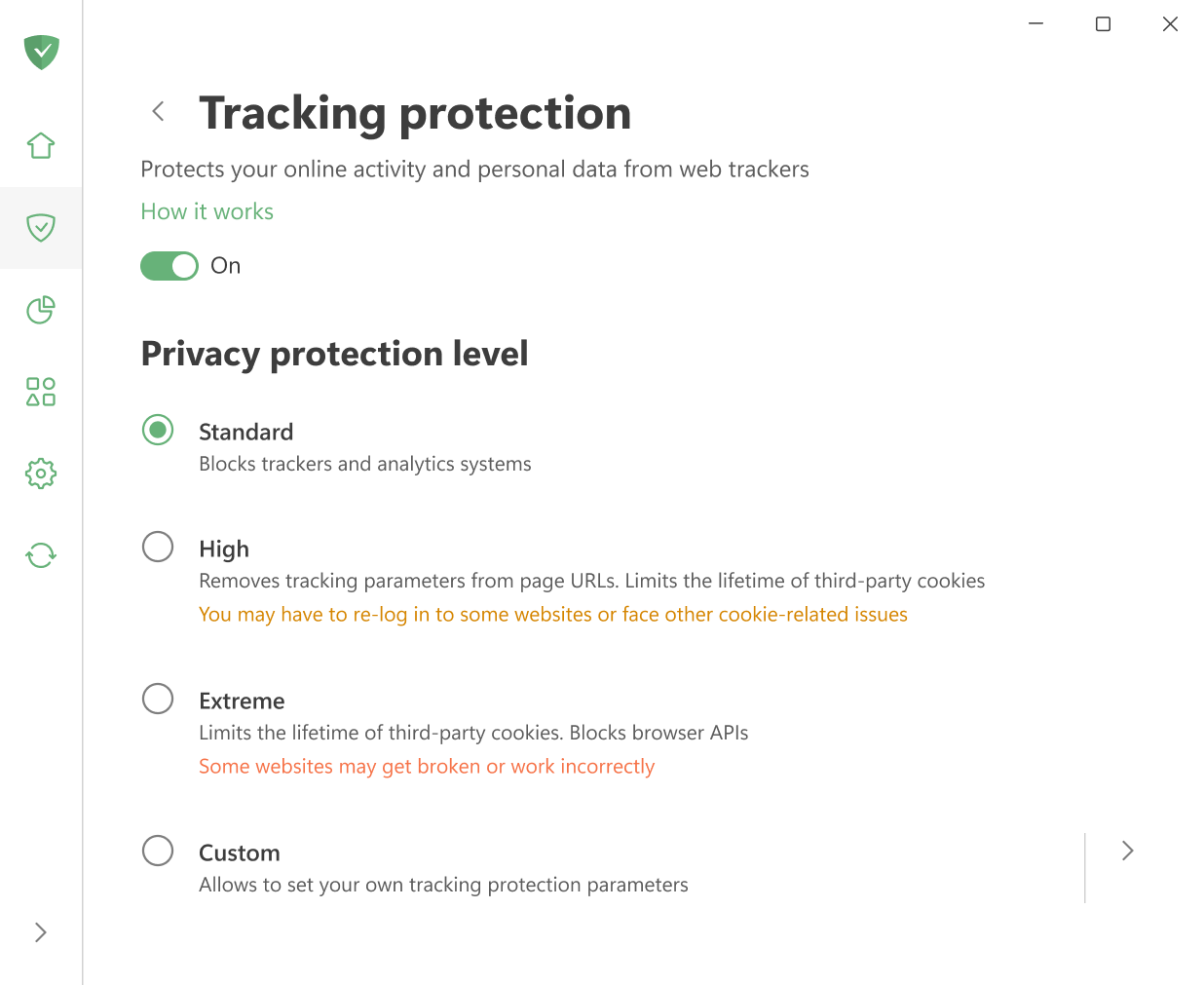
If you don’t want to spend time adjusting filters manually, you can simply pick one of the ready-made protection levels:
- Standard: enabled by default and provides reliable protection for everyday browsing.
- High: removes tracking parameters from page URLs and blocks third-party cookies. You may have to re-log in to some websites or face other cookie-related issues.
- Extreme: limits cookie lifetime of third-party cookies and blocks certain browser APIs. Some websites may not work correctly.
For maximum flexibility, select Custom and adjust everything manually. The settings there are divided into five categories:
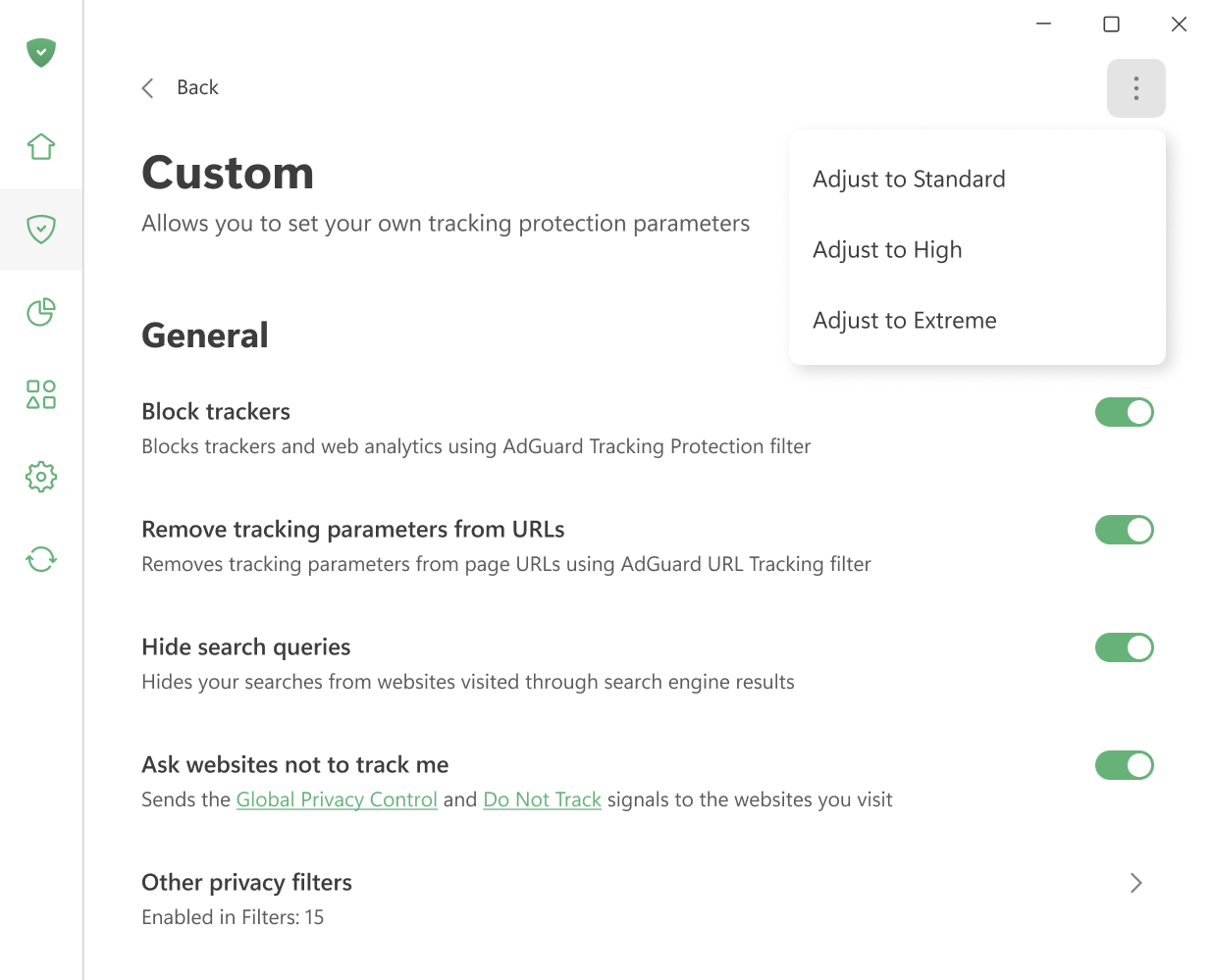
General settings
추적기 차단
Blocks trackers and web analytics using AdGuard Tracking Protection filter.
URL에서 추적 매개변수 제거
Strips tracking parameters such as utm_* and fb_ref from pages’ URLs using AdGuard URL Tracking filter.
Hide your search queries
Hides queries for websites visited from a search engine. When you get directed to a website from Google, Yahoo, or any other search engine, this option hides the search query that you used to find that website.
Ask websites not to track you
Sends the Global Privacy Control and Do Not Track signals to the websites you visit.
추적 방법
타사 쿠키 삭제
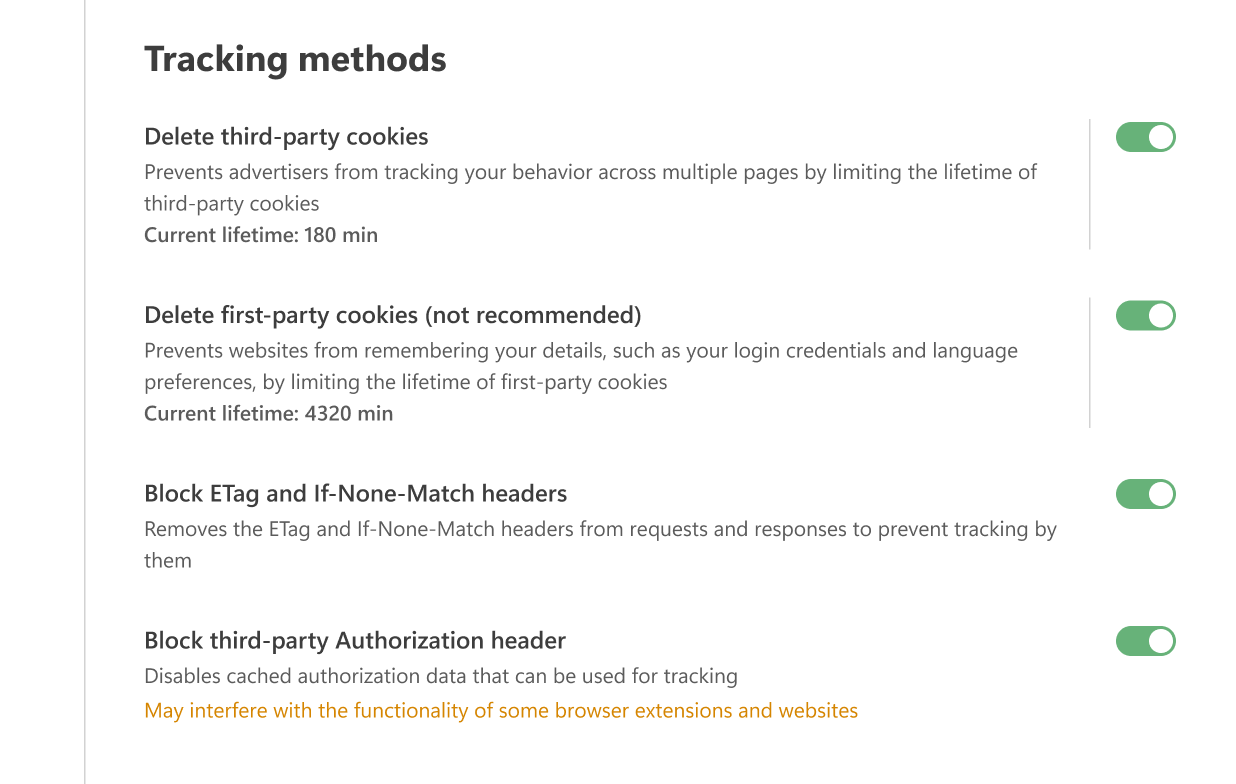
Websites use cookies to store your preferences — for example, the language you chose, your location, or the items in your shopping cart. When you return, the browser sends these cookies back so the site can recognize you.
Third-party cookies work the same way, but they are created by domains other than the one you’re visiting. For instance, cnn.com may include a Facebook Like widget that sets a cookie later read by Facebook. Advertisers often use such cookies to track which other sites you visit.
With this option, you can set a time limit (in minutes) after which all third-party cookies will be deleted. If you set the timer to 0, such cookies will be blocked completely.
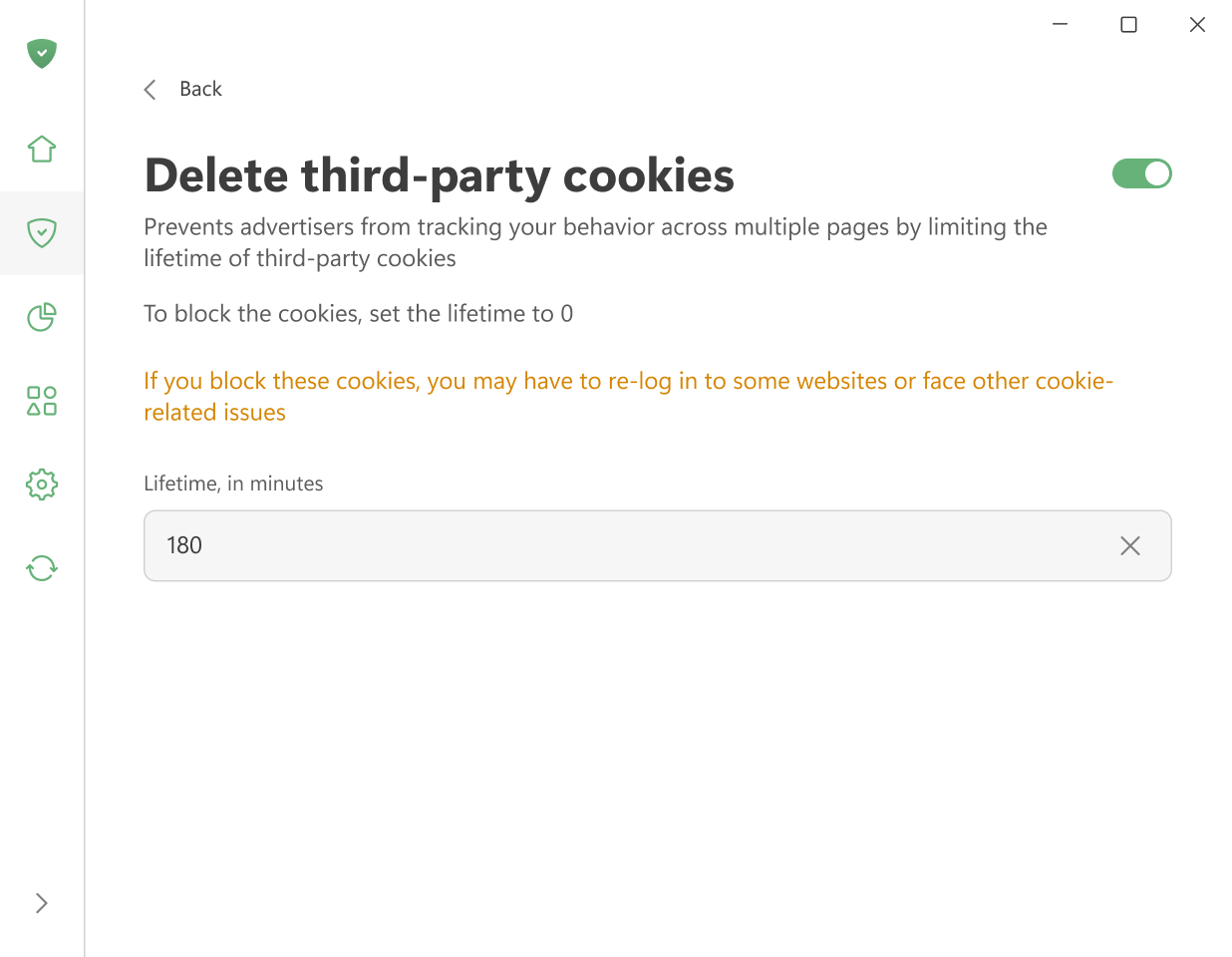
Keep in mind that this setting removes all third-party cookies, including those used for logins via social networks or other external services. This means you may need to log in again from time to time or deal with other cookie-related issues. If you only want to block tracking cookies, use AdGuard Tracking Protection filter.
자사 쿠키 삭제(권장하지 않음)
This option deletes cookies set by the website you are currently visiting after a selected period of time (in minutes). When the timer runs out, all such cookies are removed. Set the timer to 0 to block them completely.
이 옵션은 특정 웹사이트의 작업을 심각하게 방해할 수 있으므로 활성화하지 않는 것이 좋습니다.
ETag 및 If-None-Match 헤더 차단
Removes the ETag and If-None-Match headers from requests and responses to prevent websites from using them for tracking.
When a browser addresses a page, the server assigns it an ETag — a unique identifier used to cache the page’s contents. On subsequent visits, the browser sends the same ETag back to the server. This allows the server to recognize the visitor. As long as the cached files remain, the ETag is transmitted with every request. If the page also contains embedded elements from other servers, such as images or iframes, those servers can use ETags to track your activity without your knowledge.
타사 인증 헤더 차단
Disables cached authorization data that can be used for tracking purposes. 일부 확장 프로그램 및 웹사이트의 기능을 방해할 수 있습니다.
The Authorization header value is cached by the browser and automatically sent with every request to the same domain. Since it accompanies each request, it can be used to identify and track you similarly to how cookies do.
브라우저 API
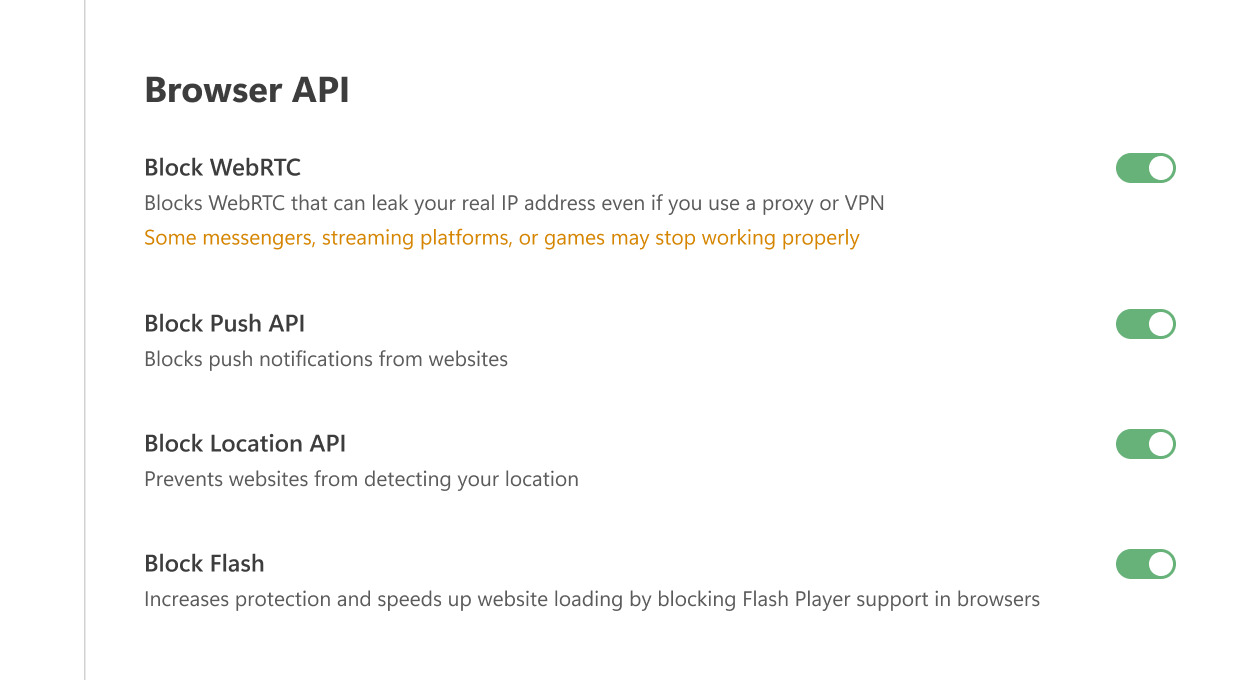
WebRTC 차단
Blocks WebRTC, a known vulnerability that can leak your real IP address even if you use a proxy or VPN.
WebRTC (Web Real-Time Communication) is a technology that allows direct data streaming between browsers and apps. It can reveal your true IP address, even if you use a proxy or VPN. Enabling this option may disrupt certain browser applications, such as messengers, chats, cinemas, or games.
푸쉬 API 차단
The Push API allows servers to send messages to web applications regardless of the activity status of your browser. This is why you may receive notifications from websites even if your browser is hidden in the tray or not launched. Enabling this option completely blocks the Push API.
위치 API 차단
When this option is enabled, the browser will no longer send GPS data to websites. This prevents them from determining your location, altering search results, or tailoring content based on where you are.
Flash 차단
The Flash Player plugin is outdated and highly vulnerable to viruses and exploits. It can also slow down website loading. Enabling this option prevents browsers from detecting Flash components (such as plugins or ActiveXObject objects), which effectively disables Flash support.
Windows 추적
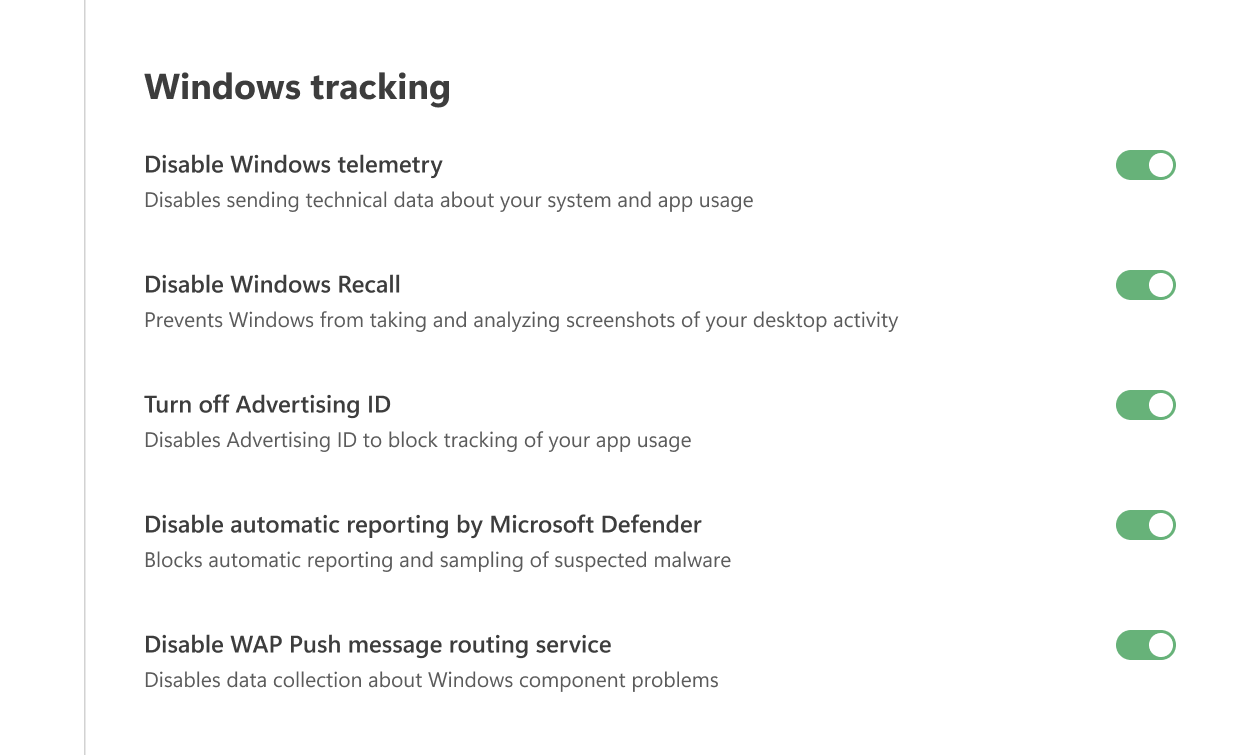
Windows 텔레메트리 비활성화
Disables sending technical data about your system and app usage.
광고 ID 끄기
Disables Advertising ID to block tracking of your app usage.
Microsoft Defender의 자동 보고 비활성화
Blocks automatic reporting and sampling of suspected malware.
WAP 푸시 메시지 라우팅 서비스 비활성화
Disables data collection about Windows component problems
기타
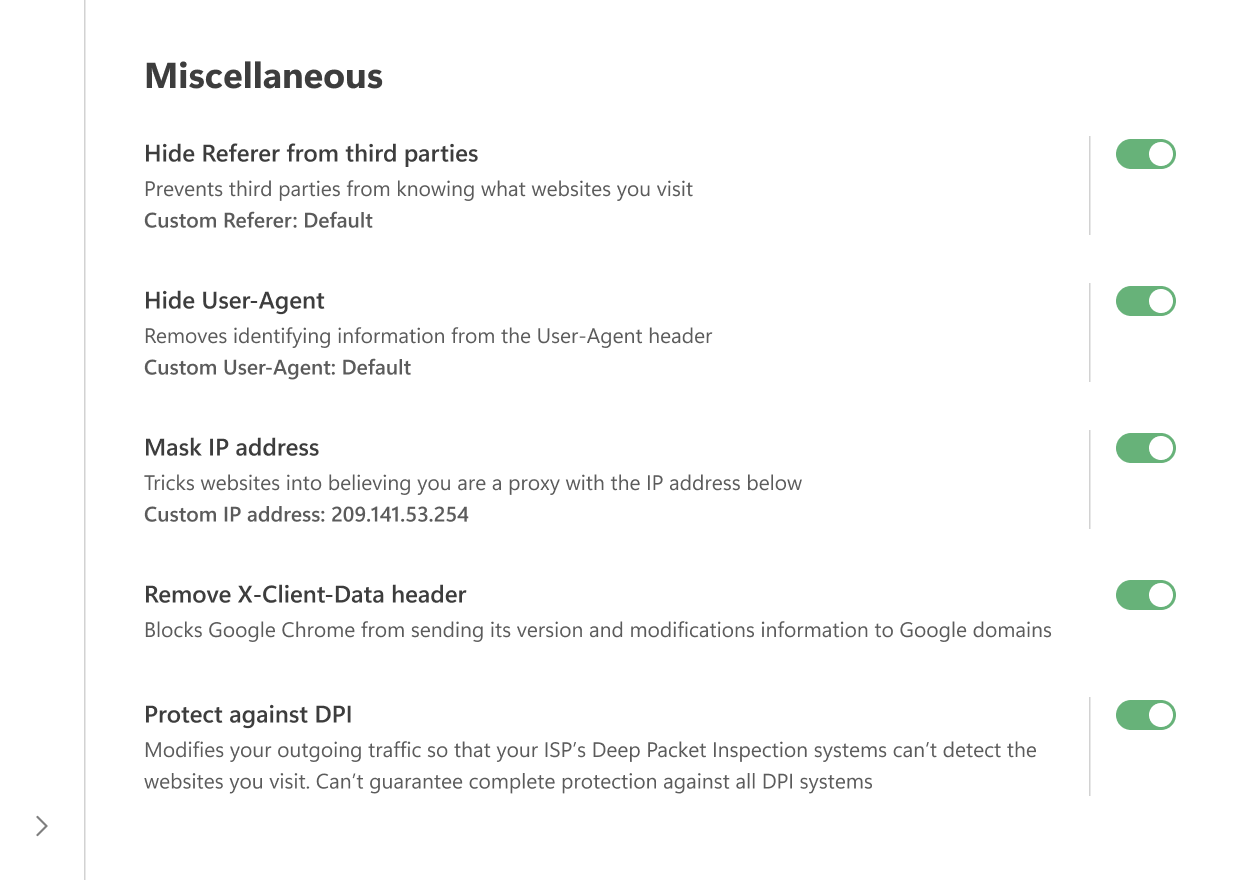
제3자로부터 Referer 숨기기
Referer is an HTTP header included in browser-to-server requests. 요청 소스의 URL이 포함되어 있습니다. 한 페이지에서 다른 페이지로 이동할 때 Referer는 초기 페이지의 URL을 저장합니다. 목적지 웹페이지를 호스팅하는 서버는 일반적으로 Referer를 분석하고 그로부터 다양한 정보를 추출하는 소프트웨어를 갖추고 있습니다.
Enabling the Hide Referer from third-parties option prevents third-party websites from seeing this information by altering or removing the header.
You can also enter a custom value in the Custom Referer field. 기본 Referer를 사용하려면 이 필드를 비워둡니다.
Note that to be able to filter traffic, AdGuard applications intercept browser-to-server requests. 광고, 추적, 및 피싱 서버로 전송되는 요청은 서버로 전송되기 전에 변경되거나 완전히 차단될 수 있습니다.
Same goes for the Hide Referer from third parties option: To filter traffic, AdGuard intercepts HTTP(S) requests and may alter or block them before they reach the server. The change happens only after the request leaves your browser. For this reason, if you check headers inside the browser (for example with Chrome Developer Tools), you will still see the original Referer. To confirm that it has been modified, you can use external tools such as Fiddler.
Hide your User-Agent
When you visit a website, your browser sends a header called User-Agent as part of the HTTP request. It looks like a text line that begins with “User-Agent:”. This line usually contains details such as the browser name and version, operating system, and language settings.
By enabling this option, AdGuard removes identifying information from the User-Agent so advertisers and trackers cannot use it to profile you. If you prefer, you can enter a custom value in the Custom User-Agent field. To keep the default value, simply leave the field blank.
Mask your IP address
AdGuard cannot completely hide your real IP address, but it can replace it with a different one so that websites interpret your connection as coming through a proxy. In some cases this helps to obscure your true IP.
You can enter any IP address you want to use in the corresponding field. 기본 IP 주소를 사용하려면 이 필드를 비워둡니다.
X-Client-Data 헤더 제거
Prevents Google Chrome from sending information about its version and modifications in requests to Google domains, including services like DoubleClick and Google Analytics.
DPI로부터 보호
심층 패킷 검사는 패킷 내용별로 트래픽을 심층 분석 및 필터링하고 통계 데이터를 축적하는 시스템입니다. 이 기술을 통해 인터넷 서비스 제공업체(ISP)는 고객의 트래픽을 제어하고 콘텐츠에 대한 접근을 제한할 수 있습니다.
Deep Packet Inspection (DPI) is a technology used by some ISPs to analyze and filter traffic based on packet content. It allows them to monitor connections, restrict access to certain resources, and collect statistics about users.
When this option is enabled, AdGuard modifies outgoing packet data so that it no longer matches the DPI blocking criteria. This can help you bypass restrictions and access the content you need. However, not all DPI systems can be circumvented yet — improvements are still in progress.
The Protect from DPI feature is already implemented in AdGuard for Windows, AdGuard for Mac, and AdGuard for Android.
If this feature is enabled in AdGuard for Windows, it may interfere with the ESET antivirus. In this case, ESET will not be able to filter traffic, leaving some malicious or blocked websites accessible.