Statistiche
Questo articolo descrive AdGuard per Windows v8.0, un blocca-inserzioni completo che protegge il tuo dispositivo a livello di sistema. Questo è una versione beta ancora in fase di sviluppo. Per provarlo, scarica la versione beta di AdGuard per Windows.
Nelle Statistiche, vedi un quadro completo di ciò che accade al traffico del tuo computer: quante richieste sono inviate e a quali società, quanti dati sono caricati e scaricati, quali richieste sono bloccate. Puoi controllare le statistiche per vari intervalli di tempo: ogni momento, gli ultimi 14 giorni, gli ultimi 7 giorni, le ultime 24 ore, e suddivise per inserzioni, tracciatori o richieste.
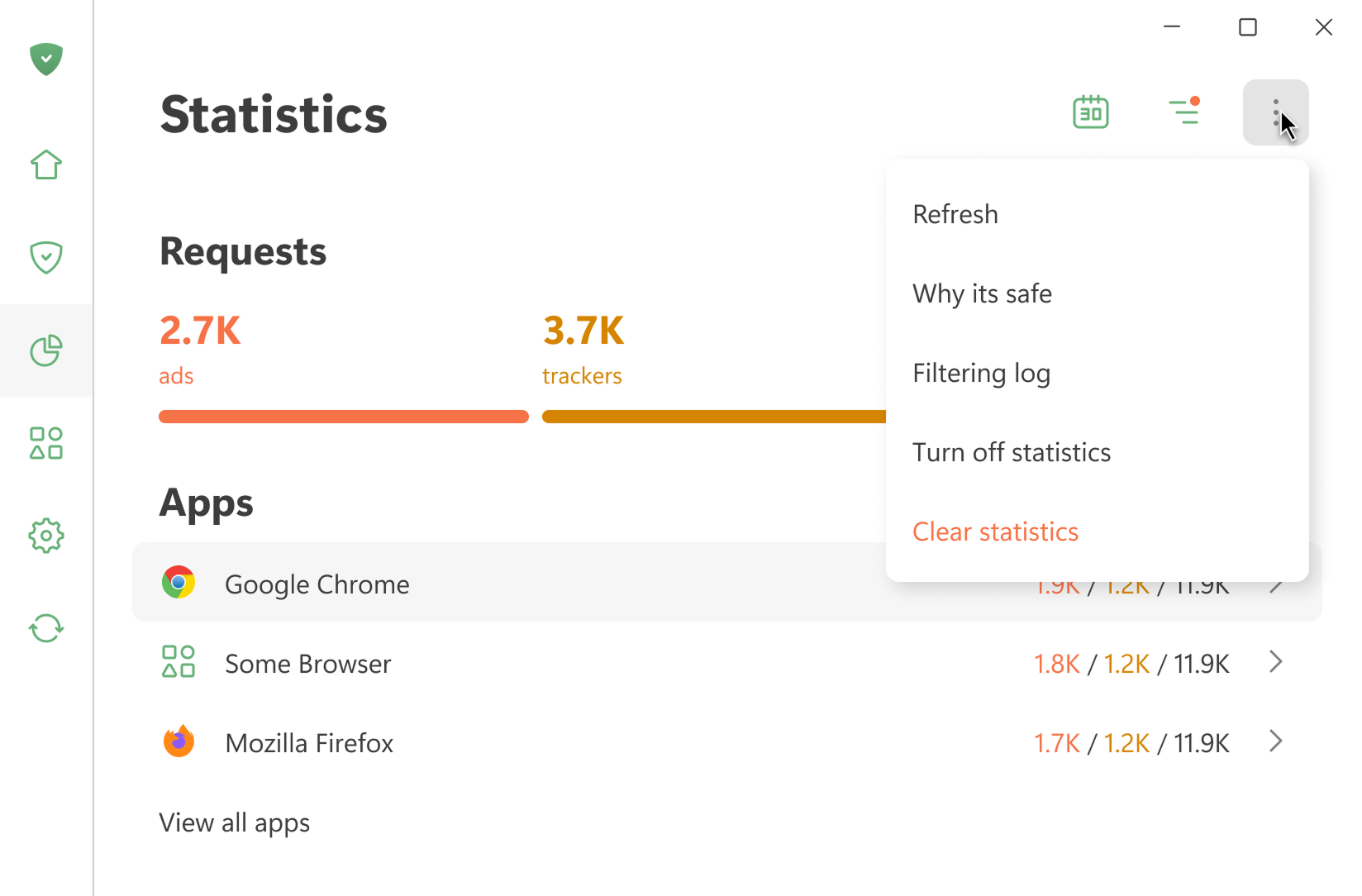
Tutte le statistiche sono memorizzate localmente nel tuo dispositivo. Calcoliamo solo la quantità di dati usata, non vediamo quali siti web visiti. Puoi anche disattivare le statistiche se non ti servono.
Apri Registro di filtraggio mostra le ultime 10.000 richieste elaborate da AdGuard
App
Questa sezione mostra le statistiche per tutte le app installate sul tuo dispositivo. Puoi ordinare le app per numero di annunci o tracciatori bloccati, o secondo il numero delle richieste inviate.
Se clicchi un'app, puoi vederne le statistiche complete: le richieste che invia e i domini e le società ai quali si collega.
DNS
Questa sezione mostra i dati sulle richieste gestite dalla protezione DNS. Puoi vedere il numero totale di richieste inviate e quante sono state bloccate da AdGuard
Società
Questa sezione mostra le società alle quali il tuo dispositivo si collega. Cosa significa?
AdGuard rileva i domini ai quali il tuo dispositivo invia richieste e determina a quali società appartengono. Una banca dati delle società può essere trovata in GitHub.
Uso dei dati
Questa sezione mostra la quantità di dati scaricati e caricati, nonché del traffico salvato.