Statistiques
Cet article décrit AdGuard pour Windows v8.0, un bloqueur de publicité complet qui protège votre appareil au niveau du système. Il s'agit d'une version bêta encore en développement. Pour l'essayer, téléchargez la version bêta d'AdGuard pour Windows.
Dans les Statistiques, vous obtenez une vue d'ensemble complète de ce qui se passe avec le trafic sur votre ordinateur : combien de requêtes sont envoyées et vers quelles compagnies, la quantité de données téléversées et téléchargées, quelles requêtes sont bloquées. Vous pouvez consulter les statistiques pour des périodes différentes : toutes les périodes, les 14 derniers jours, les 7 derniers jours, les dernières 24 heures, et triées par publicités, traqueurs ou requêtes.
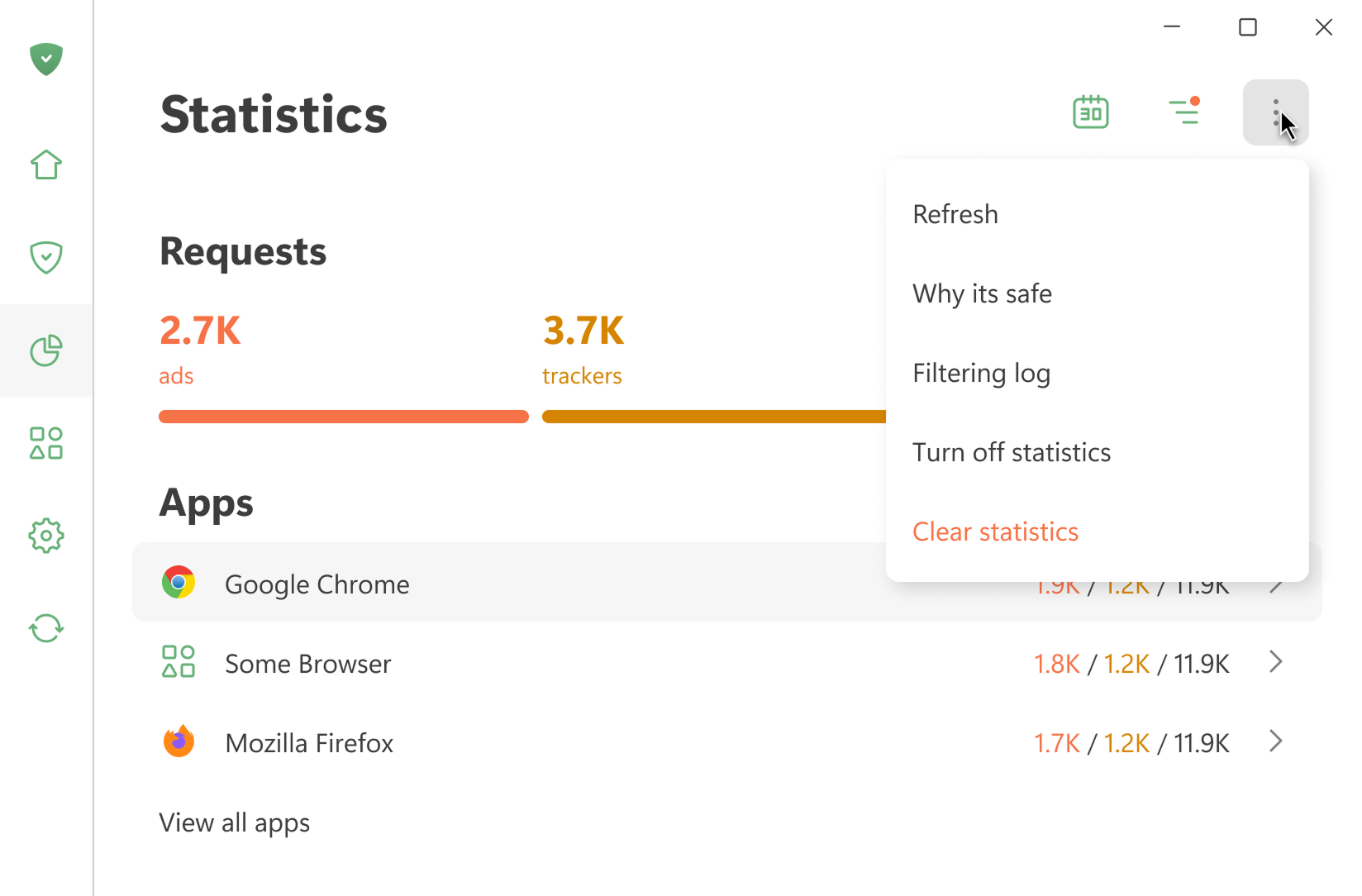
Toutes les statistiques sont stockées localement sur votre appareil. Nous calculons uniquement la quantité de données utilisées — nous ne voyons pas les sites Web que vous visitez. Vous pouvez également désactiver les statistiques si vous n'en avez pas besoin.
Ouvrir le journal de filtrage affiche les 10 000 dernières requêtes traitées par AdGuard
Applications
Cette section affiche les statistiques pour toutes les applications installées sur votre appareil. Vous pouvez trier les applications par le nombre de publicités ou de traqueurs bloqués, ou par le nombre de requêtes envoyées.
Si vous cliquez sur une application, vous pouvez voir ses statistiques complètes : les requêtes qu'elle envoie et les domaines et entreprises qu'elle contacte.
DNS
Cette section montre les données relatives aux requêtes traitées par la Protection DNS. Vous pouvez voir le nombre total de requêtes envoyées et combien ont été bloquées par AdGuard
Entreprises
Cette section affiche les entreprises que votre appareil contacte. Qu'est-ce que cela signifie ?
AdGuard détecte les domaines vers lesquels votre appareil envoie des requêtes et détermine à quelles entreprises ils appartiennent. Une base de données d'entreprises est disponible sur GitHub.
Utilisation des données
Cette section affiche la quantité de données téléchargées et téléversées en téléversement, ainsi que le trafic économisé.