Extensions
Scripts utilisateur
Les scripts utilisateurs ou userscripts (que nous appelons aussi "extensions") sont, en fait, des miniprogrammes écrits en JavaScript. Ils modifient ou élargissent les fonctionnalités d'un ou plusieurs sites web. De nombreux utilisateurs d'AdGuard sont peut-être déjà familiers avec des scripts utilisateur tels que AdGuard Assistant, Popup Blocker et AdGuard Extra.
AdGuard peut accroître considérablement les fonctionnalités des sites web en agissant comme un gestionnaire de scripts utilisateur. You can add your custom scripts or manage the existing ones in our three products: AdGuard for Windows, AdGuard for Android, and AdGuard for Mac.
Scripts AdGuard recommandés
Ces scripts utilisateur proviennent directement des développeurs AdGuard et nous pouvons garantir qu'ils sont efficaces et sûrs. Pour certains des scripts utilisateur développés par des tiers que nous considérons comme bons et fiables, faites défiler jusqu'à la section suivante. Vous pouvez également trouver ci-dessous certains des sites Web populaires avec des scripts, mais n'oubliez pas que chaque fois que vous téléchargez un script utilisateur à partir d'une source inconnue, vous vous exposez à un certain risque, car certains scripts peuvent être dangereux pour votre ordinateur.
AdGuard Extra
Une extension qui bloque les publicités dans les cas difficiles où l'approche habituelle basée sur les filtres ne suffit pas. AdGuard Extra est préinstallée dans les applications autonomes d'AdGuard, sauf pour celle d'iOS, vous n'avez donc rien à faire pour l'activer. Cependant, si vous souhaitez l'utiliser avec l'extension de navigateur AdGuard ou tout autre bloqueur de publicités, vous devrez utiliser une extension supplémentaire. Apprenez-en plus sur ce script utilisateur et comment l'installer sur GitHub.
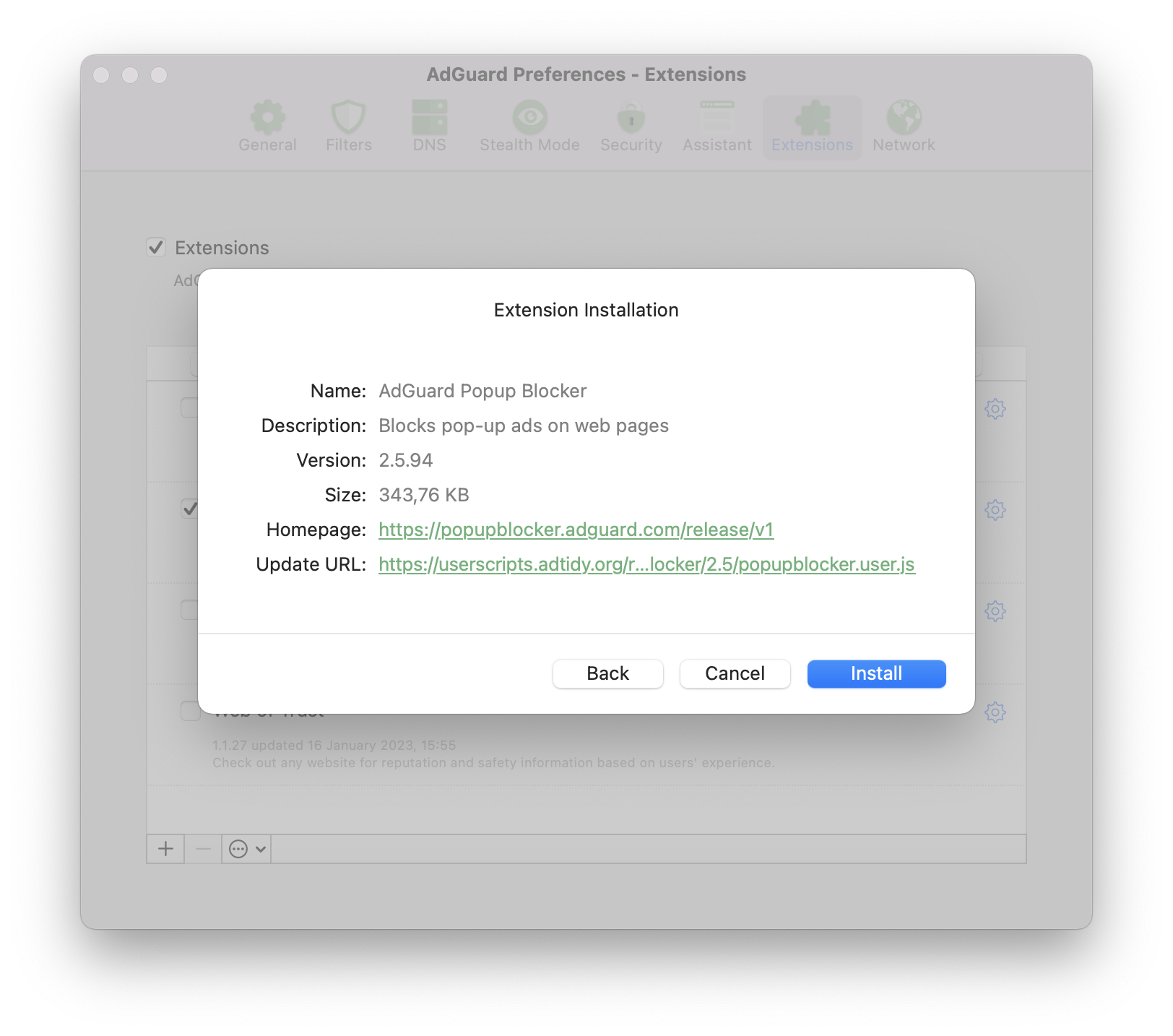
Bloqueur AdGuard de fenêtres pop-up
Le nom parle de lui-même : il bloque les pop-ups, un des types de publicité les plus agaçants sur les pages web. Apprenez plus sur ce script utilisateur, ses fonctionnalités clés et son installation sur GitHub.
Assistant AdGuard (ancienne version)
Cette extension personnalisée est conçue pour contrôler le filtrage directement depuis la page du navigateur (blocage manuel, inclusion dans la liste autorisée, etc.).
Cette version de l'Assistant est obsolète et inutile à utiliser sur les nouveaux systèmes, puisqu'elle a été remplacée par l'Assistant de navigateur complet. Mais l'ancien Assistant peut être utile s'il n'y a pas d'Assistant de navigateur pour votre navigateur. Si c’est votre cas, vous pouvez apprendre comment installer l'Assistant AdGuard sur GitHub.
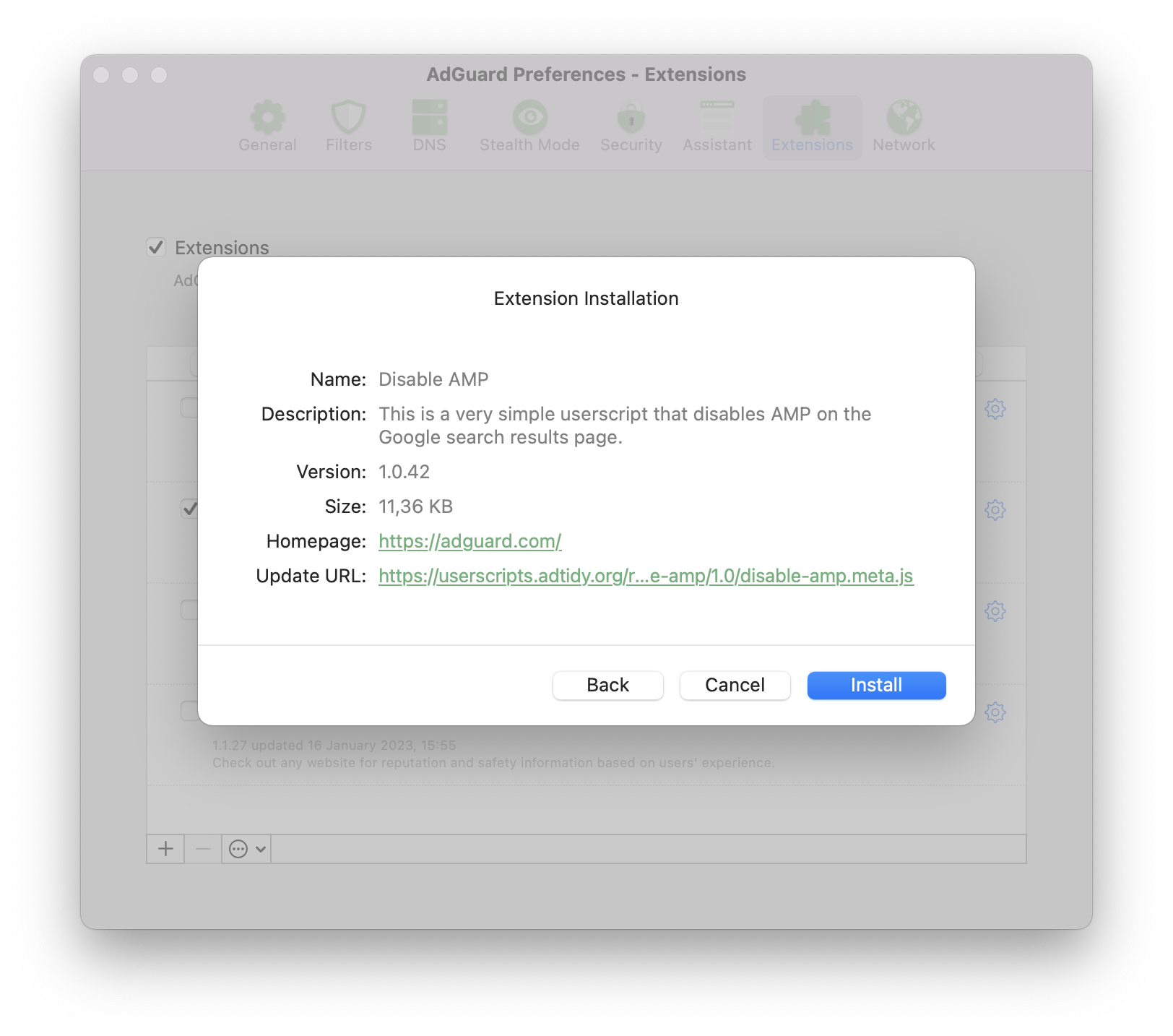
Disable AMP
Un script préinstallé uniquement dans AdGuard pour Android. Il désactive AMP (Accelerated Mobile Pages - pages mobiles accélérées) sur la page de résultats de recherche Google. Apprenez plus sur ce script utilisateur et comment l'installer sur GitHub.
Meilleurs choix en dehors d'AdGuard
Ces scripts utilisateur ne sont pas développés par AdGuard, et nous ne pouvons donc pas garantir à 100 % qu'ils sont sûrs et/ou fonctionnent à tout moment. Cependant, d'après notre expérience, ils méritent une recommandation car ils ont tous gagné leur bonne réputation.
Don't track me Google
Ce script supprime la fonctionnalité de suivi de Google des liens dans les résultats de recherche Google. Il accélère le chargement des résultats de recherche et vous permet de cliquer ou d'appuyer avec le bouton droit pour copier l'URL du lien.
Son code source est disponible sur GitHub. Ce script utilisateur peut être téléchargé depuis GreasyFork et installé dans n'importe quelle application basée sur AdGuard CoreLibs.
SponsorBlock
SponsorBlock skips sponsored segments in YouTube videos. It saves time by jumping straight to the main content and removes interruptions from ads and self-promotions.
Ce script utilisateur s'exécute exclusivement sur nos applications de bureau, AdGuard pour Windows et AdGuard pour Mac.
To try it out:
- Go to https://mchangrh.github.io/sb.js/.
- Click Generate link.
- Copy the link that appears.
- Open AdGuard and go to Extensions → Add extension → Import from file or URL.
- Paste the copied link and confirm.
tinyShield
tinyShield is primarily designed for Korean websites protected by Ad-Shield, but it also supports many international websites that use the same ad anti-adblocking technology. This userscript can be installed in AdGuard CoreLibs-based apps, Violentmonkey, Tampermonkey, and quoid/userscripts. Learn more about tinyShield and how to install it on GitHub.
Où trouver d'autres scripts utilisateur ?
Les scripts utilisateur étant principalement créés par des passionnés, il faut être bien prudent lors de leur installation. Tout script provenant d'une source inconnue comporte un risque potentiel. Pourtant, il existe une grande variété de scripts intéressants qui, s’ils sont installés avec soin et de manière responsable, peuvent réellement rendre l’utilisation de certains sites web plus pratique.
Nous décrirons ici certains des catalogues de scripts utilisateur les plus populaires.
Userscript.Zone
Userscript.Zone est un site Web qui permet de rechercher des scripts utilisateur en saisissant une URL ou un domaine correspondant. Le site Web est facile à utiliser et bénéficie d'une grande crédibilité, car seuls les scripts provenant des pages modérées sont affichés.
Greasy Fork
Greasy Fork est un catalogue de scripts utilisateur réalisé par les créateurs de Stylish. Les scripts de ce catalogue sont modérés, leur crédibilité est donc beaucoup plus élevée.
OpenUserJS.org
OpenUserJS.org est un catalogue de scripts utilisateur open source écrit en nodeJS. Il n'est pas modéré, donc méfiez-vous des scripts suspects.
NamuLink
NamuLink is an open-source userscript that removes Naver PowerLink advertisements from NamuWiki by bypassing the site's advanced link obfuscation mechanisms. The project is maintained by the AdGuard team and the broader ad-blocking community.
Crackle
Crackle is an open-source userscript designed to remove ads and bypass anti-adblock measures on the Chzzk web platform. It detects and replaces ad-related responses used by Chzzk’s advertising systems with compatible ad-free responses and disables pre-roll and mid-roll video ads.
Community
If you like the idea of customizing your browser with userscripts and have questions, you can ask them on one of these websites:
Development
Request license
If you are developing your own userscript and want to test how it works with AdGuard, you can request a license by filling in the form.
Compatibility
Metadata block
Supported properties
@name@namespace@description@version@match@include@exclude@grant@connect@require@resource@downloadURL@updateURL@homepage,@homepageURL,@source,@website@run-at@noframes@icon,@iconURL,@defaulticon@icon64,@icon64URL
Unsupported properties
These properties will be simply ignored by AdGuard.
Supported GM functions
AdGuard supports both old GM_ functions and new GM4 API that use GM object.
All listed old Greasemonkey functions are deprecated but still supported.
GM.info,GM_infoGM.setValue,GM_setValueGM.getValue,GM_getValueGM.listValues,GM_listValuesGM.deleteValue,GM_deleteValueGM.getResourceUrl,GM_getResourceURLGM.setClipboard,GM_setClipboardGM.xmlHttpRequest,GM_xmlhttpRequestGM.openInTab,GM_openInTabGM.notificationunsafeWindowGM_getResourceTextGM_addStyleGM_logGM.addElement,GM_addElementwindow.onurlchange
You can find more information about Greasemonkey API in its manual.
Exemple
// ==UserScript==
// @name            Name as shown to the user when locale is english or unknown
// @name:ru         Name as shown to the user when locale is russian
// @description     Description as shown to the user when locale is english or unknown
// @description:ru  Description as shown to the user when locale is russian
// @icon            https://myhomepage.com/myuserscript.png
// @version         1.0.0.0
// @downloadURL     https://dl.myhomepage.org/myuserscript.user.js
// @updateURL       https://dl.myhomepage.org/myuserscript.meta.js
// @homepageURL     https://myhomepage.com/myuserscript
// @include         *
// @exclude         *://website.com/*
// @resource        https://myhomepage.com/myuserscript.css
// @require         https://myhomepage.com/mylibrary.js
// @grant           property:settings
// @grant           GM_getValue
// @grant           GM_setValue
// @grant           GM_deleteValue
// @grant           GM_listValues
// @grant           GM_getResourceText
// @grant           GM_getResourceURL
// @grant           GM_addStyle
// @grant           GM_log
// @grant           GM_setClipboard
// @grant           GM_xmlhttpRequest
// @grant           unsafeWindow
// @grant           GM_info
// @grant           GM_openInTab
// @grant           GM_registerMenuCommand
// @grant           GM_addElement
// @grant           window.onurlchange
// @run-at          document-start
// ==/UserScript==
!function(){(
    console.log("I am loaded!");
)}();
Trusted Types API
AdGuard provides an instance of the PolicyApi class that allows you to manage Trusted Types in your userscripts.
You can access the instance of this class by using the ADG_policyApi variable in your userscript.
Properties
name: string— a name of the policy (Default is"AGPolicy").isSupported: boolean— a flag indicating whether or not the Trusted Types API is supported by the current browser.
Polyfilled methods
ADG_policyApi.createHTML. If not supported, returnsinput: string.ADG_policyApi.createScript. If not supported, returnsinput: string.ADG_policyApi.createScriptURL. If not supported, returnsinput: string.ADG_policyApi.getAttributeType. If not supported, returnsnull.ADG_policyApi.getPropertyType. If not supported, returnsnull.ADG_policyApi.isHTML. If not supported, returnsfalse.ADG_policyApi.isScript. If not supported, returnsfalse.ADG_policyApi.isScriptURL. If not supported, returnsfalse.
Additional Types
/**
 * Enum representation of the return values of the `getAttributeType` and
 * `getPropertyType` methods of the native Trusted Types API.
 *
 * @see {@link https://developer.mozilla.org/en-US/docs/Web/API/TrustedTypePolicyFactory/getAttributeType}
 * @see {@link https://developer.mozilla.org/en-US/docs/Web/API/TrustedTypePolicyFactory/getPropertyType}
 */
enum TrustedType {
    HTML = 'TrustedHTML',
    Script = 'TrustedScript',
    ScriptURL = 'TrustedScriptURL',
}

// You can access it like that inside of userscript
ADG_TrustedType.HTML // "TrustedHTML"

/**
 * Isomorphic trusted value type. If a browser supports the Trusted Types API, it will be one of the enum Trusted Types
 * (`TrustedHTML`, `TrustedScript` or `TrustedScriptURL`); otherwise, it will be regular `string`.
 *
 * @see {@link https://developer.mozilla.org/en-US/docs/Web/API/TrustedHTML}
 * @see {@link https://developer.mozilla.org/en-US/docs/Web/API/TrustedScript}
 * @see {@link https://developer.mozilla.org/en-US/docs/Web/API/TrustedScriptURL}
 */
type TrustedValue = string | TrustedHTML | TrustedScript | TrustedScriptURL;
Additional methods
/**
 * Creates a Trusted Type depending on `type`:
 * - `TrustedHTML`
 * - `TrustedScript`
 * - `TrustedScriptURL`
 * - or returns `value` if none of them is applicable.
 *
 * @param type          Trusted Type.
 * @param value         Value from which a Trusted Type is created.
 * @param createArgs    Additional arguments to be passed to the function represented by `TrustedTypePolicy`.
 * @returns             Created value.
 */
function create(
    type: TrustedType,
    value: string,
    ...createArgs: unknown[]
): TrustedValue


// Example: Creates TrustedHTML
const trustedHTML = ADG_policyApi.create(ADG_TrustedType.HTML, '<div></div>');

/**
 * Converts `value` of `attribute` into one of the Trusted Types:
 * - `TrustedHTML`
 * - `TrustedScript`
 * - `TrustedScriptURL`
 * - or returns `value` if none of them is applicable.
 *
 * @param tagName       Name of an HTML tag.
 * @param attribute     Attribute.
 * @param value         Value of an attribute to be converted.
 * @param elementNS     Element namespace. If empty, defaults to the HTML namespace.
 * @param attrNS        Attribute namespace. If empty, defaults to null.
 * @param createArgs    Additional arguments to be passed to the function represented by `TrustedTypePolicy`.
 * @returns             Converted value.
 */
function convertAttributeToTrusted(
    tagName: string,
    attribute: string,
    value: string,
    elementNS?: string,
    attrNS?: string,
    ...createArgs: unknown[]
): TrustedValue

// Example: Converts to TrustedScriptURL
const trustedScriptURL = ADG_policyApi.convertAttributeToTrusted("script", "src", 'SOME_URL');
scriptElement.setAttribute("src", trustedScriptURL);

/**
 * Converts `value` of `property` into one of the Trusted Types:
 * - `TrustedHTML`
 * - `TrustedScript`
 * - `TrustedScriptURL`
 * - or returns `value` if none of them is applicable.
 *
 * @param tagName       Name of an HTML tag.
 * @param property      Property.
 * @param value         Value of a property to be converted.
 * @param elementNS     Element namespace. If empty, defaults to the HTML namespace.
 * @param createArgs    Additional arguments to be passed to the function represented by `TrustedTypePolicy`.
 * @returns             Converted value.
 */
function convertPropertyToTrusted(
    tagName: string,
    property: string,
    value: string,
    elementNS?: string,
    ...createArgs: unknown[]
): TrustedValue

// Example: Converts to TrustedHTML
divElement.innerHTML = ADG_policyApi.convertPropertyToTrusted("div", "innerHTML", "<div></div>");
Matching SPA sites
This section only applies to AdGuard for Windows, AdGuard for Mac, AdGuard for Android, and AdGuard for Linux with CoreLibs v1.19 or later.
Many modern websites, such as YouTube, utilize Single Page Application (SPA) capabilities. Unlike traditional web applications, the page does not reload when navigating between pages. Instead, the content is updated dynamically using JavaScript, allowing for a smoother user experience.
On such websites, a userscript is invoked only once when the @match or @include directives are matched (unless @exclude is matched). Due to the nature of SPAs, the userscript cannot be re-invoked on subsequent page changes because the global JavaScript context remains the same. To address this issue, userscripts can use the @grant window.onurlchange directive.
// ==UserScript==
// @name SPA
// @namespace spa
// @version 1.0.0
// @match https://*/*
// @grant window.onurlchange
// @run-at document-start
// ==/UserScript==

// via window.onurlchange
window.onurlchange = (event) => {
    console.log('URL changed to:', event.url);
};

// via window.addEventListener('urlchange')
window.addEventListener('urlchange', (event) => {
    console.log('URL changed to:', event.url);
});
This will allow userscripts to listen for URL changes and handle them accordingly.
The urlchange event is only triggered for full URL changes, such as a change in the path or query, but not for fragment (hash) changes.
Examples:
- Navigation from
https://example.com/page1tohttps://example.com/page2will trigger the event. - Navigation from
https://example.com/page1?query=1tohttps://example.com/page1?query=2will trigger the event. - Navigation from
https://example.com/page1#section1tohttps://example.com/page1#section2will NOT trigger the event.
The window.onurlchange and window.addEventListener('urlchange', ...) APIs are non-standard. To use them, you must explicitly grant them in your userscript with @grant window.onurlchange.
If a website uses hash routing, userscripts can use the native DOM hashchange event:
// ==UserScript==
// @name SPA
// @namespace spa
// @version 1.0.0
// @match https://*/*
// @run-at document-start
// ==/UserScript==

// via window.onhashchange
window.onhashchange = (event) => {
    console.log(`Hash changed from "${event.oldURL}" to "${event.newURL}"`);
};

// via window.addEventListener('hashchange')
window.addEventListener('hashchange', (event) => {
    console.log(`Hash changed from "${event.oldURL}" to "${event.newURL}"`);
});
Userstyles
Userstyles allow users to change the appearance of popular websites.
AdGuard has the option to upload or create your own userstyles. This is an advanced feature, so you will need some knowledge of HTML and CSS.
Currently, two AdGuard apps allow you to create and manage userstyles: AdGuard for Windows (v7.19 or later) and AdGuard for Mac (v2.16 or later). We also plan to implement this new feature in AdGuard for Android v4.8 in the nearest future.
This is an experimental feature, so if you encounter any problems while adding or creating a userstyle, please contact our support team at support@adguard.com.
How to set up a userstyle in AdGuard
You can download userstyles from various websites. One of the most popular userstyle websites is https://userstyles.world/, which we will use as an example for the following instructions on how to set up the userstyle in AdGuard.
-
Follow the link above and choose the userstyle you like
-
Click Copy next to the userstyle address
-
Open AdGuard settings → Extensions
-
Press the [+] button and paste the userstyle link
-
C'est fait !
If you’re familiar with CSS rules, you can also create userstyles yourself.
We don’t support userstyles that contain @var or @advanced in the metadata. AdGuard also doesn’t support @preprocessor without the default value.
-
Open AdGuard settings → Extensions
-
Press the [+] button and choose the Create userstyle option. A new window will appear on your screen
-
To create a userstyle, first write the title with metadata, for example
/* ==UserStyle==@name New userstyle@version 1.0==/UserStyle== */ -
Write the CSS part after the meta data. AdGuard supports website domain names matching (
@-moz-document domain(…), …). For example:body {background: gray;}Or:
@-moz-document domain('example.org'),domain('example.net'),domain('example.com') body {background: gray;} -
Once you’re finished, press Save and Close. Your new userstyle has been successfully added to AdGuard
Exemple
/* ==UserStyle==
@name         Example userstyle
@namespace    https://example.org/userstyle
@homepageURL  https://example.org/userstyle
@version      1.0.0
@license      Other
@description  This is an example
@author       example
@preprocessor default
==/UserStyle== */
@-moz-document regexp("https?\:\/\/(www\.)?example\.(org|com).*") {
    body {
        background-color: #000000 !important;
    }
}