Statistiken
Dieser Artikel beschreibt AdGuard für Windows v8.0, einen umfassenden Werbeblocker, der Ihr Gerät auf Systemebene schützt. Es handelt sich hierbei um eine Beta-Version, die sich noch in der Entwicklung befindet. Um es auszuprobieren, laden Sie die Beta-Version von AdGuard für Windows herunter.
In Statistiken erhalten Sie einen umfassenden Überblick über den Datenverkehr auf Ihrem Computer: Wie viele Anfragen werden an welche Unternehmen gesendet, wie viele Daten werden hoch- und heruntergeladen und welche Anfragen werden blockiert. Sie können die Statistiken für verschiedene Zeiträume einsehen: insgesamt, die letzten 14 Tage, die letzten 7 Tage, die letzten 24 Stunden und aufgeschlüsselt nach Werbung, Trackern oder Anfragen.
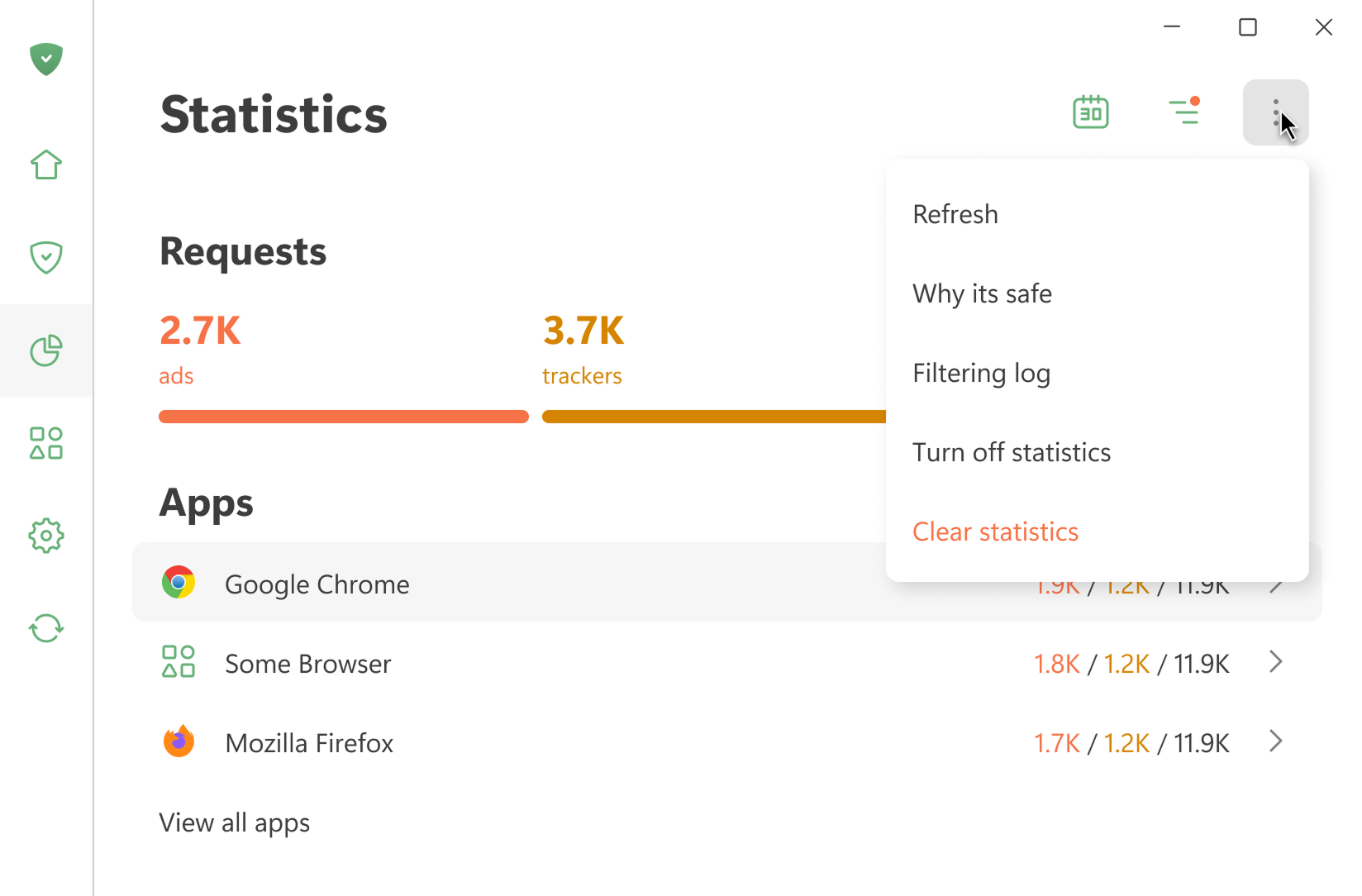
Alle Statistiken werden lokal auf Ihrem Gerät gespeichert. Es wird nur berechnet, wie viel Datenvolumen verbraucht wird. Es wird nicht erfasst, welche Websites Sie besuchen. Sie können Statistiken auch deaktivieren, wenn Sie sie nicht benötigen.
Filtrierungsprotokoll öffnen zeigt die letzten 10.000 von AdGuard verarbeiteten Anfragen an
Apps
In diesem Bereich werden die Statistiken für alle auf Ihrem Gerät installierten Apps angezeigt. Sie können Apps nach der Anzahl der gesperrten Werbung oder Tracker oder nach der Anzahl der gesendeten Anfragen sortieren.
Wenn Sie auf den Namen einer App klicken, können Sie deren vollständige Statistiken einsehen: die von ihr gesendeten Anfragen sowie die Domains und Unternehmen, an die sie sich wendet.
DNS
Dieser Abschnitt enthält Daten zu den Anfragen, die vom DNS-Schutz verarbeitet wurden. Sie können die Gesamtzahl der gesendeten Anfragen und die Zahl der von AdGuard blockierten Anfragen einsehen
Unternehmen
In diesem Abschnitt werden die Unternehmen angezeigt, mit denen Ihr Gerät in Verbindung tritt. Was bedeuten das?
AdGuard erkennt die Domains, für die Ihr Gerät Anfragen sendet, und bestimmt, zu welchen Unternehmen sie gehören. Eine Datenbank mit Unternehmen ist auf GitHub zu finden.
Datennutzung
Dieser Abschnitt zeigt die Menge der heruntergeladenen und hochgeladenen Daten sowie den eingesparten Datenverkehr an.