How to block YouTube ads
info
This article covers AdGuard for iOS, a multifunctional ad blocker that protects your device at the system level. To see how it works, download the AdGuard app
How to block ads in the YouTube app
- Open the YouTube app.
- Choose a video and tap Share.
- Tap More, then select Block YouTube Ads (by AdGuard).
The video now opens in AdGuard’s ad-free player.
How to block ads on YouTube in Safari
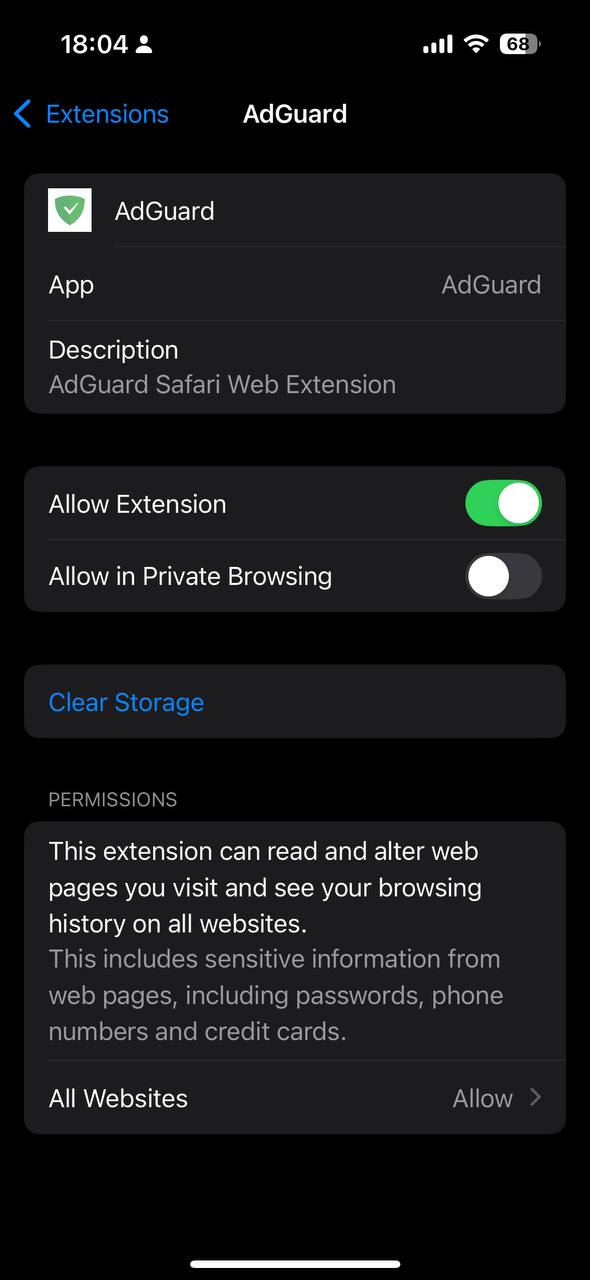
- Go to Safari → Extensions → AdGuard.
- Make sure Allow Extension is enabled. On the same screen, set the All Websites permission for AdGuard to Allow.
- Open AdGuard, tap the shield icon, and enable Advanced protection.
You can now watch YouTube videos in Safari without ads.