Other features
This article is about AdGuard for iOS, a multifunctional ad blocker that protects your device at the system level. To see how it works, download the AdGuard app
While Safari content blocking and DNS protection are indisputably two major modules of AdGuard/AdGuard Pro, there are some other minor features that don't fall into either of them directly but still can be useful and are worth knowing about.
Dark theme
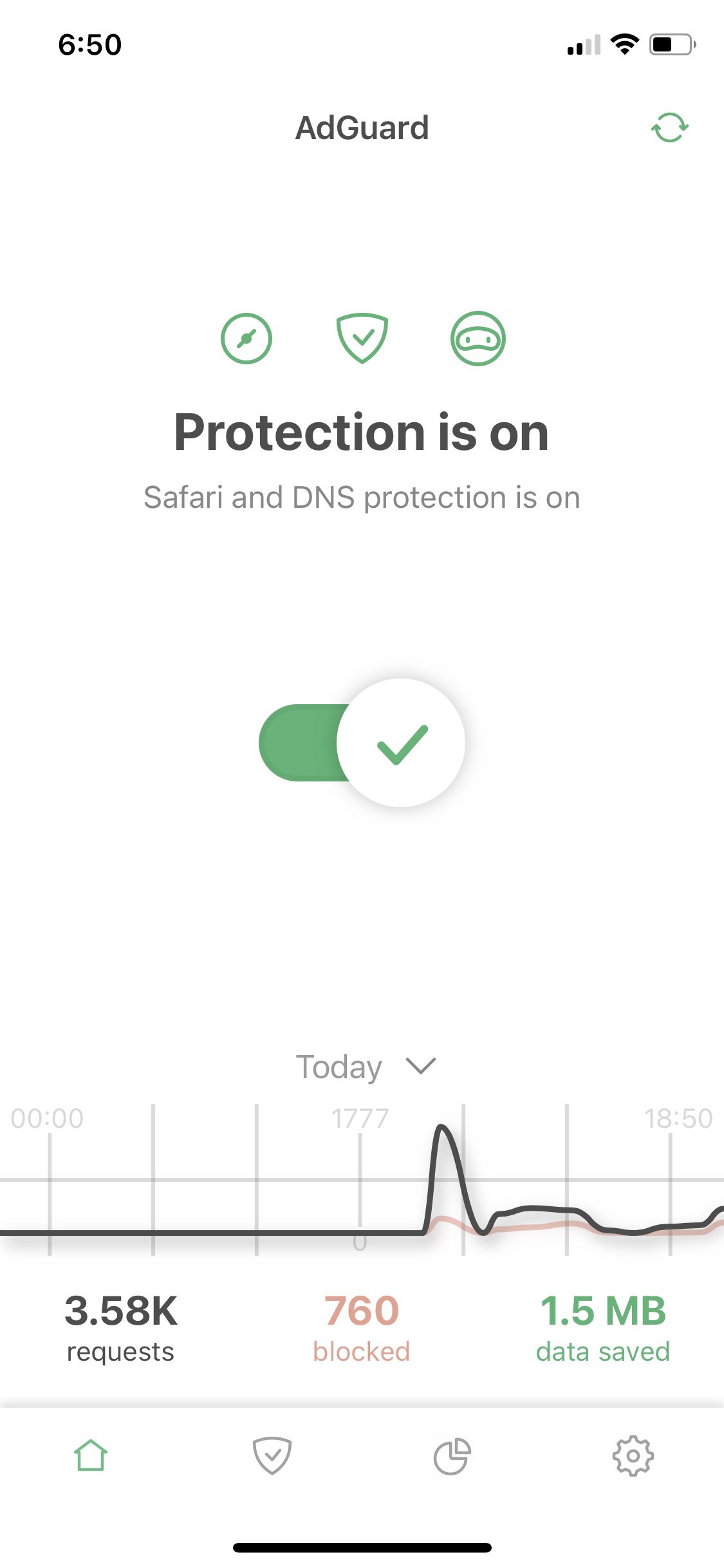
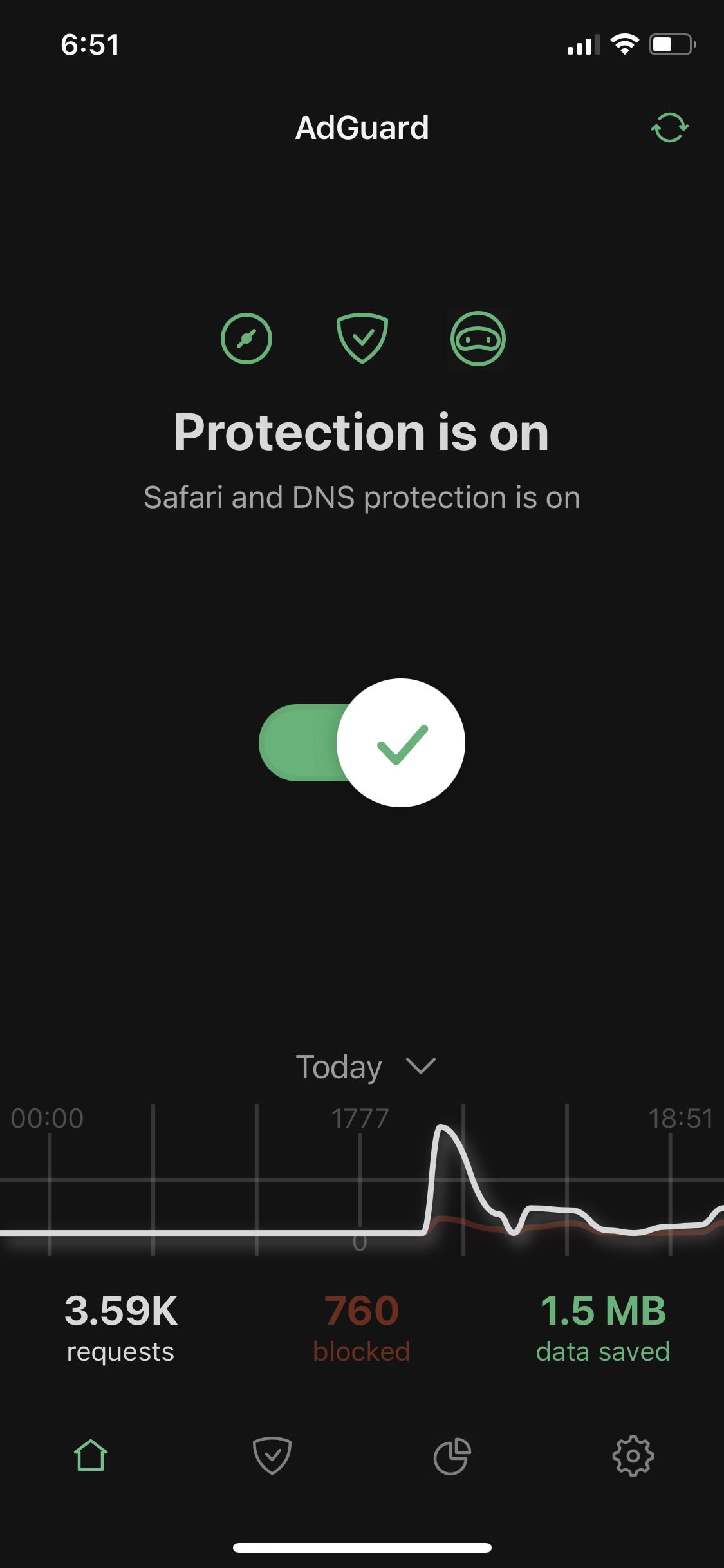
Residing right at the top of Settings → General screen, this setting allows you to switch between dark and light themes.
Widgets
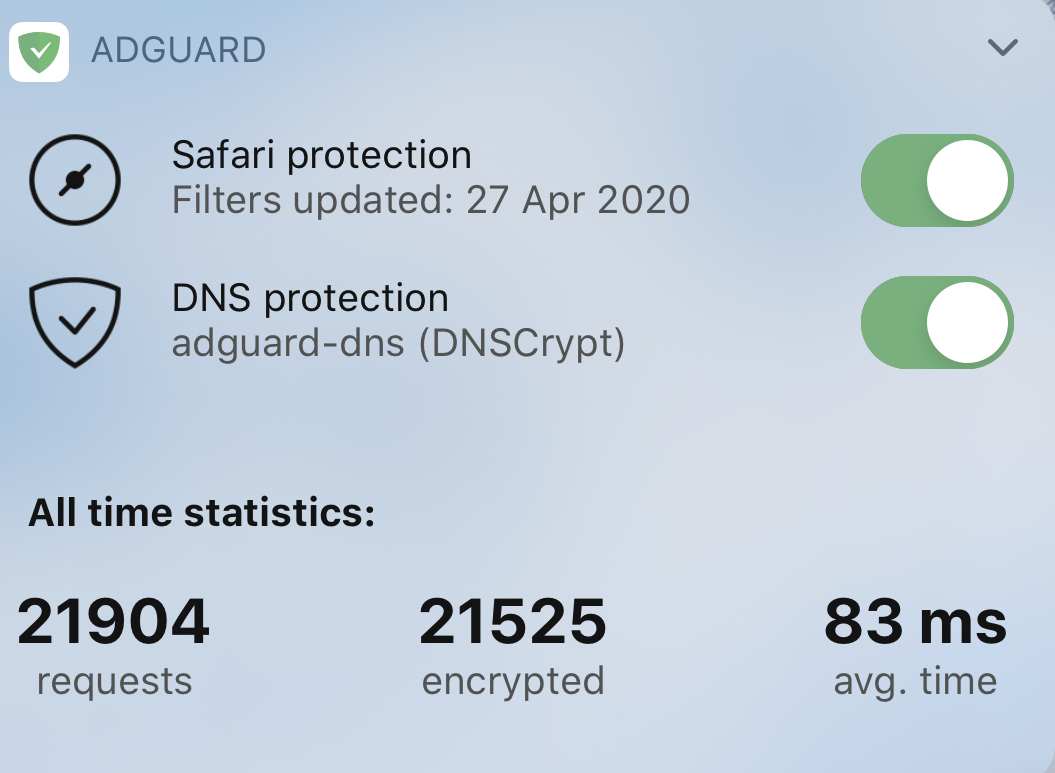
AdGuard supports widgets that provide quick access to Safari content blocking and DNS protection switches, and also show global requests stats.
Auto-update over Wi-Fi only
If this setting is enabled, AdGuard will use only Wi-Fi for background filter updates.
Invert the Allowlist
An alternative mode for Safari filtering, it unblocks ads everywhere except for the specified websites from the list. Disabled by default.
Advanced mode
Advanced mode unlocks Advanced settings. We don't recommend messing with those, unless you know what you're doing or you have consulted with technical support first.
Reset statistics
Clears all statistical data, such as number of requests, etc.
Reset settings
This option will reset all your settings.
Support
Use this option to contact support, report a missed ad (although we advise to use the Assistant or AdGuard's Safari Web extension for your own convenience), export logs or to make a feature request.
About
Contains the current version of the app and an assortment of rarely needed options and links.