激活许可证的方式
要激活许可证,请打开 AdGuard 软件的「许可证」部分,前往「登录」或「激活」按钮。使用 AdGuard 账号的电子邮件和密码登录。 If you don’t have an account yet, you will be offered to create one.
要用 AdGuard 账号激活许可证,用户需要一个许可证至少还有一台可连接的设备。如果许可证可连接的设备数量已达上限,可以升级 ,或者将许可证从一台设备连接到另一台。
Alternatively, you can use a license key (activation code) to activate the license.
您可以在下方查看每个操作系统的激活说明。
在 Windows 版的 AdGuard 激活许可证
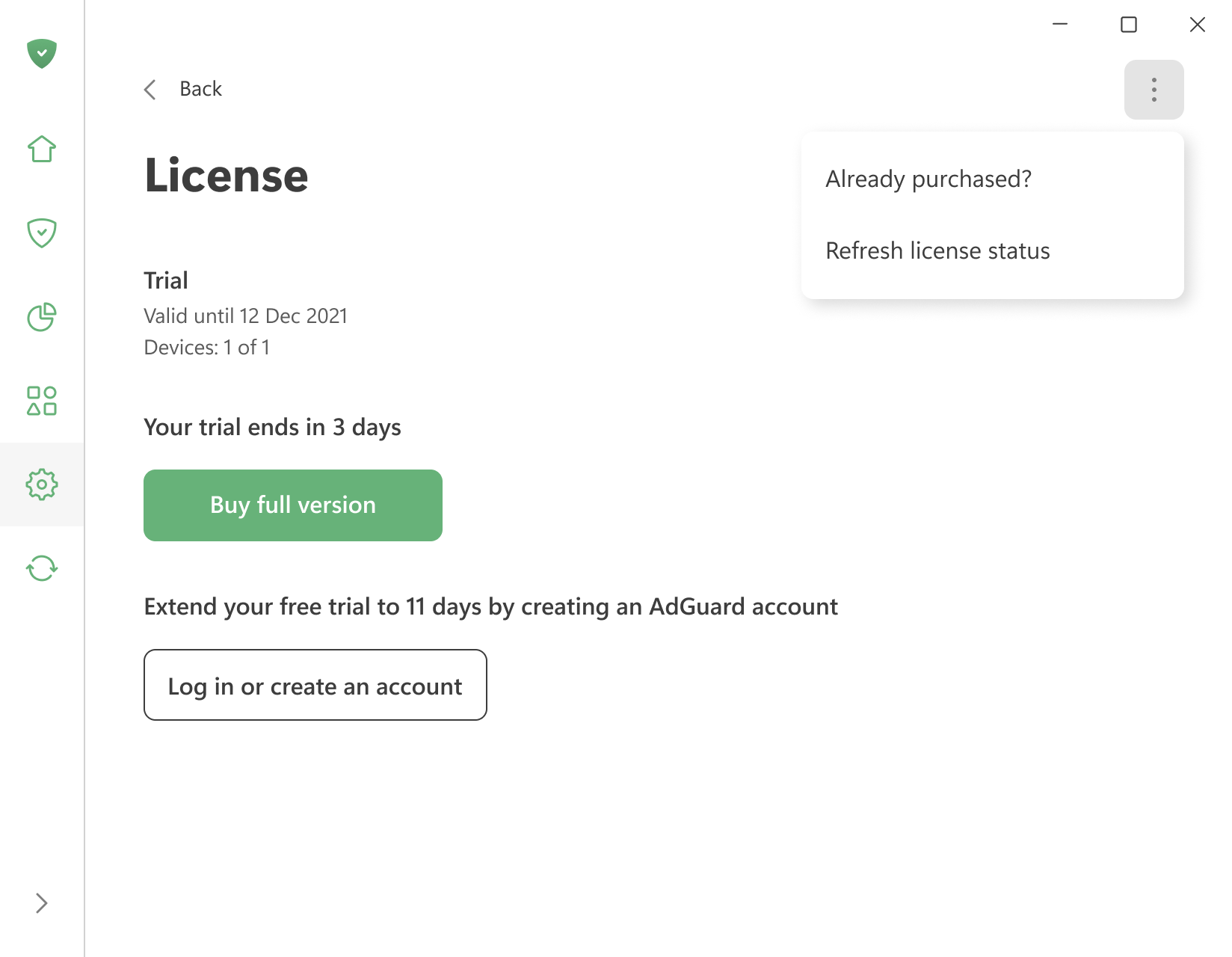
To activate a license you already have, open the menu (⋮) in the upper right corner of the License screen and click Already purchased?.
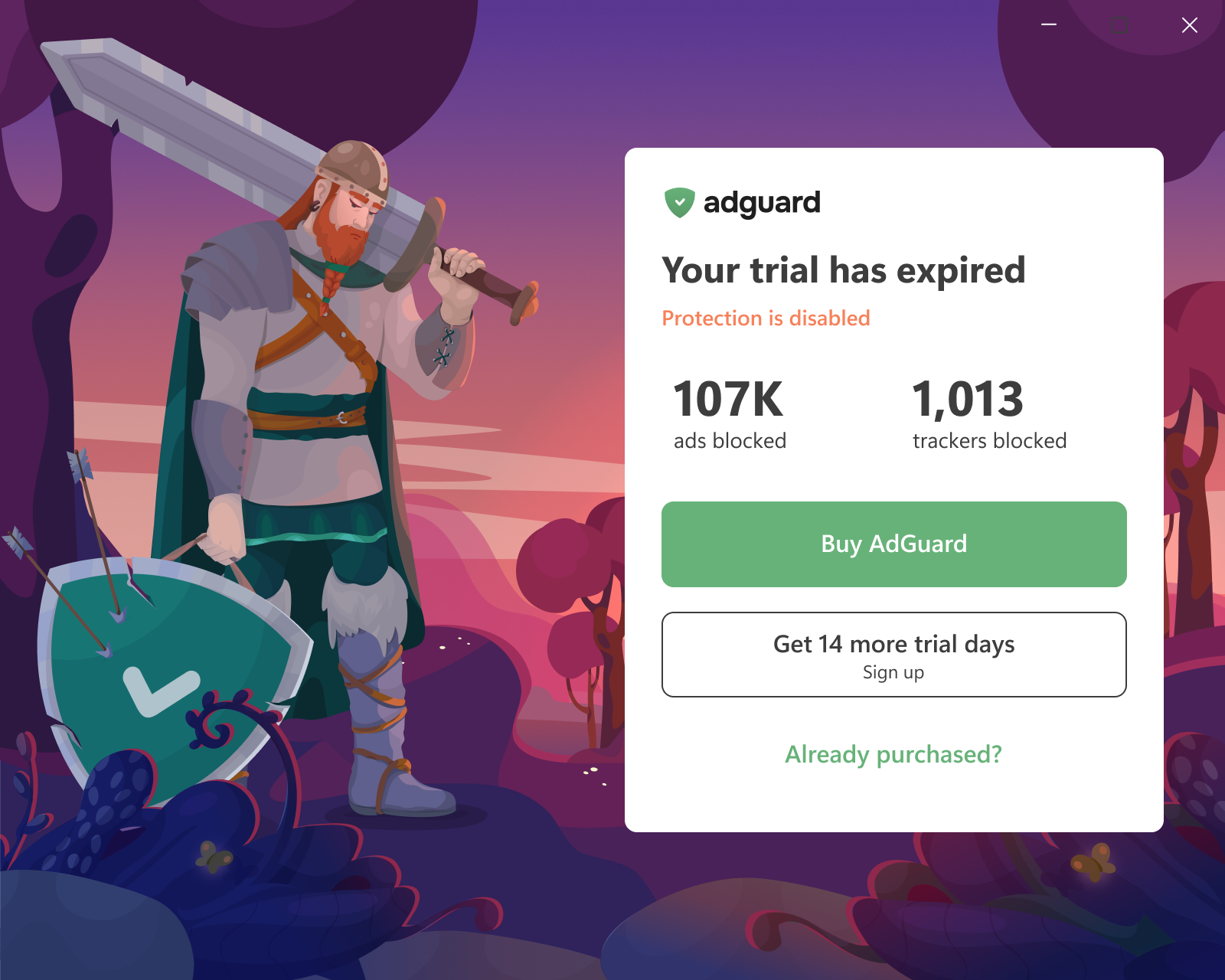
You can also click Already purchased? on the trial-expiration screen the app shows when the trial ends.
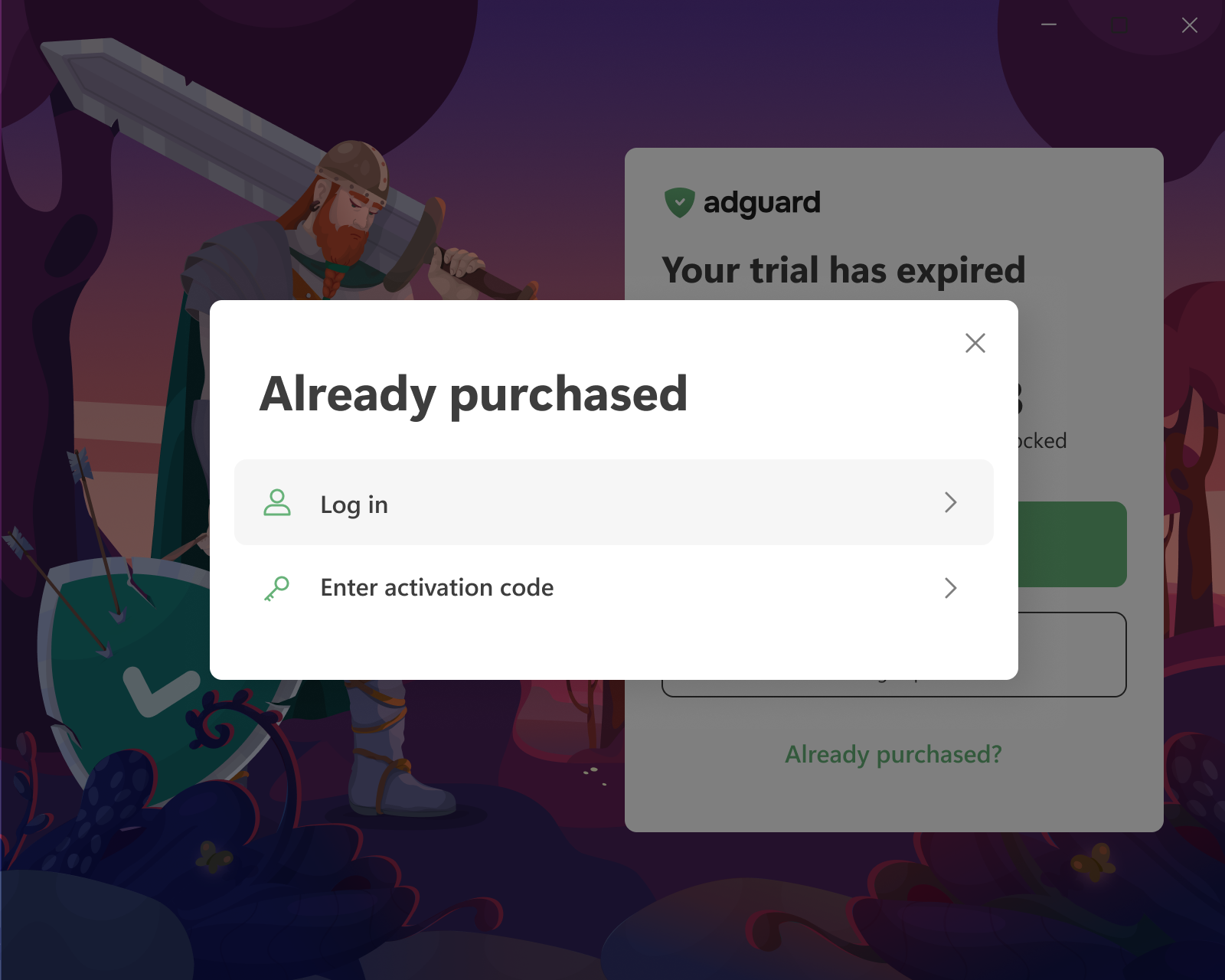
Then choose one of the two options:
-
Log in — you will be redirected to your browser. Log in to your AdGuard account or sign up there. If the account has a valid license with a free device slot, it is applied to the app automatically.
If the browser tab was closed or the app didn’t pick up the license, click Reopen login page or use Refresh license status in the same menu (⋮).
-
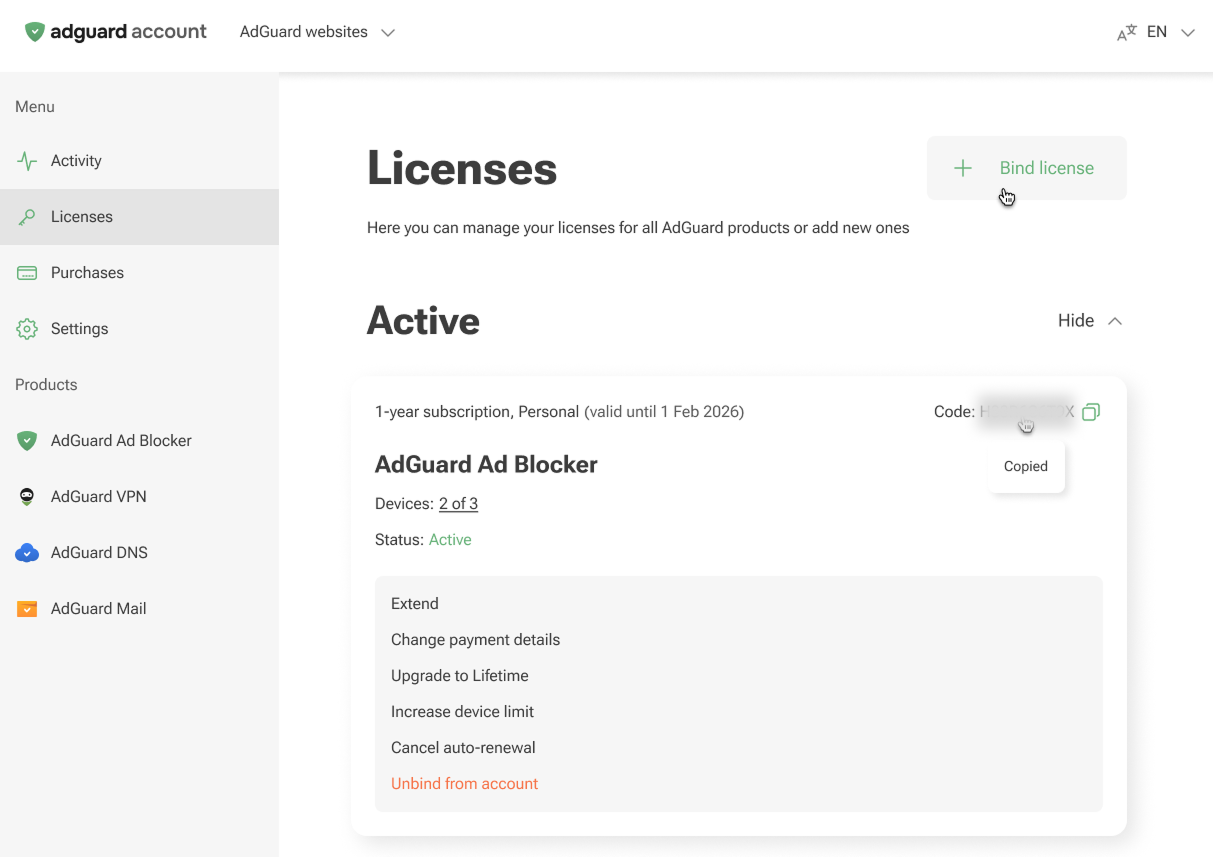
Enter activation code — enter the code from the purchase email or from a reseller. The code is also available in your AdGuard account and on the License screen of another device where AdGuard is already activated.
 注意
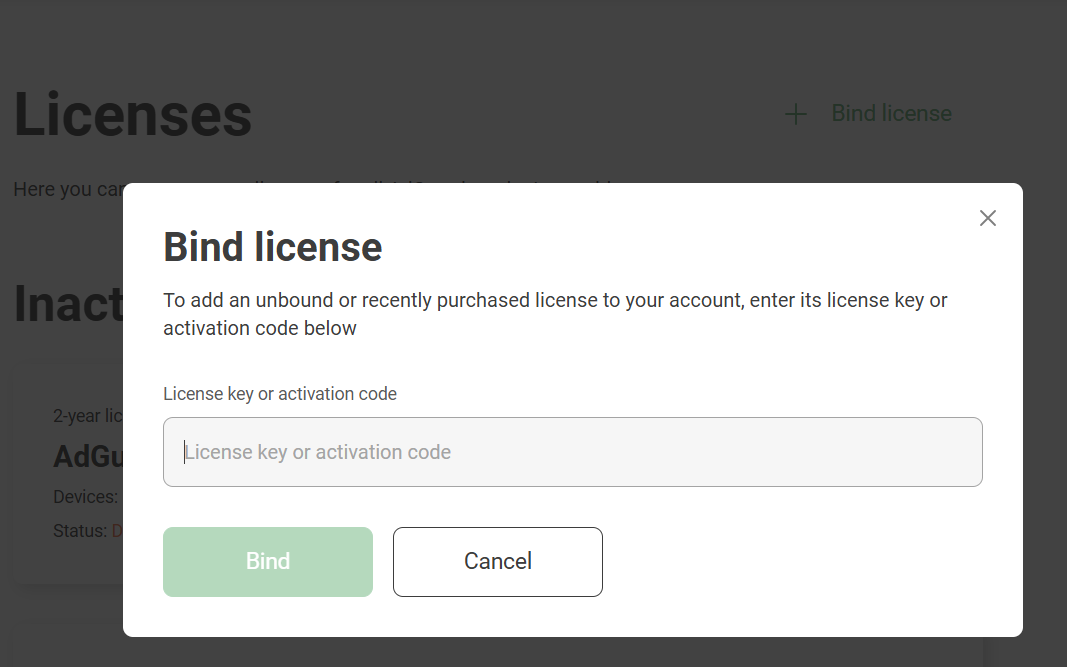
注意Log in only works if the license is already in your AdGuard account. If you have an activation code that isn’t bound to your account yet, bind it first: open the Licenses tab of your account, click Bind license, enter the key, and click Bind.
:::
在 Mac 版的 AdGuard 激活许可证
-
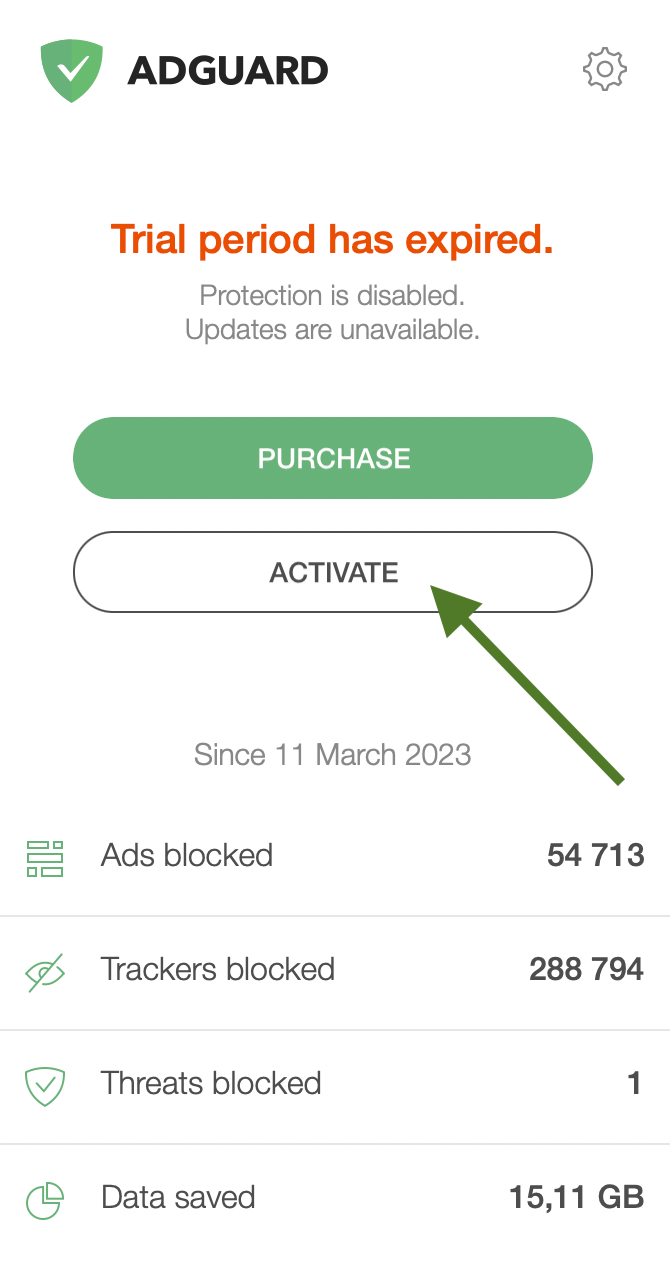
在过期许可证页面上,单击「激活」。
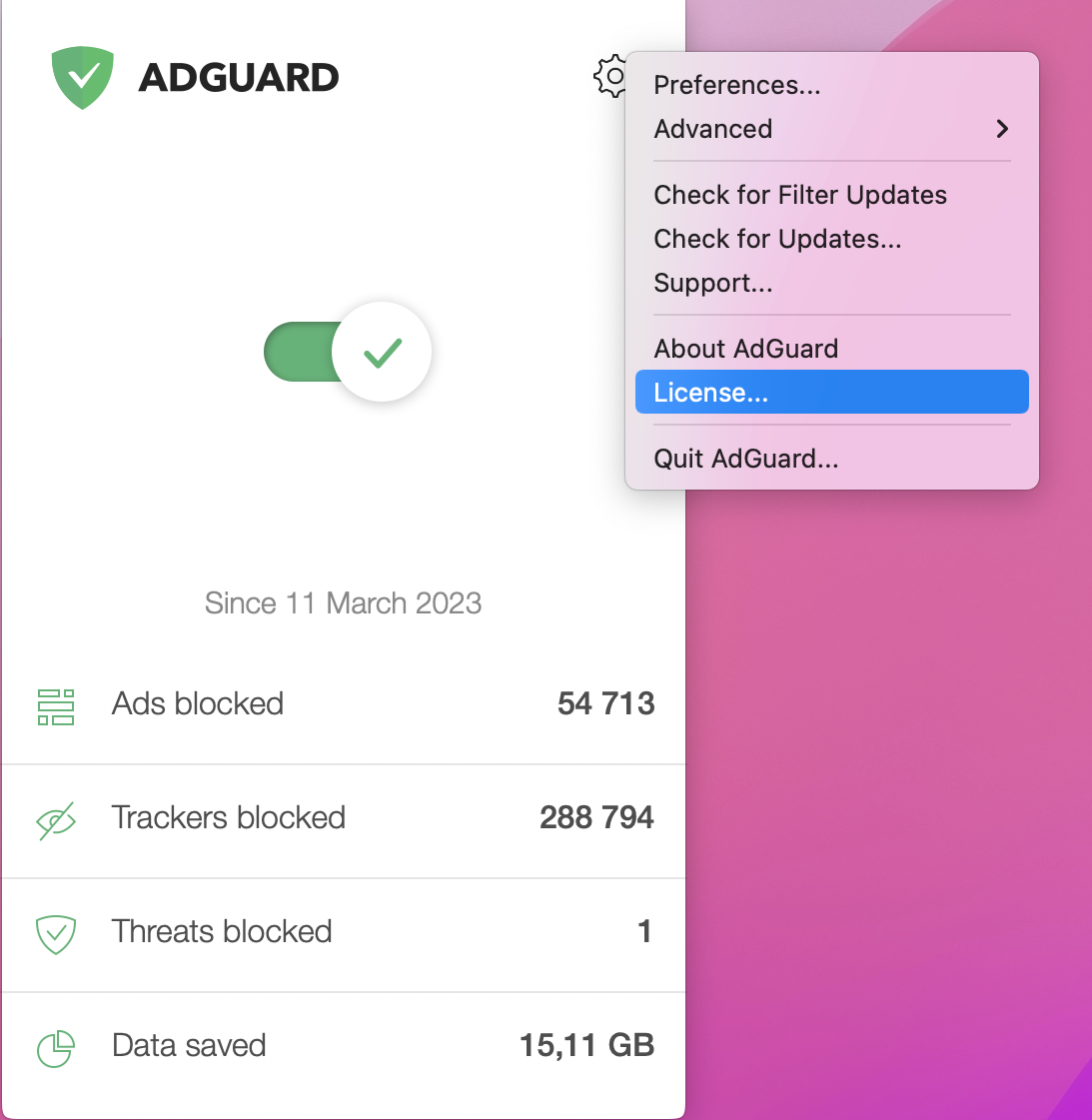
Alternatively, click the gear icon in the AdGuard menu, then click License.
-
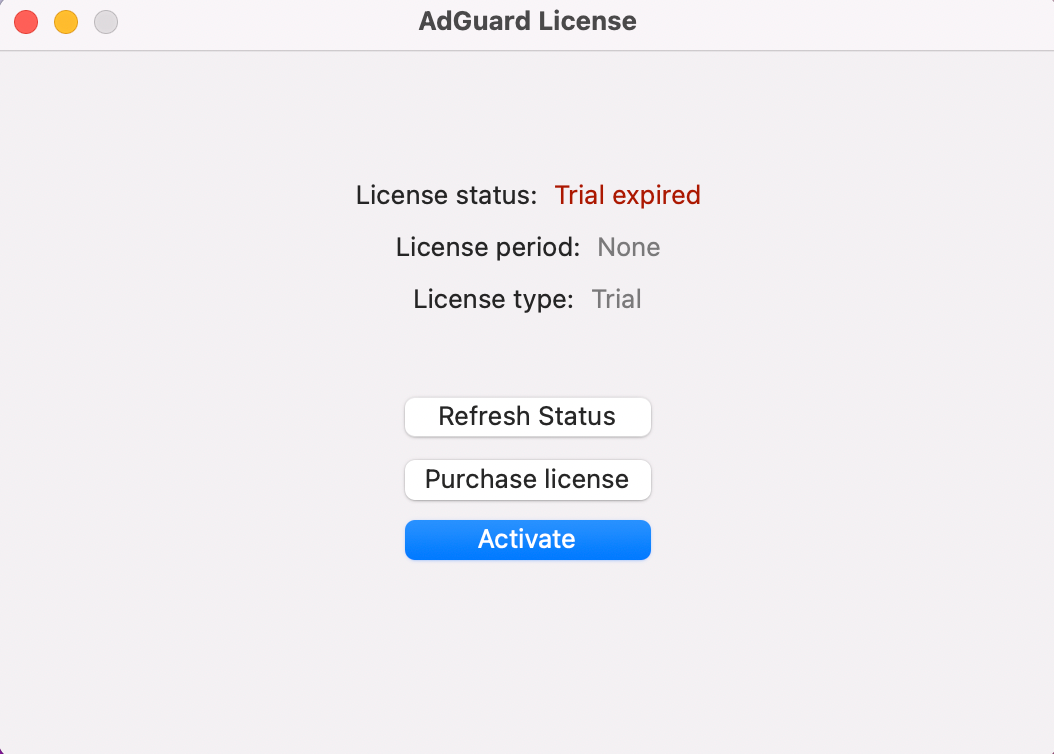
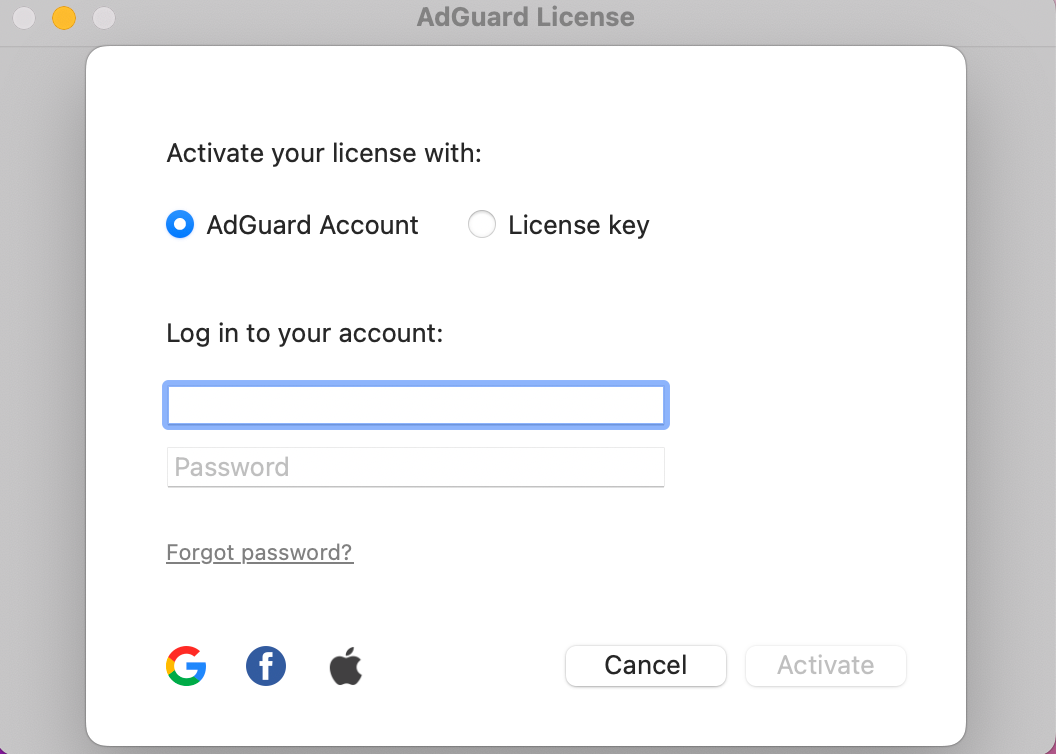
In the opened window, click Activate.
-
Activate your license using your preferred method. If the license is bound to your email address, click AdGuard Account or select a social network associated with this email address. Alternatively, enter your license key.
在 Android 版的 AdGuard 激活许可证
-
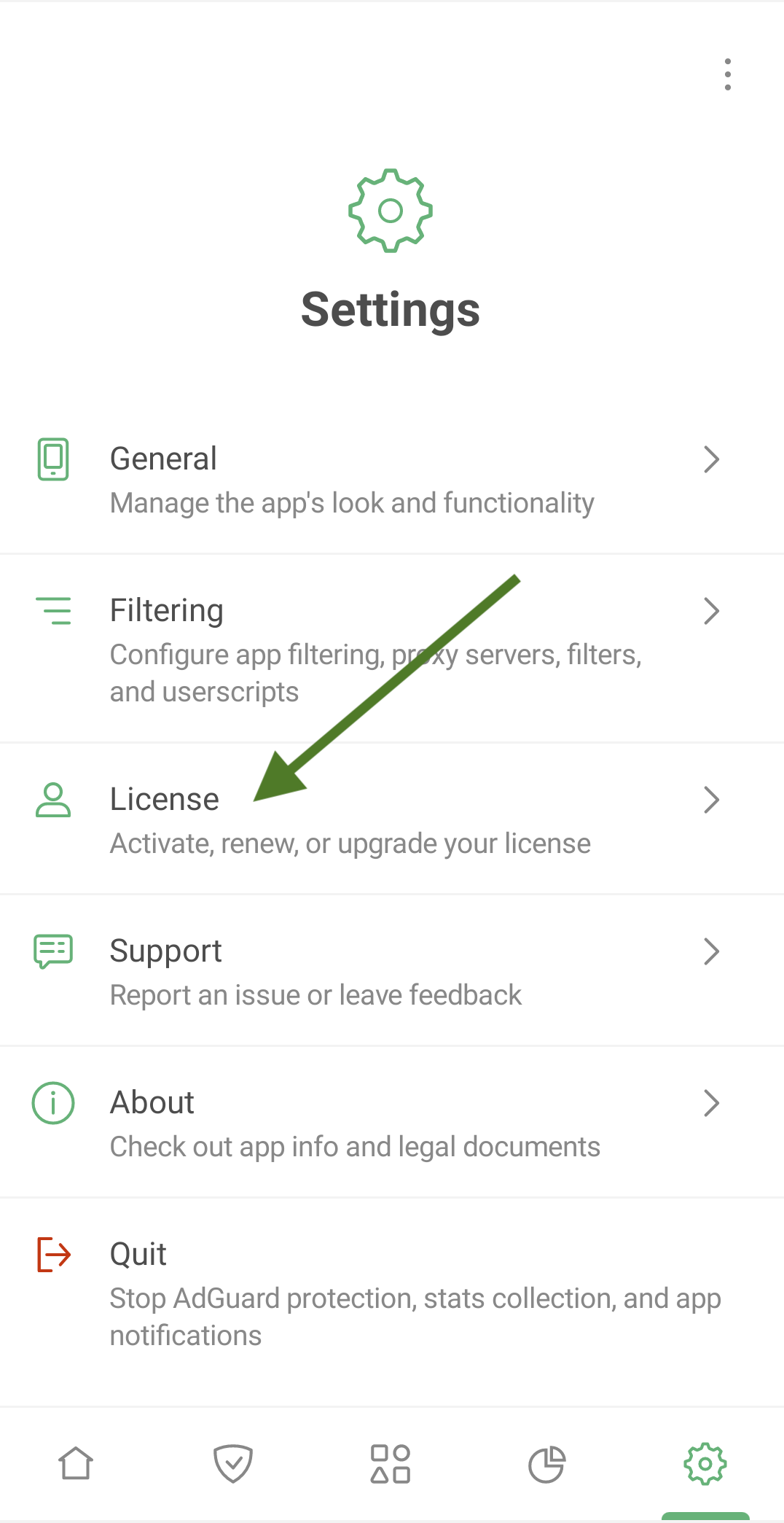
Tap Settings, then select License.
-
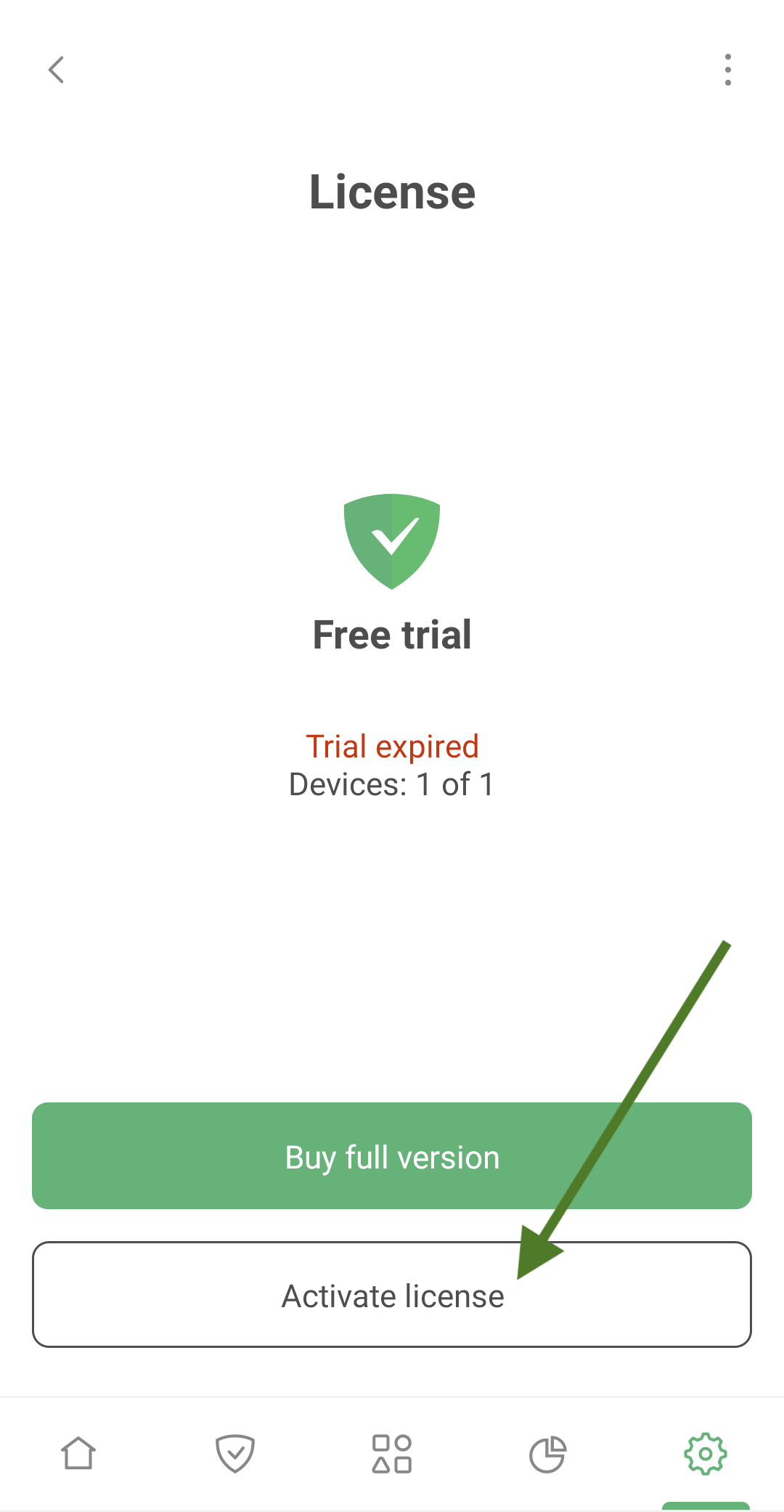
Tap Activate license.
-
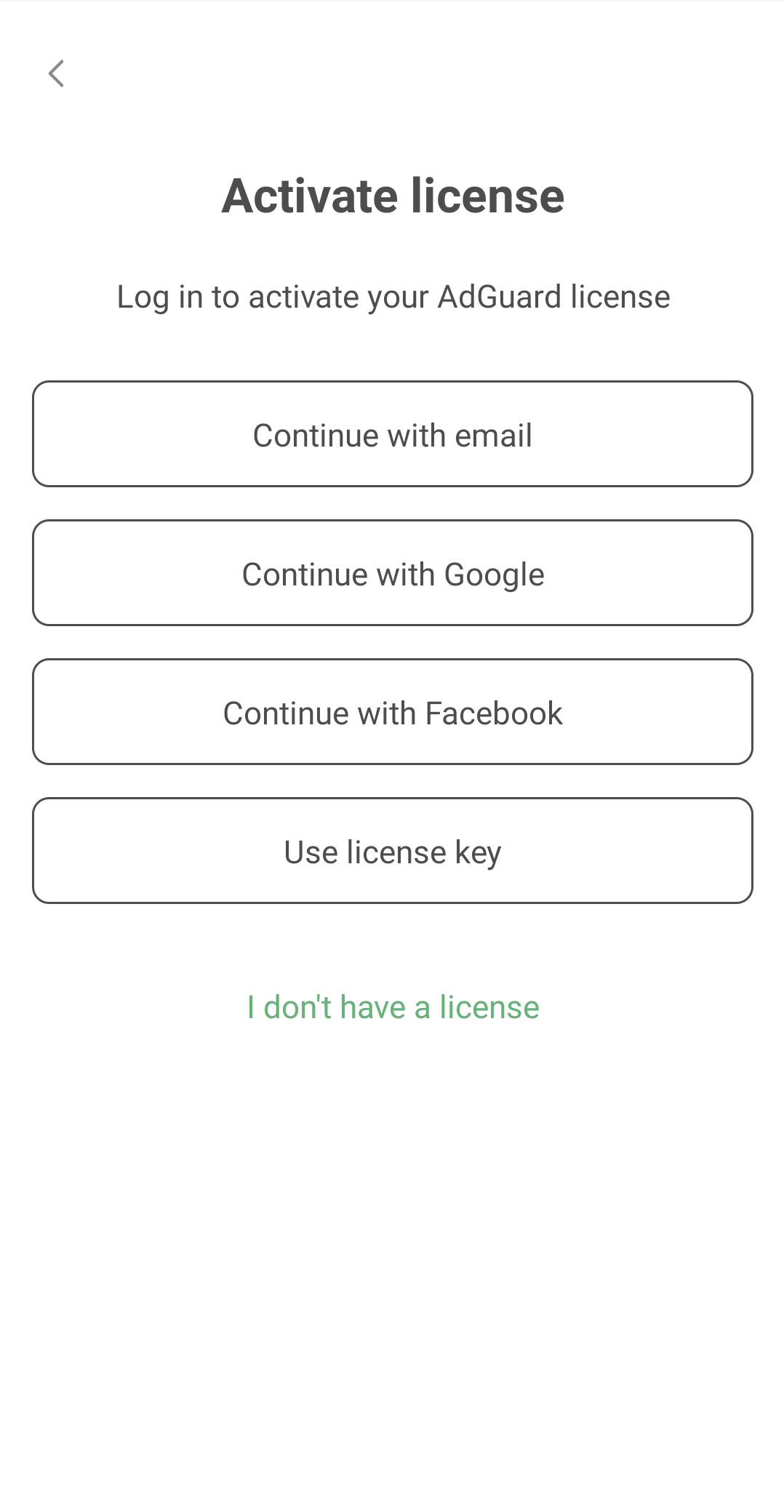
Activate your license using your preferred method. If the license is bound to your email address, tap Continue with email or select a social network associated with this email address. Alternatively, enter your license key.
在 iOS 版的 AdGuard 激活许可证
-
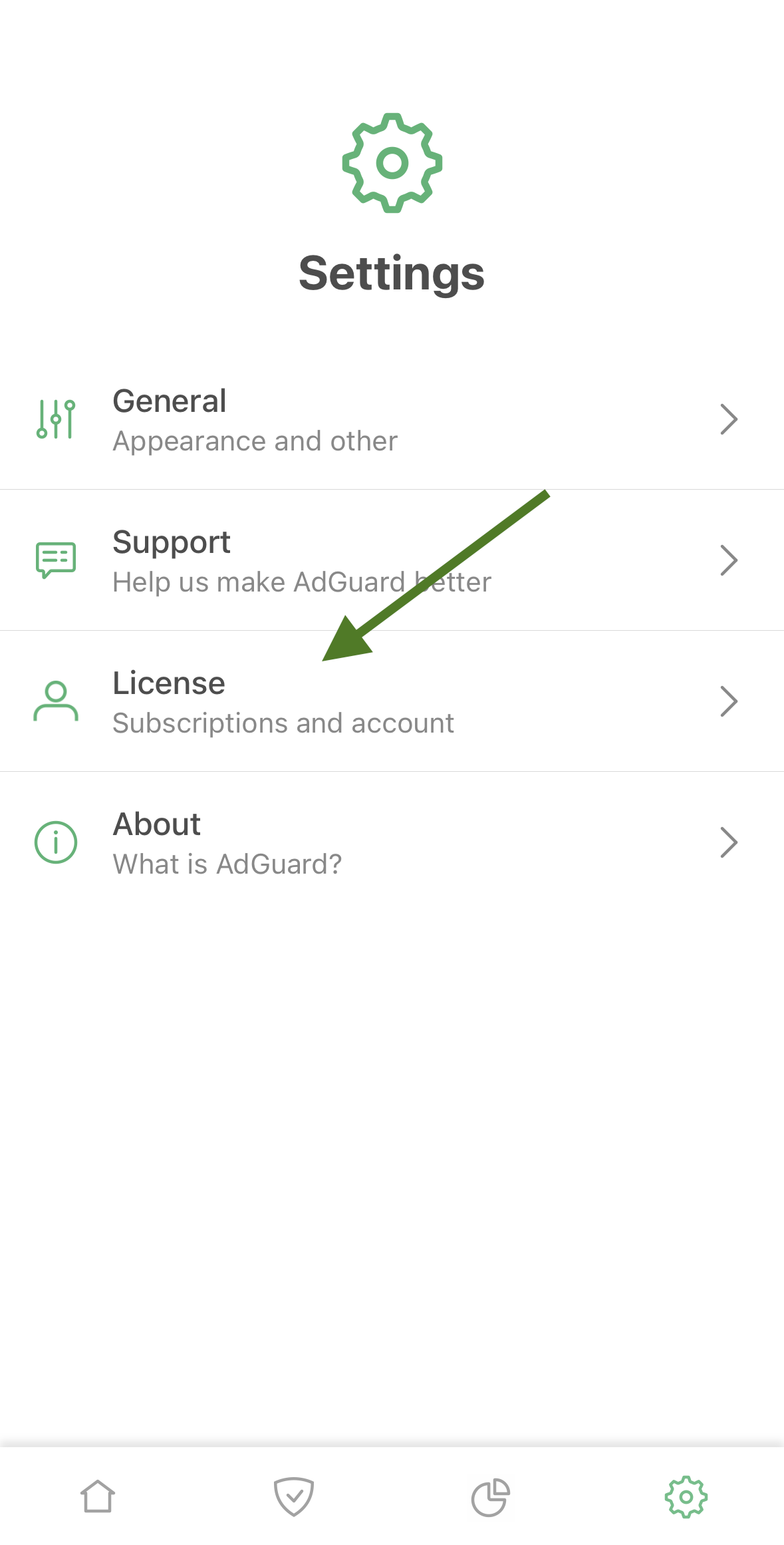
Tap Settings, then select License.
-
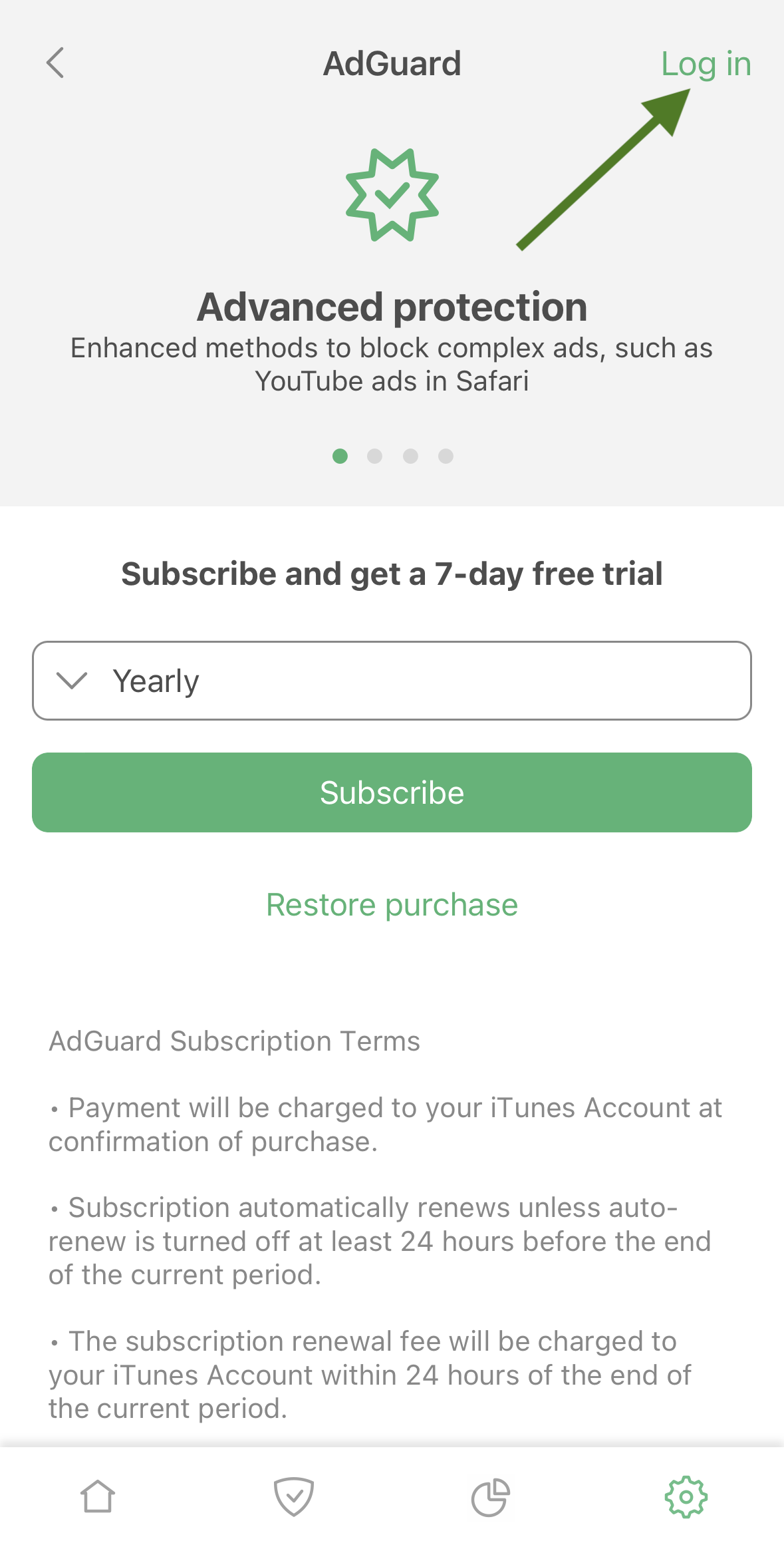
Tap Log in in the upper right corner of the screen
-
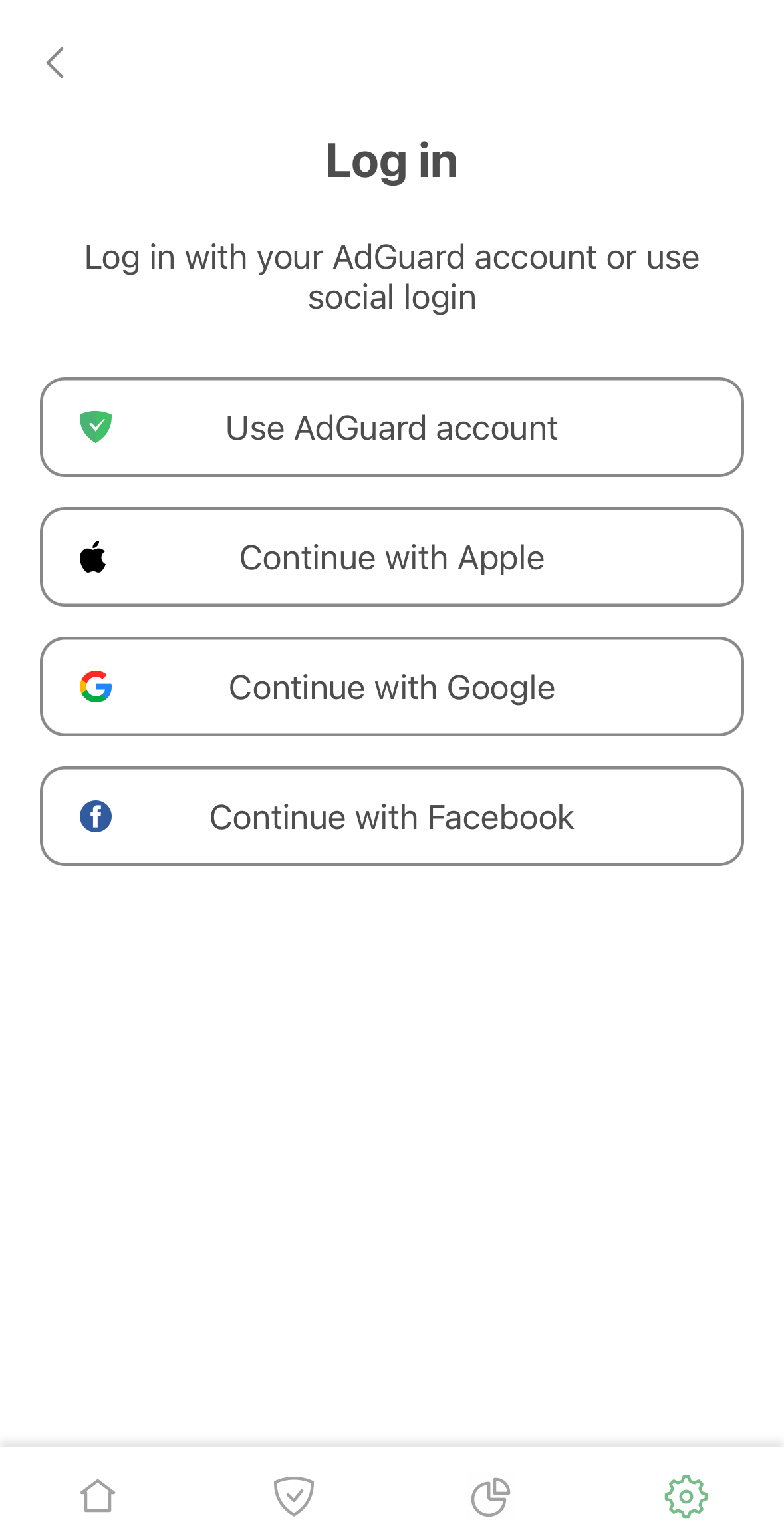
Use your email address or social media account to activate your license.
在 Mac 版的 AdGuard Mini 激活许可证
-
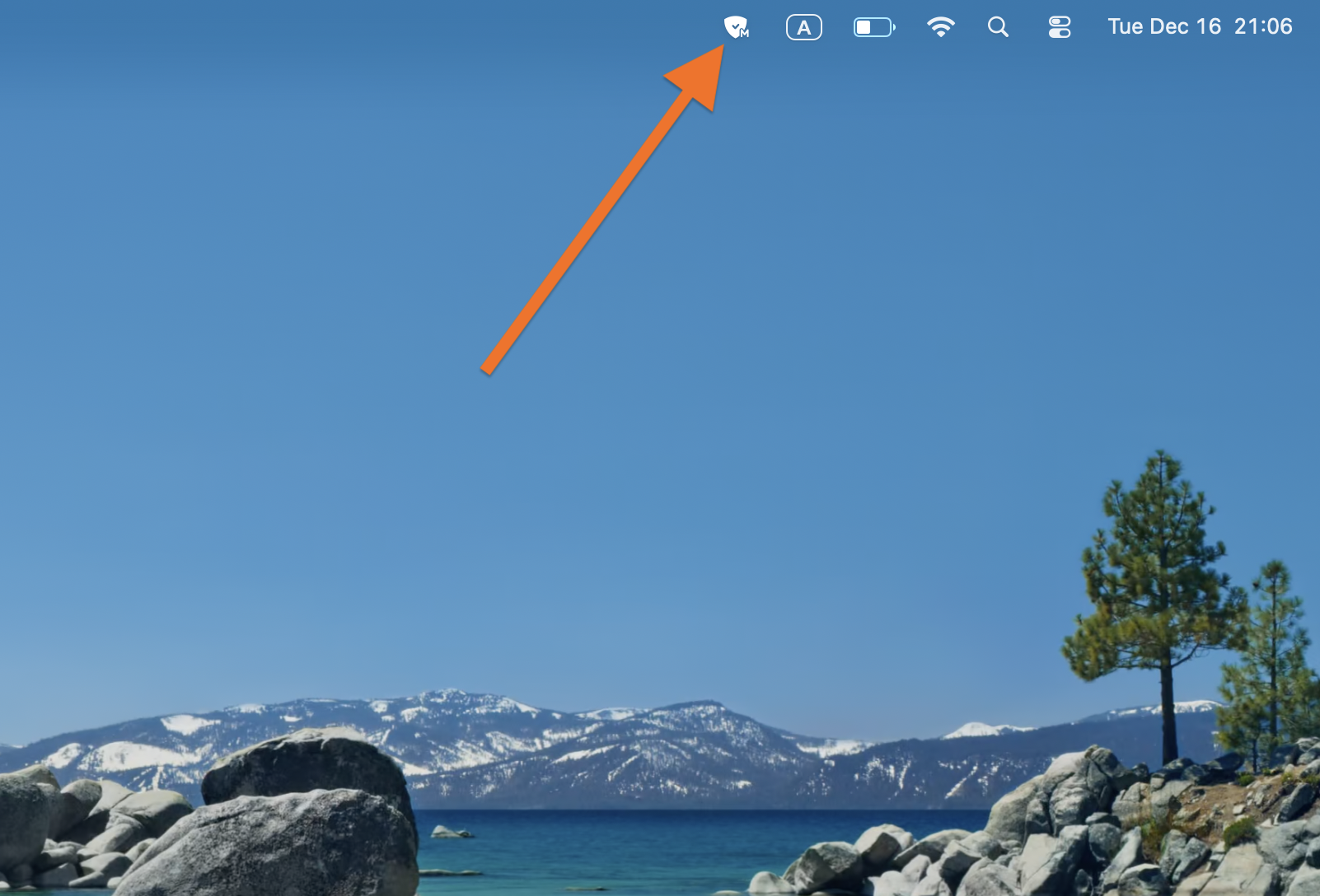
Click AdGuard Mini icon in the menu bar.
-
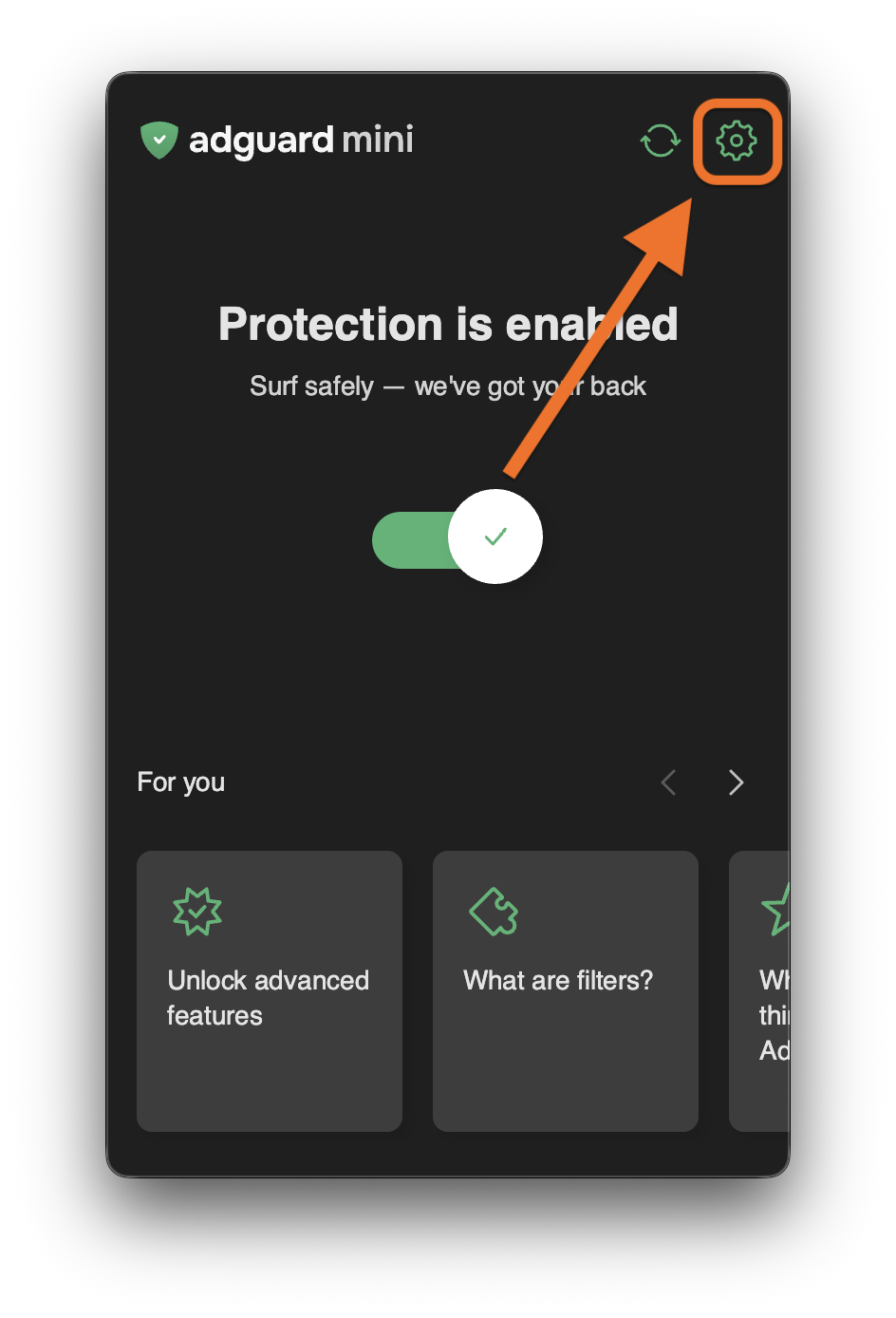
Click the settings icon.
-
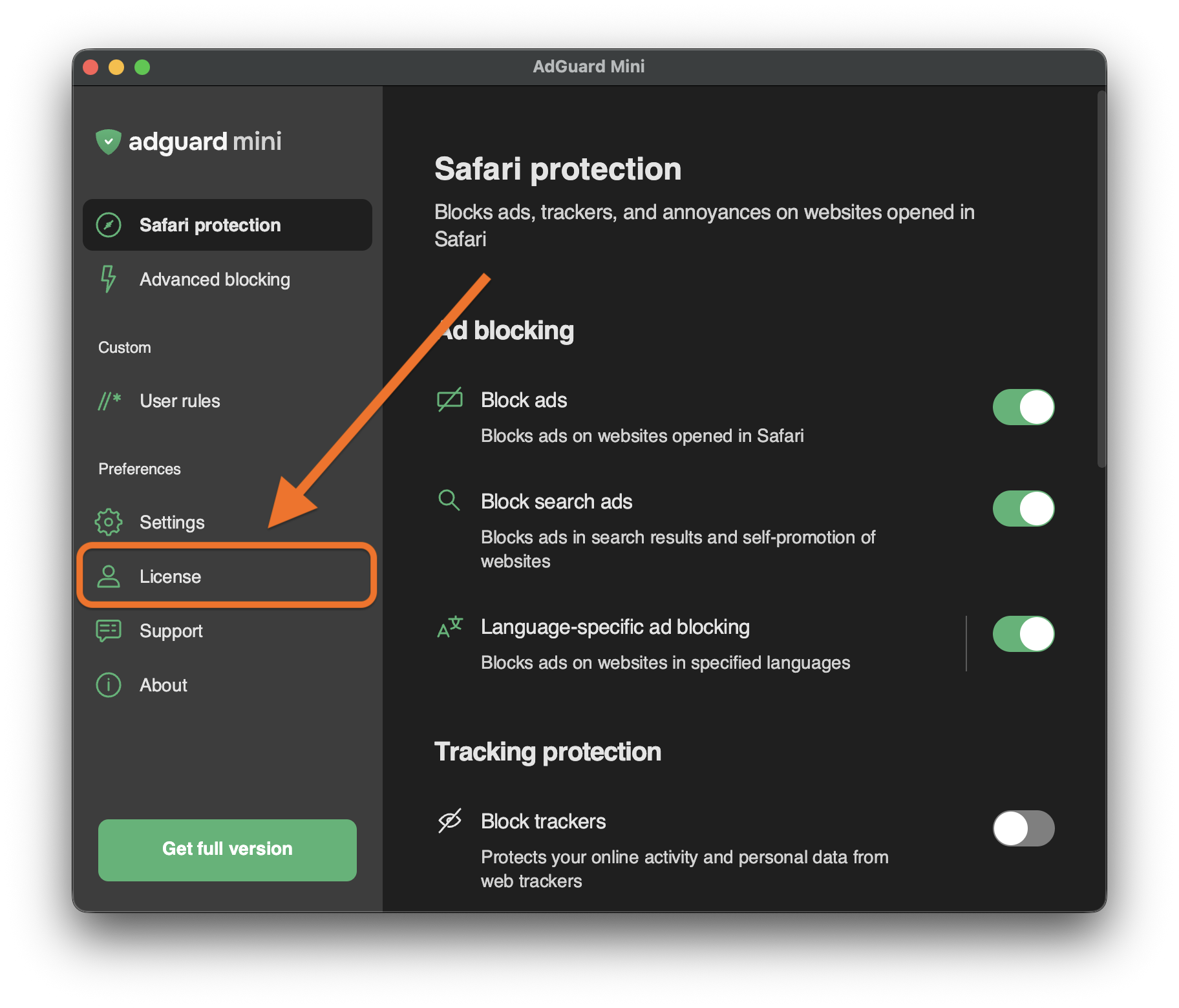
Go to License.
-
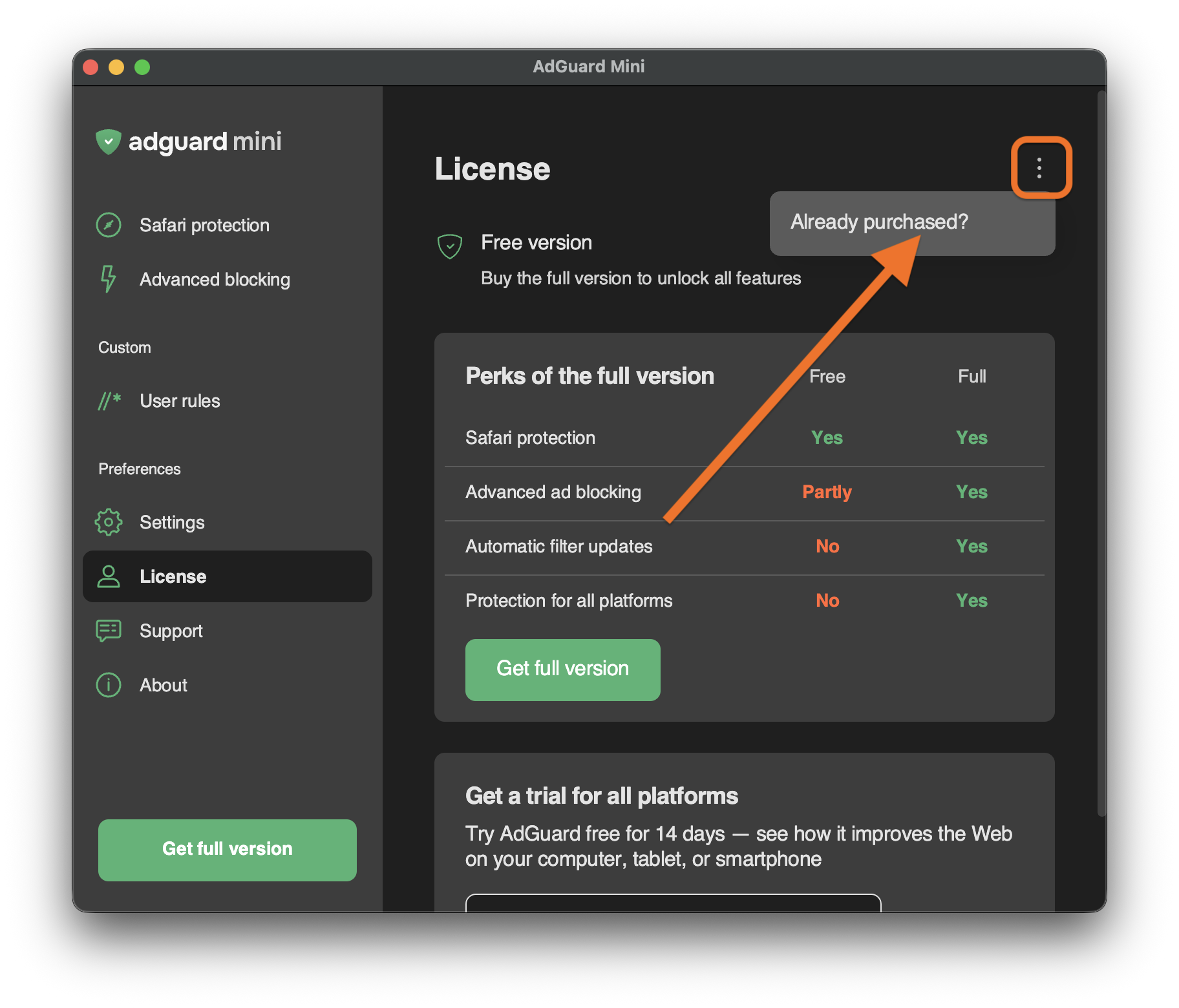
Open the menu (⋮) in the upper right corner and click Already purchased?.
-
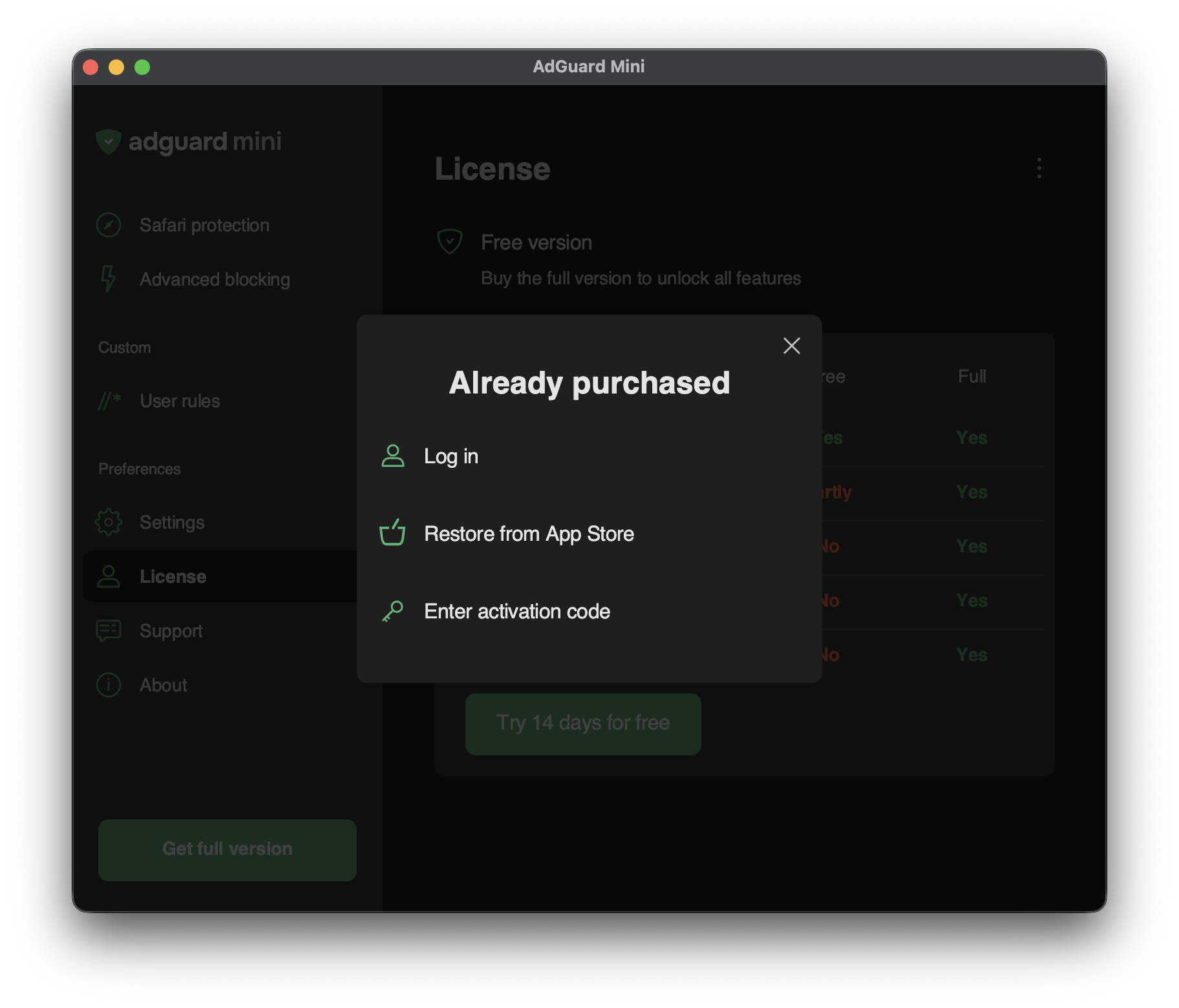
You will see the available activation options:
-
Log in
Log in to your AdGuard account that has a valid license in it.
-
Restore from App Store
Use a license that you have previously bought through the App Store.
-
Enter activation code
Enter your activation code.
-