证书相关问题
本文适用于 Windows 版的 AdGuard,它是一种多功能广告拦截器,可在系统级别保护用户的设备。要了解其工作原理,请下载 AdGuard 应用程序
为能够过滤 HTTPS 流量并有效拦截广告和拦截器,AdGuard 会产生特殊(且唯一)的 Root 证书并将其安装到系统存储。 You can learn more about why a certificate is required by reading this article.
通常,一旦 AdGuard 证书在安装过程期间添加到系统证书存储区,浏览器就会信任它。但在某些情况下这还不够,您可能会看到警告或错误。这经常发生在基于 Firefox 的浏览器(如 Mozilla Firefox,PaleMoon,Waterfox 等)或 Yandex.Browser 的身上。
Here are some common issues:
- Potential Security Risk error in Firefox-based browsers
- Yandex.Browser certificate warning
- Non-official add-ons don’t update in Firefox-based browsers
Potential Security Risk error in Firefox-based browsers
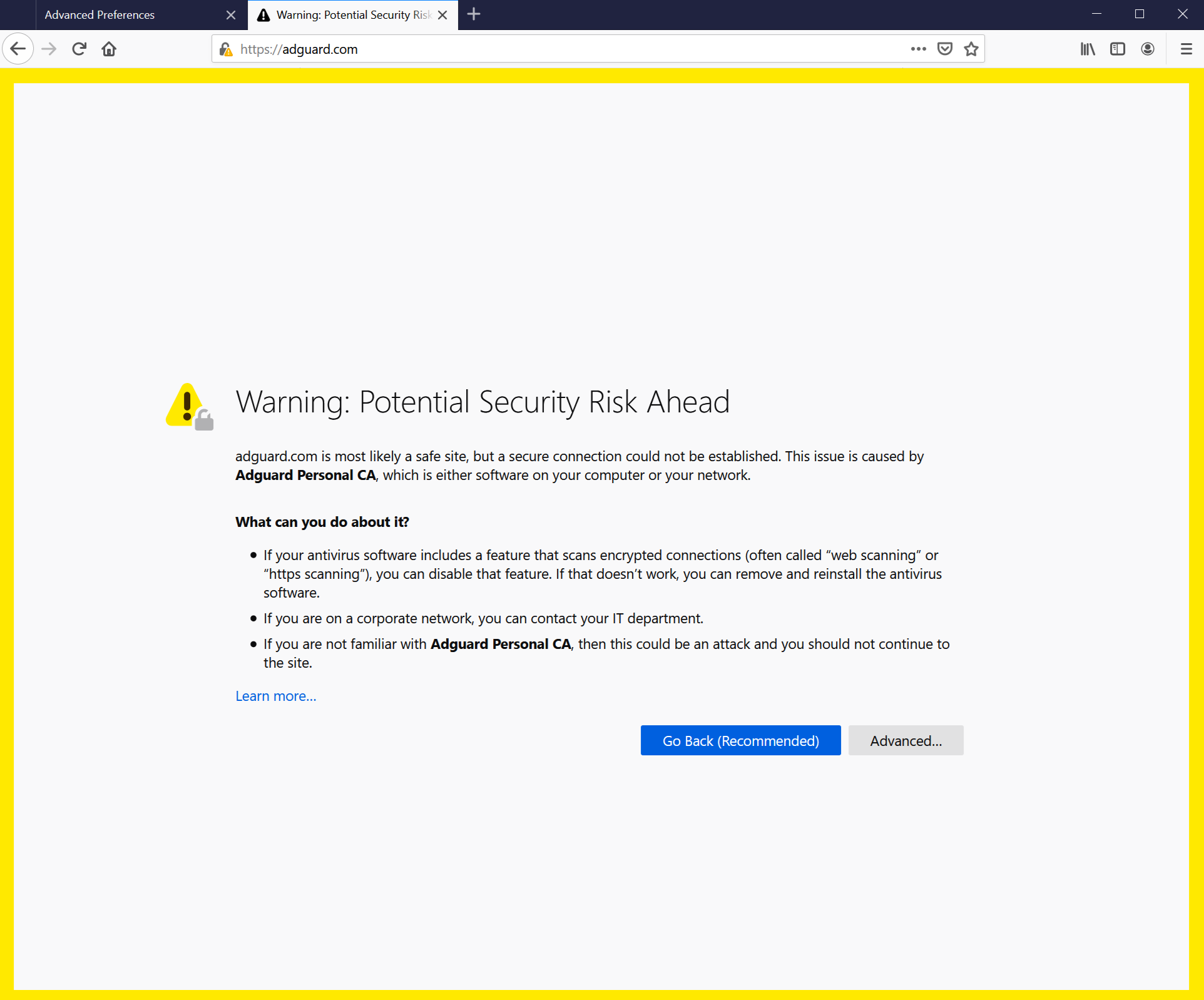
旧的 FireFox 版本以及基于它们的浏览器不信任系统存储中的证书,而只信任本地存储中的证书。从 v68 版本开始,FireFox 信任系统证书,但您仍然会遇到「连接不受信任」错误。 If something like this happens, first try to click the Reinstall Certificate button — you will find it in the Network tab.
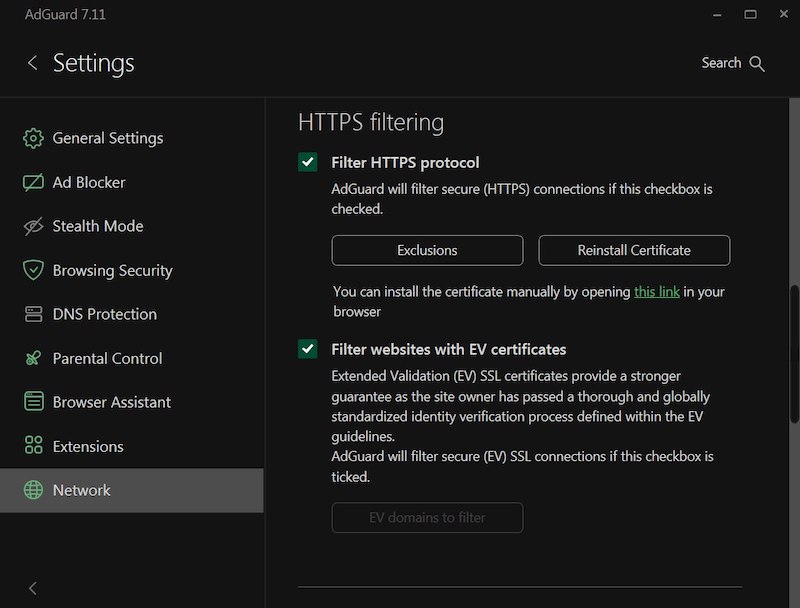
如果没有帮助,请按照说明手动将 AdGuard 证书添加到 FireFox 存储。
此说明适用于 Firefox 浏览器。在其它基于 Firefox 的浏览器中,按钮和菜单项目的名称可能有所不同。
-
运行 AdGuard。
-
Go to https://local.adguard.org/cert and click the Download button. The browser should start downloading cert.cer file.
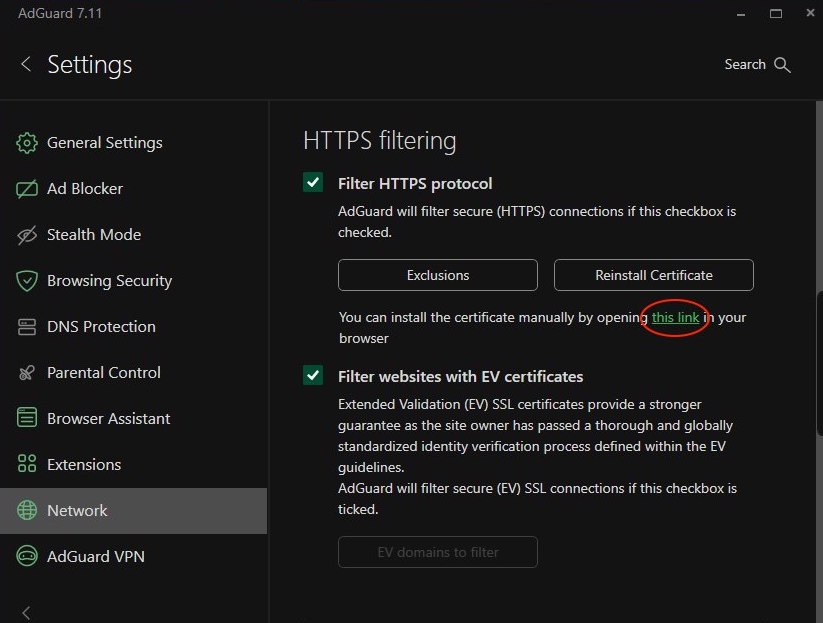
注意You can also open the download page by clicking the link via the AdGuard app at Settings → Network → HTTPS filtering.
-
Open your browser and then open Settings.
-
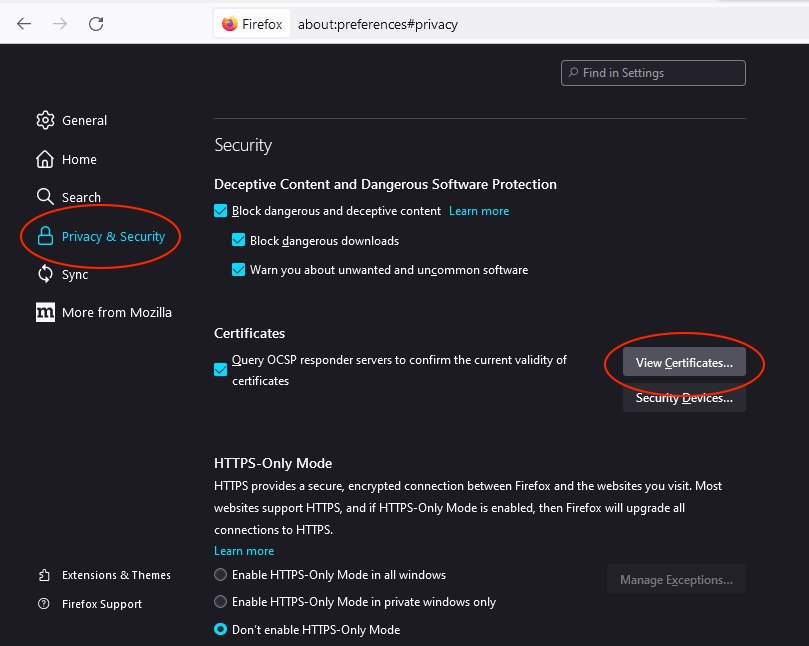
Go to Privacy & Security tab.
-
Scroll down to Certificates and click the View Certificates button.
-
Select Authorities tab.
-
Click Import....

-
Browse the downloaded cert.cer file and click Open.
-
Check the Trust this CA to identify websites box and then click OK.
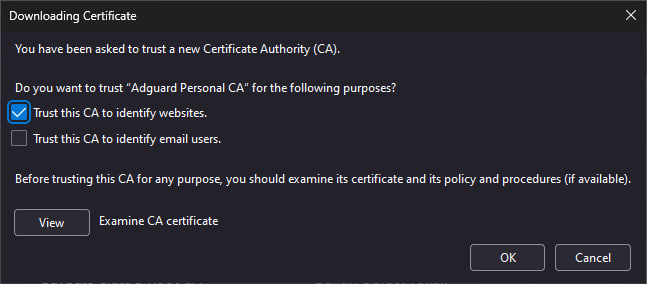
AdGuard 证书安装成功。重新启动浏览器,错误应消失。
Yandex.Browser 证书警告
Windows 版 AdGuard + Yandex.Browser 的用户可能会遇到以下警告:
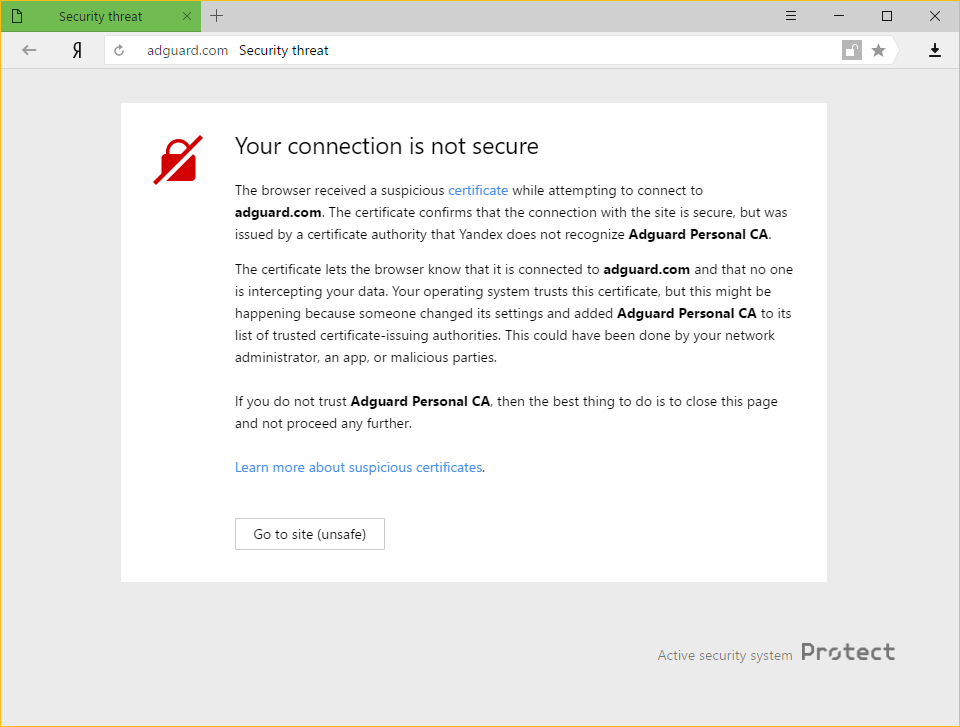
为什么会发生这种情况
AdGuard 和 Yandex 都非常重视用户在因特网上的安全。 Yandex 当前的策略是对浏览器无法识别的证书向用户发出警告。这并非毫无依据,因为有时恶意程序会注射自己的证书并借此危害系统和窃取私人数据。
但 AdGuard 也会将其证书添加到受信任的证书中。这会导致用户遇到的警告消息。
如何解决此问题
The easiest way is to click the Go to site button. 这将告知 Yandex.Browser 记忆 AdGuard 证书为受信任的证书,至少在一段时间内如此。通常,用户不会再看到此讯息,但无论出于何种原因,警告偶尔出现也并非不可能。 In such cases, simply press the same button again (make sure it is AdGuard's certificate!).
Disabling the HTTPS filtering in AdGuard will also prevent Yandex.Browser from showing this message again, but it comes with a big price: all ads that are loaded by HTTPS (including Yandex's own ads) will show up — on such websites as YouTube, Facebook, Instagram, and many more. 如您要保持较高的广告拦截质量,我们强烈建议您不要如此做。
Non-official add-ons don’t update in Firefox-based browsers
If you use Firefox-based browsers and have add-ons that aren’t from Mozilla’s official catalog — and HTTPS filtering is enabled in AdGuard — those add-ons won’t be able to update. Here’s why.
To update add-ons, Firefox checks whether the connection to the update server is secured with a certificate issued by a trusted certificate authority (CA). Firefox-based browsers only trust certificates from CAs included in Mozilla’s built-in list — it’s a security measure to block potentially unsafe updates.
AdGuard’s certificate, although secure, isn’t on that list. That is why Mozilla domains are excluded from HTTPS filtering in AdGuard.
However, non-official add-ons use third-party servers for updates, and those are not excluded from HTTPS filtering by default. So when Firefox checks the connection, it sees AdGuard’s certificate instead of the original one — and blocks the update.
If you need to check for updates for such add-ons, consider temporarily disabling AdGuard.