Safari 防护
信息
这篇文章是关于 Mac 版的 AdGuard Mini,用于 Safari 浏览器的保护。要全面保护设备,请下载 AdGuard 应用程序。
Safari 防护
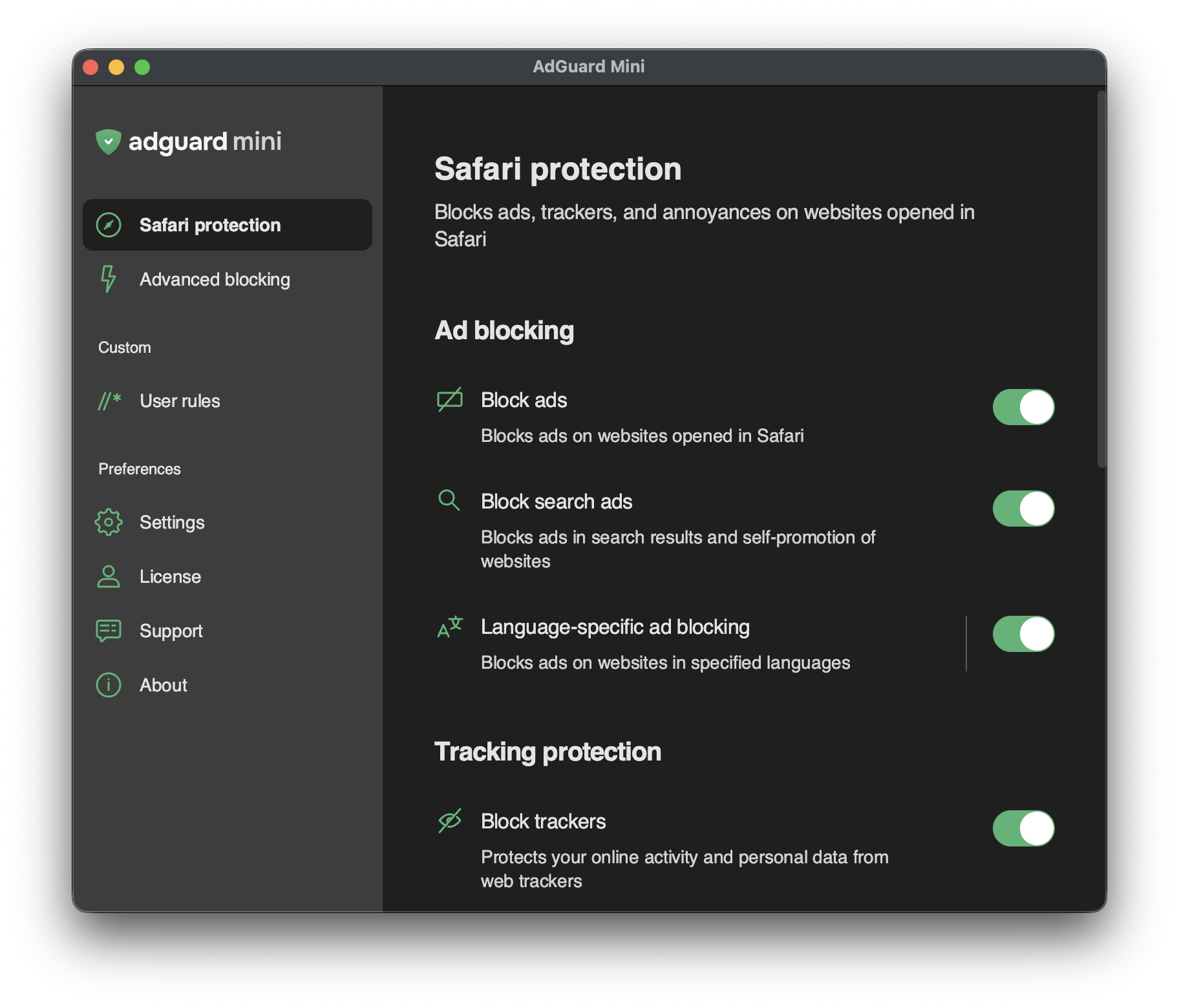
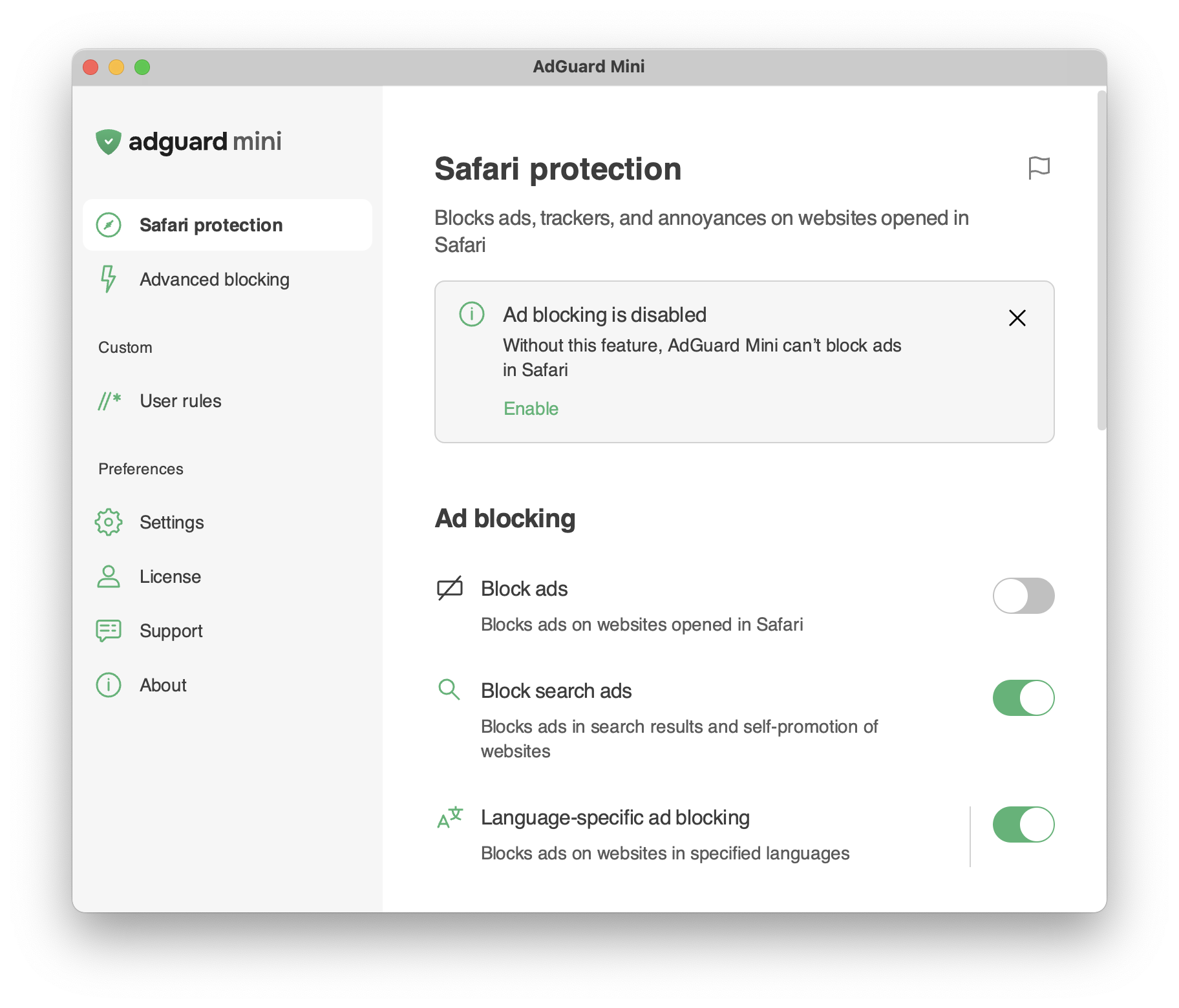
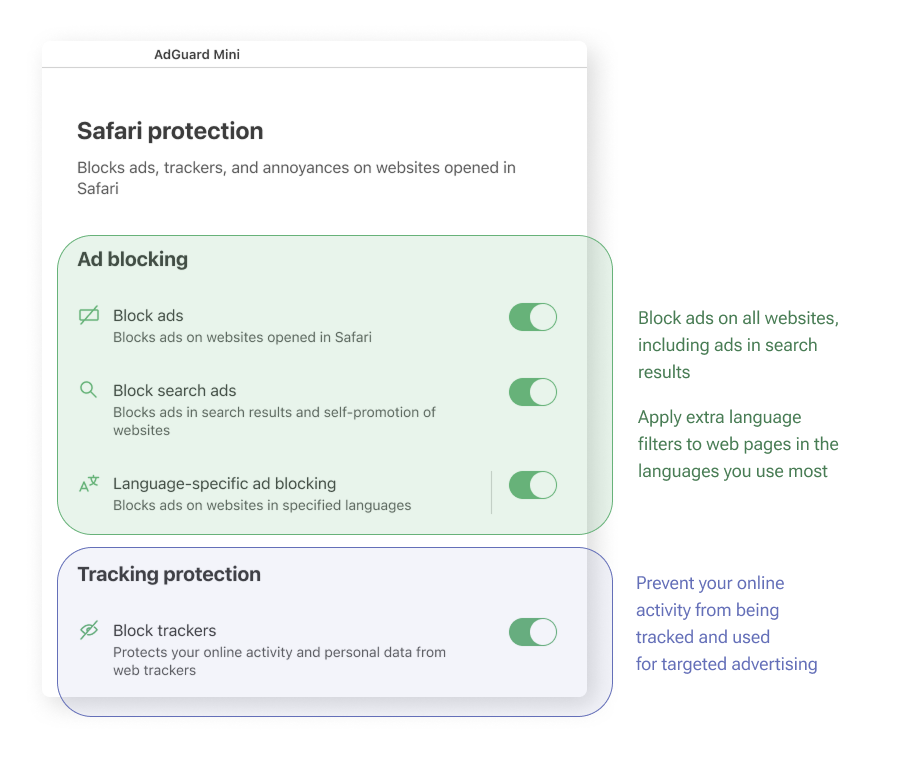
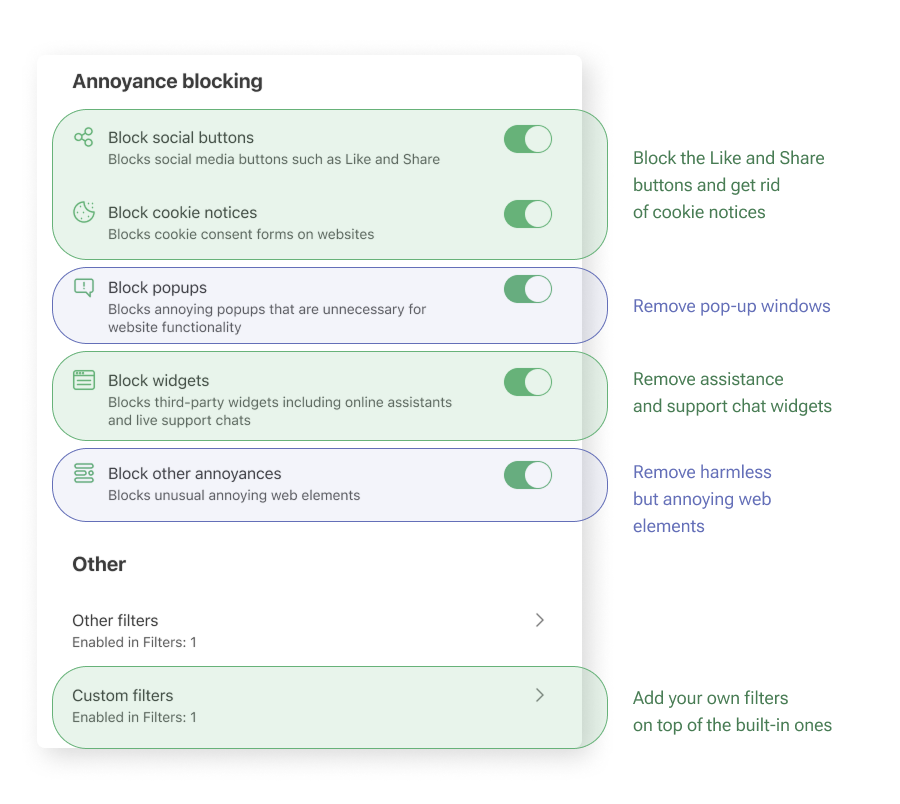
The Safari protection section is the most important area for the app’s core purpose. 设置项按逻辑分组,并用通俗易懂的语言加以说明,让您快速了解每个选项的作用。
以下是对每组设置功能的简要说明:
Health-check notifications
The Safari protection section includes health-check notifications that alert you to configuration issues that may affect filtering. Each notification describes the detected issue and suggests how to resolve it, where applicable.
Notifications are divided into two categories:
- Critical notifications are highlighted in orange and indicate issues that may prevent AdGuard Mini from functioning properly. These issues include missing background permissions, disabled Safari extensions, Safari extension errors, and reaching the Safari rule limit.
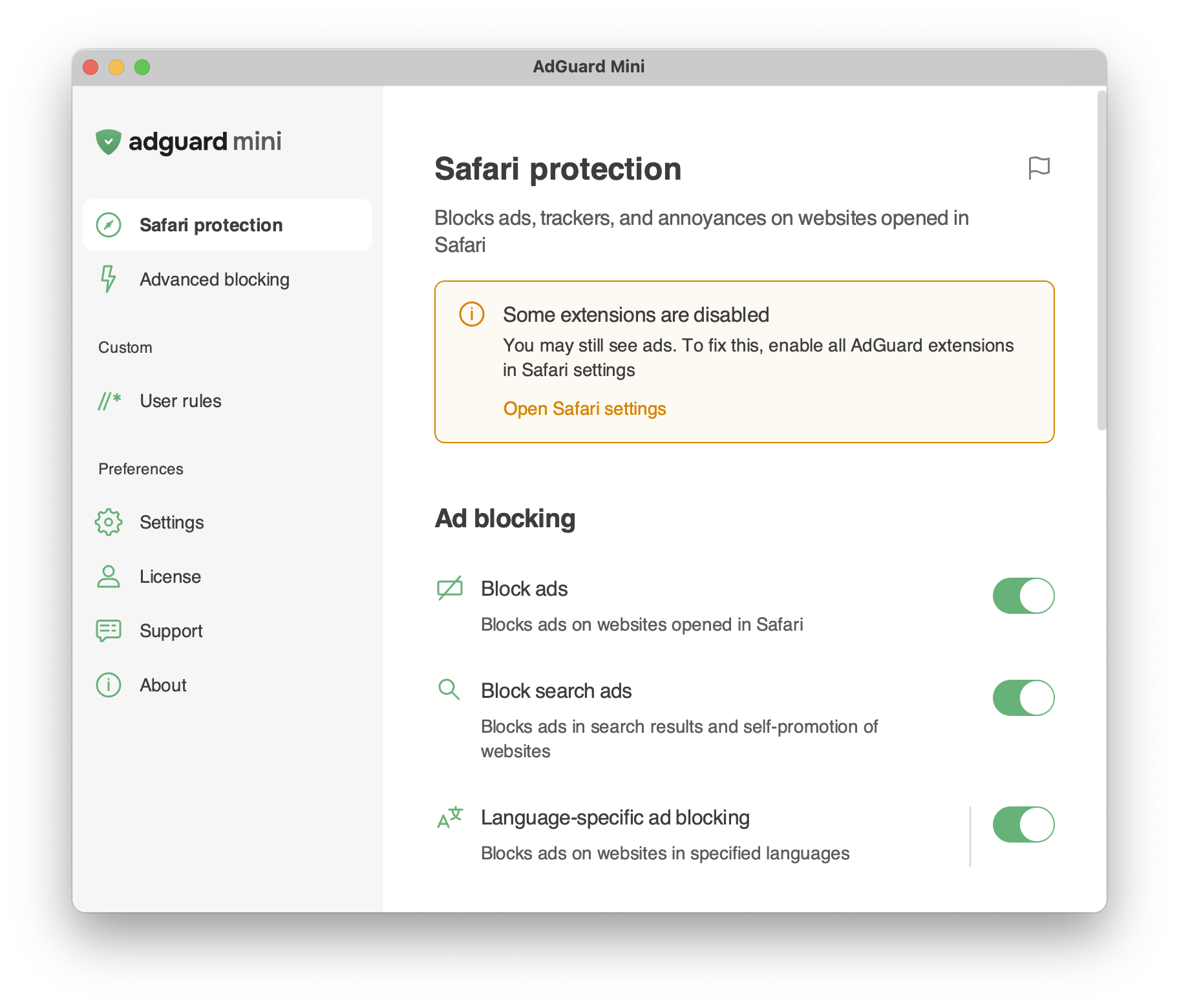
- Standard notifications are highlighted in gray and indicate less critical issues that can reduce protection quality, such as outdated filter lists or disabled features.