Tracking protection
This article describes AdGuard for Windows v8.0, a comprehensive ad blocker that protects your device at the system level. This is a beta release that is still under development. To try it, download the beta version of AdGuard for Windows.
Many websites collect data about their visitors, including IP addresses, browser and OS information, screen resolution, and even the page you came from. Cookies can be used to identify your browser, remember your preferences, or recognize you when you return. Tracking protection prevents such systems from collecting your personal data. Learn more in our article about Tracking protection in AdGuard
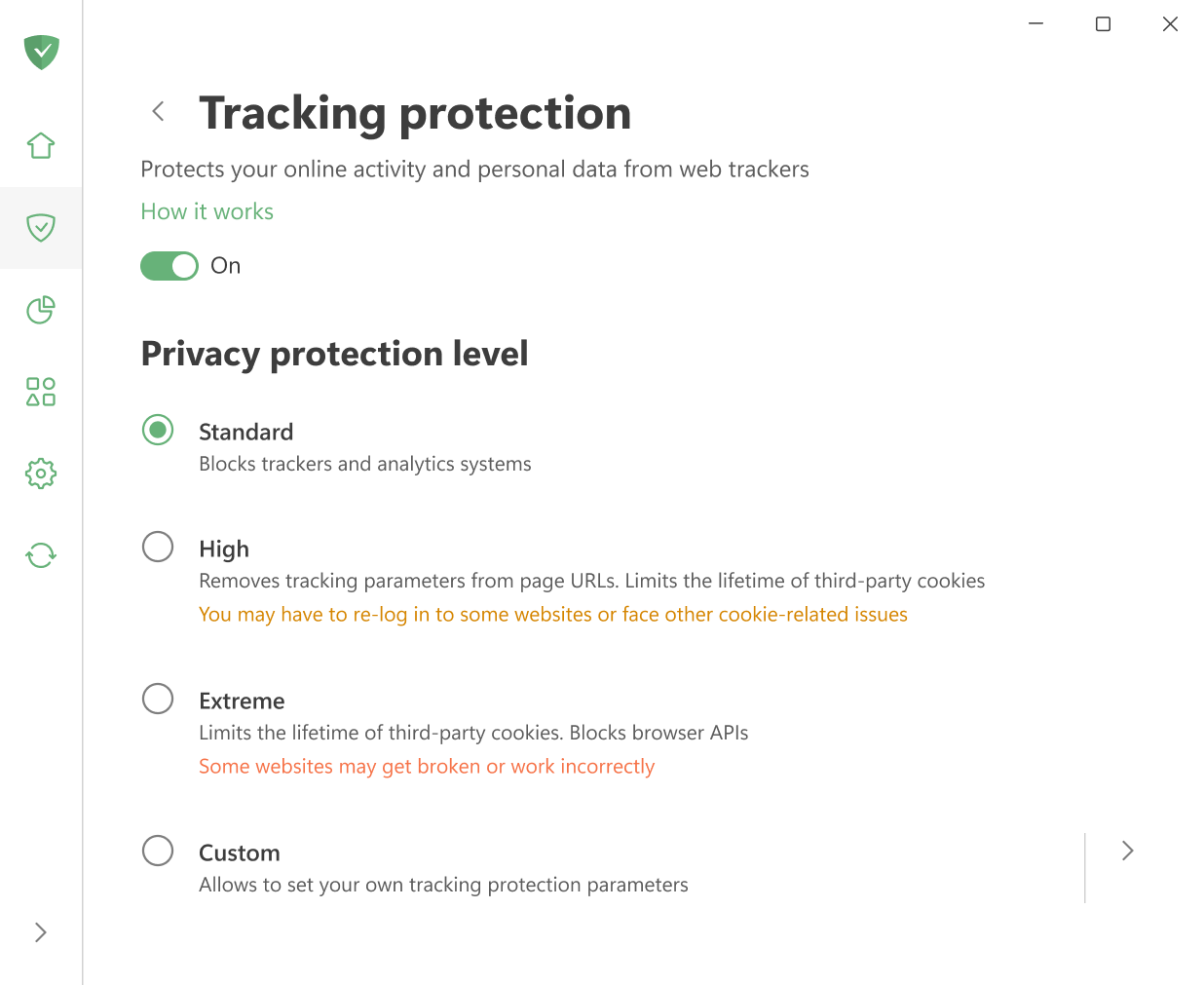
If you don’t want to spend time adjusting filters manually, you can simply pick one of the ready-made protection levels:
- Standard: enabled by default and provides reliable protection for everyday browsing.
- High: removes tracking parameters from page URLs and blocks third-party cookies. You may have to re-log in to some websites or face other cookie-related issues.
- Extreme: limits cookie lifetime of third-party cookies and blocks certain browser APIs. Some websites may not work correctly.
For maximum flexibility, select Custom and adjust everything manually. The settings there are divided into five categories:
General settings
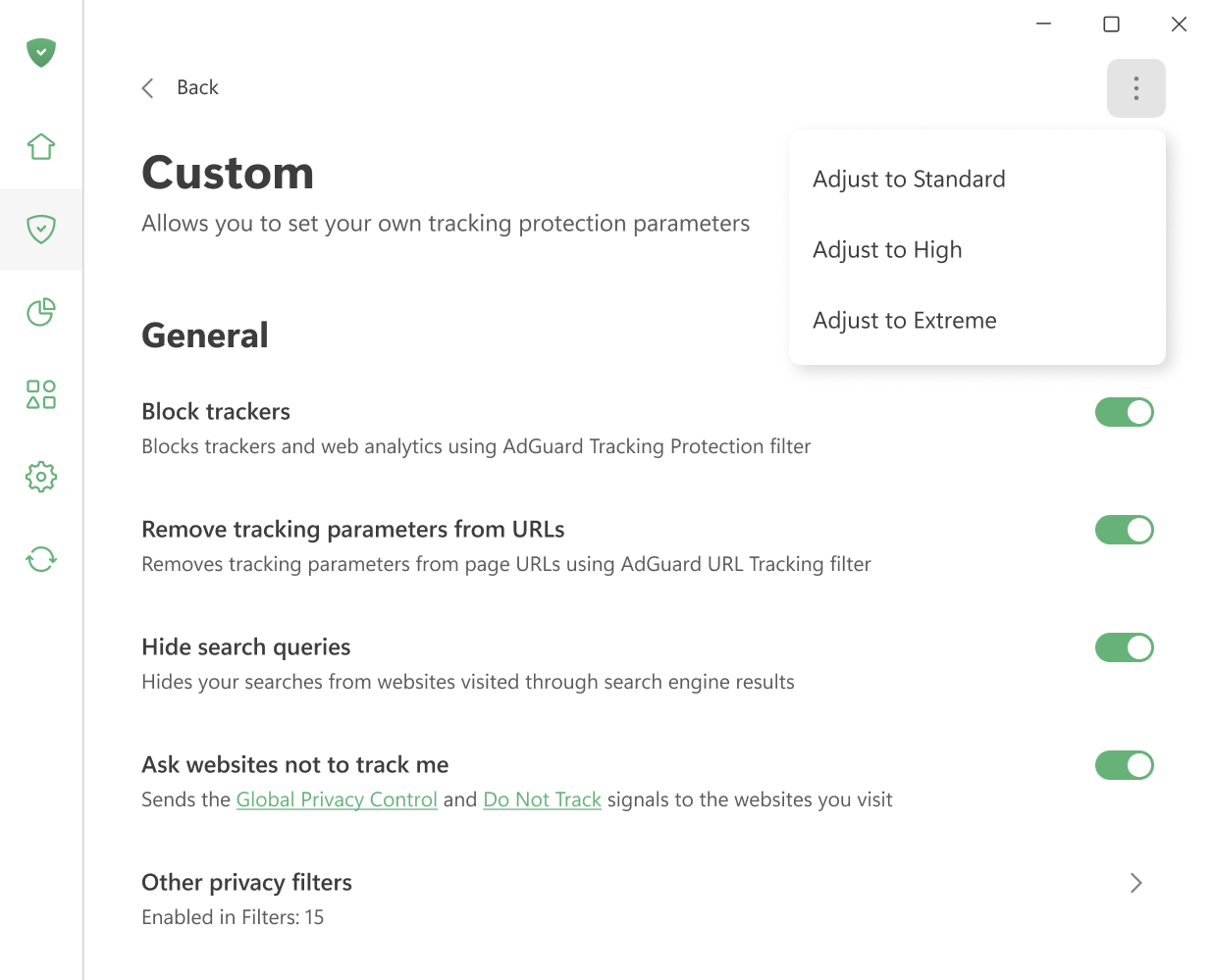
拦截跟踪器
Blocks trackers and web analytics using AdGuard Tracking Protection filter.
从 URL 中删除跟踪参数
Strips tracking parameters such as utm_* and fb_ref from pages’ URLs using AdGuard URL Tracking filter.
Hide your search queries
Hides queries for websites visited from a search engine. When you get directed to a website from Google, Yahoo, or any other search engine, this option hides the search query that you used to find that website.
Ask websites not to track you
Sends the Global Privacy Control and Do Not Track signals to the websites you visit.
跟踪方式
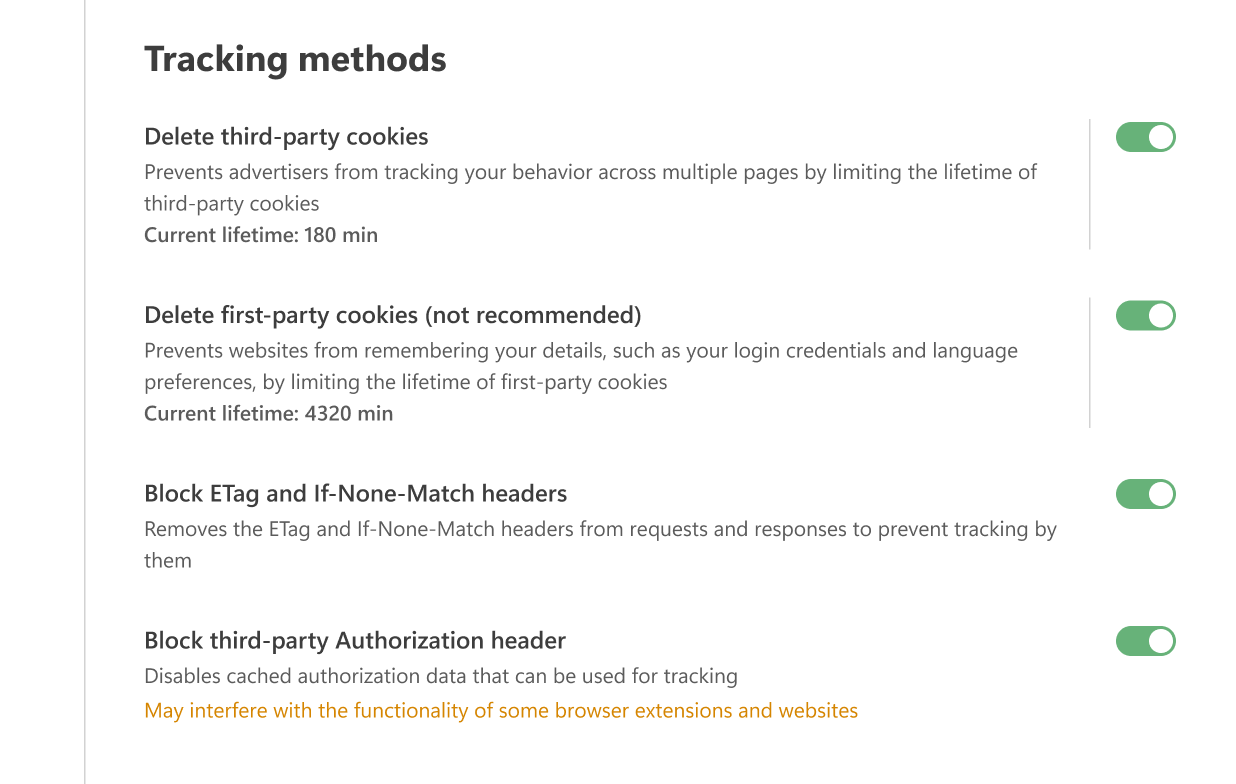
删除第三方 Cookie
Websites use cookies to store your preferences — for example, the language you chose, your location, or the items in your shopping cart. When you return, the browser sends these cookies back so the site can recognize you.
Third-party cookies work the same way, but they are created by domains other than the one you’re visiting. For instance, cnn.com may include a Facebook Like widget that sets a cookie later read by Facebook. Advertisers often use such cookies to track which other sites you visit.
With this option, you can set a time limit (in minutes) after which all third-party cookies will be deleted. If you set the timer to 0, such cookies will be blocked completely.
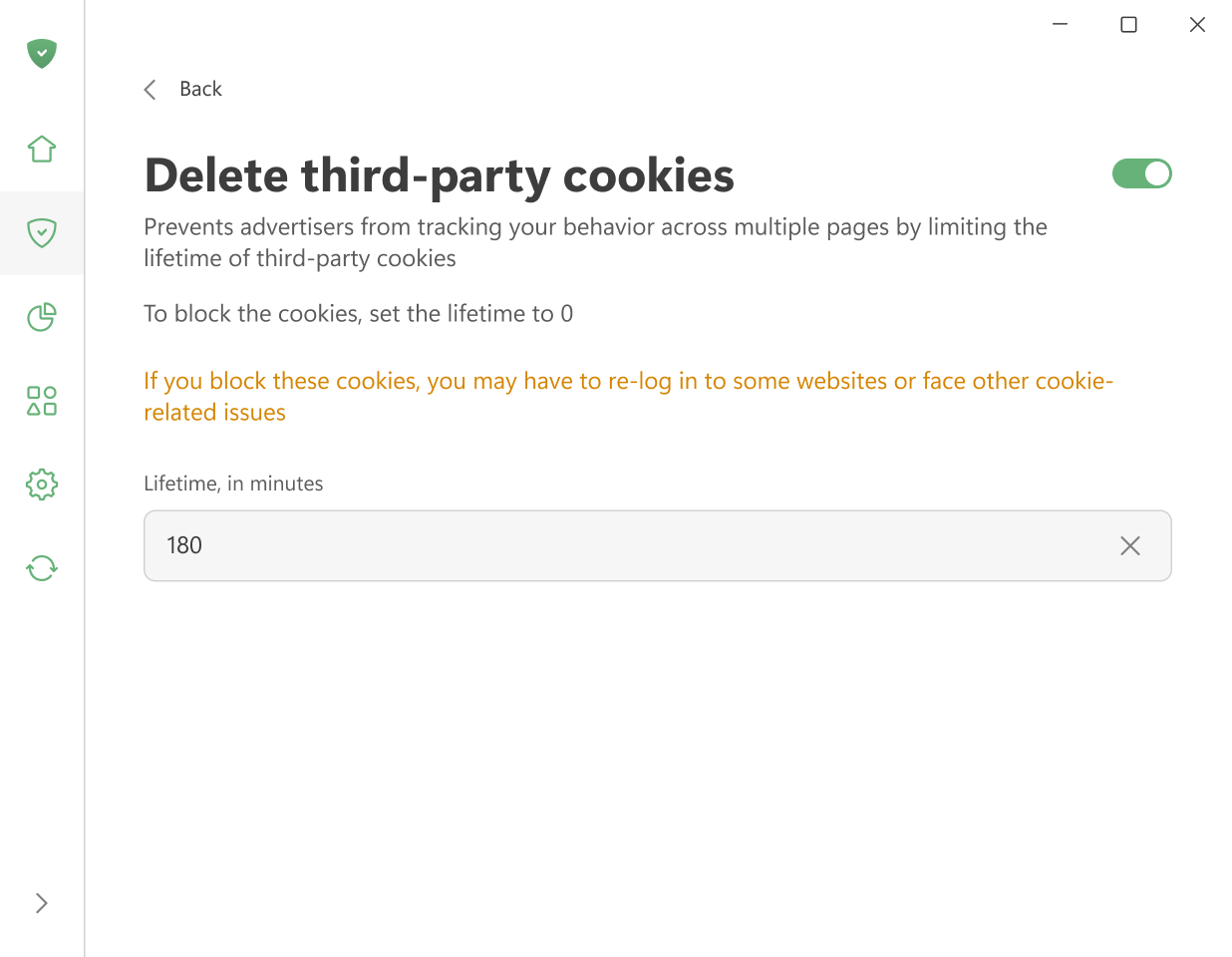
Keep in mind that this setting removes all third-party cookies, including those used for logins via social networks or other external services. This means you may need to log in again from time to time or deal with other cookie-related issues. If you only want to block tracking cookies, use AdGuard Tracking Protection filter.
删除第一方 Cookie(不推荐)
This option deletes cookies set by the website you are currently visiting after a selected period of time (in minutes). When the timer runs out, all such cookies are removed. Set the timer to 0 to block them completely.
我们不推荐您开启此项,因为它可能会严重干扰某些网站的工作。
拦截 ETag 和 If-None-Match 标头
Removes the ETag and If-None-Match headers from requests and responses to prevent websites from using them for tracking.
When a browser addresses a page, the server assigns it an ETag — a unique identifier used to cache the page’s contents. On subsequent visits, the browser sends the same ETag back to the server. This allows the server to recognize the visitor. As long as the cached files remain, the ETag is transmitted with every request. If the page also contains embedded elements from other servers, such as images or iframes, those servers can use ETags to track your activity without your knowledge.
拦截第三方 Authorization 标头
Disables cached authorization data that can be used for tracking purposes. 注意:启用此功能可能会影响部分浏览器扩展和网站的正常使用。
The Authorization header value is cached by the browser and automatically sent with every request to the same domain. Since it accompanies each request, it can be used to identify and track you similarly to how cookies do.
浏览器 API
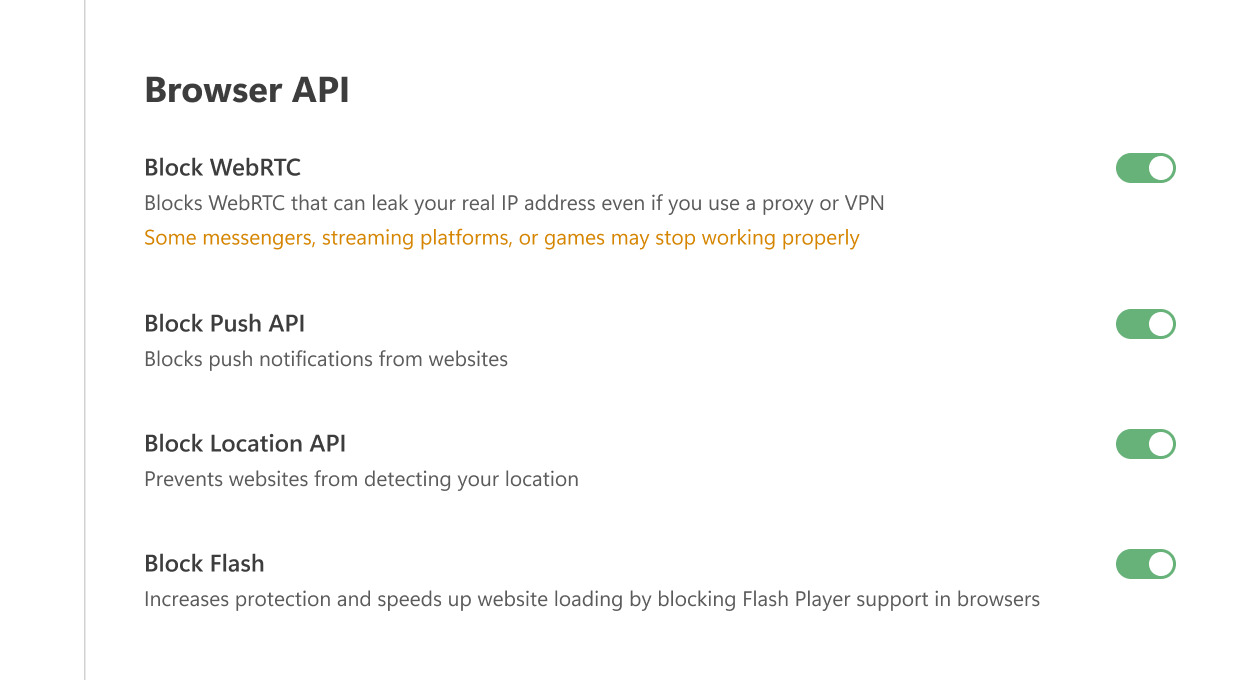
拦截 WebRTC
Blocks WebRTC, a known vulnerability that can leak your real IP address even if you use a proxy or VPN.
WebRTC (Web Real-Time Communication) is a technology that allows direct data streaming between browsers and apps. It can reveal your true IP address, even if you use a proxy or VPN. Enabling this option may disrupt certain browser applications, such as messengers, chats, cinemas, or games.
拦截 Push API
The Push API allows servers to send messages to web applications regardless of the activity status of your browser. This is why you may receive notifications from websites even if your browser is hidden in the tray or not launched. Enabling this option completely blocks the Push API.
拦截 Location API
When this option is enabled, the browser will no longer send GPS data to websites. This prevents them from determining your location, altering search results, or tailoring content based on where you are.
拦截 Flash
The Flash Player plugin is outdated and highly vulnerable to viruses and exploits. It can also slow down website loading. Enabling this option prevents browsers from detecting Flash components (such as plugins or ActiveXObject objects), which effectively disables Flash support.
Windows 跟踪
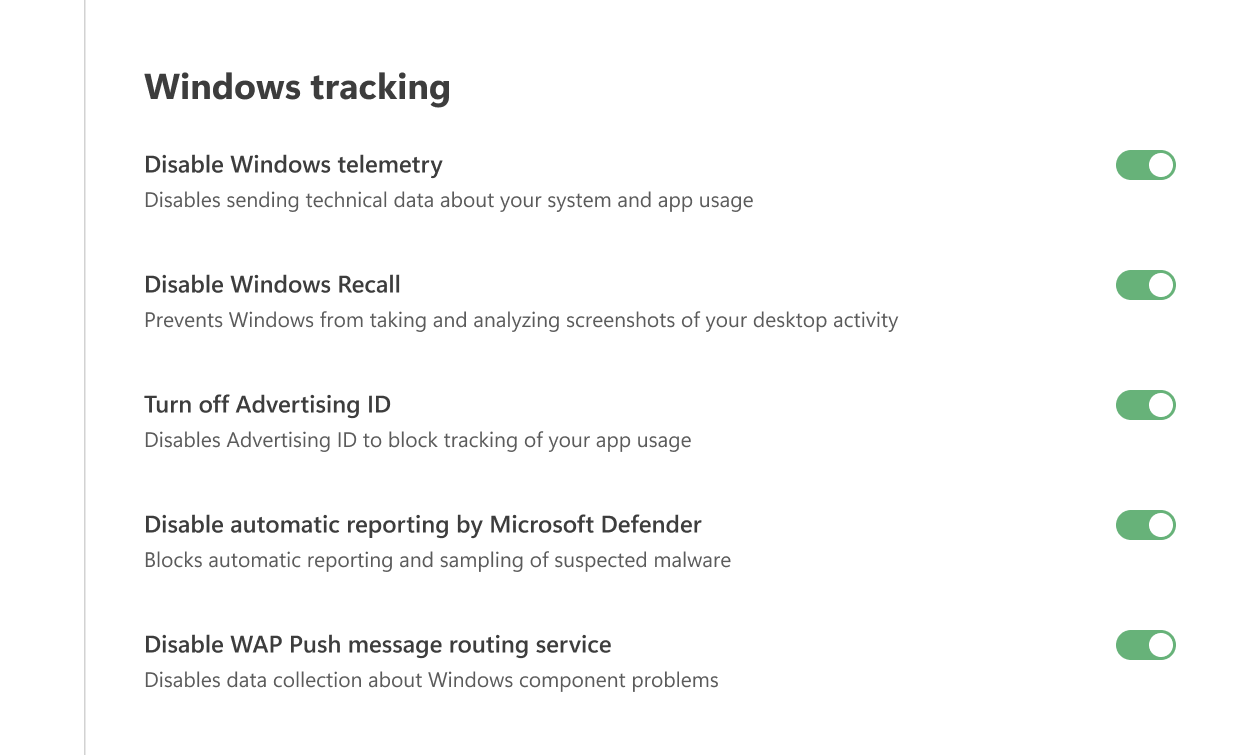
禁用 Windows 遥测
Disables sending technical data about your system and app usage.
关闭广告 ID
Disables Advertising ID to block tracking of your app usage.
禁用 Microsoft Defender 自动报告
Blocks automatic reporting and sampling of suspected malware.
禁用 WAP 推送消息路由服务
Disables data collection about Windows component problems
其它
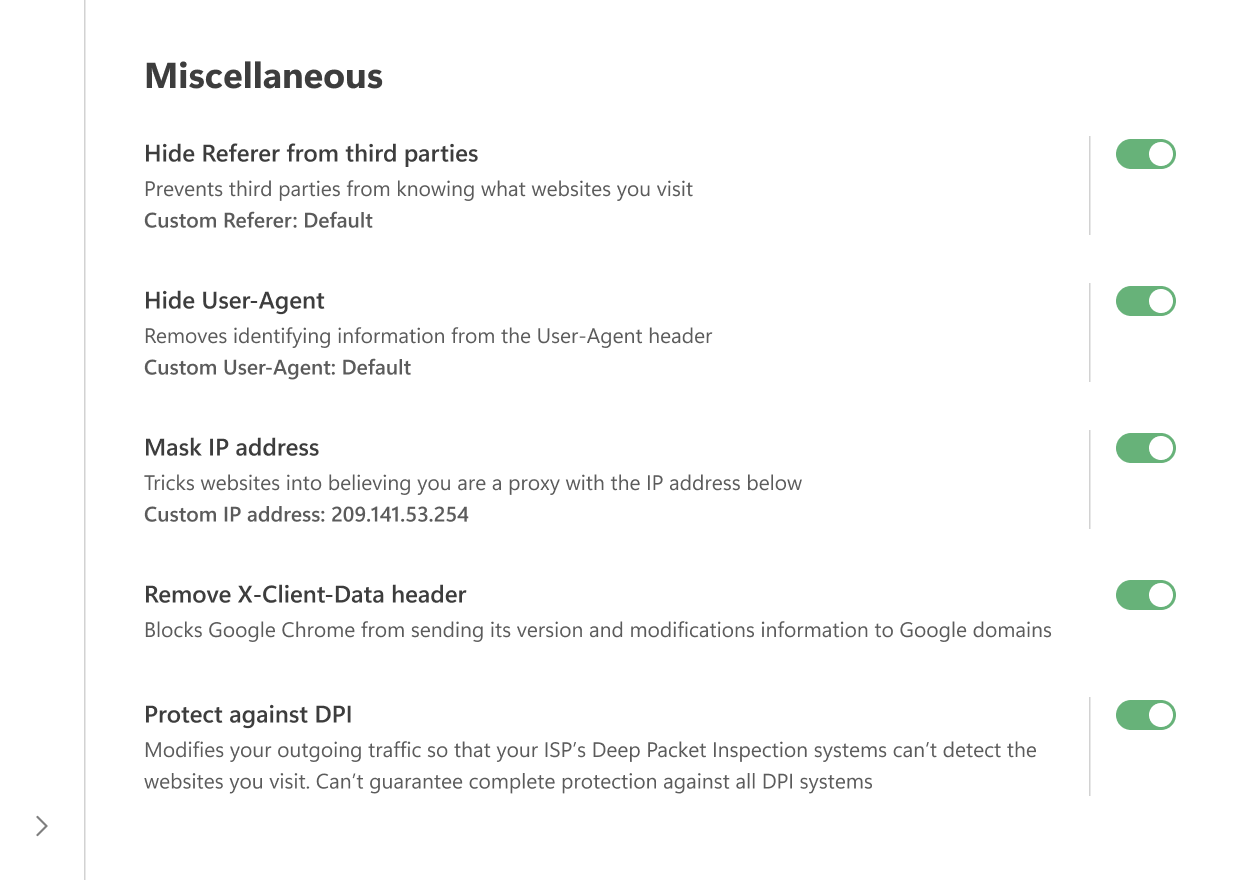
隐藏第三方 Referer
Referer is an HTTP header included in browser-to-server requests. 其包含请求源的 URL。 当您在各网页间导航时,Referer 会保存初始页的 URL。 托管目标网页的服务器通常具备解析 Referer 的软件,并从中提取各种信息。
Enabling the Hide Referer from third-parties option prevents third-party websites from seeing this information by altering or removing the header.
You can also enter a custom value in the Custom Referer field. 要使用默认 Referer,置空此字段即可。
Note that to be able to filter traffic, AdGuard applications intercept browser-to-server requests. 向广告、追踪及钓鱼服务器的请求可能会在发送至目标服务器前被修改,或遭到完全拦截。
Same goes for the Hide Referer from third parties option: To filter traffic, AdGuard intercepts HTTP(S) requests and may alter or block them before they reach the server. The change happens only after the request leaves your browser. For this reason, if you check headers inside the browser (for example with Chrome Developer Tools), you will still see the original Referer. To confirm that it has been modified, you can use external tools such as Fiddler.
Hide your User-Agent
When you visit a website, your browser sends a header called User-Agent as part of the HTTP request. It looks like a text line that begins with “User-Agent:”. This line usually contains details such as the browser name and version, operating system, and language settings.
By enabling this option, AdGuard removes identifying information from the User-Agent so advertisers and trackers cannot use it to profile you. If you prefer, you can enter a custom value in the Custom User-Agent field. To keep the default value, simply leave the field blank.
Mask your IP address
AdGuard cannot completely hide your real IP address, but it can replace it with a different one so that websites interpret your connection as coming through a proxy. In some cases this helps to obscure your true IP.
You can enter any IP address you want to use in the corresponding field. 要使用默认 IP 地址,置空此字段即可。
删除 X-Client-Data 标头
Prevents Google Chrome from sending information about its version and modifications in requests to Google domains, including services like DoubleClick and Google Analytics.
保护免受 DPI 影响
深度数据包检测(英语:Deep Packet Inspection,缩写成 DPI)是一种按数据包内容对流量进行深度分析和过滤以及统计数据积累的系统。 利用这项技术,互联网服务提供商能够控制流量传输及限制客户访问内容。
Deep Packet Inspection (DPI) is a technology used by some ISPs to analyze and filter traffic based on packet content. It allows them to monitor connections, restrict access to certain resources, and collect statistics about users.
When this option is enabled, AdGuard modifies outgoing packet data so that it no longer matches the DPI blocking criteria. This can help you bypass restrictions and access the content you need. However, not all DPI systems can be circumvented yet — improvements are still in progress.
The Protect from DPI feature is already implemented in AdGuard for Windows, AdGuard for Mac, and AdGuard for Android.
If this feature is enabled in AdGuard for Windows, it may interfere with the ESET antivirus. In this case, ESET will not be able to filter traffic, leaving some malicious or blocked websites accessible.