AdGuard Browser Extension MV3
Chrome has removed all remaining Manifest V2 (MV2) extensions from the Chrome Web Store, and other Chromium-based browsers, Opera and Microsoft Edge among them, are moving to MV3 as well. Users of these browsers need an MV3 extension, compatible with the new API Manifest V3. Our thoughts on this topic are extensively discussed on our blog.
我们的 MV3 扩展程序有效拦截广告和跟踪器,同时无缝管理社交小部件、横幅和视频广告。大多数用户不会注意到任何操作差异,但需要注意一些限制和变化。
在哪里下载我们的扩展
The MV3 version is our primary Chrome extension and is available in the
Chrome Web Store. MV3 builds are also published on GitHub Releases as chrome-mv3.zip for Chrome and opera-mv3.zip for Opera.
The MV3 beta is available in the Chrome Web Store.
AdGuard Ad Blocker MV2 was removed from the Chrome Web Store together with all other MV2 extensions. MV2 keeps working in Firefox and in Chromium-based browsers that retained support for it — see How to keep using AdGuard after Chrome removed MV2.
功能和设置的主要变化
-
Filter updates. The options Auto-update filters and Check filters update are not available in the Filters tab: rules that ship as part of the extension can be updated only together with a new extension version, after store review. Keep automatic extension updates enabled in your browser.
Custom filters you add by URL update on their own, independently of extension updates.
-
AdGuard Quick Fixes filter. Because built-in rules can’t be updated on request, the extension ships the AdGuard Quick Fixes filter. It uses dynamic rules to react to newly introduced ads and broken websites between releases, so keep it enabled.
-
Filtering log
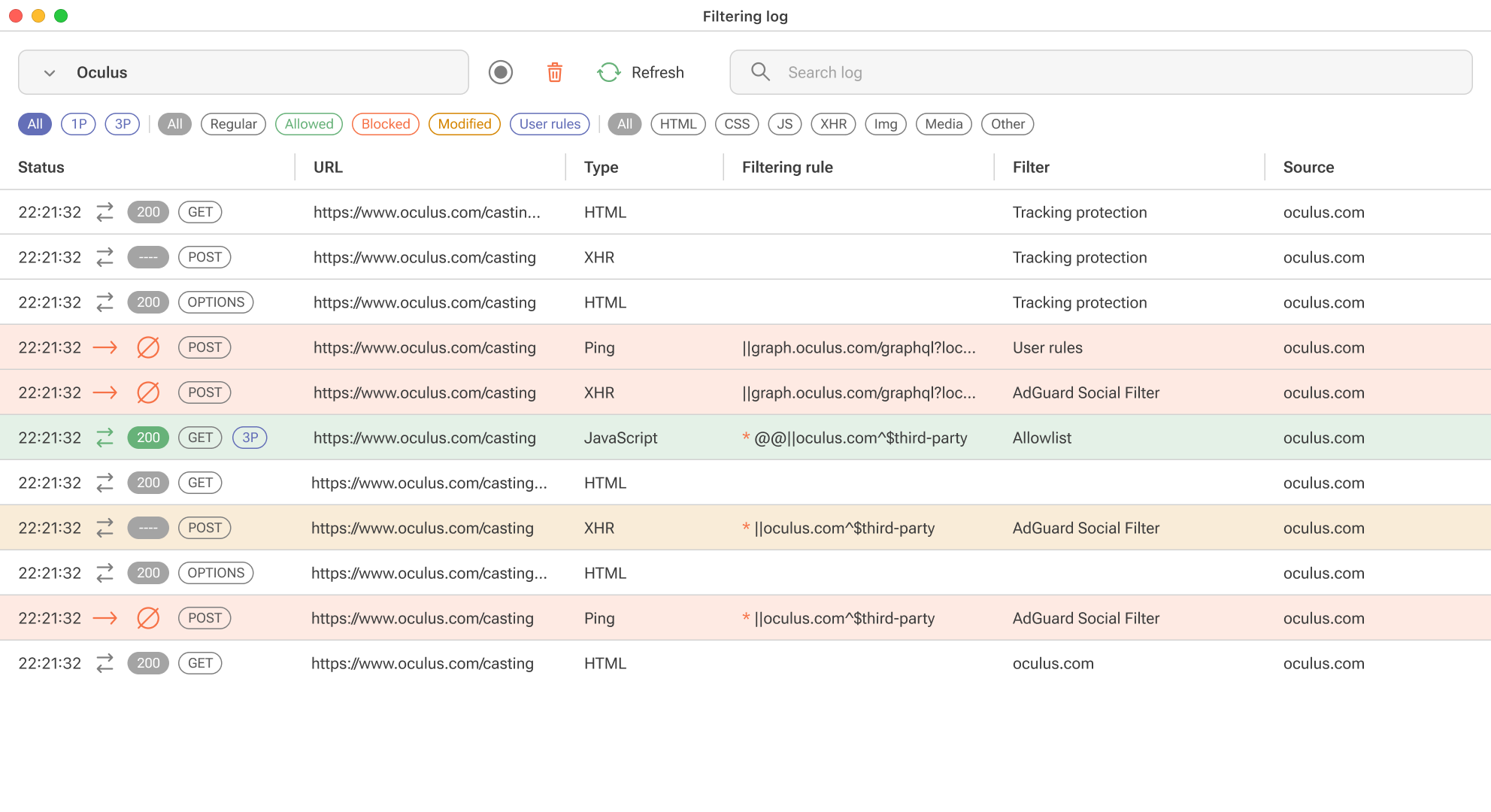
Due to DNR restrictions, we can’t show exactly which rule worked, but we will provide an “assumed rule that was triggered” based on our engine. For precise information, you’ll need to install the “unpacked” form of the extension in your browser yourself. You’ll find detailed instructions on how to do this in a separate article.
-
Tracking protection (formerly known as Stealth mode)
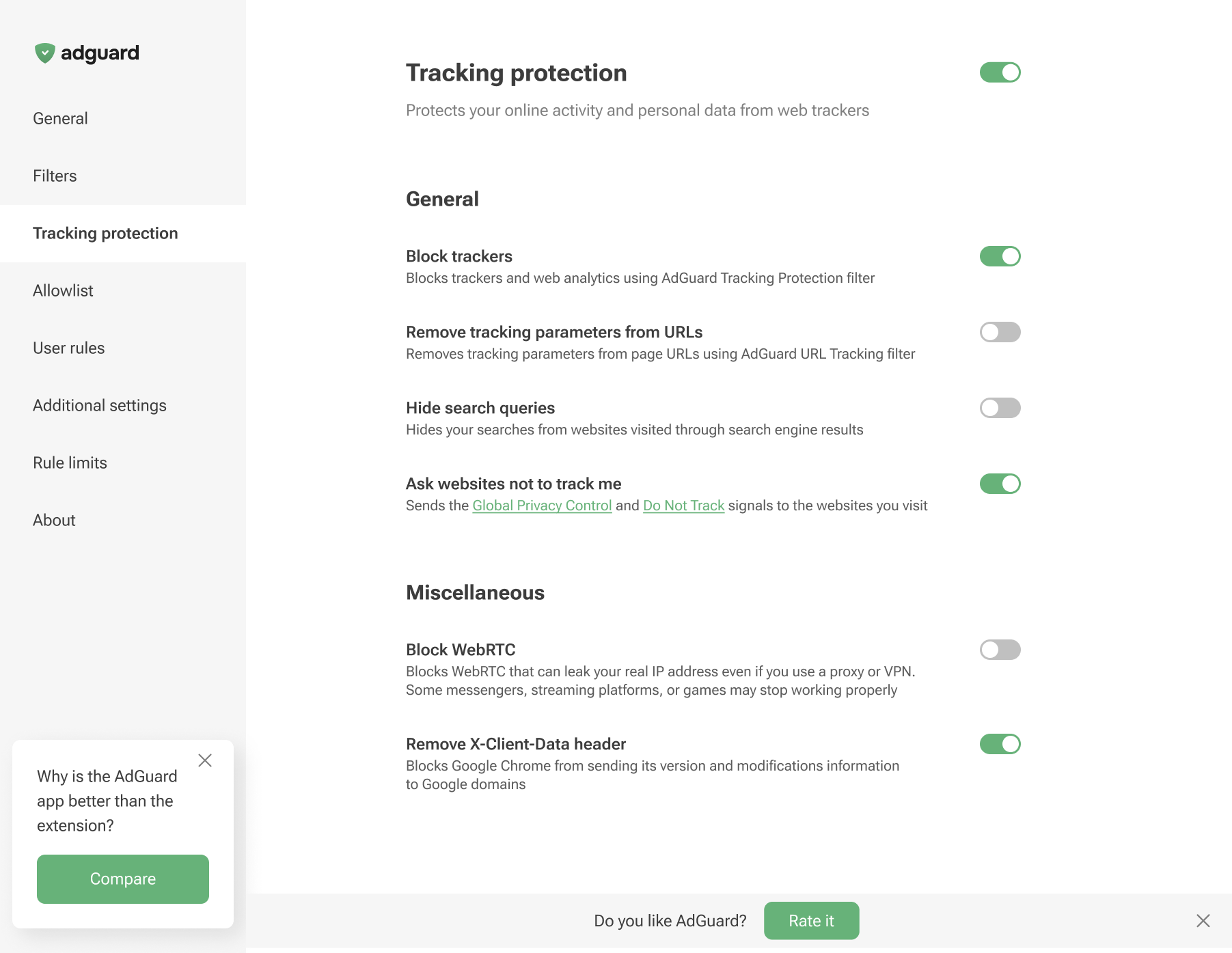
There are no Cookies section, along with Self-destruction of first-party cookies and Self-destruction of third-party cookies since we cannot set the TTL of cookies using declarative rules.
-
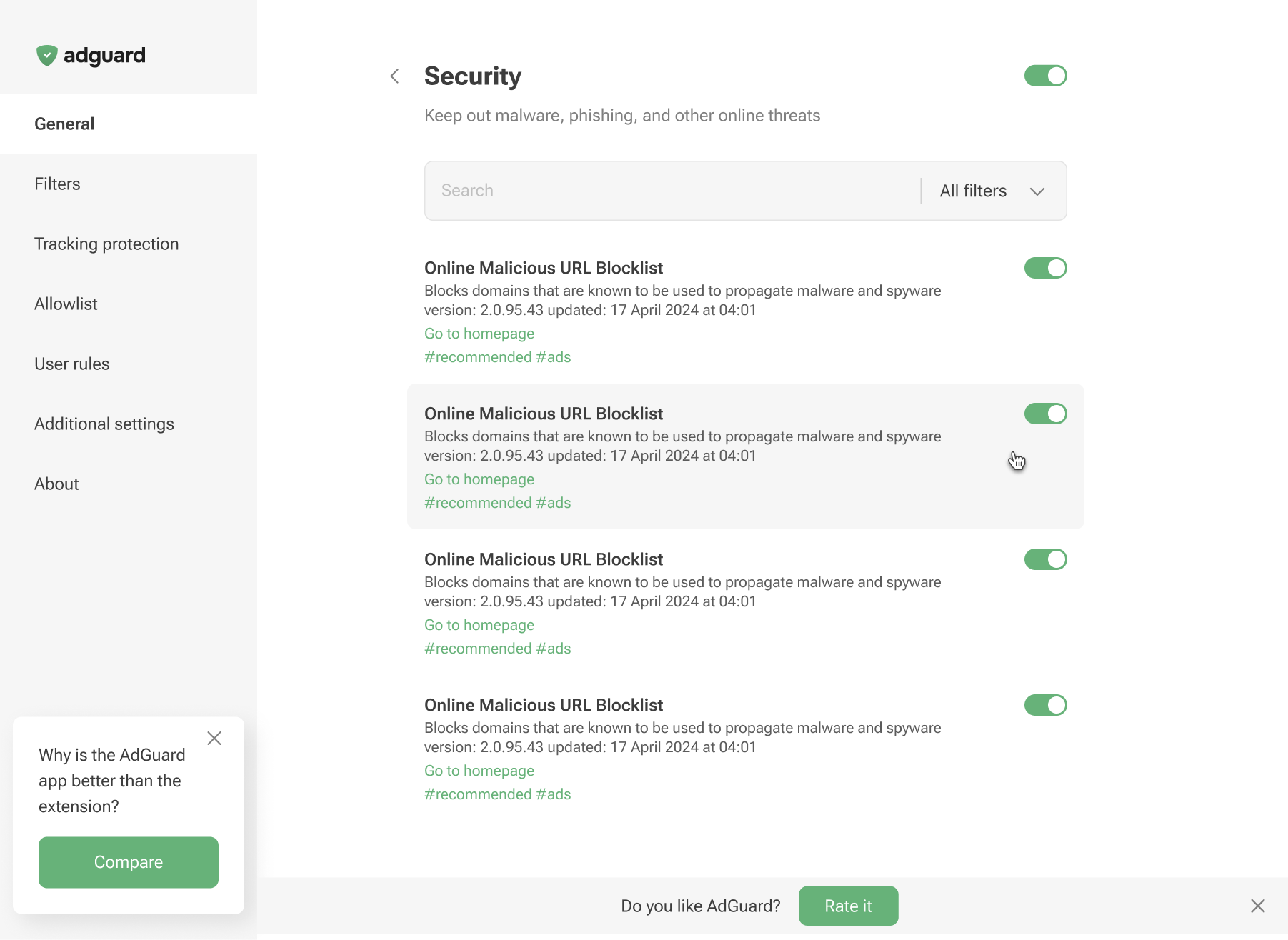
Phishing & malware protection is no longer available in the general settings. To protect yourself from malicious websites and scams, enable the appropriate Security filters in the Filters tab.
限制
规则和过滤器的数量限制
Manifest V3 对每个扩展的静态规则和正则表达式规则施加限制。超出这些数量限制后,用户会收到通知。
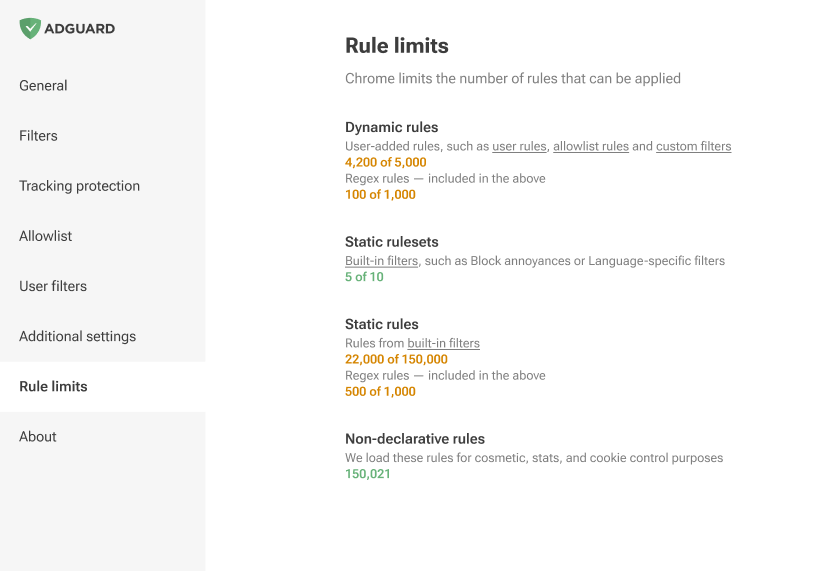
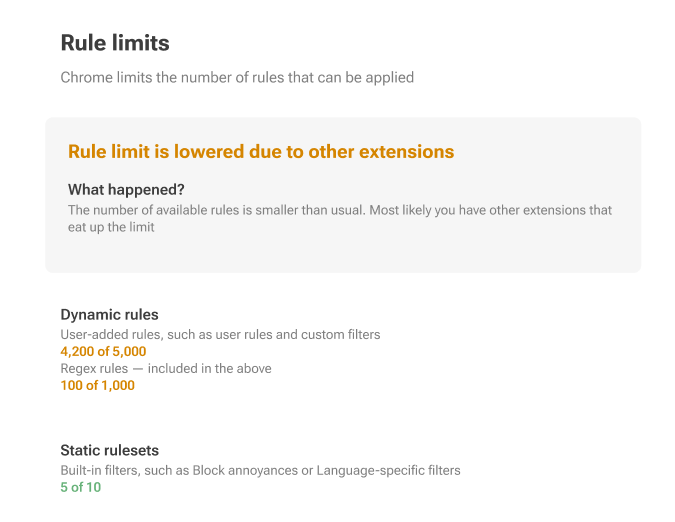
基本上,Manifest V3 将规则分为静态(内置)和动态,并有严格的限制。
静态规则:每个扩展程序至少 30,000 个规则,单个用户安装的所有扩展程序的累计限制为 330,000 个。
正则表达式规则,每个扩展的限制设置为 1,000。
同时启用的过滤器的最大数量为 50 个。
动态规则:严格限制 5,000 个规则,其中包括最多 1,000 个正则表达式规则。
如果超过此限制,将仅应用 5,000 条转换后的规则,顺序如下:首先是「允许列表」,然后是「用户规则」,最后是「自定义过滤器」。
转换后的规则是使用声明性转换器转换为 [DNR 格式]的规则。在转换过程中,一些规则会覆盖其他规则(
$badfilter),一些规则会合并($removeparam),从而导致规则列表的顺序略有不同。在转换后的规则列表中,我们将仅使用 5,000 个规则。其余规则将显示在编辑器中,但无法被应用。
Here’s how a rule with a basic modifier is converted to a declarative rule:
||example.org^$script,third-party,domain=example.com
转换为
[
    {
        "id": 1,
        "action": {
            "type": "block"
        },
        "condition": {
            "urlFilter": "||example.org^",
            "domainType": "thirdParty",
            "initiatorDomains": [
                "example.com"
            ],
            "resourceTypes": [
                "script"
            ]
        },
        "priority": 302
    }
]
在 GitHub 上找到更多示例。
网络规则修饰符
网络规则修饰符存在限制:其中一些无法在 MV3 中实现,或者受到一定的限制。