Как активировать лицензию
Чтобы активировать лицензию, перейдите в раздел Лицензия вашего продукта AdGuard и найдите поле Войти или кнопку Активировать. Для входа используйте электронную почту и пароль от вашего аккаунта AdGuard. If you don’t have an account yet, you will be offered to create one.
Чтобы активировать лицензию через аккаунт AdGuard, нужна действующая лицензия с хотя бы одним свободным слотом. Если ваша лицензия уже используется на максимальном количестве устройств, вы можете улучшить её или перенести её с одного устройства на другое.
Alternatively, you can use a license key (activation code) to activate the license.
Ниже вы можете ознакомиться с пошаговыми инструкциями по активации для каждой платформы.
Активация AdGuard для Windows
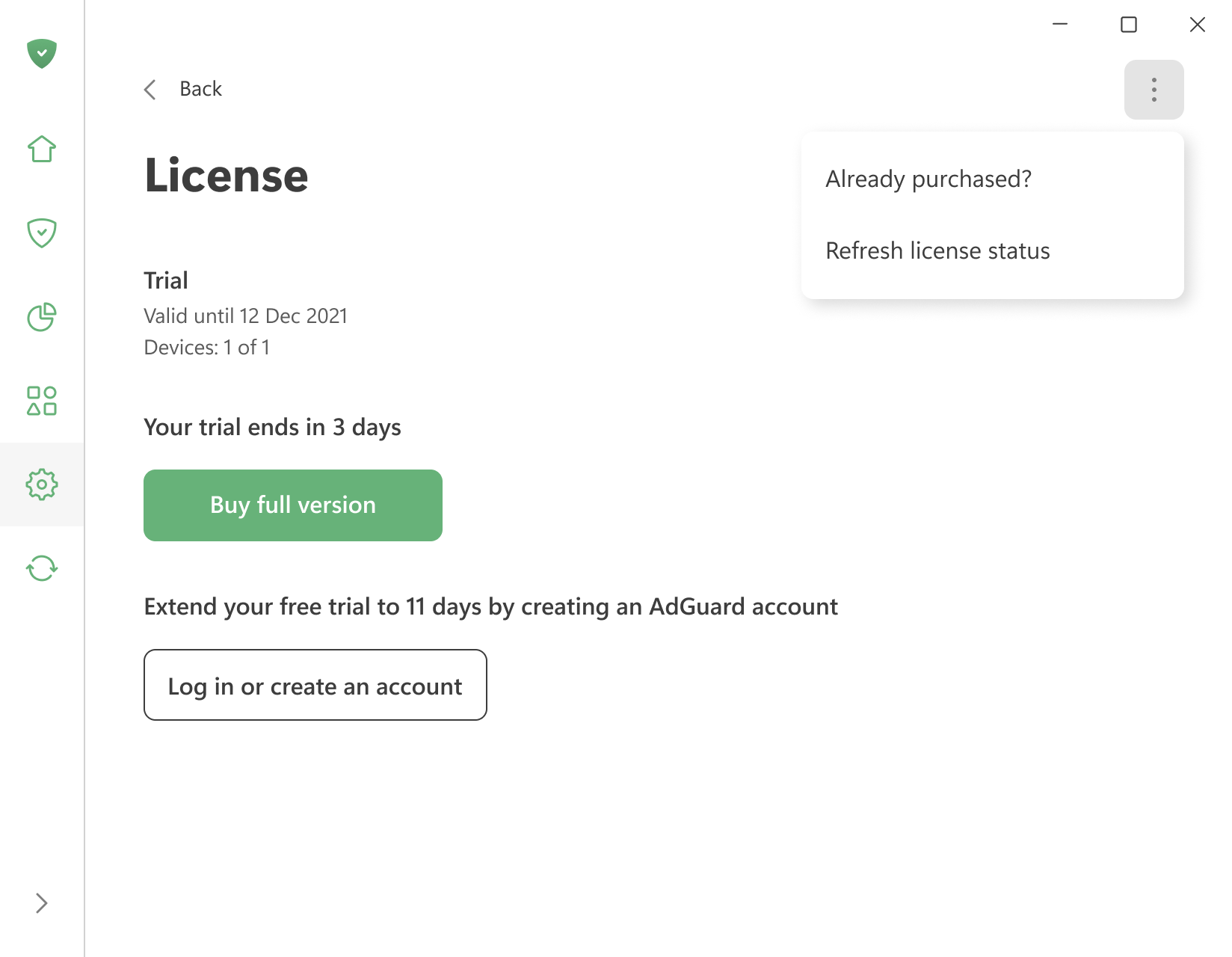
To activate a license you already have, open the menu (⋮) in the upper right corner of the License screen and click Already purchased?.
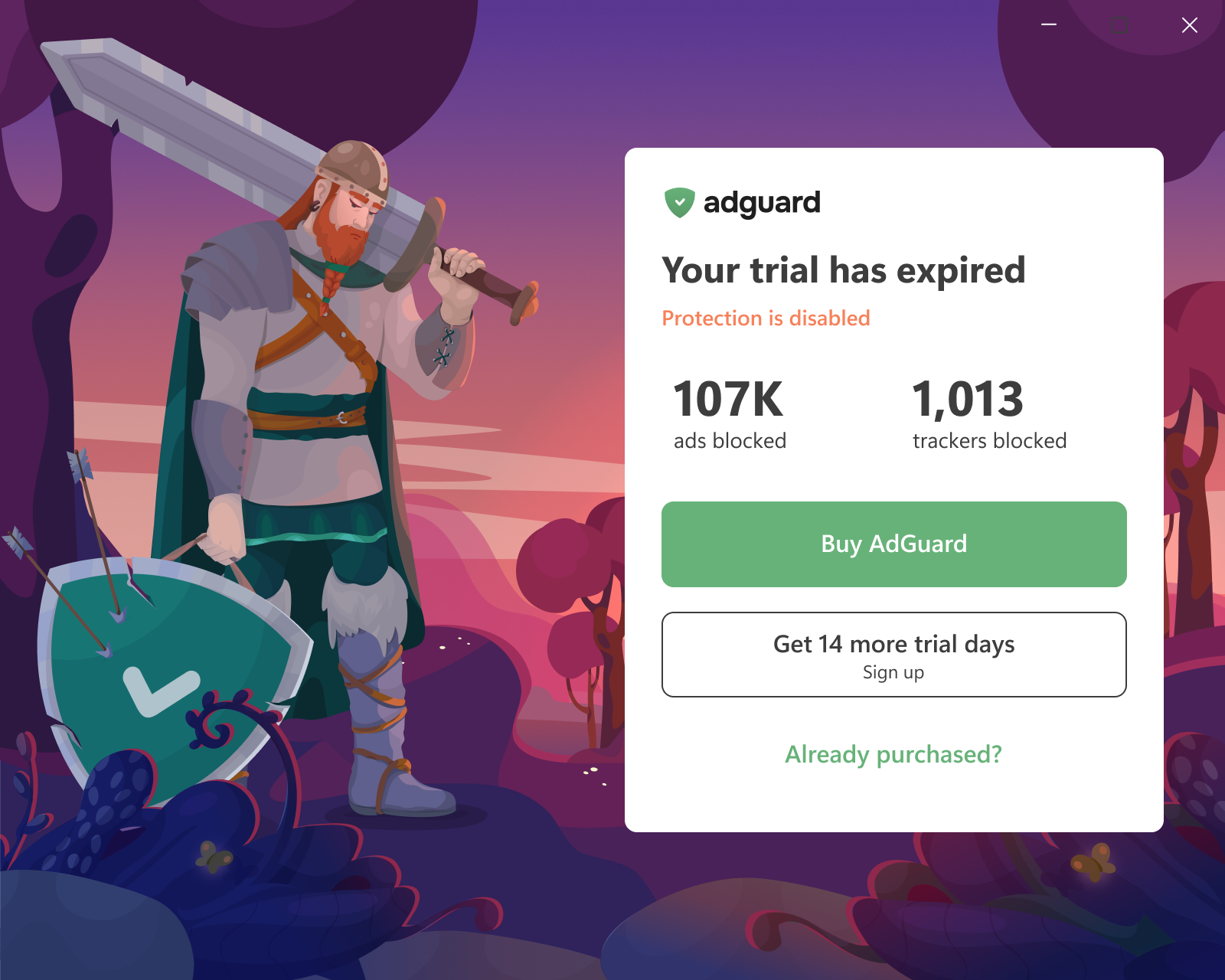
You can also click Already purchased? on the trial-expiration screen the app shows when the trial ends.
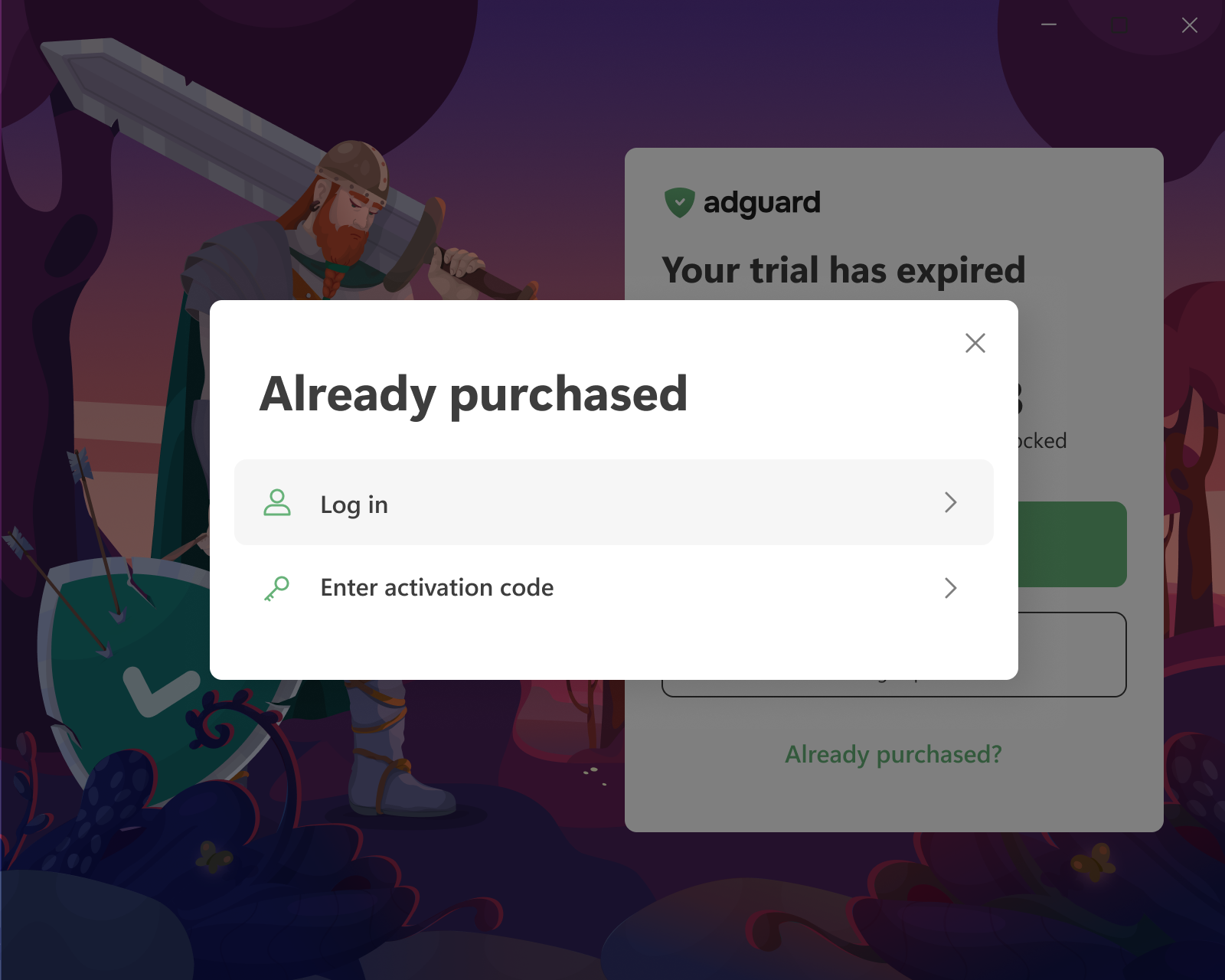
Then choose one of the two options:
-
Log in — you will be redirected to your browser. Log in to your AdGuard account or sign up there. If the account has a valid license with a free device slot, it is applied to the app automatically.
If the browser tab was closed or the app didn’t pick up the license, click Reopen login page or use Refresh license status in the same menu (⋮).
-
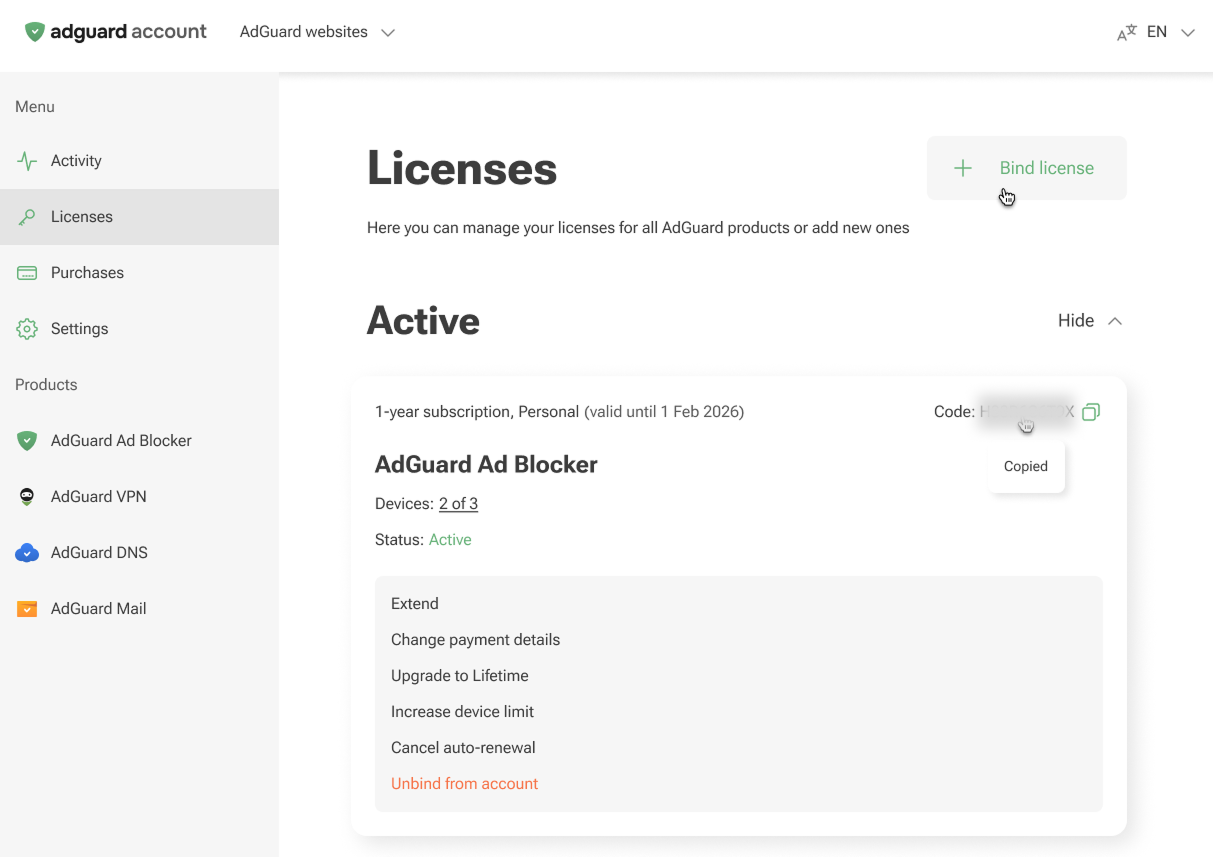
Enter activation code — enter the code from the purchase email or from a reseller. The code is also available in your AdGuard account and on the License screen of another device where AdGuard is already activated.
 комментарий
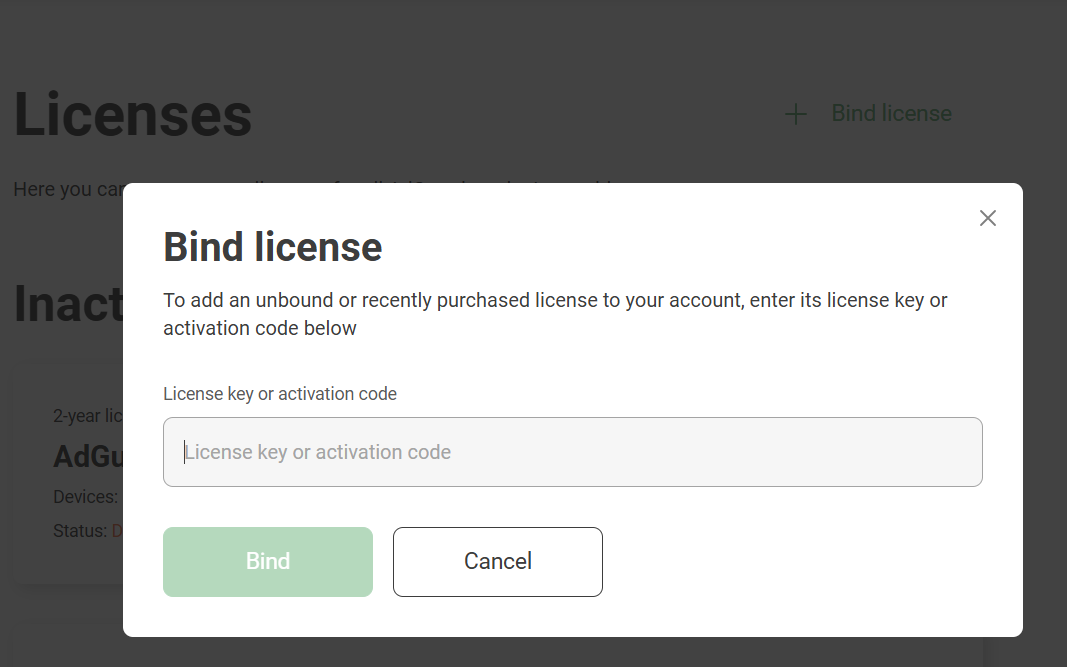
Log in only works if the license is already in your AdGuard account. If you have an activation code that isn’t bound to your account yet, bind it first: open the Licenses tab of your account, click Bind license, enter the key, and click Bind.
:::
Активация AdGuard для Mac
-
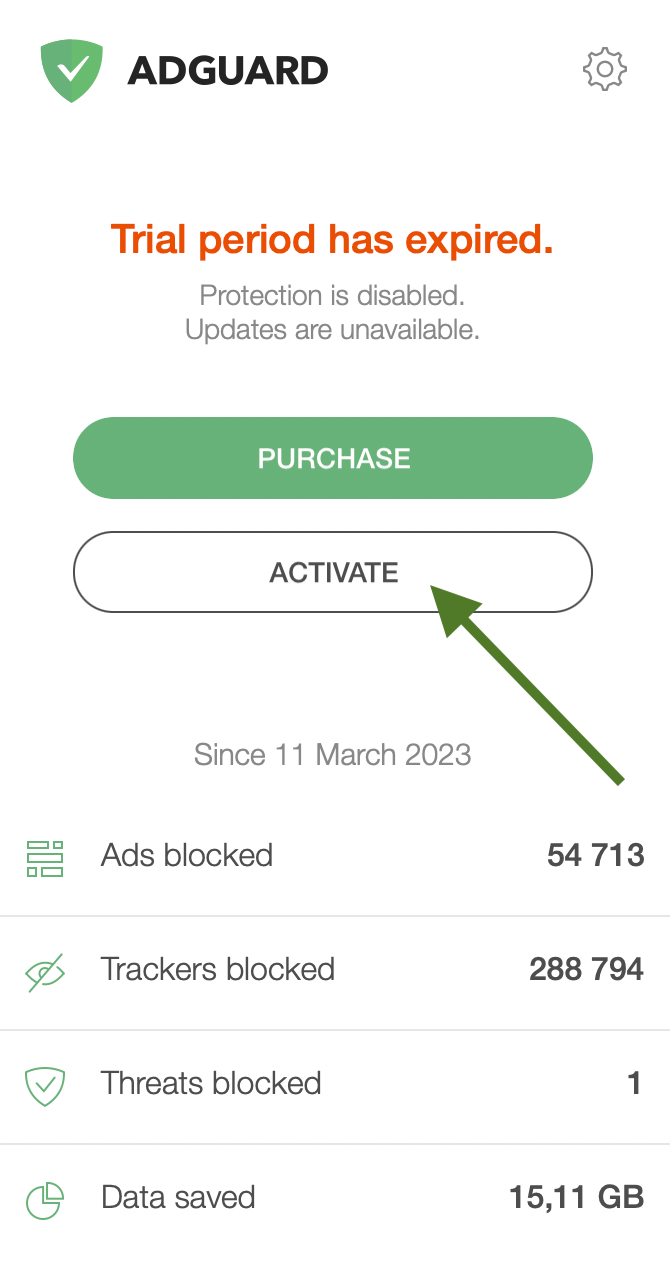
На экране истёкшей лицензии нажмите Активировать.
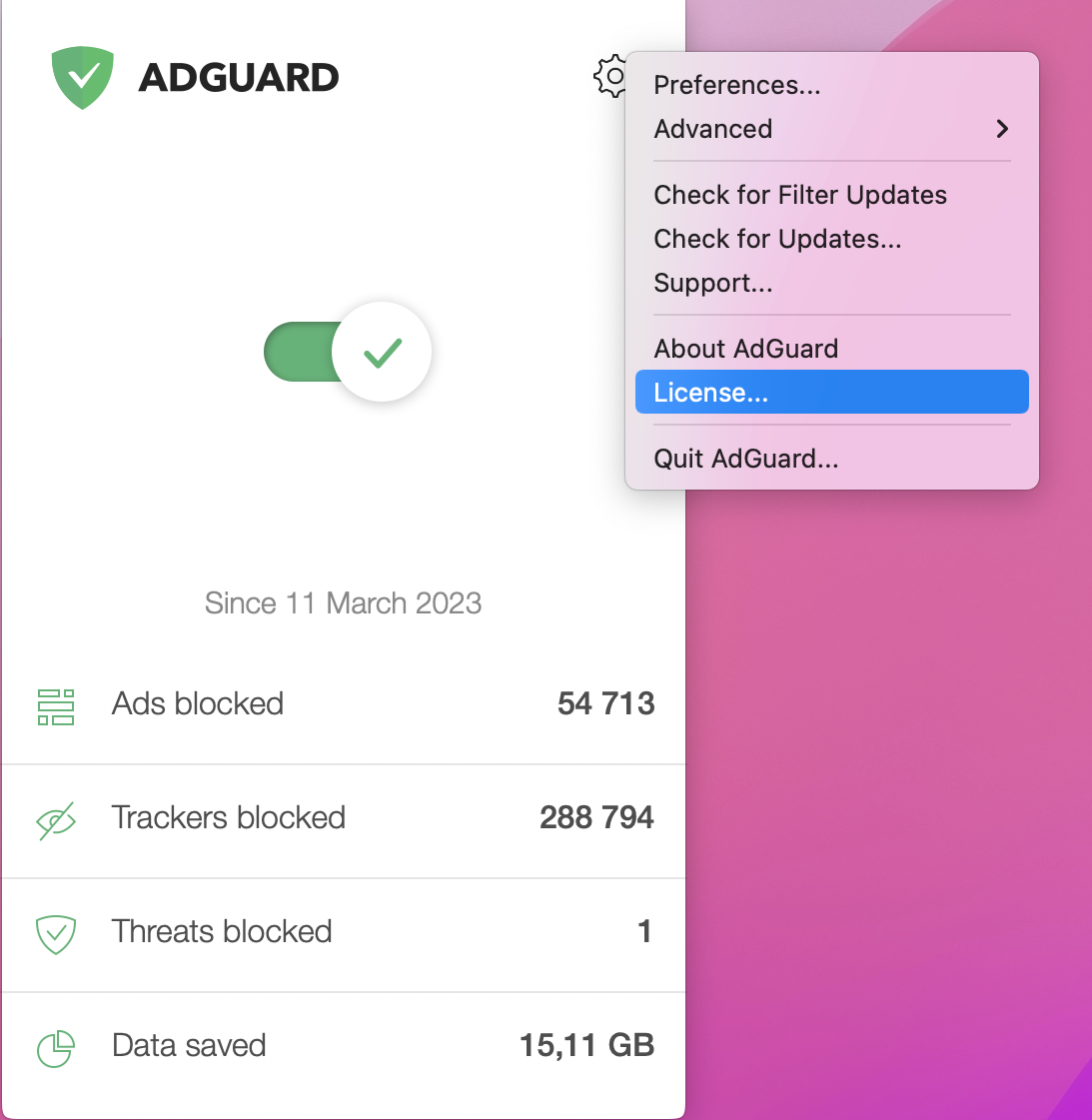
Alternatively, click the gear icon in the AdGuard menu, then click License.
-
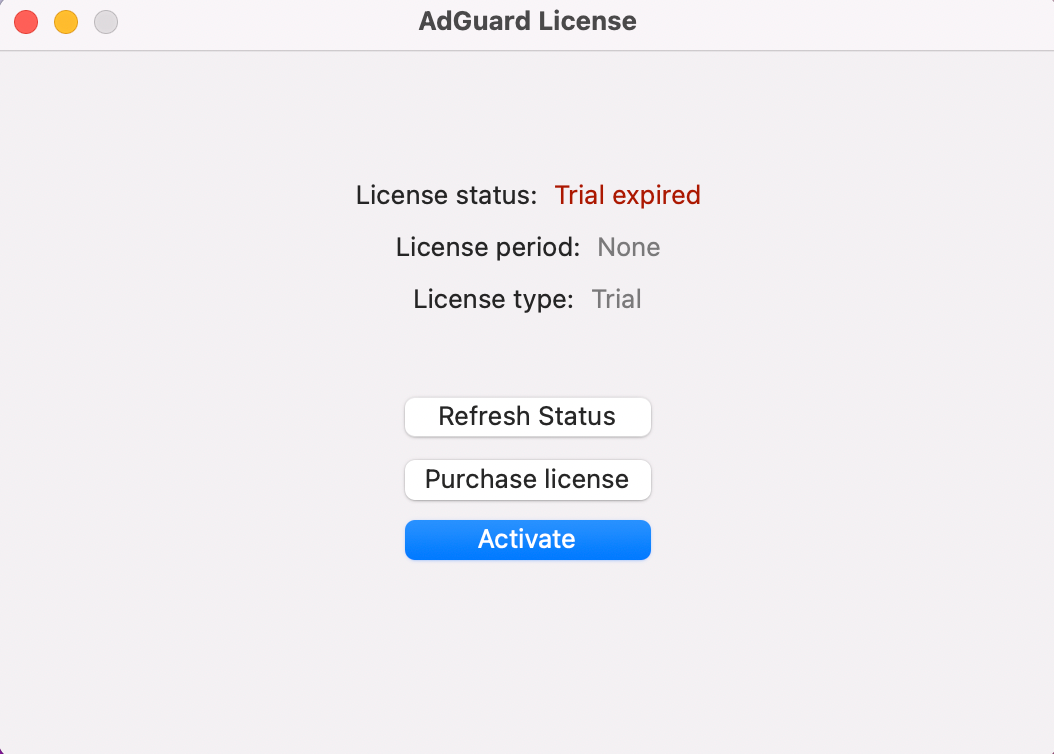
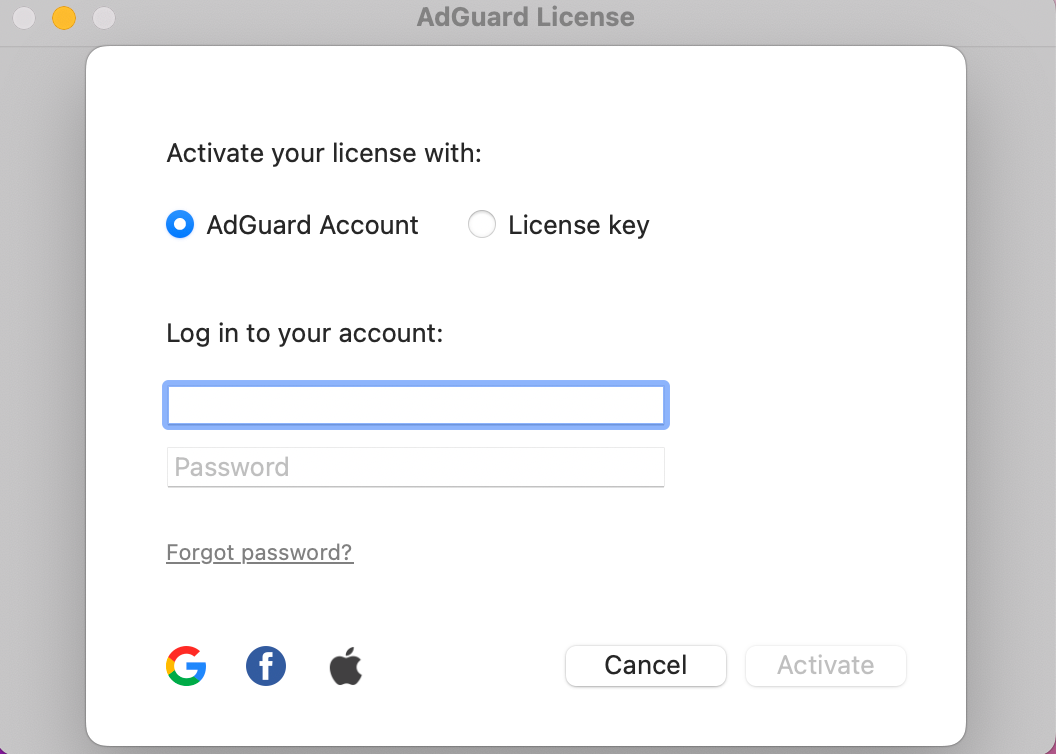
In the opened window, click Activate.
-
Activate your license using your preferred method. If the license is bound to your email address, click AdGuard Account or select a social network associated with this email address. Alternatively, enter your license key.
Активация AdGuard для Android
-
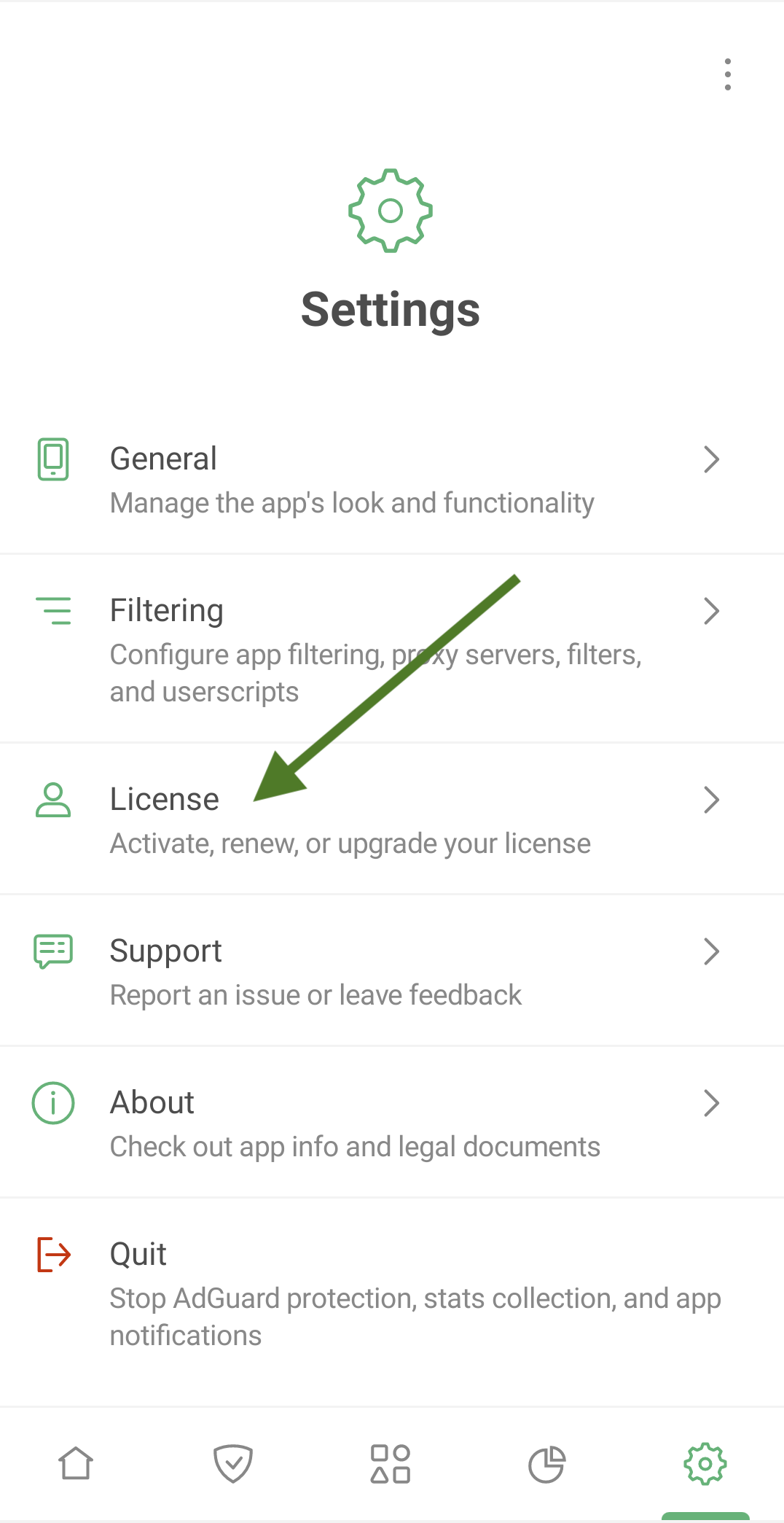
Tap Settings, then select License.
-
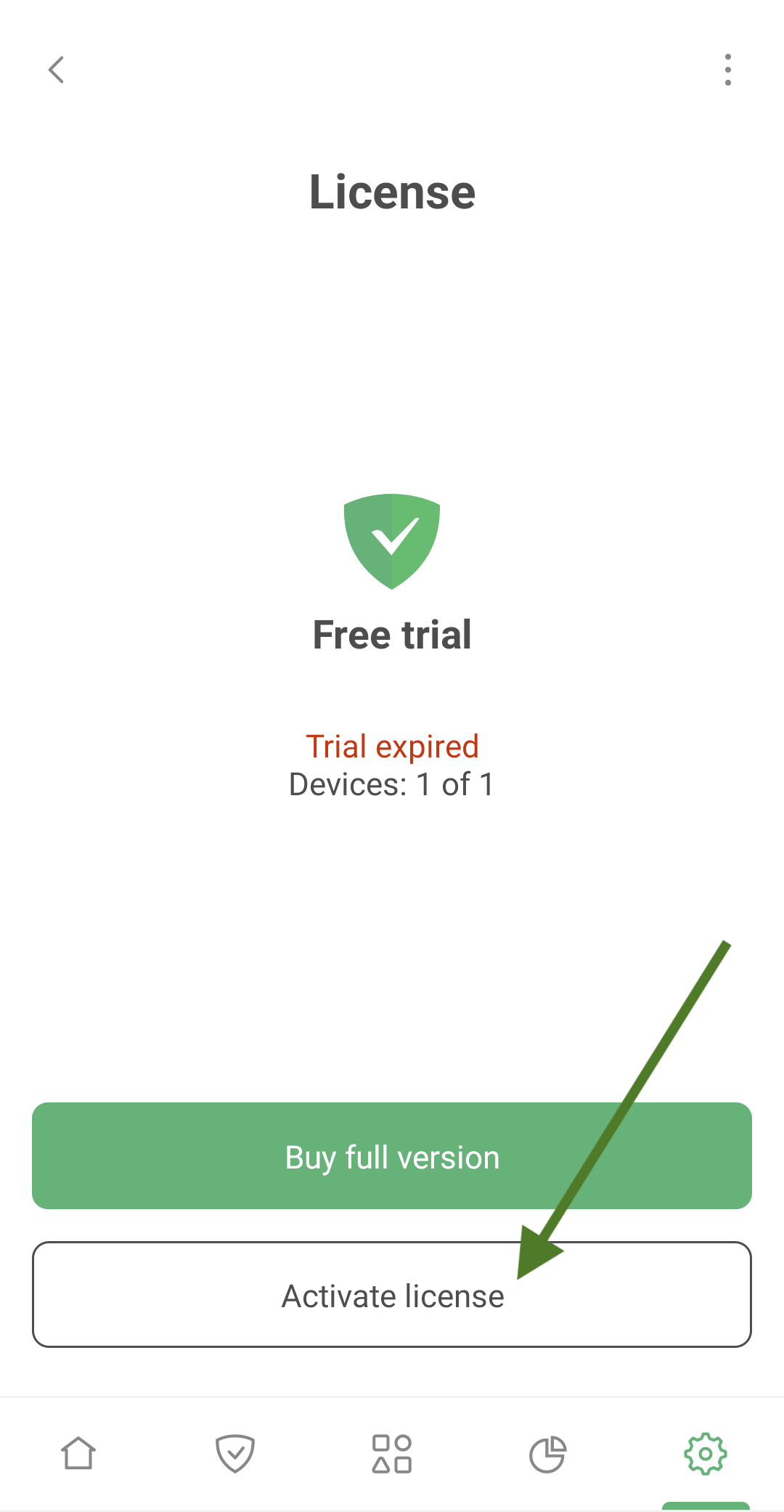
Tap Activate license.
-
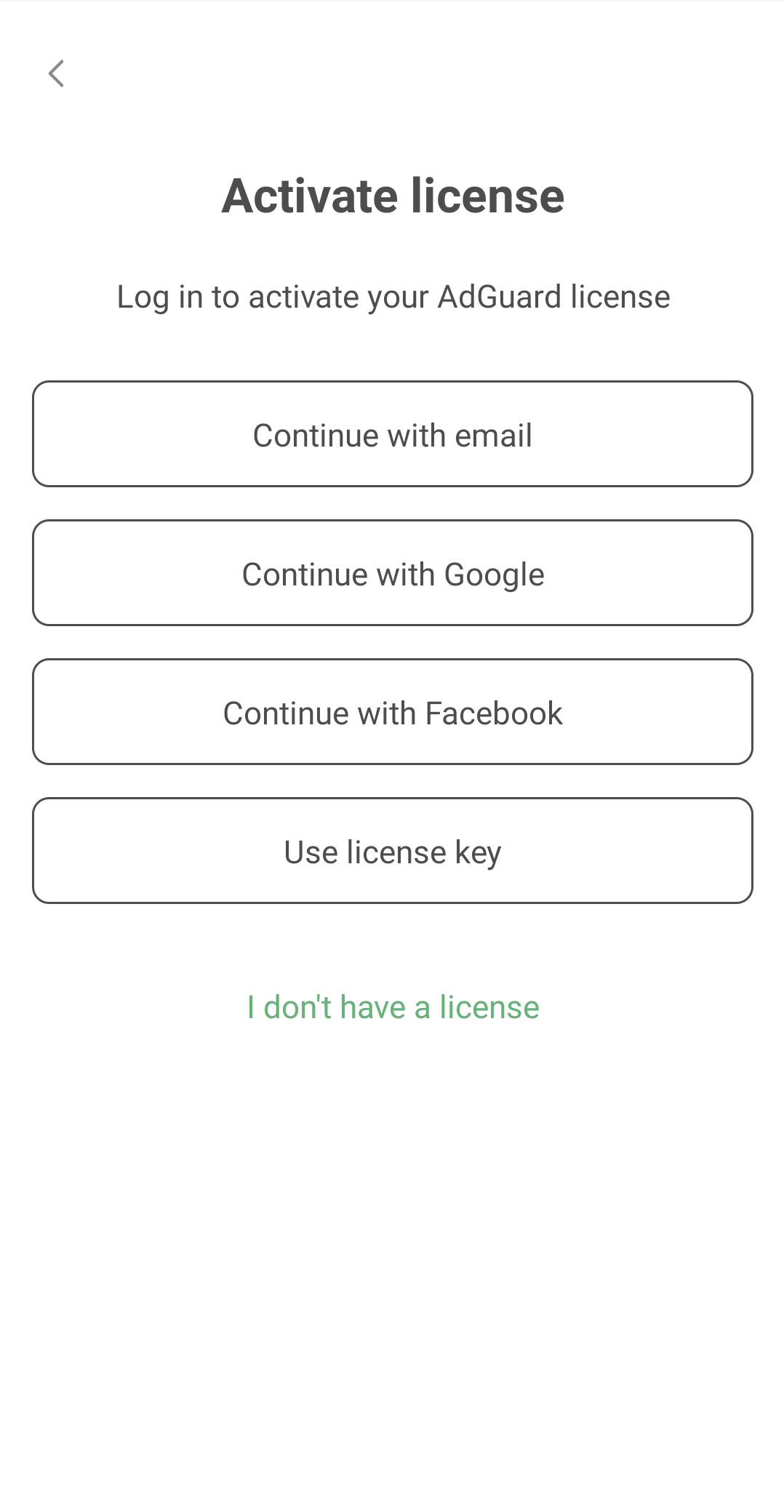
Activate your license using your preferred method. If the license is bound to your email address, tap Continue with email or select a social network associated with this email address. Alternatively, enter your license key.
Активация AdGuard для iOS
-
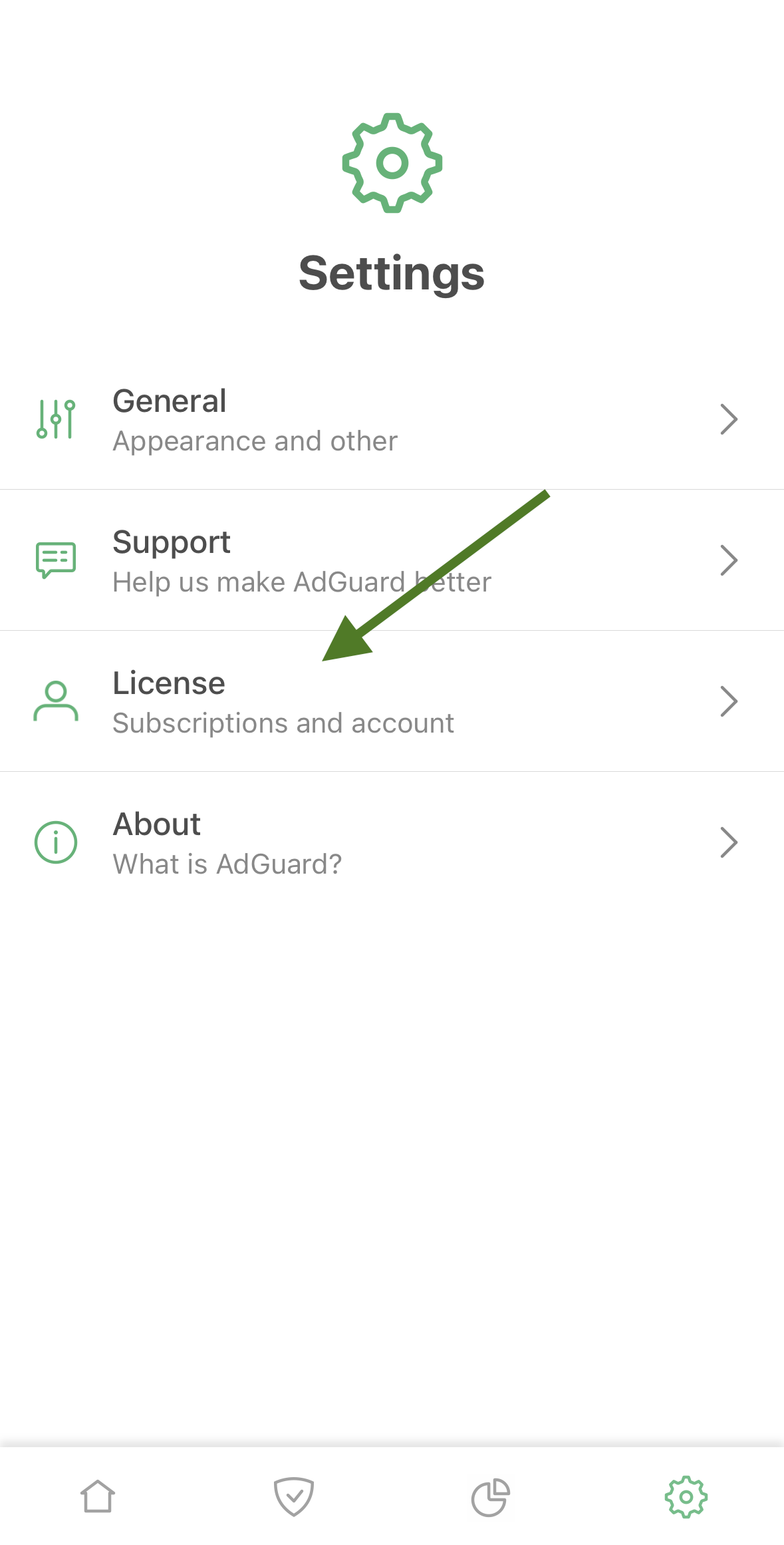
Tap Settings, then select License.
-
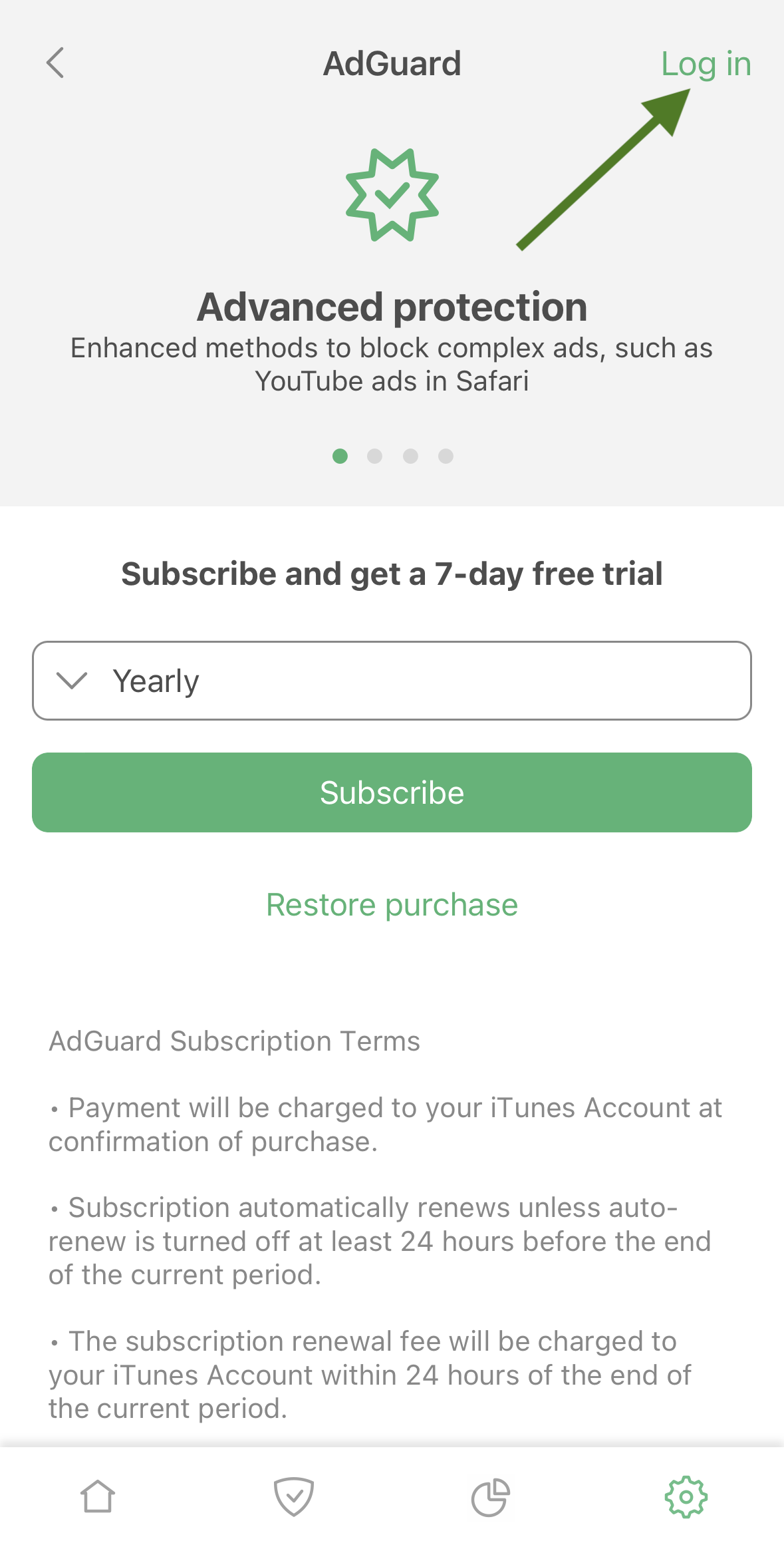
Tap Log in in the upper right corner of the screen
-
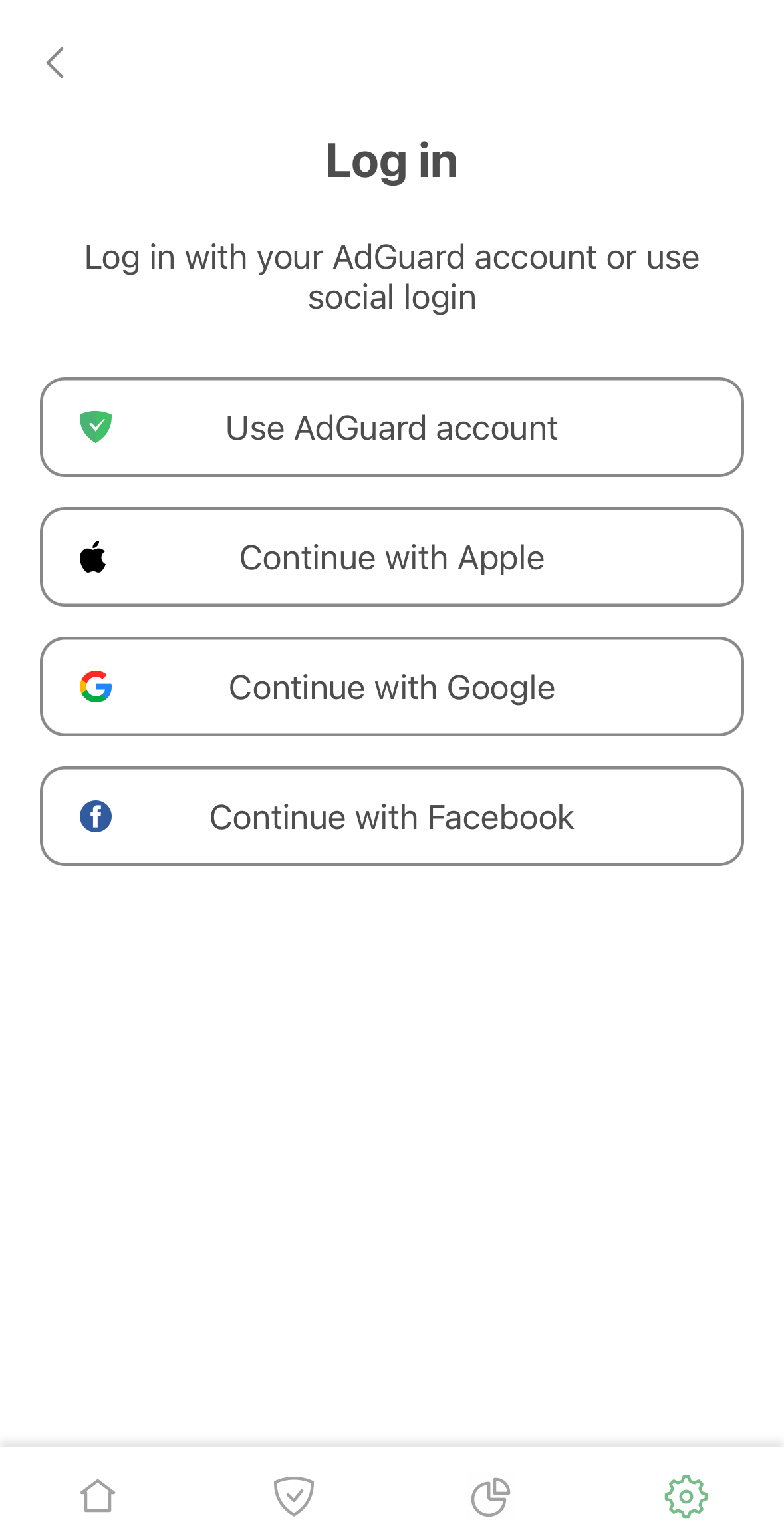
Use your email address or social media account to activate your license.
Активация AdGuard Mini для Mac
-
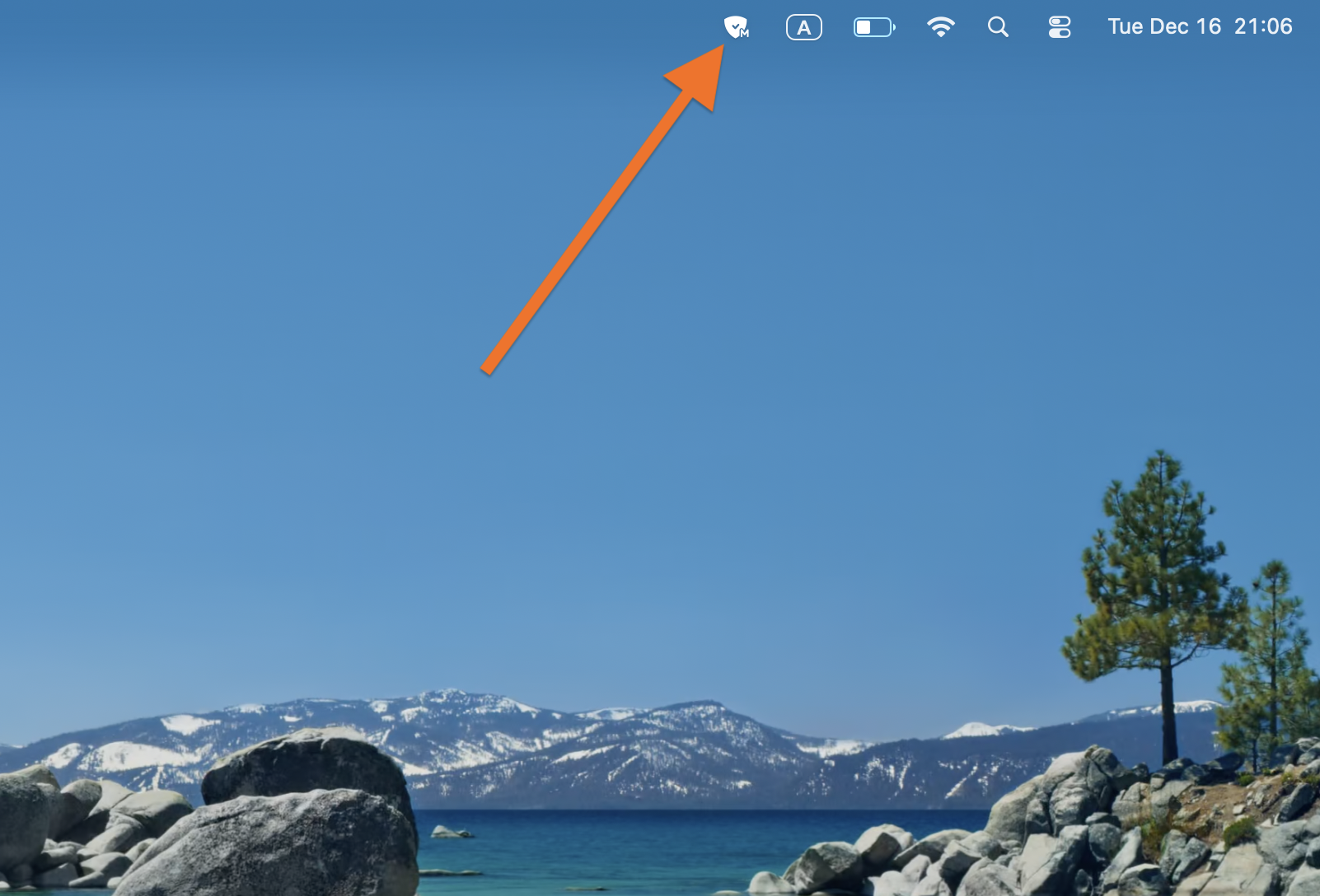
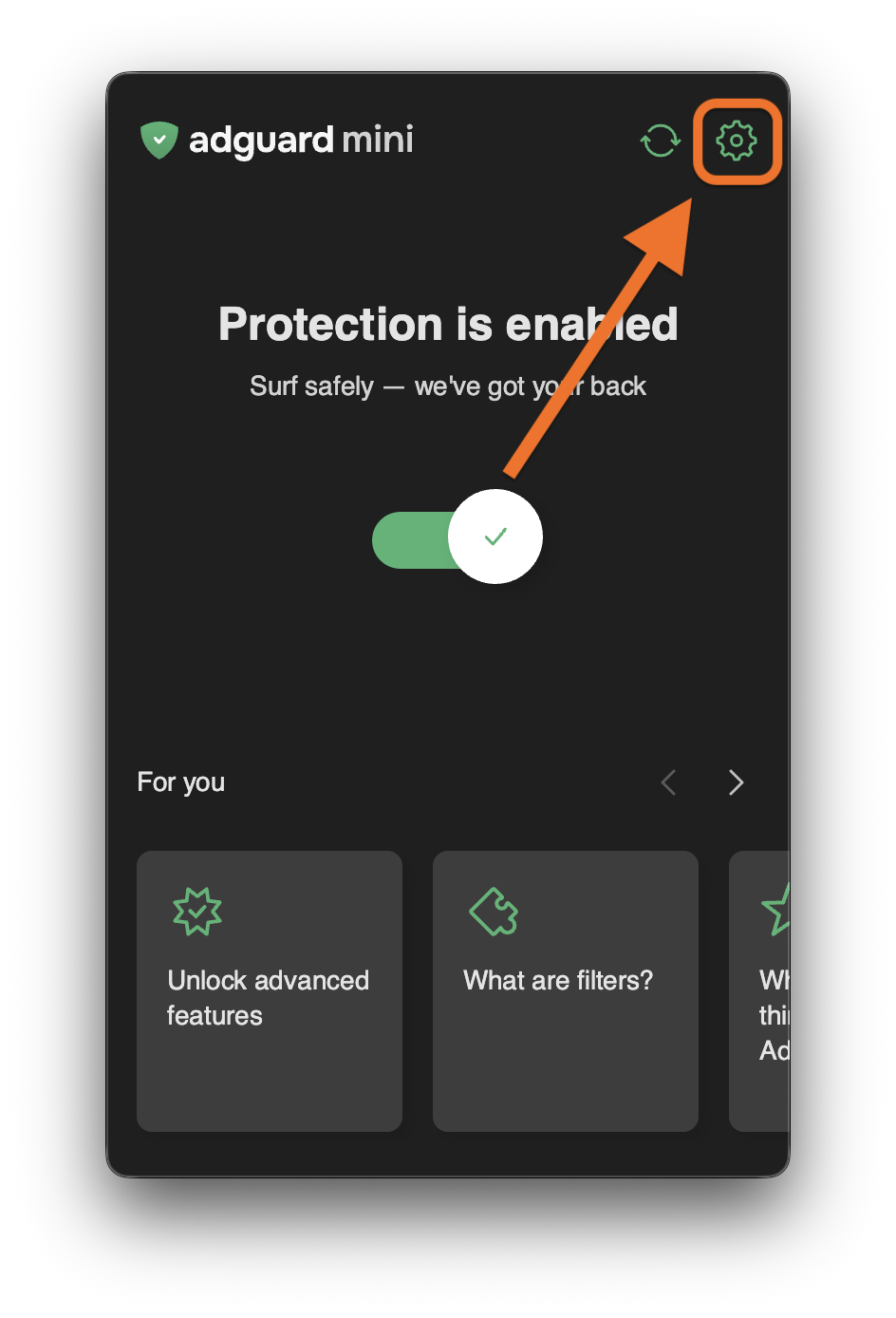
Click AdGuard Mini icon in the menu bar.
-
Click the settings icon.
-
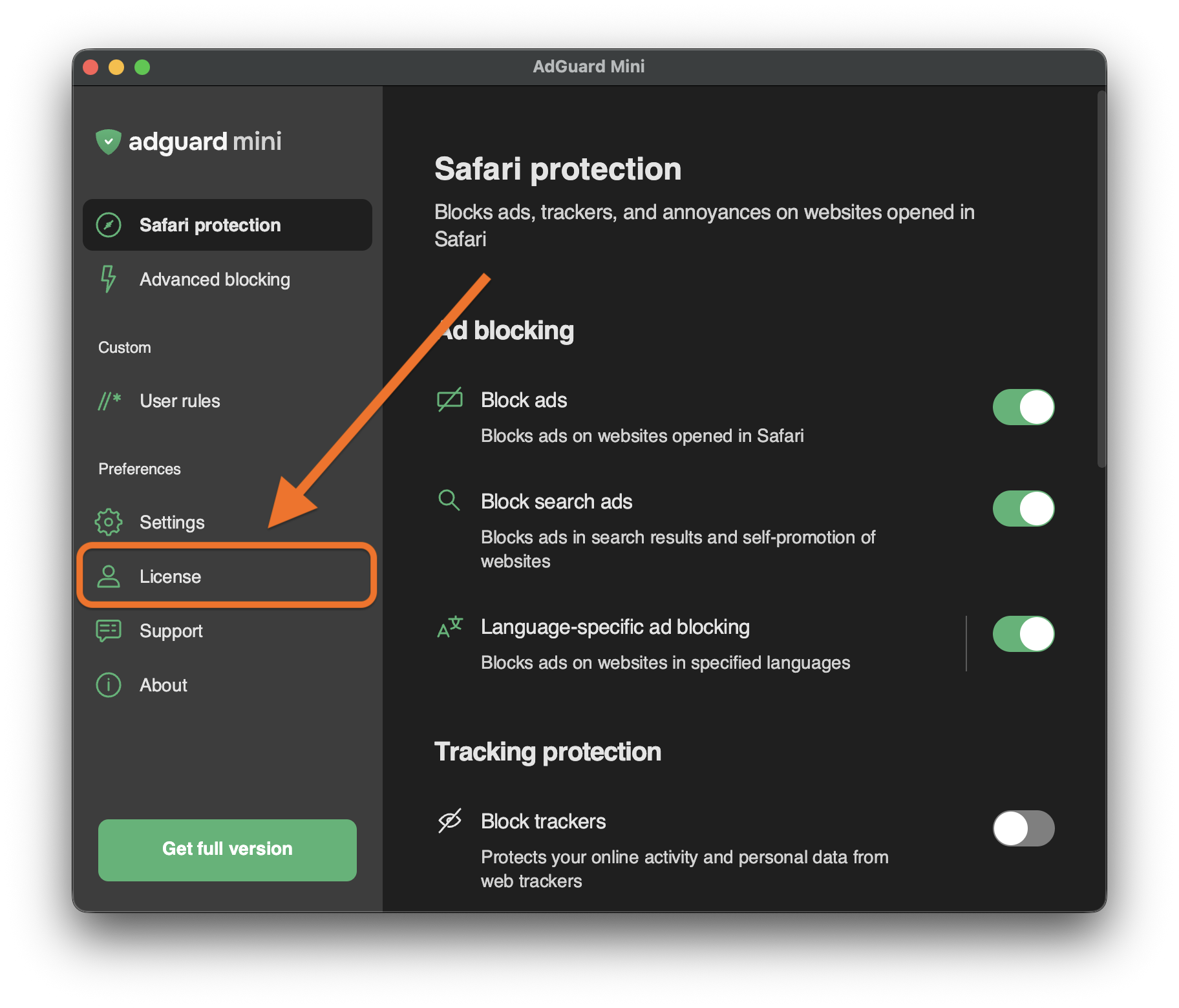
Go to License.
-
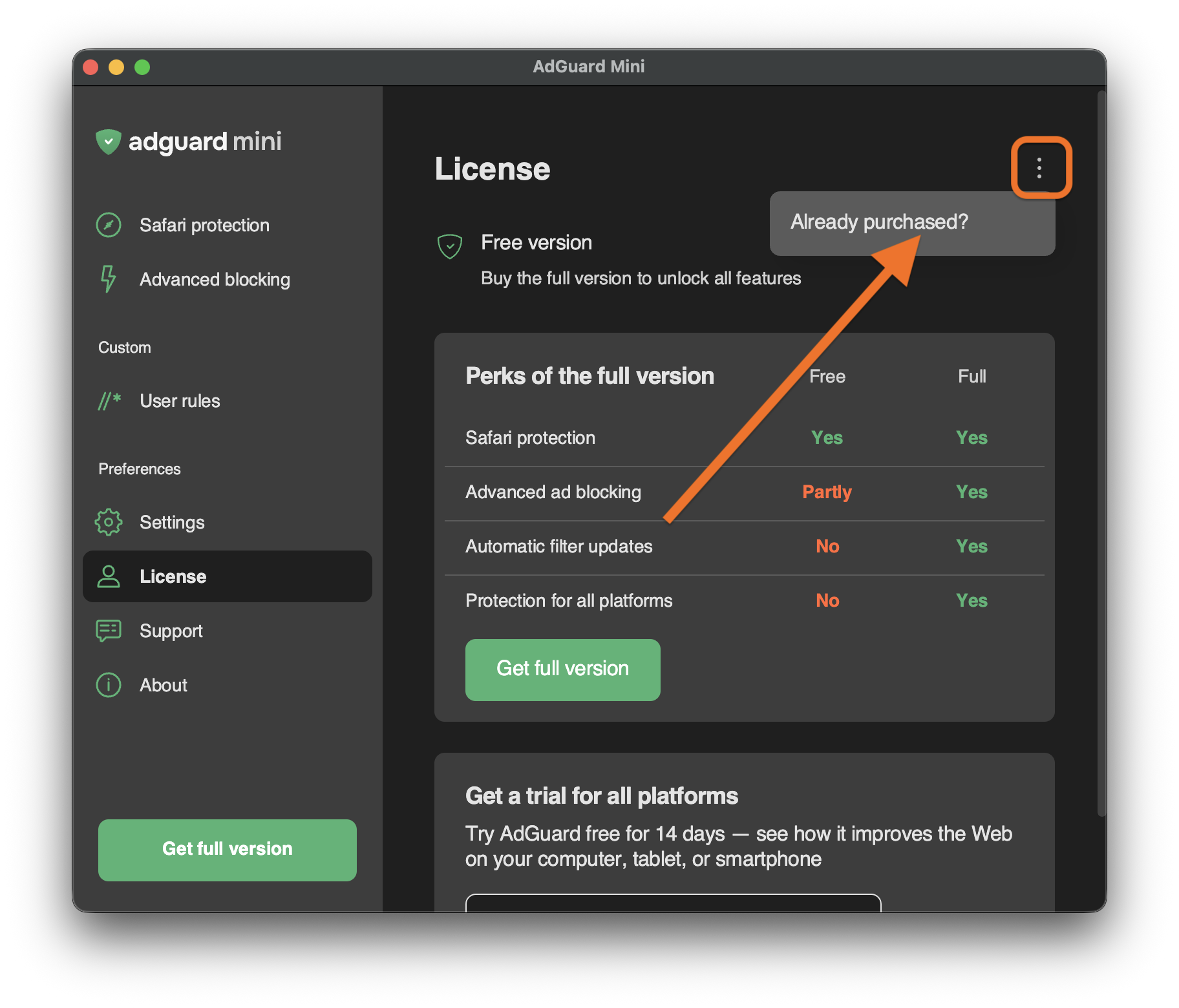
Open the menu (⋮) in the upper right corner and click Already purchased?.
-
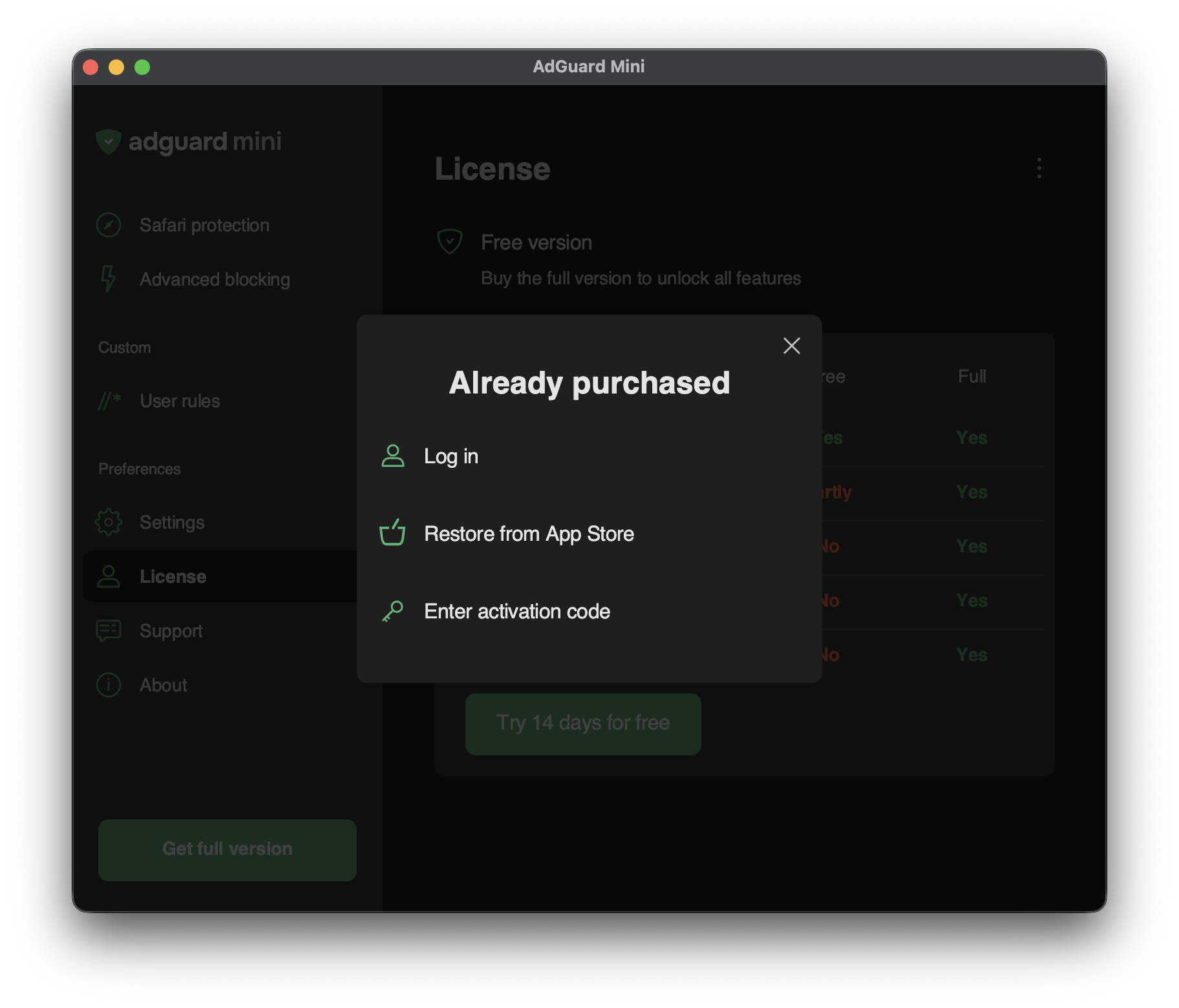
You will see the available activation options:
-
Log in
Log in to your AdGuard account that has a valid license in it.
-
Restore from App Store
Use a license that you have previously bought through the App Store.
-
Enter activation code
Enter your activation code.
-