Расширения
Пользовательские скрипты
Пользовательские скрипты (мы также называем их «расширениями») — это мини-программы, написанные на языке JavaScript. Они модифицируют или расширяют функциональность одного или нескольких сайтов. Многие пользователи AdGuard уже наверняка знакомы с такими расширениями, как Помощник AdGuard, Блокировщик всплывающих окон и AdGuard Extra.
AdGuard может значительно расширять функциональность сайтов, работая как менеджер пользовательских скриптов. You can add your custom scripts or manage the existing ones in our three products: AdGuard for Windows, AdGuard for Android, and AdGuard for Mac.
Рекомендуемые скрипты AdGuard
Эти пользовательские скрипты разработаны в AdGuard, и мы можем гарантировать, что они эффективны и безопасны. Есть и другие пользовательские скрипты, разработанными другими людьми, которые мы считаем хорошими и надёжными. Чтобы ознакомиться с ними, прокрутите страницу вниз [до следующего раздела[(#top-picks). Вы также можете найти популярные сайты со скриптами ниже. Помните, что скачивать пользовательские скрипты из неизвестных источников может быть небезопасно.
AdGuard Extra
Расширение, которое блокирует рекламу в сложных случаях, когда привычного подхода, основанного на фильтрах, недостаточно. AdGuard Extra предустановлен и включён по умолчанию в AdGuard для Windows, AdGuard для Mac и AdGuard для Android (в платной версии). Если вы хотите использовать AdGuard Extra вместе с Браузерным расширением AdGuard или любым другим блокировщиком рекламы, вам понадобится установить отдельное расширение. На GitHub есть подробности об этом пользовательском скрипте и о том, как его установить.
Блокировщик всплывающих окон
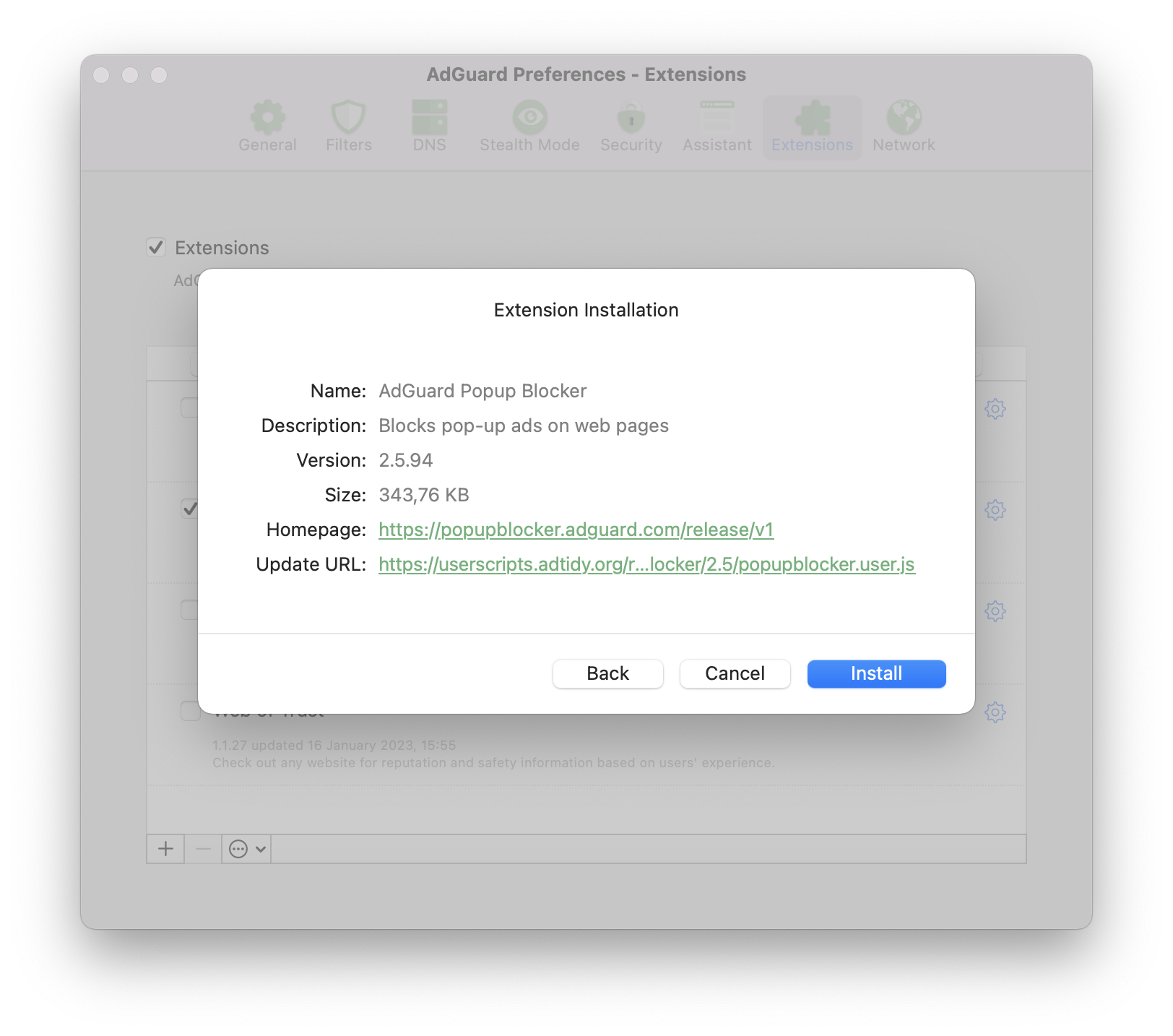
Этот пользовательский скрипт блокирует один из самых раздражающих типов рекламы — всплывающие окна. На GitHub есть подробности об этом пользовательском скрипте и о том, как его установить.
Помощник AdGuard (устаревшая версия)
Это расширение предназначено для управления фильтрацией прямо со страницы браузера: например, оно позволяет заблокировать элементы вручную или добавить сайт в белый список.
Это устаревшая версия Помощника. Её нет смысла использовать на новых системах, потому что её давно заменил полнноценный Браузерный помощник. Но предыдущая версия Помощника может пригодиться, если для вашего браузера нет Браузерного помощника. Если это ваш случай, перейдите на GitHub, чтобы установить Помощник AdGuard.
Disable AMP
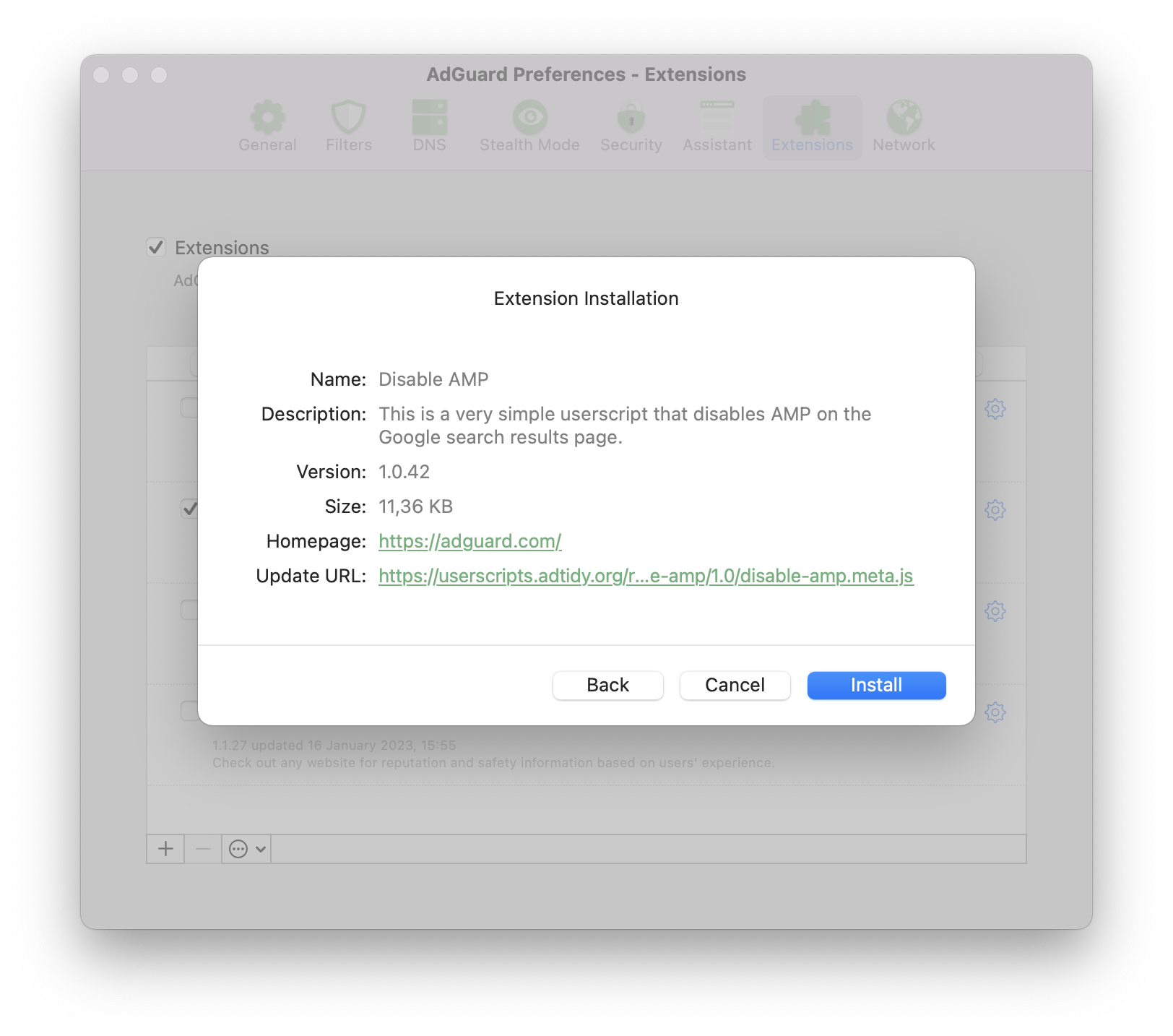
Скрипт, который предустановлен только в AdGuard для Android. Он отключает AMP (Accelerated Mobile Pages или «ускоренные мобильные страницы») на странице результатов поиска Google. На GitHub есть подробности об этом пользовательском скрипте и о том, как его установить.
Лучшие варианты вне AdGuard
Эти пользовательские скрипты не разработаны AdGuard, поэтому мы не можем дать 100% гарантию, что они безопасны и/или работают всегда. Однако, исходя из нашего опыта, они заслуживают рекомендации, поскольку заслужили свою хорошую репутацию.
Don't track me Google
Этот скрипт удаляет функцию отслеживания Google из ссылок в результатах поиска Google. Это ускоряет загрузку результатов поиска и позволяет скопировать URL-адрес ссылки, щёлкнув по нему правой кнопкой мыши или нажав на него.
Его исходный код доступен на GitHub. Этот пользовательский скрипт можно скачать с сайта GreasyFork и установить с помощью любого приложения AdGuard на основе CoreLibs (AdGuard для Windows, AdGuard для Mac и AdGuard для Android).
SponsorBlock
SponsorBlock пропускает спонсорские сегменты в видеороликах YouTube. Он экономит время, сразу переходя к основному содержимому, и удаляет прерывания от рекламы и саморекламы.
Этот юзерскрипт работает исключительно в наших десктопных приложениях — AdGuard для Windows и AdGuard для Mac.
Чтобы попробовать:
- Перейдите по ссылке https://mchangrh.github.io/sb.js/.
- Нажмите Сгенерировать ссылку.
- Скопируйте появившуюся ссылку.
- Откройте AdGuard и перейдите в Расширения → Добавить расширение → Импорт из файла или URL.
- Вставьте скопированную ссылку и подтвердите.
tinyShield
tinyShield is primarily designed for Korean websites protected by Ad-Shield, but it also supports many international websites that use the same ad anti-adblocking technology. This userscript can be installed in AdGuard CoreLibs-based apps, Violentmonkey, Tampermonkey, and quoid/userscripts. Learn more about tinyShield and how to install it on GitHub.
Где взять больше пользовательских скриптов
По большей части пользовательские скрипты создаются любителями, поэтому, устанавливая тот или иной скрипт, нужно быть очень осторожными. Любой скрипт из неизвестного источника несёт в себе потенциальный риск. Тем не менее, существует огромное количество интересных скриптов, которые, если установить их аккуратно и ответственно, могут сделать сайты удобнее.
Здесь мы опишем несколько популярных каталогов пользовательских скриптов.
Userscript.Zone
Userscript.Zone — это сайт, который позволяет искать пользовательские скрипты по URL или домену. Сайт простой в использовании и надёжный: он отображает скрипты только с модерируемых страниц.
Greasy Fork
Greasy Fork — это каталог пользовательских скриптов от создателей Stylish. Скрипты в этом каталоге проходят модерацию.
OpenUserJS.org
OpenUserJS.org — каталог пользовательских скриптов с открытым кодом, разработанный с использованием Node.js. Он не модерируется, поэтому проверяйте скрипты внимательно.
NamuLink
NamuLink is an open-source userscript that removes Naver PowerLink advertisements from NamuWiki by bypassing the site's advanced link obfuscation mechanisms. The project is maintained by the AdGuard team and the broader ad-blocking community.
Crackle
Crackle is an open-source userscript designed to remove ads and bypass anti-adblock measures on the Chzzk web platform. It detects and replaces ad-related responses used by Chzzk’s advertising systems with compatible ad-free responses and disables pre-roll and mid-roll video ads.
Community
If you like the idea of customizing your browser with userscripts and have questions, you can ask them on one of these websites:
Development
Request license
If you are developing your own userscript and want to test how it works with AdGuard, you can request a license by filling in the form.
Compatibility
Metadata block
Supported properties
@name@namespace@description@version@match@include@exclude@grant@connect@require@resource@downloadURL@updateURL@homepage,@homepageURL,@source,@website@run-at@noframes@icon,@iconURL,@defaulticon@icon64,@icon64URL
Unsupported properties
These properties will be simply ignored by AdGuard.
Supported GM functions
AdGuard supports both old GM_ functions and new GM4 API that use GM object.
All listed old Greasemonkey functions are deprecated but still supported.
GM.info,GM_infoGM.setValue,GM_setValueGM.getValue,GM_getValueGM.listValues,GM_listValuesGM.deleteValue,GM_deleteValueGM.getResourceUrl,GM_getResourceURLGM.setClipboard,GM_setClipboardGM.xmlHttpRequest,GM_xmlhttpRequestGM.openInTab,GM_openInTabGM.notificationunsafeWindowGM_getResourceTextGM_addStyleGM_logGM.addElement,GM_addElementwindow.onurlchange
You can find more information about Greasemonkey API in its manual.
Пример
// ==UserScript==
// @name            Name as shown to the user when locale is english or unknown
// @name:ru         Name as shown to the user when locale is russian
// @description     Description as shown to the user when locale is english or unknown
// @description:ru  Description as shown to the user when locale is russian
// @icon            https://myhomepage.com/myuserscript.png
// @version         1.0.0.0
// @downloadURL     https://dl.myhomepage.org/myuserscript.user.js
// @updateURL       https://dl.myhomepage.org/myuserscript.meta.js
// @homepageURL     https://myhomepage.com/myuserscript
// @include         *
// @exclude         *://website.com/*
// @resource        https://myhomepage.com/myuserscript.css
// @require         https://myhomepage.com/mylibrary.js
// @grant           property:settings
// @grant           GM_getValue
// @grant           GM_setValue
// @grant           GM_deleteValue
// @grant           GM_listValues
// @grant           GM_getResourceText
// @grant           GM_getResourceURL
// @grant           GM_addStyle
// @grant           GM_log
// @grant           GM_setClipboard
// @grant           GM_xmlhttpRequest
// @grant           unsafeWindow
// @grant           GM_info
// @grant           GM_openInTab
// @grant           GM_registerMenuCommand
// @grant           GM_addElement
// @grant           window.onurlchange
// @run-at          document-start
// ==/UserScript==
!function(){(
    console.log("I am loaded!");
)}();
Trusted Types API
AdGuard provides an instance of the PolicyApi class that allows you to manage Trusted Types in your userscripts.
You can access the instance of this class by using the ADG_policyApi variable in your userscript.
Properties
name: string— a name of the policy (Default is"AGPolicy").isSupported: boolean— a flag indicating whether or not the Trusted Types API is supported by the current browser.
Polyfilled methods
ADG_policyApi.createHTML. If not supported, returnsinput: string.ADG_policyApi.createScript. If not supported, returnsinput: string.ADG_policyApi.createScriptURL. If not supported, returnsinput: string.ADG_policyApi.getAttributeType. If not supported, returnsnull.ADG_policyApi.getPropertyType. If not supported, returnsnull.ADG_policyApi.isHTML. If not supported, returnsfalse.ADG_policyApi.isScript. If not supported, returnsfalse.ADG_policyApi.isScriptURL. If not supported, returnsfalse.
Additional Types
/**
 * Enum representation of the return values of the `getAttributeType` and
 * `getPropertyType` methods of the native Trusted Types API.
 *
 * @see {@link https://developer.mozilla.org/en-US/docs/Web/API/TrustedTypePolicyFactory/getAttributeType}
 * @see {@link https://developer.mozilla.org/en-US/docs/Web/API/TrustedTypePolicyFactory/getPropertyType}
 */
enum TrustedType {
    HTML = 'TrustedHTML',
    Script = 'TrustedScript',
    ScriptURL = 'TrustedScriptURL',
}

// You can access it like that inside of userscript
ADG_TrustedType.HTML // "TrustedHTML"

/**
 * Isomorphic trusted value type. If a browser supports the Trusted Types API, it will be one of the enum Trusted Types
 * (`TrustedHTML`, `TrustedScript` or `TrustedScriptURL`); otherwise, it will be regular `string`.
 *
 * @see {@link https://developer.mozilla.org/en-US/docs/Web/API/TrustedHTML}
 * @see {@link https://developer.mozilla.org/en-US/docs/Web/API/TrustedScript}
 * @see {@link https://developer.mozilla.org/en-US/docs/Web/API/TrustedScriptURL}
 */
type TrustedValue = string | TrustedHTML | TrustedScript | TrustedScriptURL;
Additional methods
/**
 * Creates a Trusted Type depending on `type`:
 * - `TrustedHTML`
 * - `TrustedScript`
 * - `TrustedScriptURL`
 * - or returns `value` if none of them is applicable.
 *
 * @param type          Trusted Type.
 * @param value         Value from which a Trusted Type is created.
 * @param createArgs    Additional arguments to be passed to the function represented by `TrustedTypePolicy`.
 * @returns             Created value.
 */
function create(
    type: TrustedType,
    value: string,
    ...createArgs: unknown[]
): TrustedValue


// Example: Creates TrustedHTML
const trustedHTML = ADG_policyApi.create(ADG_TrustedType.HTML, '<div></div>');

/**
 * Converts `value` of `attribute` into one of the Trusted Types:
 * - `TrustedHTML`
 * - `TrustedScript`
 * - `TrustedScriptURL`
 * - or returns `value` if none of them is applicable.
 *
 * @param tagName       Name of an HTML tag.
 * @param attribute     Attribute.
 * @param value         Value of an attribute to be converted.
 * @param elementNS     Element namespace. If empty, defaults to the HTML namespace.
 * @param attrNS        Attribute namespace. If empty, defaults to null.
 * @param createArgs    Additional arguments to be passed to the function represented by `TrustedTypePolicy`.
 * @returns             Converted value.
 */
function convertAttributeToTrusted(
    tagName: string,
    attribute: string,
    value: string,
    elementNS?: string,
    attrNS?: string,
    ...createArgs: unknown[]
): TrustedValue

// Example: Converts to TrustedScriptURL
const trustedScriptURL = ADG_policyApi.convertAttributeToTrusted("script", "src", 'SOME_URL');
scriptElement.setAttribute("src", trustedScriptURL);

/**
 * Converts `value` of `property` into one of the Trusted Types:
 * - `TrustedHTML`
 * - `TrustedScript`
 * - `TrustedScriptURL`
 * - or returns `value` if none of them is applicable.
 *
 * @param tagName       Name of an HTML tag.
 * @param property      Property.
 * @param value         Value of a property to be converted.
 * @param elementNS     Element namespace. If empty, defaults to the HTML namespace.
 * @param createArgs    Additional arguments to be passed to the function represented by `TrustedTypePolicy`.
 * @returns             Converted value.
 */
function convertPropertyToTrusted(
    tagName: string,
    property: string,
    value: string,
    elementNS?: string,
    ...createArgs: unknown[]
): TrustedValue

// Example: Converts to TrustedHTML
divElement.innerHTML = ADG_policyApi.convertPropertyToTrusted("div", "innerHTML", "<div></div>");
Matching SPA sites
This section only applies to AdGuard for Windows, AdGuard for Mac, AdGuard for Android, and AdGuard for Linux with CoreLibs v1.19 or later.
Many modern websites, such as YouTube, utilize Single Page Application (SPA) capabilities. Unlike traditional web applications, the page does not reload when navigating between pages. Instead, the content is updated dynamically using JavaScript, allowing for a smoother user experience.
On such websites, a userscript is invoked only once when the @match or @include directives are matched (unless @exclude is matched). Due to the nature of SPAs, the userscript cannot be re-invoked on subsequent page changes because the global JavaScript context remains the same. To address this issue, userscripts can use the @grant window.onurlchange directive.
// ==UserScript==
// @name SPA
// @namespace spa
// @version 1.0.0
// @match https://*/*
// @grant window.onurlchange
// @run-at document-start
// ==/UserScript==

// via window.onurlchange
window.onurlchange = (event) => {
    console.log('URL changed to:', event.url);
};

// via window.addEventListener('urlchange')
window.addEventListener('urlchange', (event) => {
    console.log('URL changed to:', event.url);
});
This will allow userscripts to listen for URL changes and handle them accordingly.
The urlchange event is only triggered for full URL changes, such as a change in the path or query, but not for fragment (hash) changes.
Examples:
- Navigation from
https://example.com/page1tohttps://example.com/page2will trigger the event. - Navigation from
https://example.com/page1?query=1tohttps://example.com/page1?query=2will trigger the event. - Navigation from
https://example.com/page1#section1tohttps://example.com/page1#section2will NOT trigger the event.
The window.onurlchange and window.addEventListener('urlchange', ...) APIs are non-standard. To use them, you must explicitly grant them in your userscript with @grant window.onurlchange.
If a website uses hash routing, userscripts can use the native DOM hashchange event:
// ==UserScript==
// @name SPA
// @namespace spa
// @version 1.0.0
// @match https://*/*
// @run-at document-start
// ==/UserScript==

// via window.onhashchange
window.onhashchange = (event) => {
    console.log(`Hash changed from "${event.oldURL}" to "${event.newURL}"`);
};

// via window.addEventListener('hashchange')
window.addEventListener('hashchange', (event) => {
    console.log(`Hash changed from "${event.oldURL}" to "${event.newURL}"`);
});
Userstyles
Userstyles allow users to change the appearance of popular websites.
AdGuard has the option to upload or create your own userstyles. This is an advanced feature, so you will need some knowledge of HTML and CSS.
Currently, two AdGuard apps allow you to create and manage userstyles: AdGuard for Windows (v7.19 or later) and AdGuard for Mac (v2.16 or later). We also plan to implement this new feature in AdGuard for Android v4.8 in the nearest future.
This is an experimental feature, so if you encounter any problems while adding or creating a userstyle, please contact our support team at support@adguard.com.
How to set up a userstyle in AdGuard
You can download userstyles from various websites. One of the most popular userstyle websites is https://userstyles.world/, which we will use as an example for the following instructions on how to set up the userstyle in AdGuard.
-
Follow the link above and choose the userstyle you like
-
Click Copy next to the userstyle address
-
Open AdGuard settings → Extensions
-
Press the [+] button and paste the userstyle link
-
Готово!
If you’re familiar with CSS rules, you can also create userstyles yourself.
We don’t support userstyles that contain @var or @advanced in the metadata. AdGuard also doesn’t support @preprocessor without the default value.
-
Open AdGuard settings → Extensions
-
Press the [+] button and choose the Create userstyle option. A new window will appear on your screen
-
To create a userstyle, first write the title with metadata, for example
/* ==UserStyle==@name New userstyle@version 1.0==/UserStyle== */ -
Write the CSS part after the meta data. AdGuard supports website domain names matching (
@-moz-document domain(…), …). Например:body {background: gray;}Or:
@-moz-document domain('example.org'),domain('example.net'),domain('example.com') body {background: gray;} -
Once you’re finished, press Save and Close. Your new userstyle has been successfully added to AdGuard
Пример
/* ==UserStyle==
@name         Example userstyle
@namespace    https://example.org/userstyle
@homepageURL  https://example.org/userstyle
@version      1.0.0
@license      Other
@description  This is an example
@author       example
@preprocessor default
==/UserStyle== */
@-moz-document regexp("https?\:\/\/(www\.)?example\.(org|com).*") {
    body {
        background-color: #000000 !important;
    }
}