Safari toolbar menu
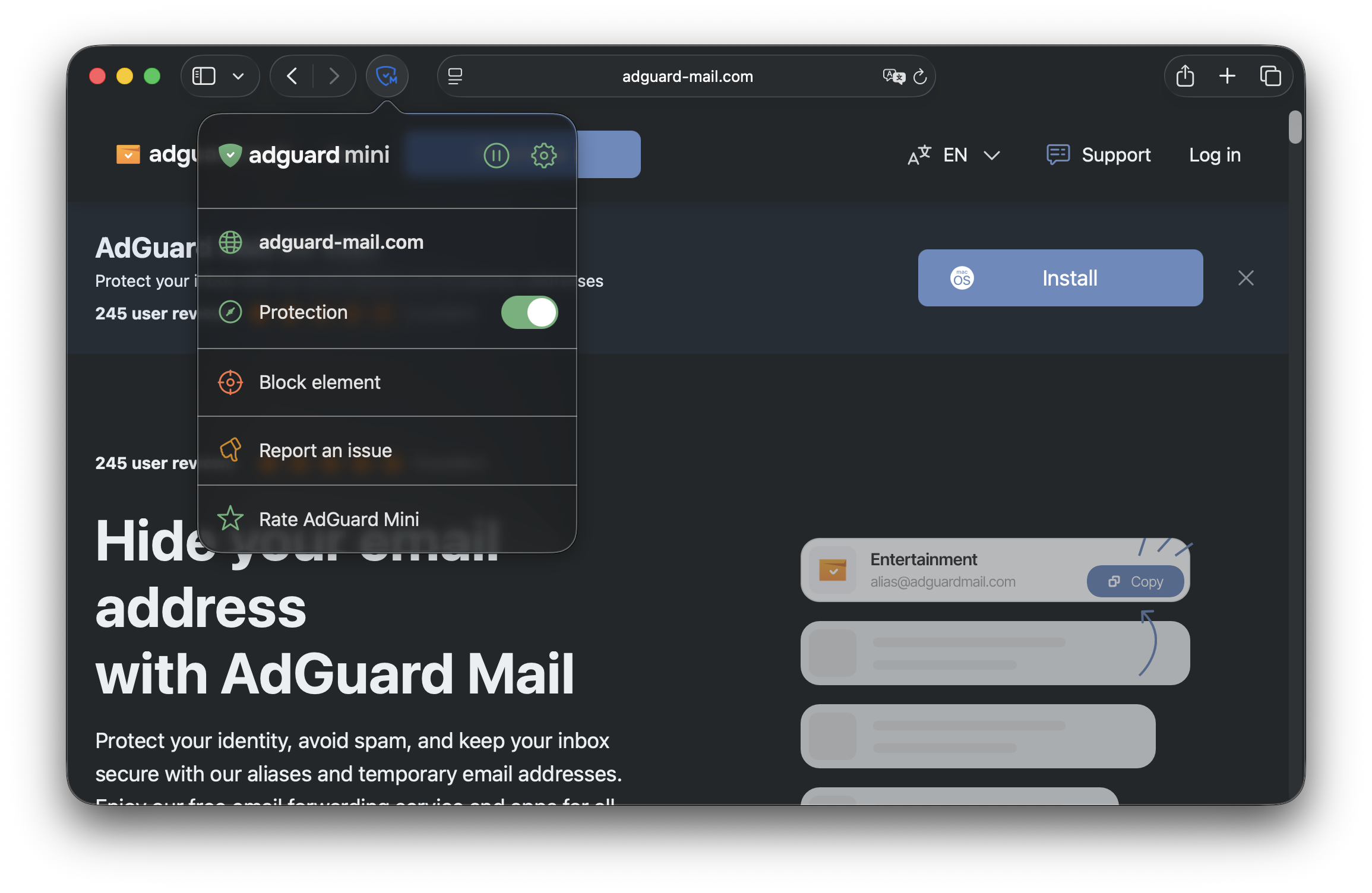
AdGuard Mini has a handy menu right in the Safari toolbar. To open it, click the icon located to the left of the search bar.
Here’s what you can do in the toolbar menu:
-
Pause icon
Disables AdGuard Mini
-
Settings icon
Takes you to AdGuard Mini’s Settings screen
-
Website info
Indicates the website you are currently on
-
Protection
Turning it off disables filtering on the website you are currently on. Turning it back on resumes filtering on the website
-
Block element
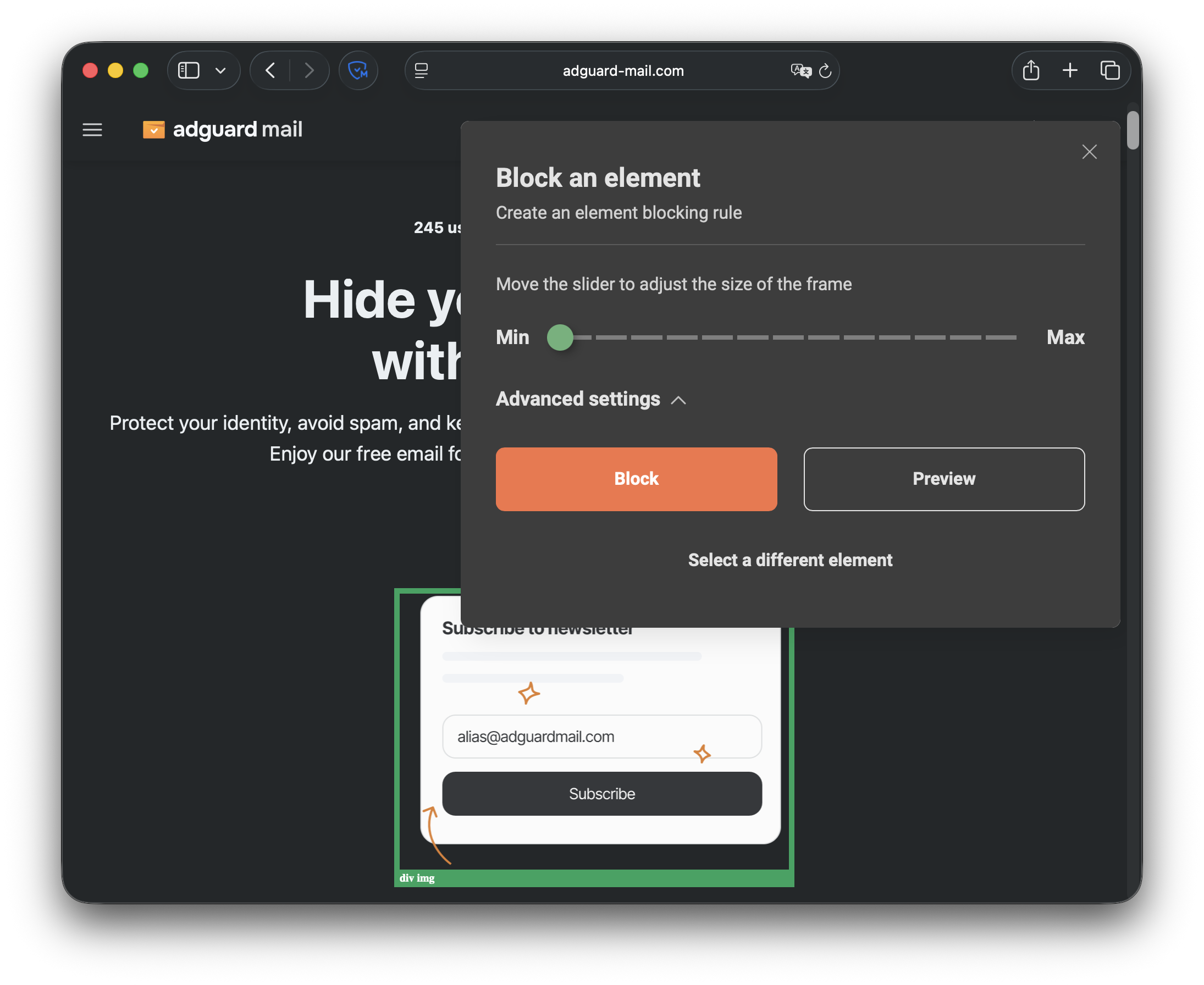
Lets you manually select and block any element on the page: select the element, adjust the selection frame (if needed), and click the Block button. To unblock an element, go to Settings → User rules and delete or uncheck the corresponding rule
-
Report an issue
Takes you to a special form for reporting issues with some information automatically pre-filled