AdGuard Browser Extension MV3
Chrome has removed all remaining Manifest V2 (MV2) extensions from the Chrome Web Store, and other Chromium-based browsers, Opera and Microsoft Edge among them, are moving to MV3 as well. Users of these browsers need an MV3 extension, compatible with the new API Manifest V3. Our thoughts on this topic are extensively discussed on our blog.
AdGuard MV3 확장 프로그램은 광고와 추적기를 효과적으로 차단하는 동시에 소셜 위젯, 배너, 영상 광고를 빈틈없이 관리합니다. 대부분의 사용자는 기능상의 차이를 느끼지 못할 것입니다만, 알아두어야 할 몇 가지 제한 사항과 변경점들이 있습니다.
확장 프로그램을 찾을 수 있는 위치
The MV3 version is our primary Chrome extension and is available in the
Chrome Web Store. MV3 builds are also published on GitHub Releases as chrome-mv3.zip for Chrome and opera-mv3.zip for Opera.
The MV3 beta is available in the Chrome Web Store.
AdGuard Ad Blocker MV2 was removed from the Chrome Web Store together with all other MV2 extensions. MV2 keeps working in Firefox and in Chromium-based browsers that retained support for it — see How to keep using AdGuard after Chrome removed MV2.
기능 및 설정의 주요 변경 사항
-
Filter updates. The options Auto-update filters and Check filters update are not available in the Filters tab: rules that ship as part of the extension can be updated only together with a new extension version, after store review. Keep automatic extension updates enabled in your browser.
Custom filters you add by URL update on their own, independently of extension updates.
-
AdGuard Quick Fixes filter. Because built-in rules can’t be updated on request, the extension ships the AdGuard Quick Fixes filter. It uses dynamic rules to react to newly introduced ads and broken websites between releases, so keep it enabled.
-
Filtering log
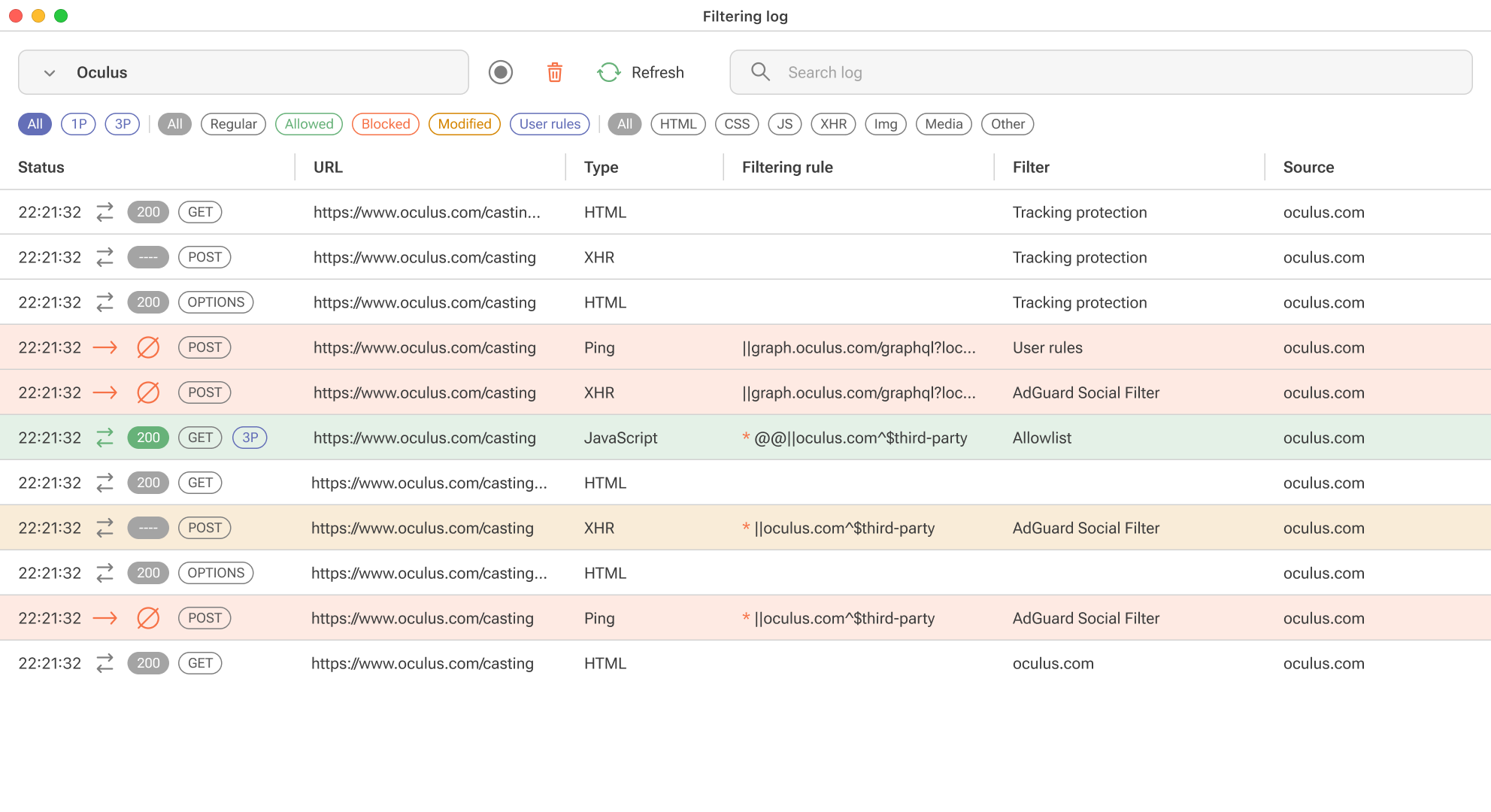
Due to DNR restrictions, we can’t show exactly which rule worked, but we will provide an “assumed rule that was triggered” based on our engine. For precise information, you’ll need to install the “unpacked” form of the extension in your browser yourself. You’ll find detailed instructions on how to do this in a separate article.
-
Tracking protection (formerly known as Stealth mode)
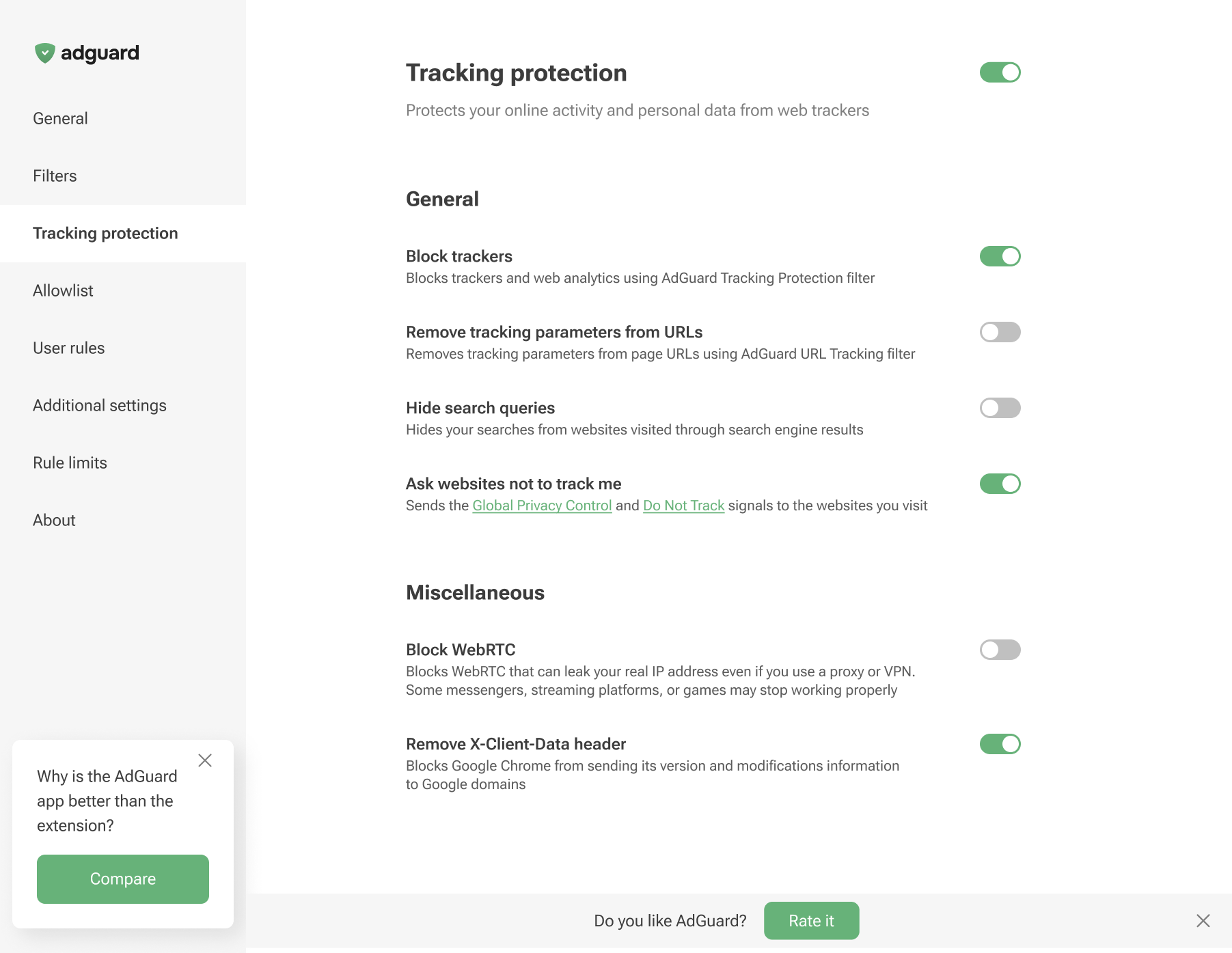
There are no Cookies section, along with Self-destruction of first-party cookies and Self-destruction of third-party cookies since we cannot set the TTL of cookies using declarative rules.
-
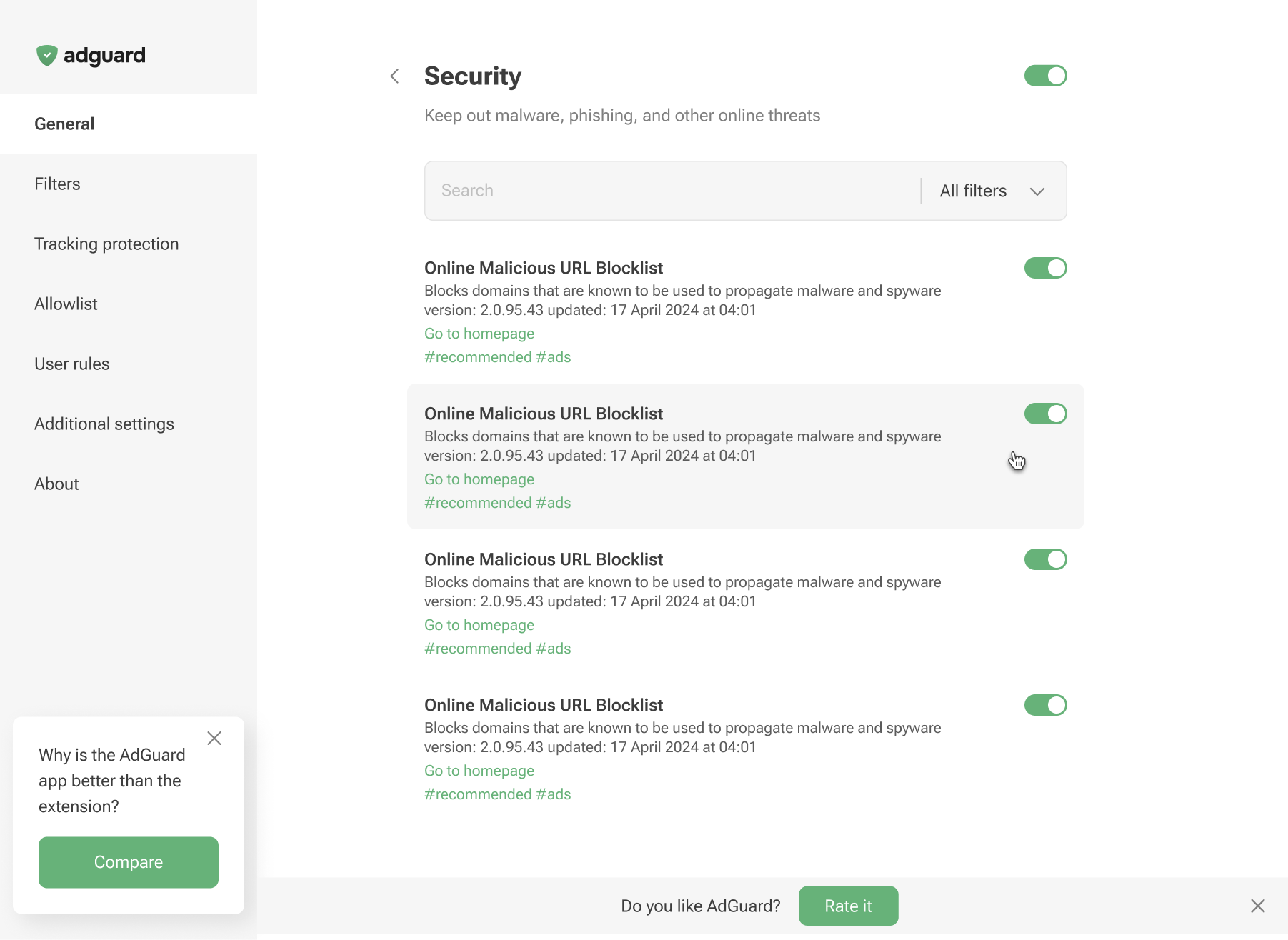
Phishing & malware protection is no longer available in the general settings. To protect yourself from malicious websites and scams, enable the appropriate Security filters in the Filters tab.
제한
최대 규칙 및 필터 수
매니페스트 V3은 확장 프로그램마다 고정 및 정규식 규칙에 제한을 둡니다. 이러한 제한을 넘었을 경우에 사용자는 알림을 받을 수 있습니다.
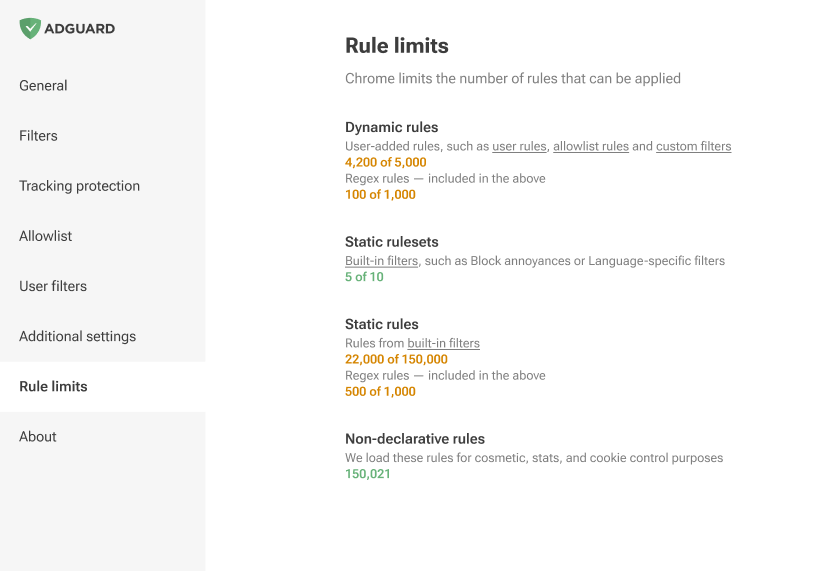
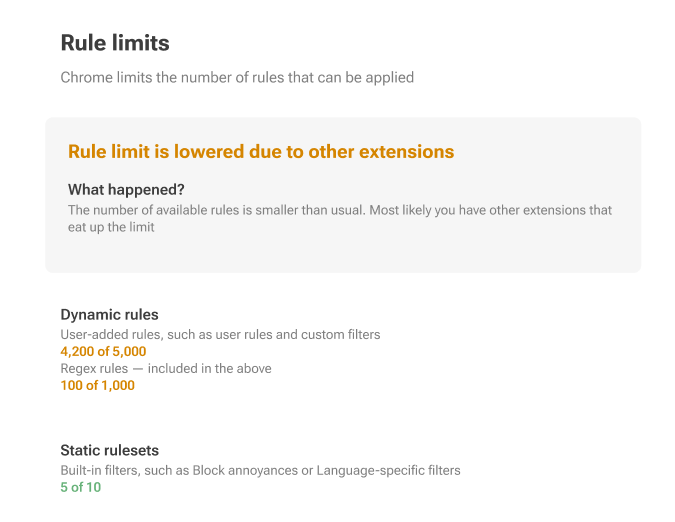
기본적으로, 매니페스트 V3은 규칙을 고정(내장) 규칙과 동적 규칙으로 구분하여 엄격한 제한을 두고 있습니다.
고정 규칙: 확장 프로그램당 최소 30,000 규칙이고, 개별 사용자가 설치한 모든 확장 프로그램에 대한 누적 한도는 330,000입니다.
정규식 규칙에 대해서는 한도가 확장 프로그램당 1,000으로 설정되어 있습니다.
동시에 최대로 활성화 가능한 필터의 수는 50개 입니다.
동적 규칙: 최대 1,000개의 정규식 규칙을 포함한 5,000 규칙의 엄격한 한도가 적용됩니다.
If this limit is exceeded, only 5,000 converted rules will be applied in the following order: first Allowlist, then User rules and finally Custom filters.
변환된 규칙은 선언적 변환기를 이용해 [DNR 형식]으로 변환된 규칙입니다. 변환 과정에서 일부 규칙들은 다른 규칙의 (
$badfilter)를 덮어쓸 수도 있고, ($removeparam)와 결합될 수도 있는데, 그 결과 순서가 약간 다른 규칙 목록이 생성됩니다.변환된 규칙 목록에서는 5,000개의 규칙만 사용합니다. 나머지는 편집기에 표시는 되지만 적용되지 않습니다.
Here’s how a rule with a basic modifier is converted to a declarative rule:
||example.org^$script,third-party,domain=example.com
이 아래와 같이 변환됩니다.
[
    {
        "id": 1,
        "action": {
            "type": "block"
        },
        "condition": {
            "urlFilter": "||example.org^",
            "domainType": "thirdParty",
            "initiatorDomains": [
                "example.com"
            ],
            "resourceTypes": [
                "script"
            ]
        },
        "priority": 302
    }
]
더 많은 예시들은 GitHub에서 찾아볼 수 있습니다.
네트워크 규칙 수정자
네트워크 규칙 수정자에는 한계가 있습니다: 어떤 것들은 MV3에 적용될 수 없거나, 또는 제한적으로만 구현할 수 있습니다.
한계에 대한 구체적인 내용은 GitHub에서 찾아볼 수 있습니다. 수정자에 대한 더 많은 정보를 얻고 싶다면, 지식 창고를 참고하세요.