ログの収集・送信方法
この記事では、システムレベルでお使いのデバイスを保護する多機能広告ブロッカー、「AdGuard for Windows」について書いています。実際どのように機能するのかを確認するには、 AdGuard アプリをダウンロードしてください。
Data and/or files provided in logs are processed in accordance with the AdGuard Privacy Policy.
AdGuard for Windows で発生した問題を分析および診断するために、AdGuardのお客様サポートチームはログファイルを必要とする場合があります。これらのファイルには、ソフトウェアで発生したエラーやその他のイベントに関する記録が含まれています。以下は、ログファイルを取得し、必要に応じてAdGuardサポートに送信する方法についての簡単な説明です。
AdGuard は、お客様のプライバシーを保護することに強くコミットしています。 We strictly follow our Privacy Policy and do not collect any private information about users. サポートチームにログを送信する前に、機密情報や共有したくない情報が含まれていないかどうか、ログファイルを確認してください。そのような個人情報が含まれている場合は、削除してからログを送信することをお勧めします。
Debug logs
-
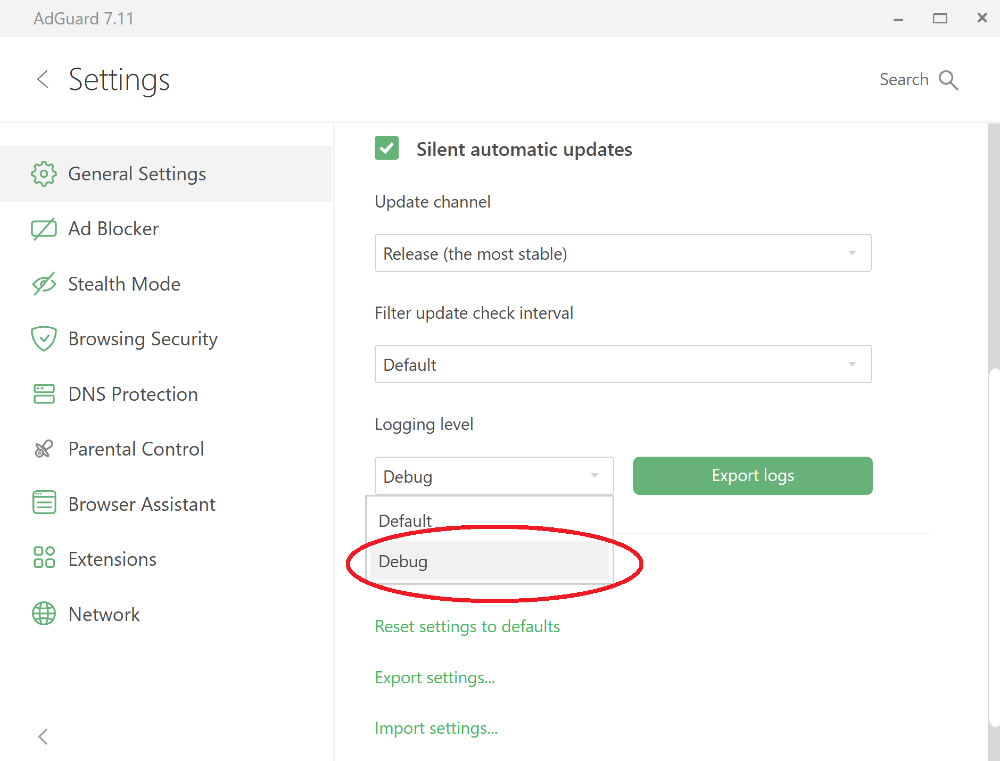
AdGuardアプリ内で「設定」を開きます。 Go to the General Settings section, scroll down to the bottom of the screen, and switch the Logging Level to Debug.
-
Reproduce the issue.
問題が発生した正確な時刻をメモしておくことを強くお勧めします。そうすることで、サポートチームが問題に関連するログエントリーを見つけ、問題をより早く解決することができます。
-
Export the collected logs using the Export Logs button.
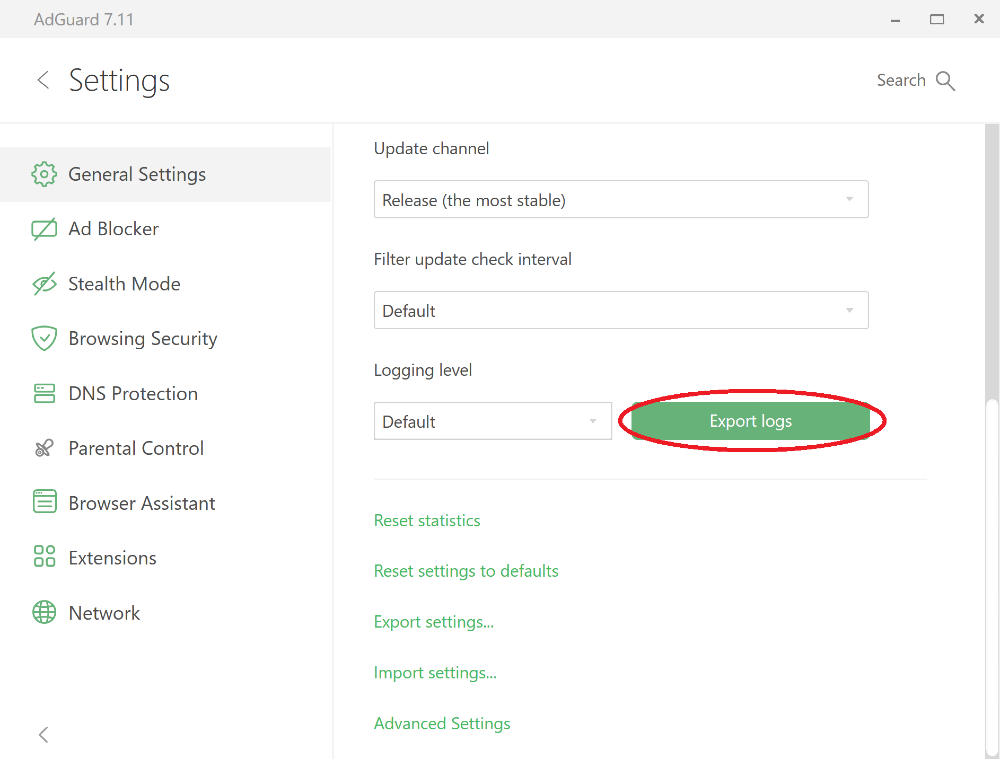
アーカイブを任意のフォルダに保存します。
-
Important: after exporting the logs, set the logging level back to Default. Debug logging level will slow down the application.
-
Send the archive to the AdGuard support service at support@adguard.com, describe the problem and don't forget to mention the time when you reproduced the issue.
Trace logs
Sometimes support team members may ask you to send trace logs. Traceログの収集方法は以下の通りです:
-
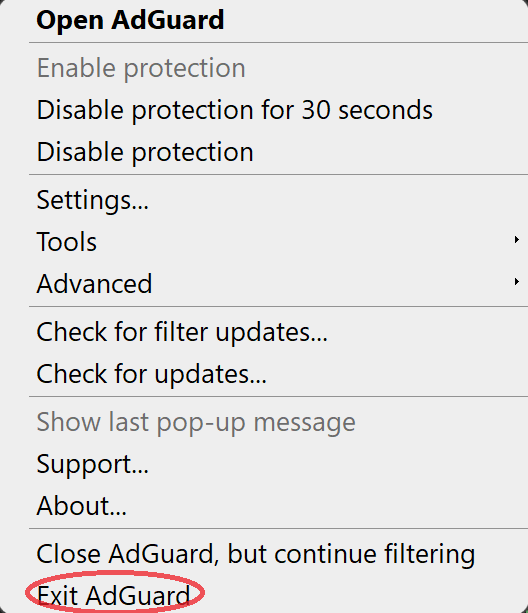
Stop AdGuard by right-clicking the AdGuard icon in the tray menu and choosing Exit AdGuard:
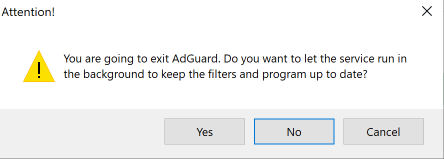
サービスを稼働させたままにしないでください:
-
Open the console (type
cmdin the start panel). -
Run the application with the command
C:\"Program Files"\Adguard\Adguard.exe /traceregardless of Windows bitness if you have installed AdGuard for Windows v7.16 or later.
Windows 用 AdGuard のより古いバージョンをお持ちの場合は、64 ビット Windows を使用している場合は C:"Program Files (x86)"\Adguard\Adguard.exe /trace コマンドでAdGuardアプリを実行し、32 ビットを使用している場合は C:"Program Files"\Adguard\Adguard.exe /trace コマンドでAdGuardアプリを実行します。
-
Reproduce the issue.
問題が発生した正確な時刻をメモしておくことを強くお勧めします。そうすることで、サポートチームが問題に関連するログエントリーを見つけ、問題をより早く解決することができます。
-
Export the collected logs using the Export Logs button.
ログファイルが大きくても心配しないでください。問題を解決するためには、できるだけ詳しい情報ほど、より早く解決策を見つけることができます。