Safari拡張機能
この記事は、お使いのSafariブラウザのみを保護する「AdGuard for Safari」に関するものです。デバイス全体を保護するには、AdGuardアプリをダウンロードしてください。
Safari拡張機能とは
Safari拡張機能は、Safariウェブブラウザで機能を追加する小さなソフトウェアプログラムです。ブラウザに内蔵されていない機能を追加することで、ユーザーはブラウジング体験をカスタマイズして改善させることができます。 AdGuard for Safari は、主にSafariで開かれたウェブサイトにフィルタリングルールを適用するために拡張機能を使用します。
仕組み
ウェブサイト上の広告、トラッキング、迷惑要素をブロックするために、AdGuardはフィルタリングルールを使用します。 AdGuard フィルタとユーザーのカスタムフィルタのルールは、Safari が読み取れるものに変換され、6つのSafari拡張機能に統合されます:
- AdGuard 一般
- AdGuard プライバシー
- AdGuard ソーシャル
- AdGuard セキュリティ
- AdGuard カスタム
- AdGuard その他
各コンテンツブロッカー拡張機能において、最大150,000の有効フィルタリングルールが許可されています。ほとんどのフィルタグループのルール数は150,000を超えません。ただし、言語特化フィルタやカスタムフィルタを有効にしすぎると、制限を超える可能性があります。このような場合、制限を超えたルールの中から、ランダムには一部のルールが自動的に無効化されるため、誤った広告ブロックの可能性が出てきます。 We strongly recommend activating only the filters you need.
There is also one more extension responsible for other features: AdGuard for Safari, which adds the AdGuard icon next to the search bar in Safari and allows using advanced rules to block complex ads.
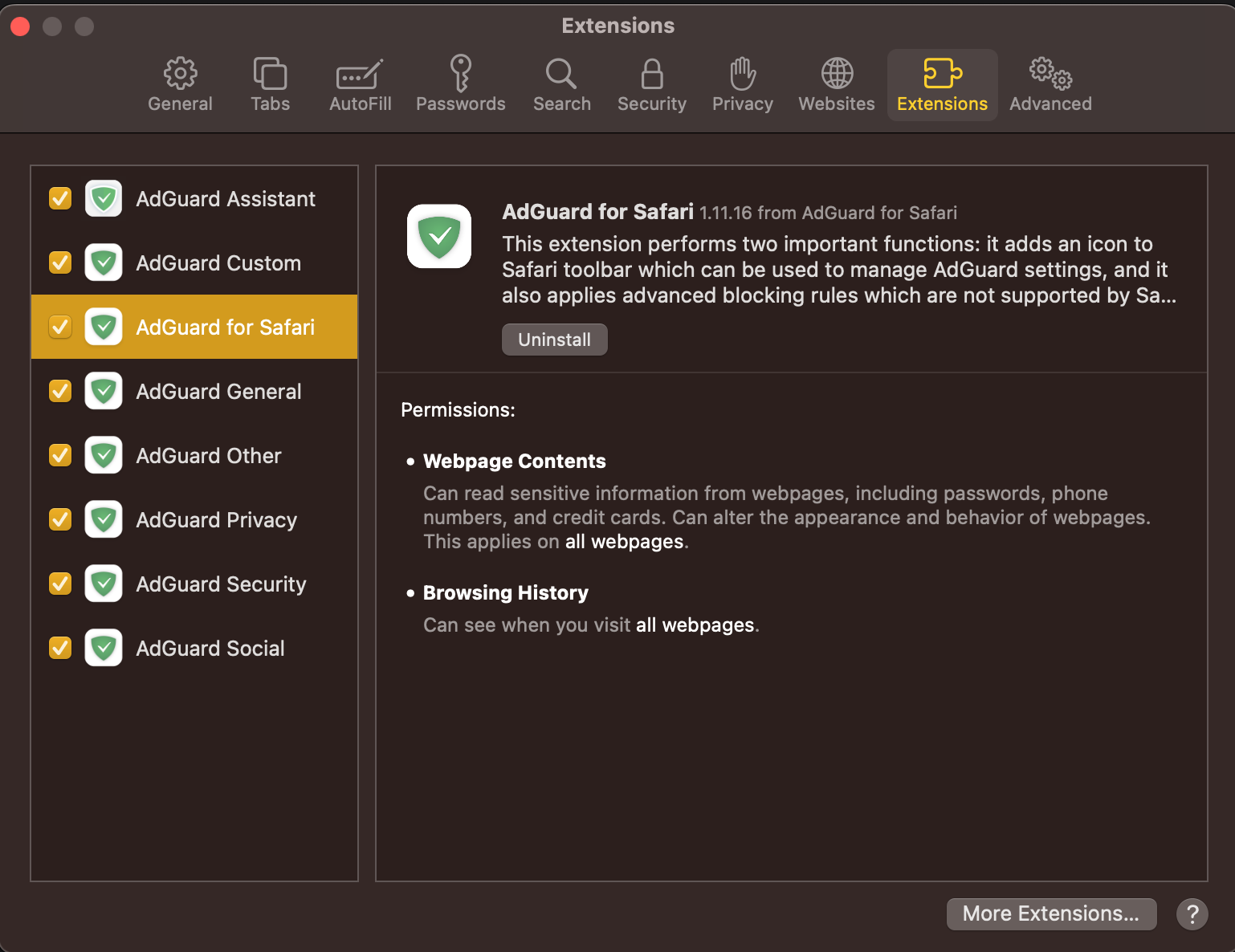
では、それぞれの拡張機能について詳しく説明いたします。
6個のコンテンツブロッカー拡張機能
AdGuard General applies rules from filters that you can find in Filters → Ad blocking and Filters → Language-specific. この拡張機能は、効果的な広告ブロックに焦点を当て、特定の言語の広告のフィルタリング、お含みます。
AdGuard Privacy applies rules from filters located in Filters → Privacy. あらゆるトラッキング(個人情報追跡)メカニズムをブロックし、あなたのブラウジングアクティビティとオンラインプライバシーが保護されるようにします。
AdGuard Social applies rules from filters that can be found in Filters → Social Widgets and Filters → Annoyances. ポップアップ、ソーシャルメディアボタン(いいね!、シェアなど)、オンラインアシスタントウィンドウ、および Web ページ上のその他の煩わしい要素をブロックします。
AdGuard Security applies rules from filters under Filters → Security. この拡張機能は、潜在的に有害な要素を識別してブロックし、悪意のあるコンテンツからユーザーを保護します。
AdGuard Other applies rules from filters that that don't fall under the above-mentioned categories and that are located in Filters → Other: Filter unblocking search ads and self-promotion, AdGuard DNS filter, and AdGuard Experimental filter.
AdGuard Custom applies rules from filters that you add on your own to Custom filters.
ユーザールールとホワイトリストルールはすべての拡張機能に含まれています。
AdGuard for Safari
AdGuard for Safari activates the AdGuard icon next to the search bar. 特定のウェブサイトに対して広告ブロックを素早くオン・オフにしたい場合や、手動で広告をブロックしたい場合に便利です。また、Safariがサポートするフォーマットに変換できない高度なルールもこの拡張機能に含まれています。 These include CSS rules, extended CSS selectors, and scriptlets, which allow AdGuard to block complex ads, such as those on YouTube.
Safariの拡張機能を管理する方法
-
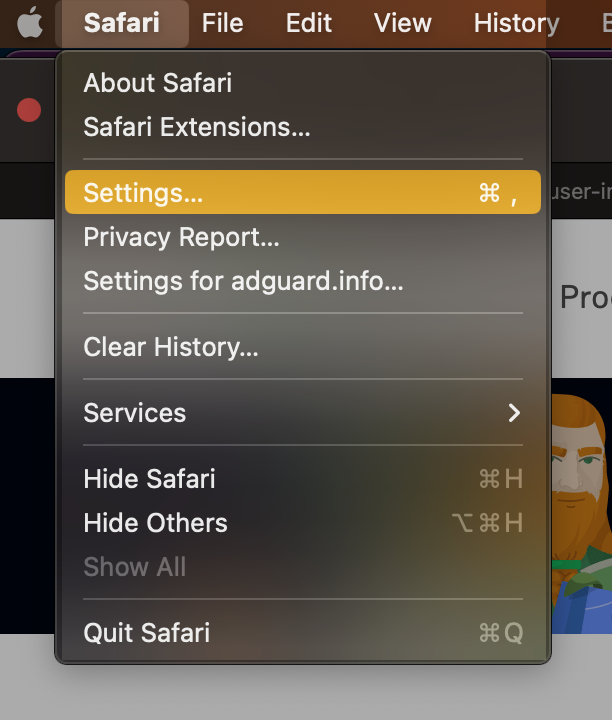
Open Safari and click Safari in the upper left corner of the screen to expand the menu.
-
Click Settings...
-
Select Extensions.

AdGuard for Safari にアクセス権限が必要な理由
When enabling the AdGuard for Safari extension, you might notice that it requires access to web page content and access to browsing history. これらのアクセス権限が必要な理由は以下の通りです:
- ウェブページのコンテンツへのアクセスは、手動による広告ブロックや高度なブロックルールを正しく機能させるために必要です。
- 閲覧履歴へのアクセスは、Webサイトの保護ステータスを確認し、どの高度なルールを適用すべきかを判断するために必要です。
※AdGuardは、アクセス権限を通じて得たデータを他の目的で使用したり、誰かと共有したりすることは一切ありません。 For more info, you can consult our Privacy policy.