AdGuard Browser Extension MV3
Chrome has removed all remaining Manifest V2 (MV2) extensions from the Chrome Web Store, and other Chromium-based browsers, Opera and Microsoft Edge among them, are moving to MV3 as well. Users of these browsers need an MV3 extension, compatible with the new API Manifest V3. Our thoughts on this topic are extensively discussed on our blog.
AdGuard ブラウザ拡張機能MV3対応版は、SNSウィジェット、バナー、動画広告をシームレスに処理しながら、広告やトラッカーを効果的にブロックします。ほとんどのユーザーは操作上の違いに気付かないでしょうが、注意すべき制限や変更点がいくつかあります。
AdGuard ブラウザ拡張機能MV3対応版はどこで入手できるのか
The MV3 version is our primary Chrome extension and is available in the
Chrome Web Store. MV3 builds are also published on GitHub Releases as chrome-mv3.zip for Chrome and opera-mv3.zip for Opera.
The MV3 beta is available in the Chrome Web Store.
AdGuard Ad Blocker MV2 was removed from the Chrome Web Store together with all other MV2 extensions. MV2 keeps working in Firefox and in Chromium-based browsers that retained support for it — see How to keep using AdGuard after Chrome removed MV2.
機能と設定における主な変更点
-
Filter updates. The options Auto-update filters and Check filters update are not available in the Filters tab: rules that ship as part of the extension can be updated only together with a new extension version, after store review. Keep automatic extension updates enabled in your browser.
Custom filters you add by URL update on their own, independently of extension updates.
-
AdGuard Quick Fixes filter. Because built-in rules can’t be updated on request, the extension ships the AdGuard Quick Fixes filter. It uses dynamic rules to react to newly introduced ads and broken websites between releases, so keep it enabled.
-
Filtering log
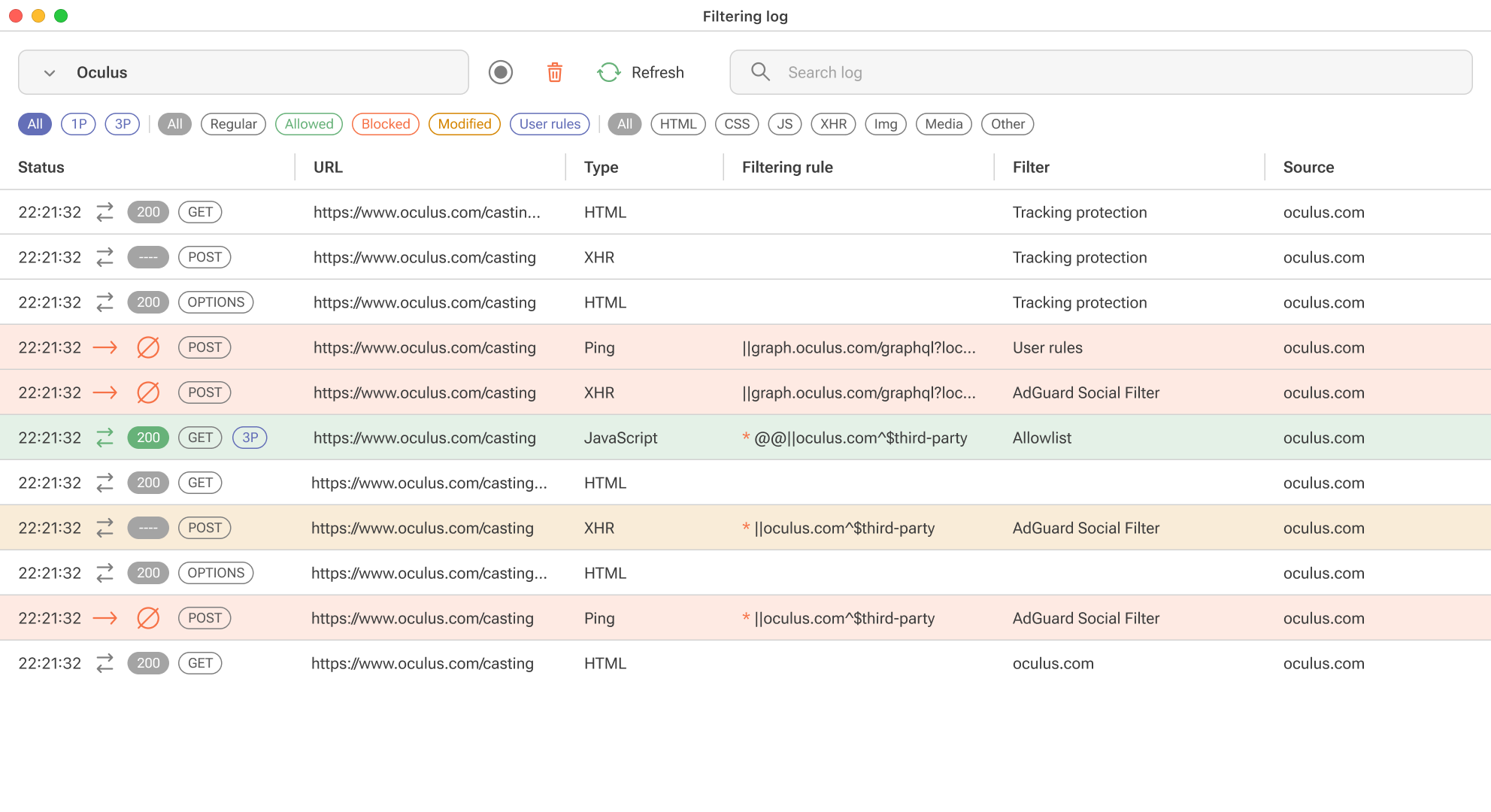
Due to DNR restrictions, we can’t show exactly which rule worked, but we will provide an “assumed rule that was triggered” based on our engine. For precise information, you’ll need to install the “unpacked” form of the extension in your browser yourself. You’ll find detailed instructions on how to do this in a separate article.
-
Tracking protection (formerly known as Stealth mode)
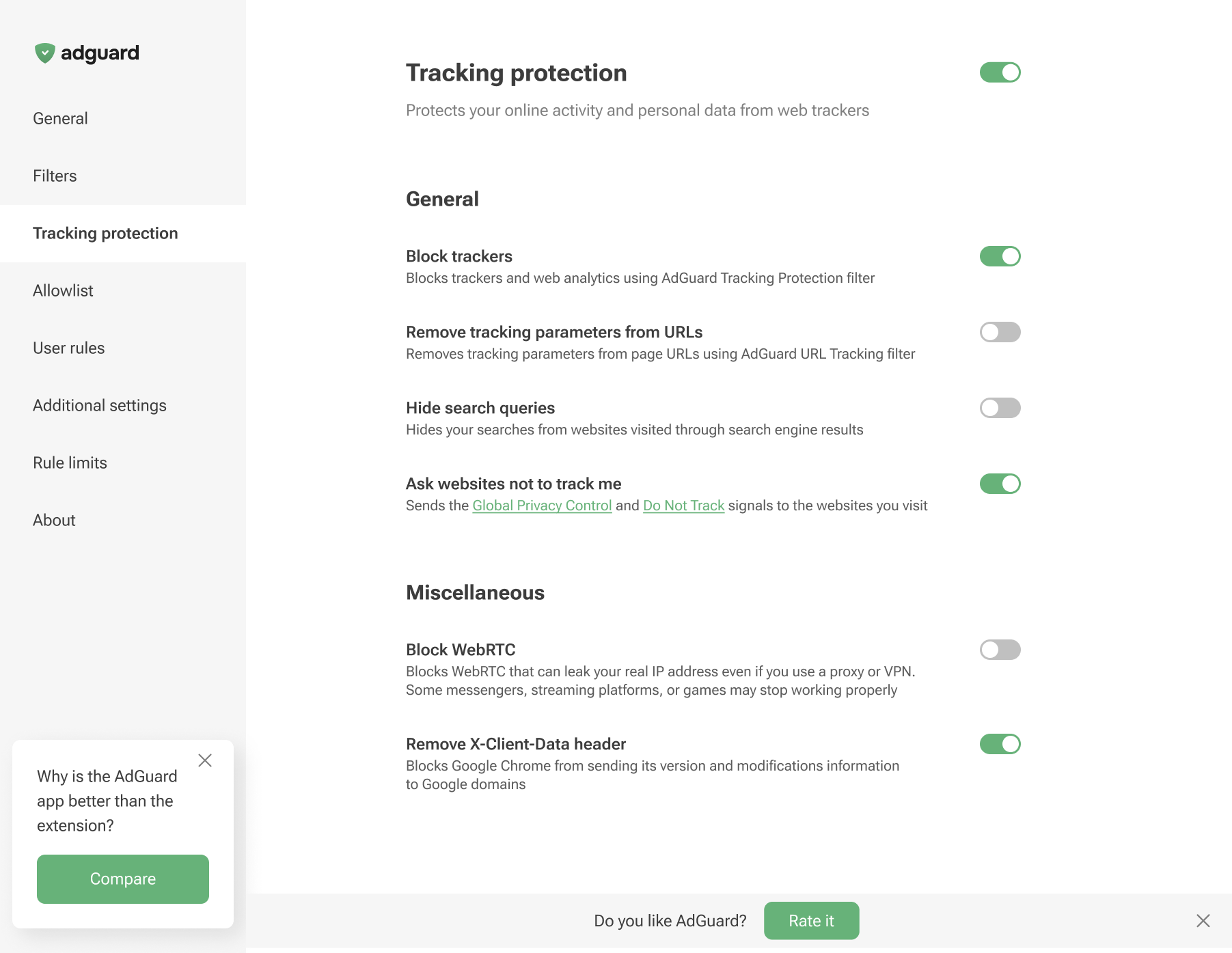
There are no Cookies section, along with Self-destruction of first-party cookies and Self-destruction of third-party cookies since we cannot set the TTL of cookies using declarative rules.
-
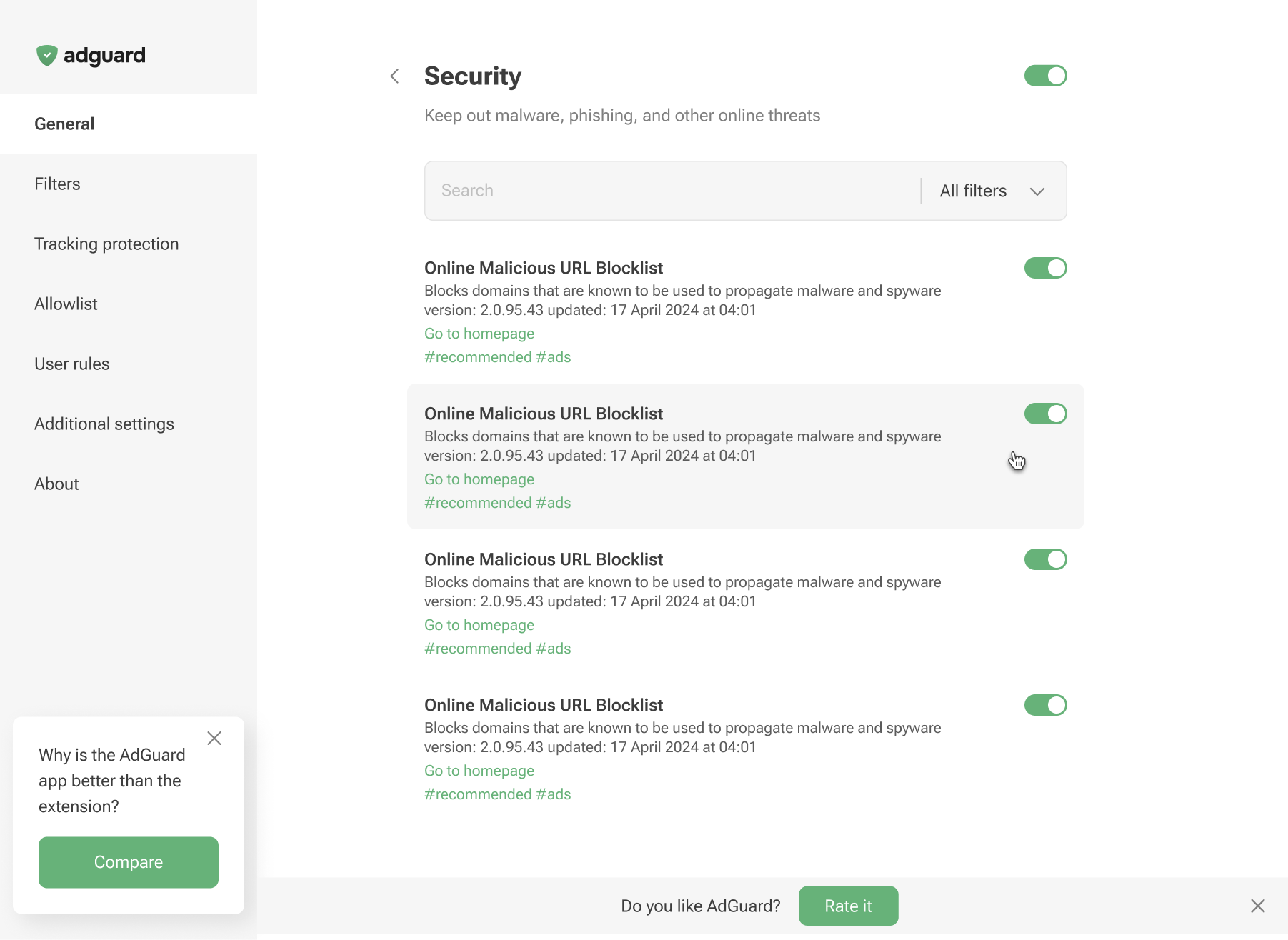
Phishing & malware protection is no longer available in the general settings. To protect yourself from malicious websites and scams, enable the appropriate Security filters in the Filters tab.
制限
ルールとフィルタの最大数
Manifest V3 では、拡張子ごとに静的ルールと正規表現ルールの制限が課せられています。これらの制限を超えた場合、ユーザーは通知を受け取ることができます。
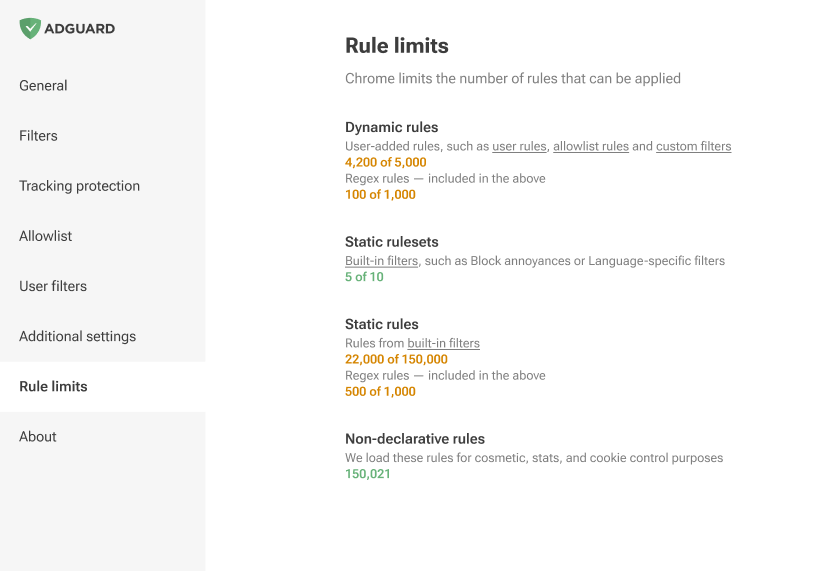
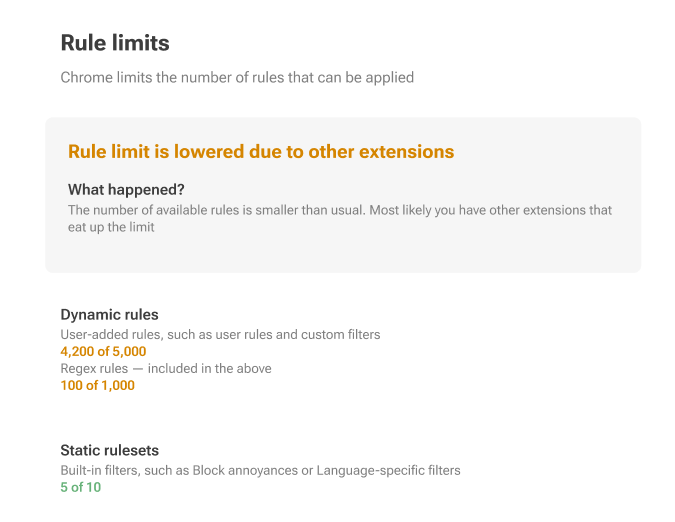
基本的に、Manifest V3 はルールを静的 (組み込み) と動的に分割し、厳格な制限を設けています。
静的ルール: 拡張機能ごとに最低30,000ルール、1ユーザーがインストールしたすべての拡張機能の累積上限は330,000
正規表現ルールの場合、拡張子ごとに1,000に制限されています。
同時に有効なフィルタの最大数は50です。
動的ルール: ルールの厳密な上限は5,000で、これには最大1,000個の正規表現ルールが含まれます。
If this limit is exceeded, only 5,000 converted rules will be applied in the following order: first Allowlist, then User rules and finally Custom filters.
変換されたルールは、宣言的コンバータを使って [DNR形式]に変換されたルールです。この変換プロセス中に、一部のルールが他のルールを上書きしたり (
$badfilter)、一部のルールが結合されたり ($removeparam)して、順序がわずかに異なるルールのリストが生成され流ことがあります。この変換されたルールのリストから、AdGuardは5,000のルールだけを使用します。それ以外のルールはエディタに表示されますが、適用されません。
Here’s how a rule with a basic modifier is converted to a declarative rule:
||example.org^$script,third-party,domain=example.com
が以下のものに変化されます:
[
    {
        "id": 1,
        "action": {
            "type": "block"
        },
        "condition": {
            "urlFilter": "||example.org^",
            "domainType": "thirdParty",
            "initiatorDomains": [
                "example.com"
            ],
            "resourceTypes": [
                "script"
            ]
        },
        "priority": 302
    }
]
その他の例については、GitHub をご覧ください。
ネットワークルール修飾子
ネットワークルール修飾子には制限があります。一部、MV3環境では実装できないルール修飾子が合ったり、制限付きでしか実装できないものがあります。