メインメニュー
info
この記事は、お使いのブラウザのみを保護する「AdGuard ブラウザ拡張機能」に関するものです。デバイス全体を保護するには、AdGuardアプリをダウンロードしてください。
The extension’s main page can be accessed by clicking its icon on your browser’s toolbar.
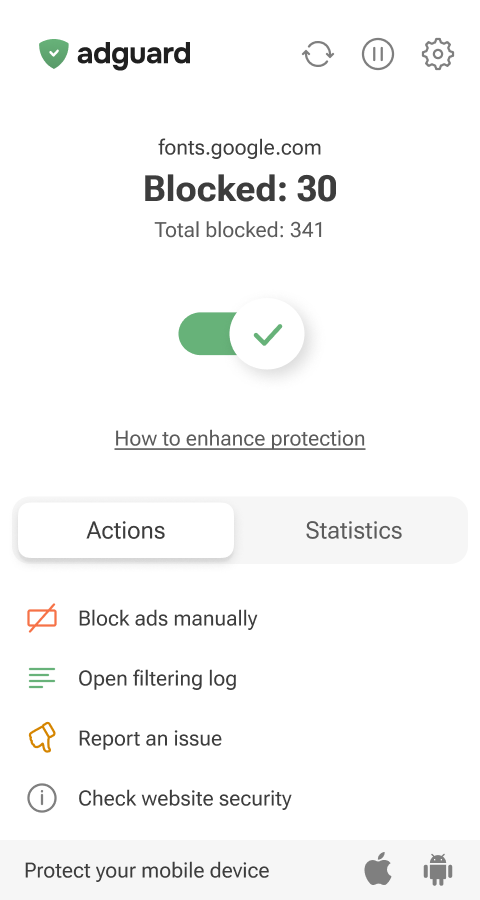
From the main page, you can manage your protection and access key features:
- Manually hide any element on a webpage (a custom rule will be automatically added to your User rules)
- Open Filtering log to view detailed information about your browser’s traffic and block requests on the fly
- Submit a complaint about missed ads or broken page elements so our filter engineers can review and fix the issue
- Check a website’s security report
- See statistics on all blocked elements
By clicking the icons in the top-right corner of the extension’s main menu, you can manually update filters, pause protection, or open the extension settings.