Come attivare
Per attivare la tua licenza, vai alla sezione Licenza del tuo prodotto AdGuard e trova il campo Accedi o il pulsante Attiva. Utilizza l'email e la password del tuo profilo di AdGuard per accedere. If you don’t have an account yet, you will be offered to create one.
Per attivare una licenza tramite l'account AdGuard, è necessaria una licenza valida con almeno uno slot libero. Se la tua licenza è già in uso sul numero massimo di dispositivi consentiti, puoi aggiornarla o trasferirla da un dispositivo ad un altro.
Alternatively, you can use a license key (activation code) to activate the license.
Di seguito, puoi consultare le istruzioni d'attivazione passo dopo passo, per ogni piattaforma.
Attivare AdGuard per Windows
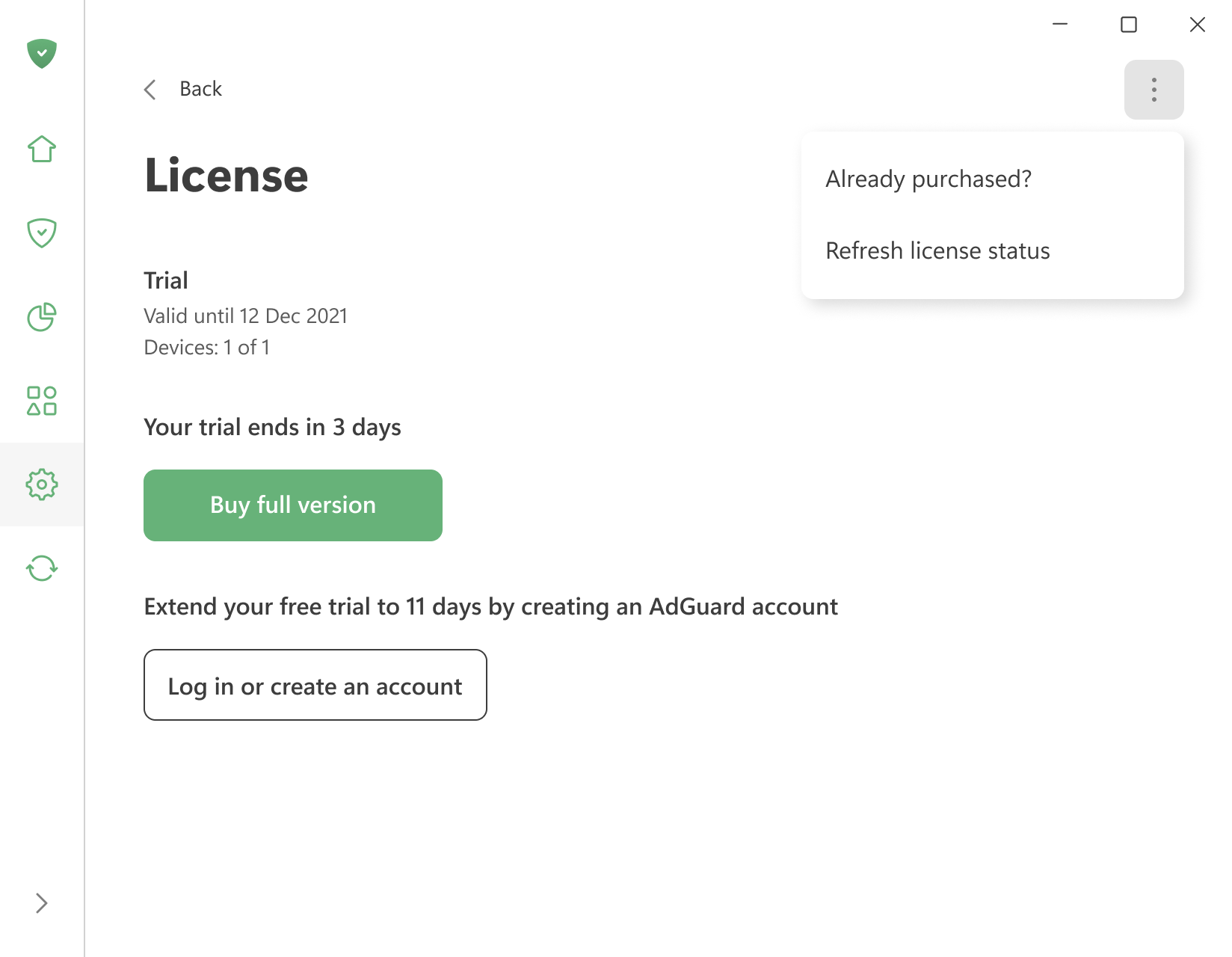
To activate a license you already have, open the menu (⋮) in the upper right corner of the License screen and click Already purchased?.
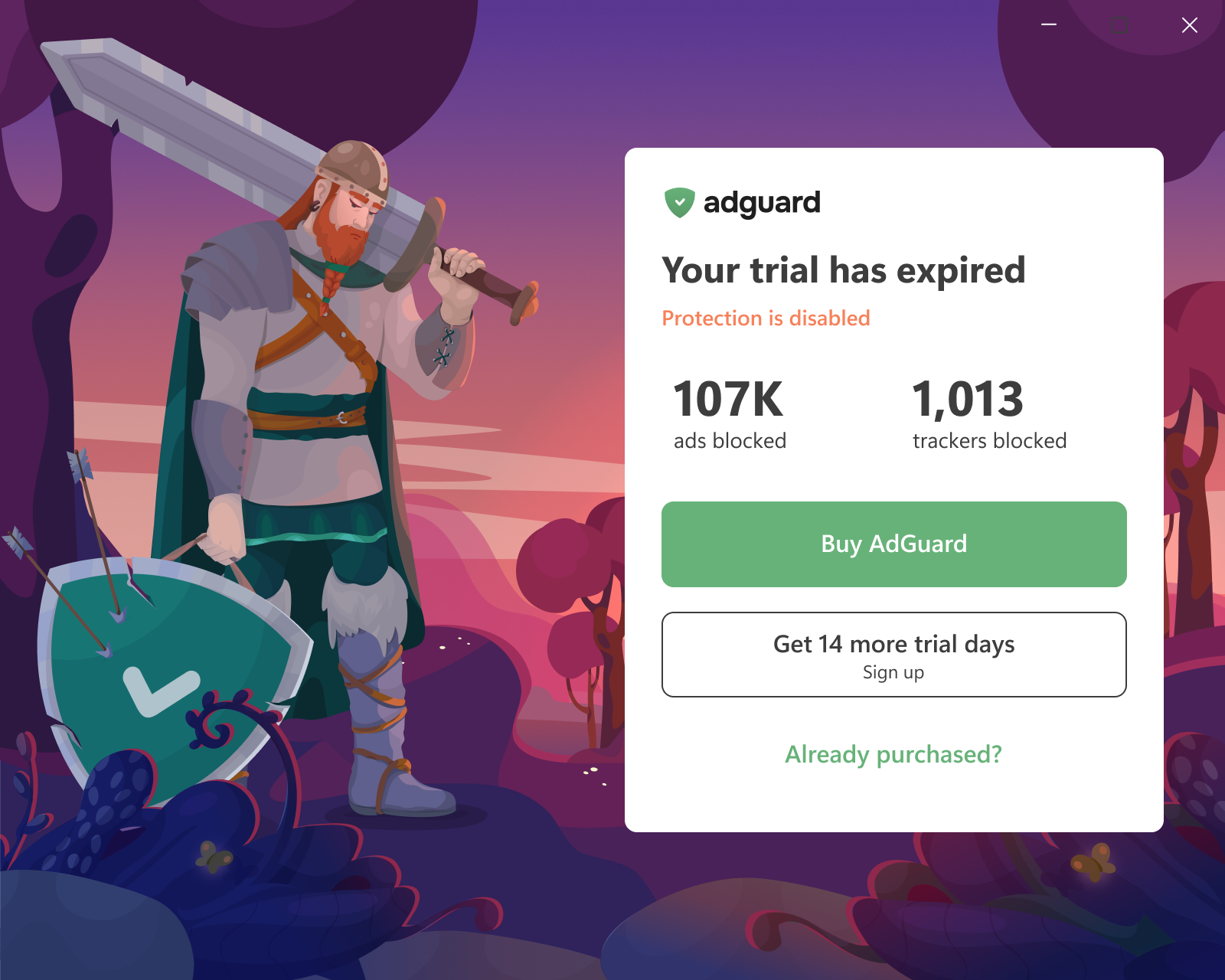
You can also click Already purchased? on the trial-expiration screen the app shows when the trial ends.
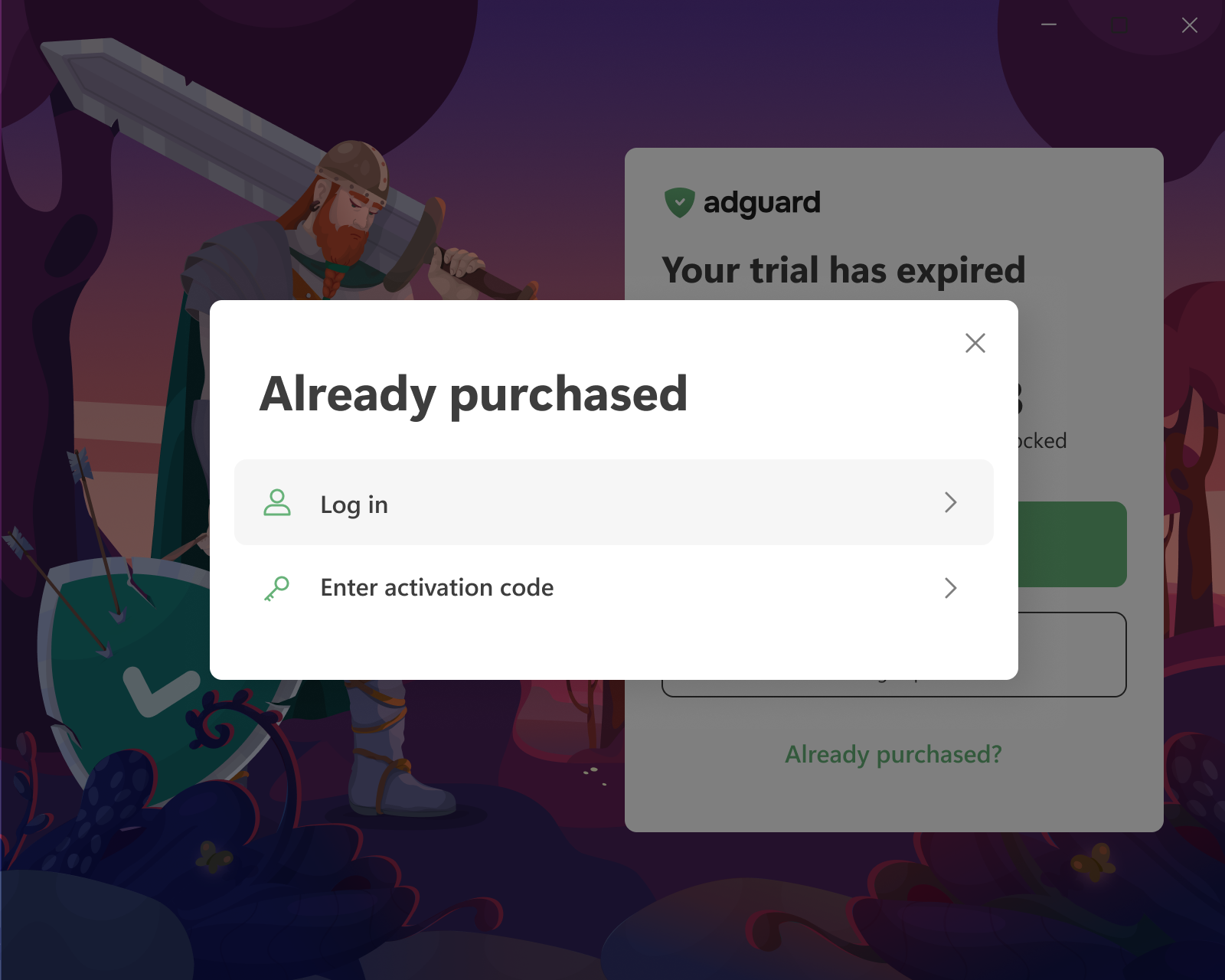
Then choose one of the two options:
-
Log in — you will be redirected to your browser. Log in to your AdGuard account or sign up there. If the account has a valid license with a free device slot, it is applied to the app automatically.
If the browser tab was closed or the app didn’t pick up the license, click Reopen login page or use Refresh license status in the same menu (⋮).
-
Enter activation code — enter the code from the purchase email or from a reseller. The code is also available in your AdGuard account and on the License screen of another device where AdGuard is already activated.
 nota
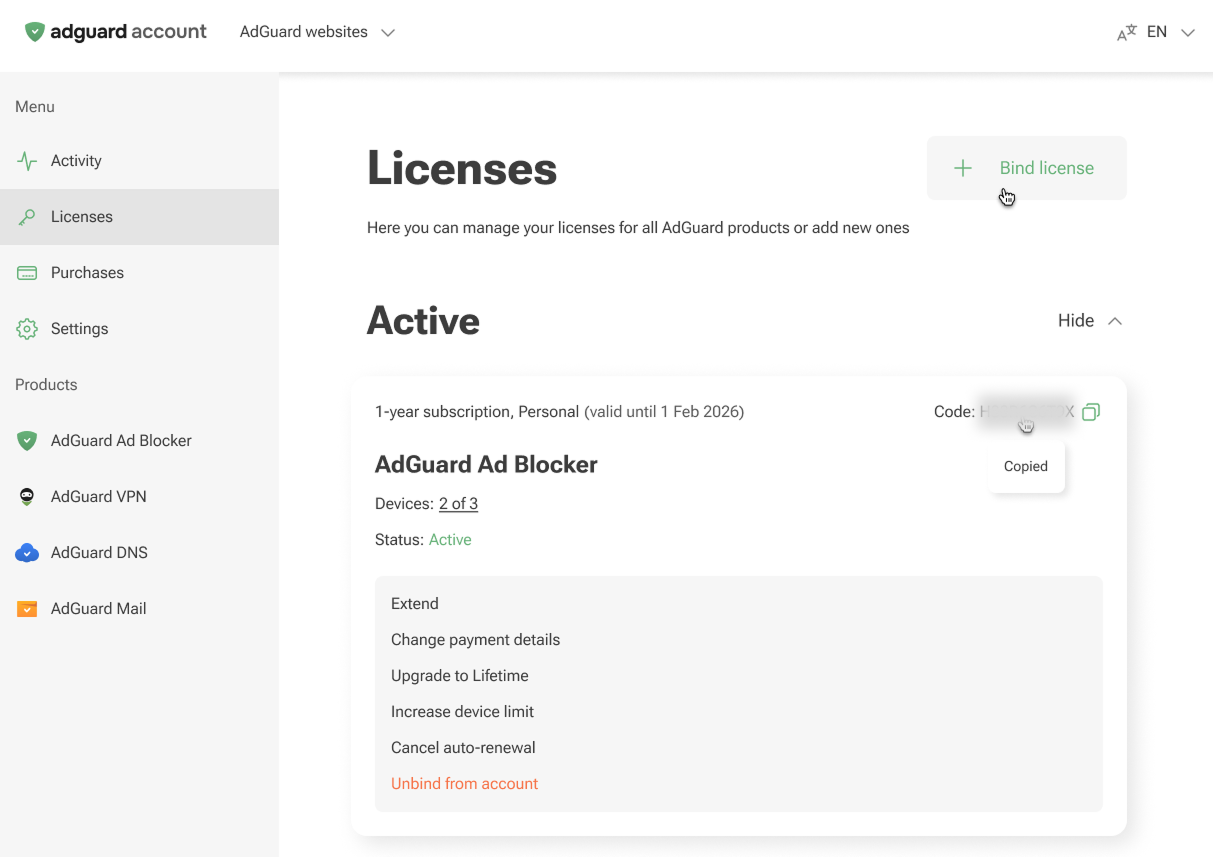
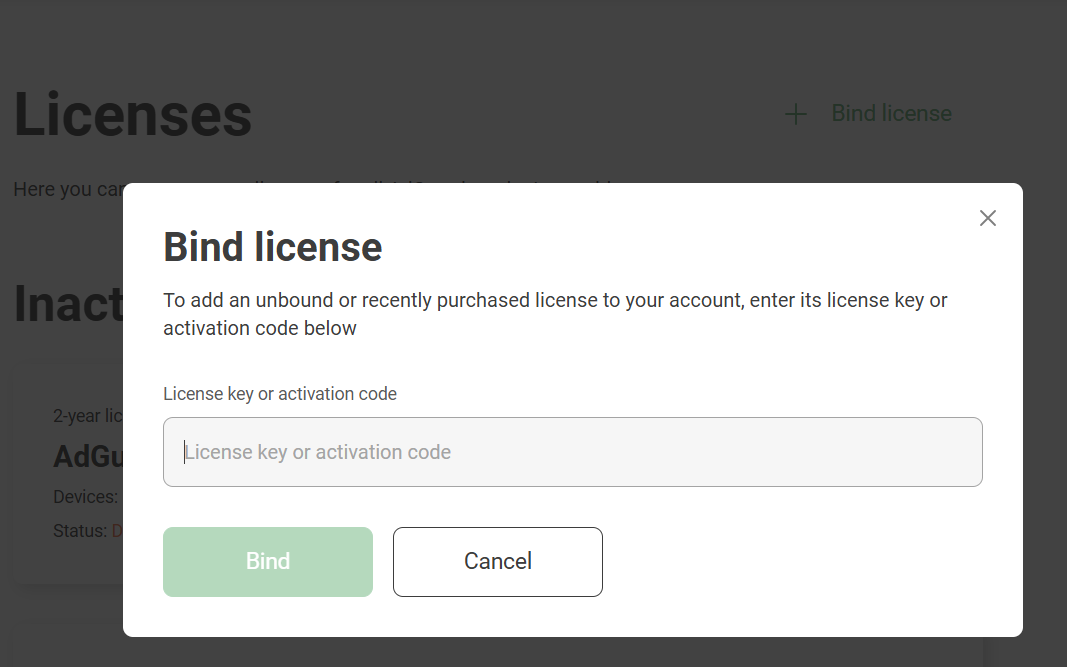
notaLog in only works if the license is already in your AdGuard account. If you have an activation code that isn’t bound to your account yet, bind it first: open the Licenses tab of your account, click Bind license, enter the key, and click Bind.
:::
Attivare AdGuard per Mac
-
Sulla schermata della licenza scaduta, clicca su Attiva.
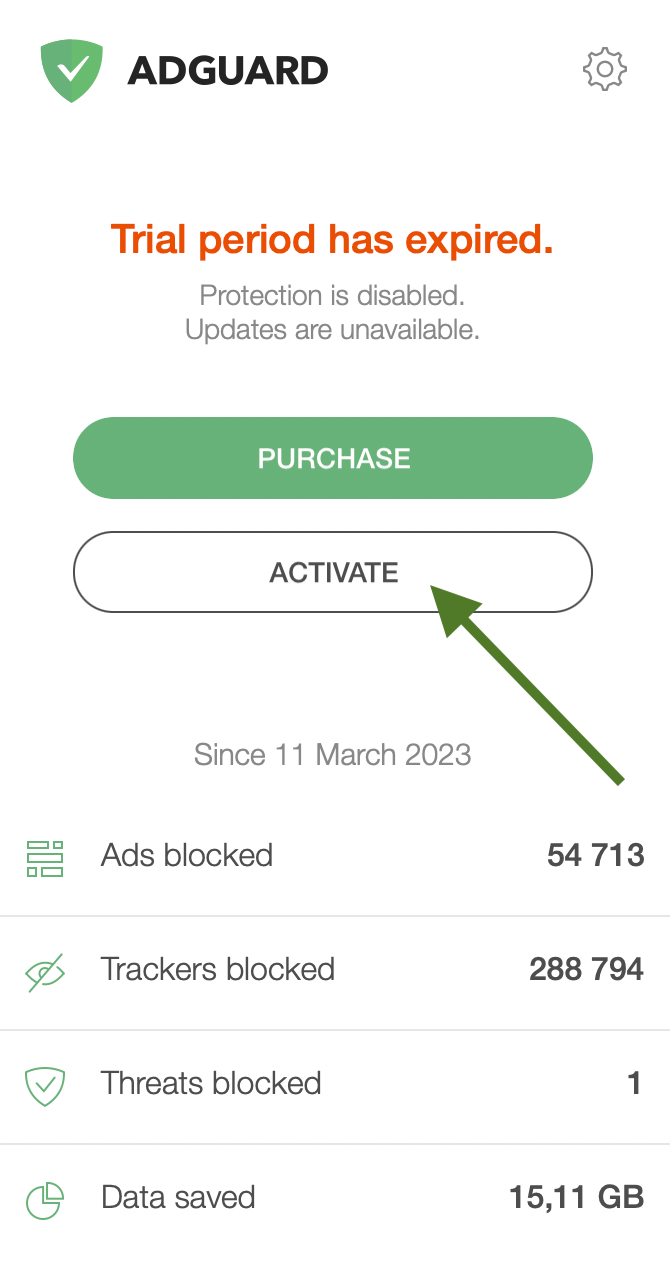
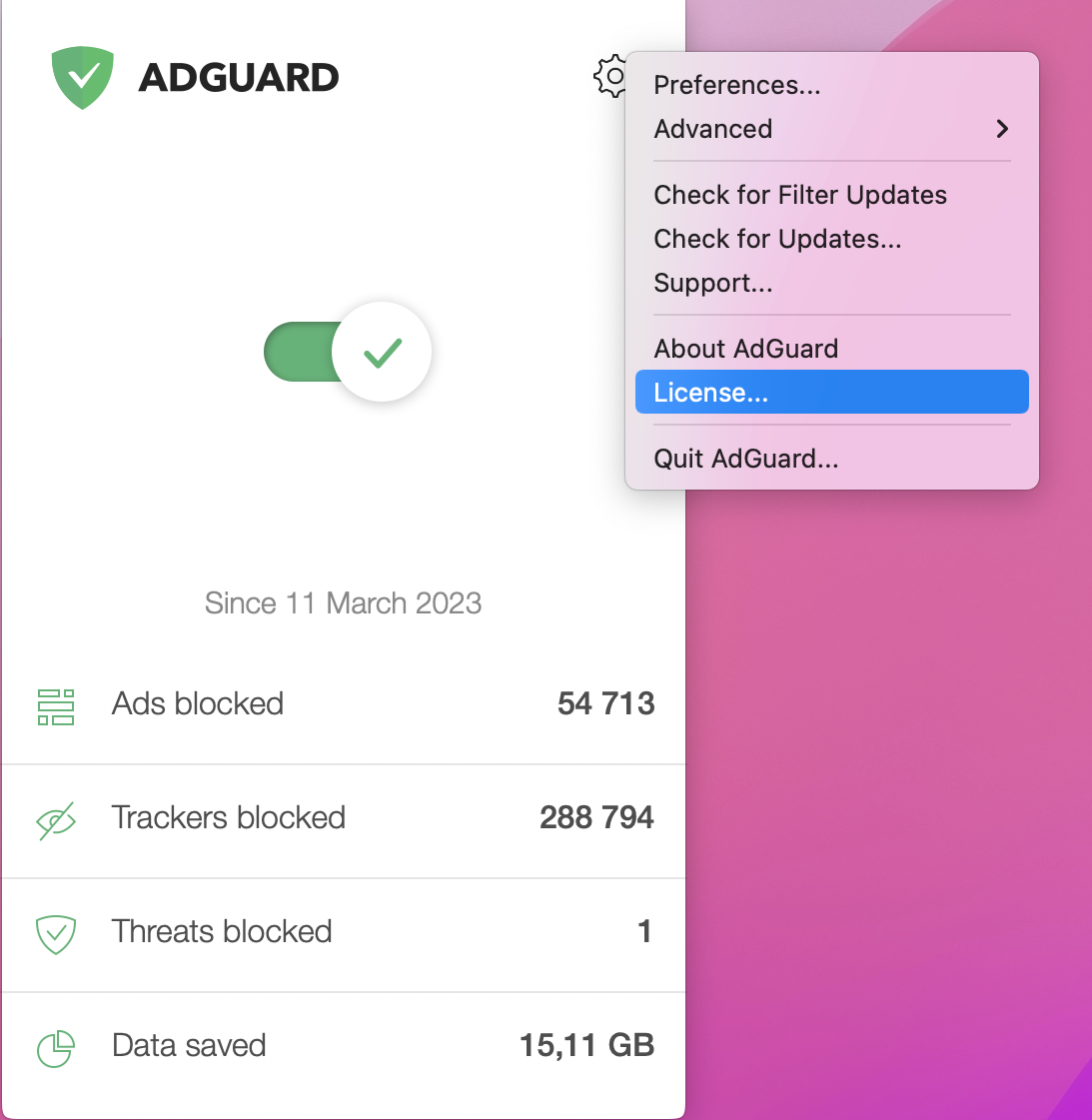
Alternatively, click the gear icon in the AdGuard menu, then click License.
-
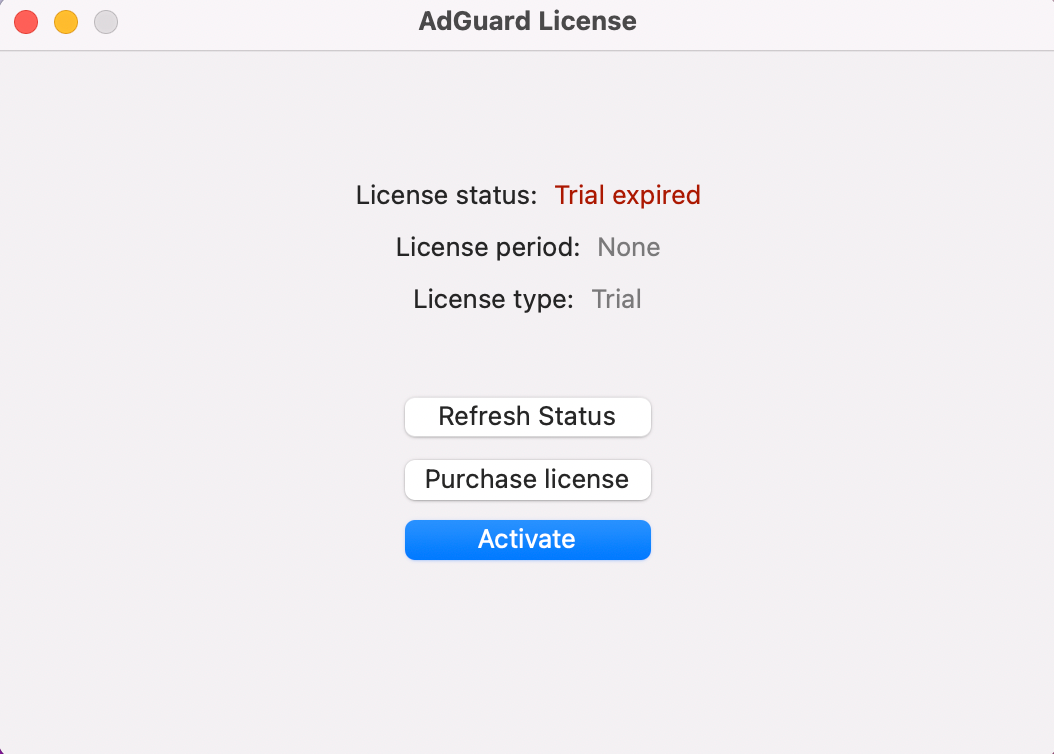
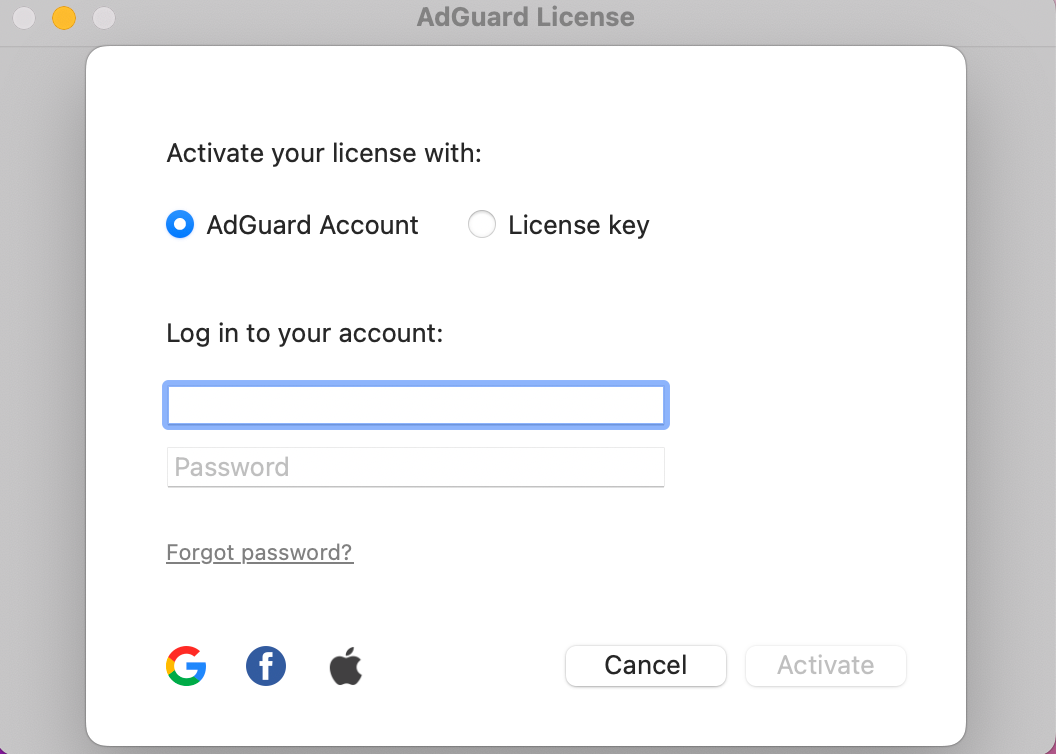
In the opened window, click Activate.
-
Activate your license using your preferred method. If the license is bound to your email address, click AdGuard Account or select a social network associated with this email address. Alternatively, enter your license key.
Attivare AdGuard per Android
-
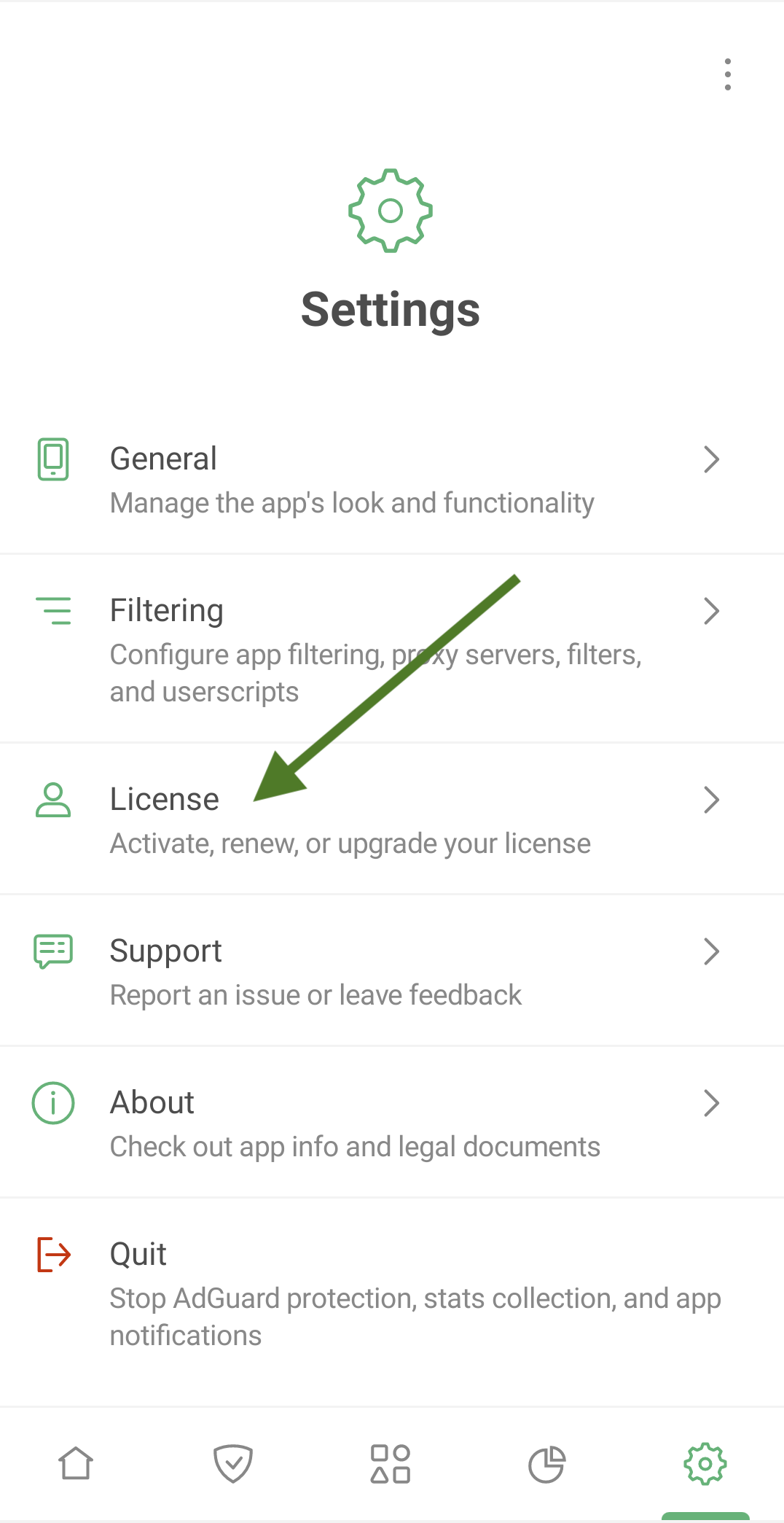
Tap Settings, then select License.
-
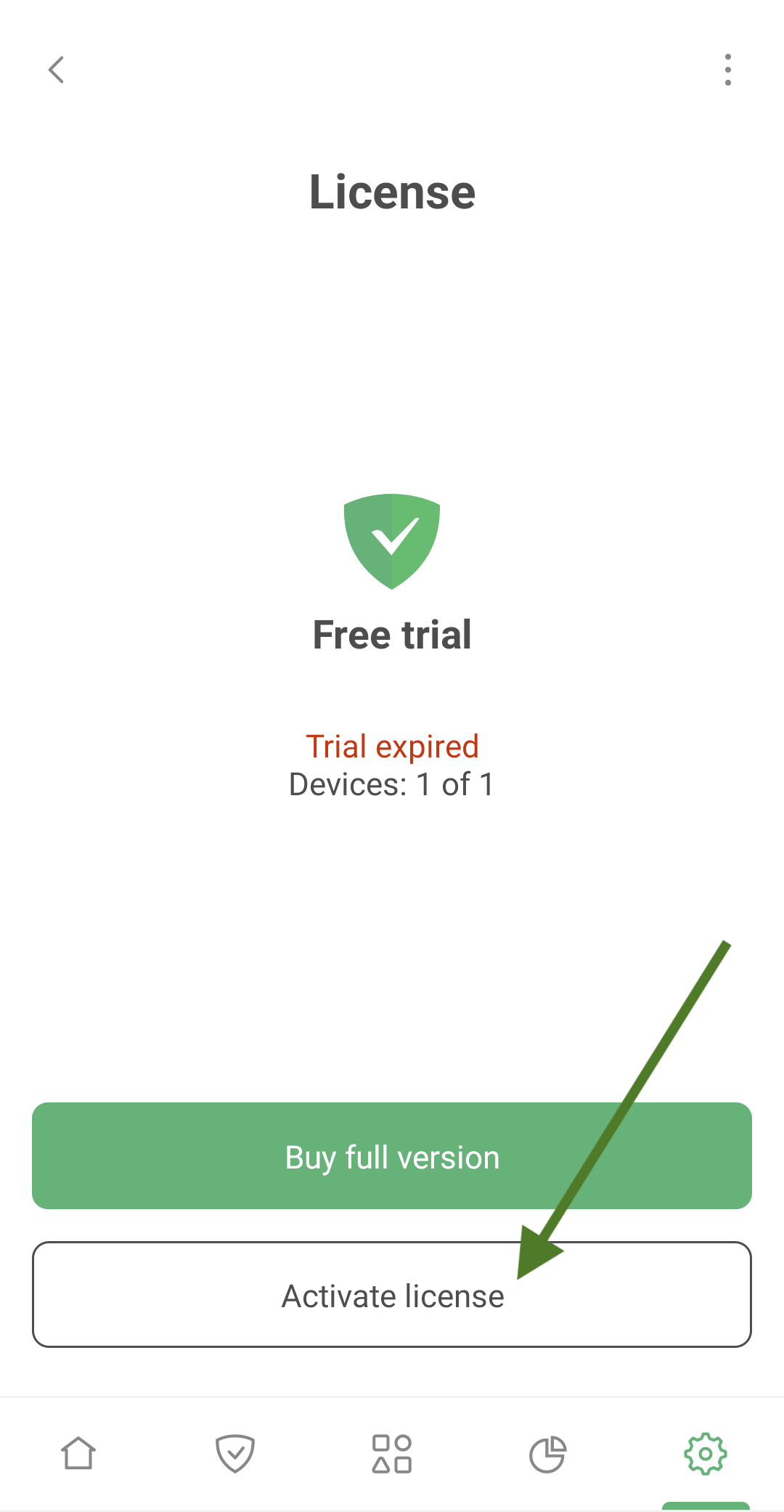
Tap Activate license.
-
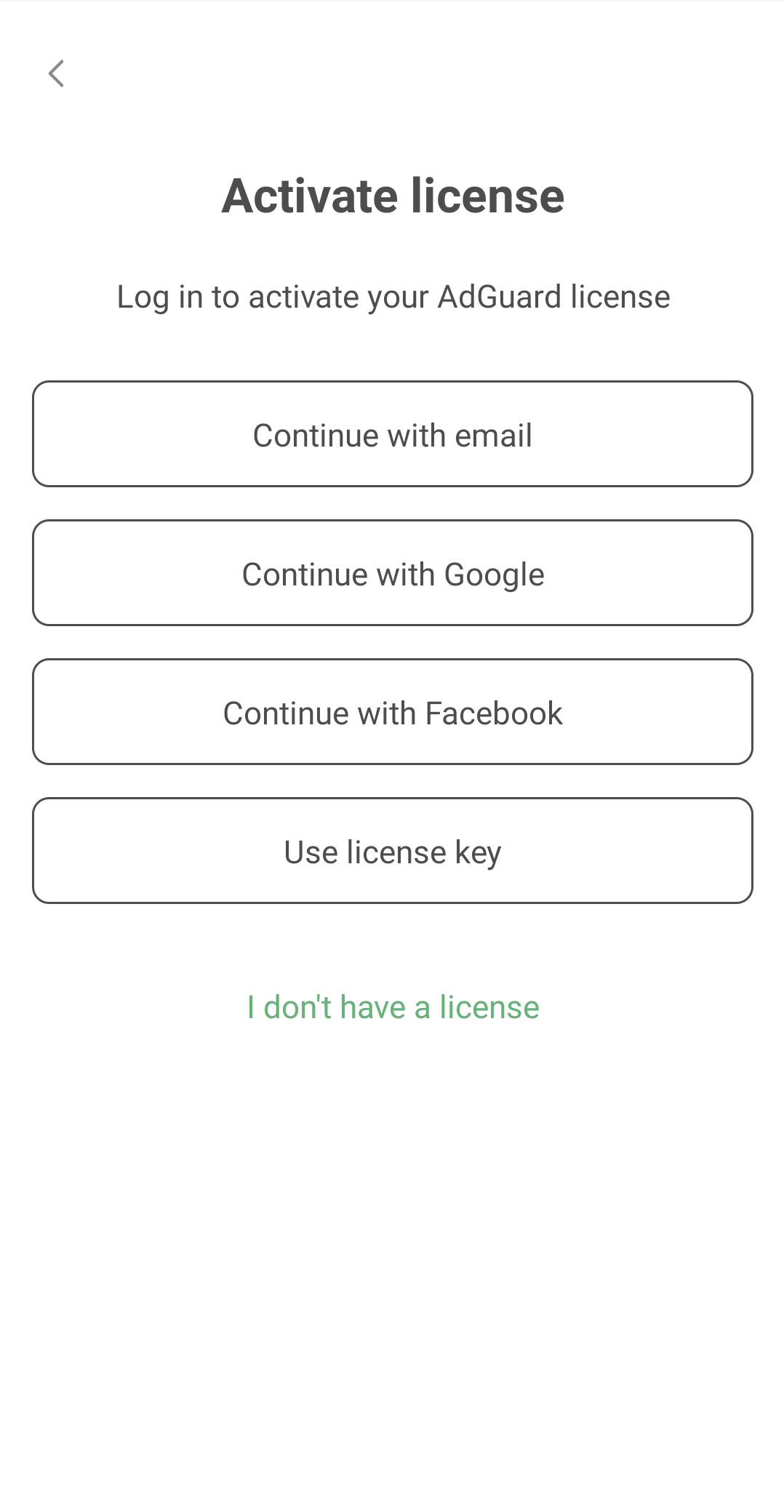
Activate your license using your preferred method. If the license is bound to your email address, tap Continue with email or select a social network associated with this email address. Alternatively, enter your license key.
Attivare AdGuard per iOS
-
Tap Settings, then select License.
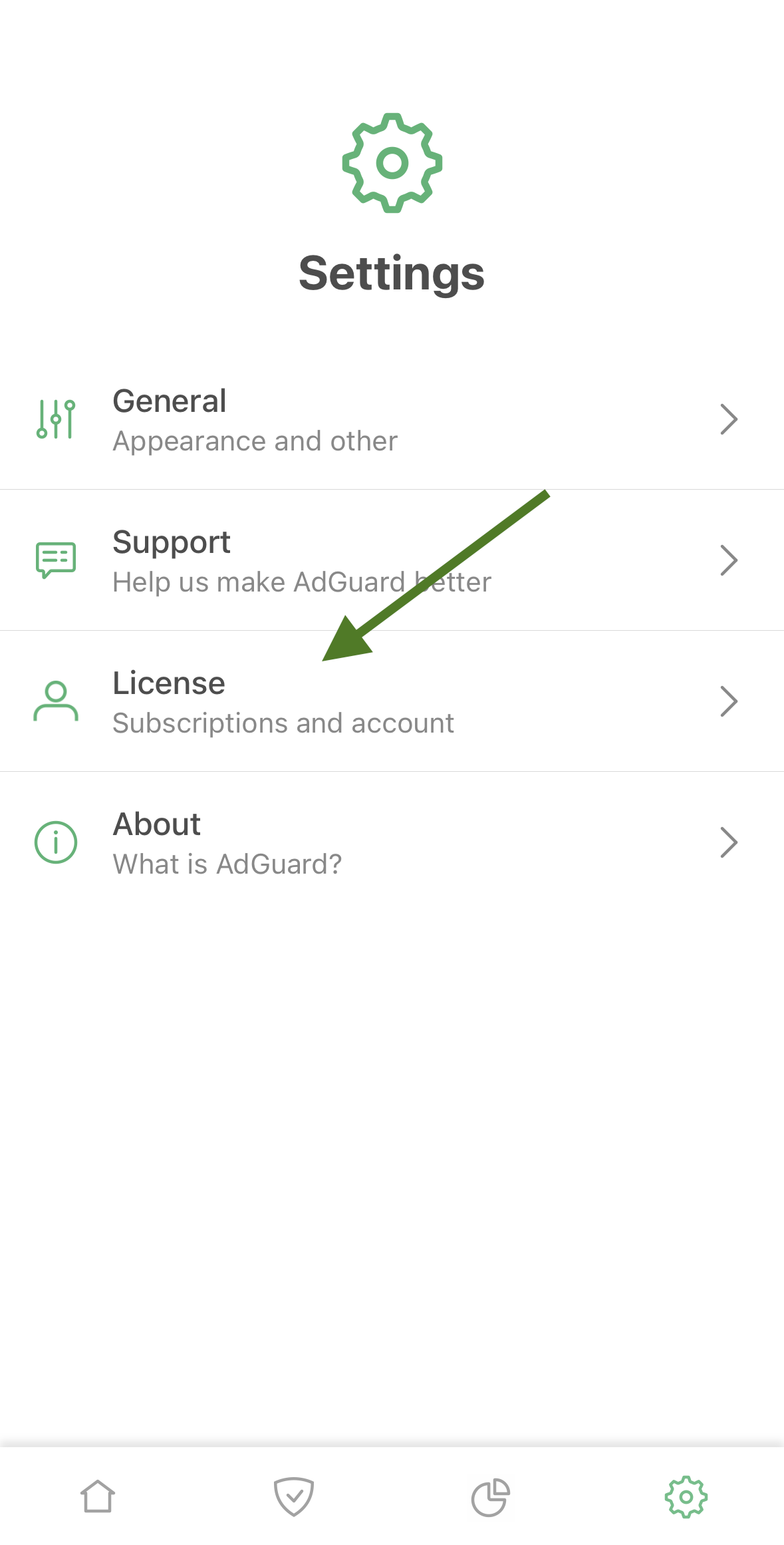
-
Tap Log in in the upper right corner of the screen
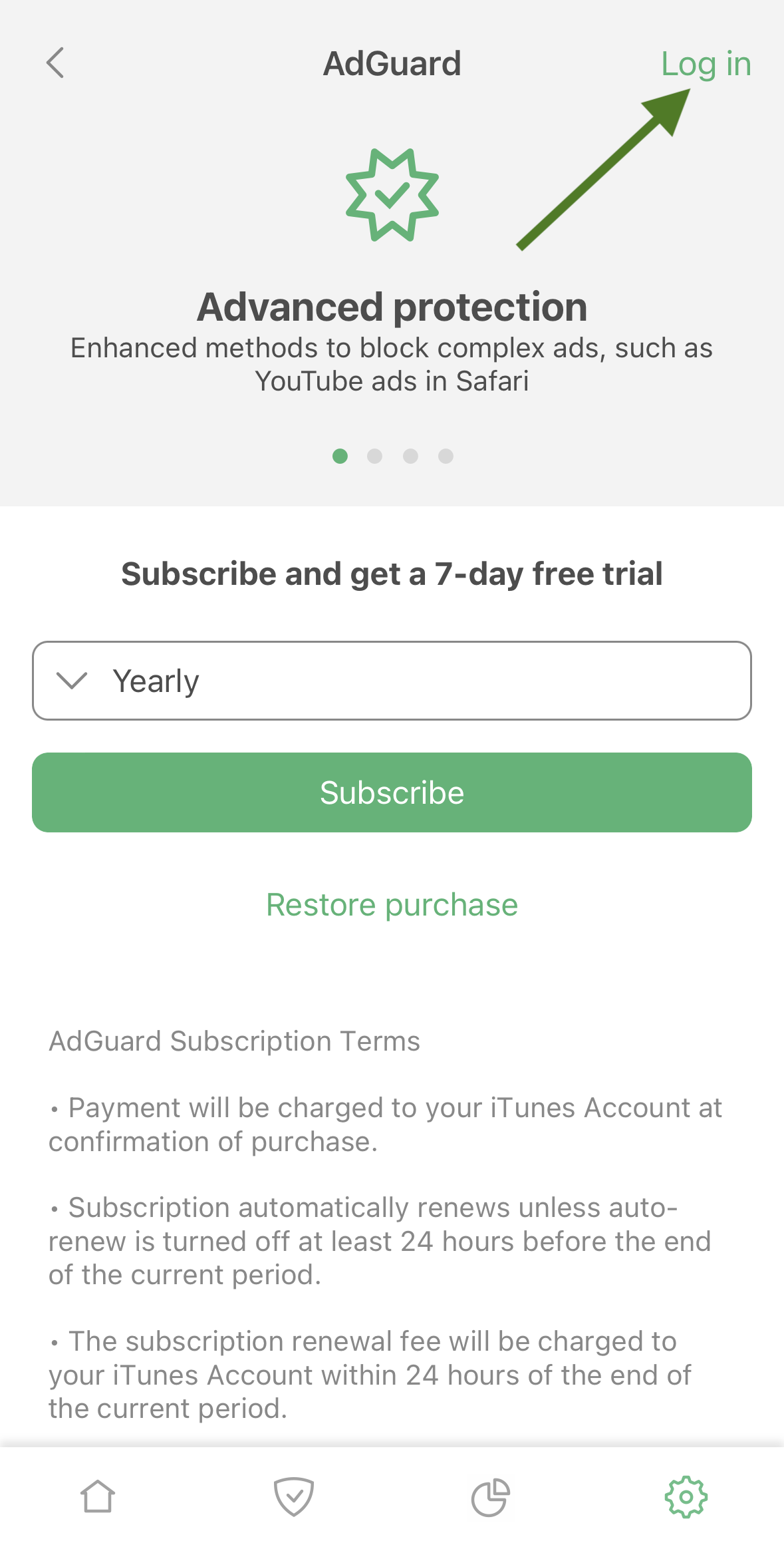
-
Use your email address or social media account to activate your license.
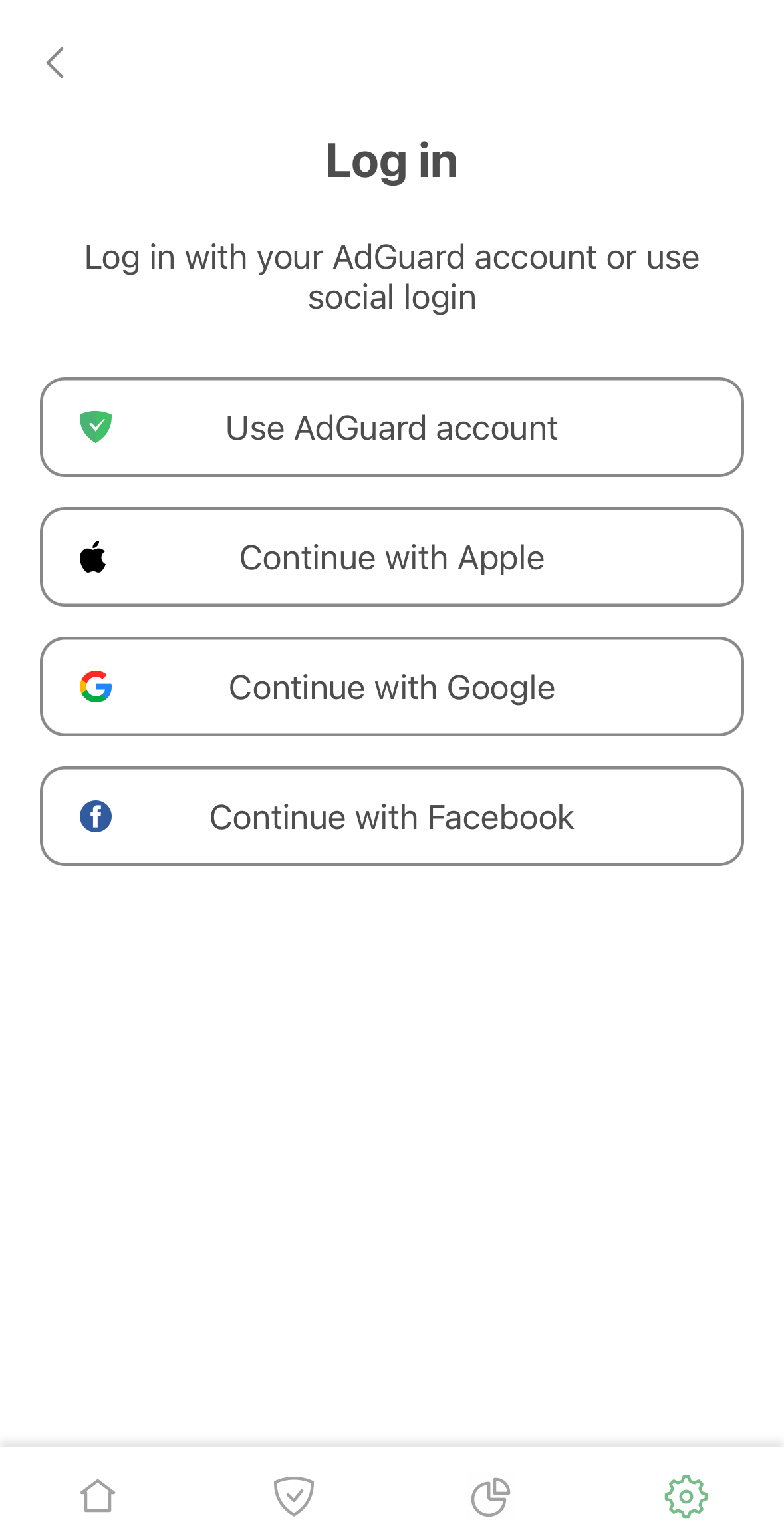
Attivazione di AdGuard Mini per Mac
-
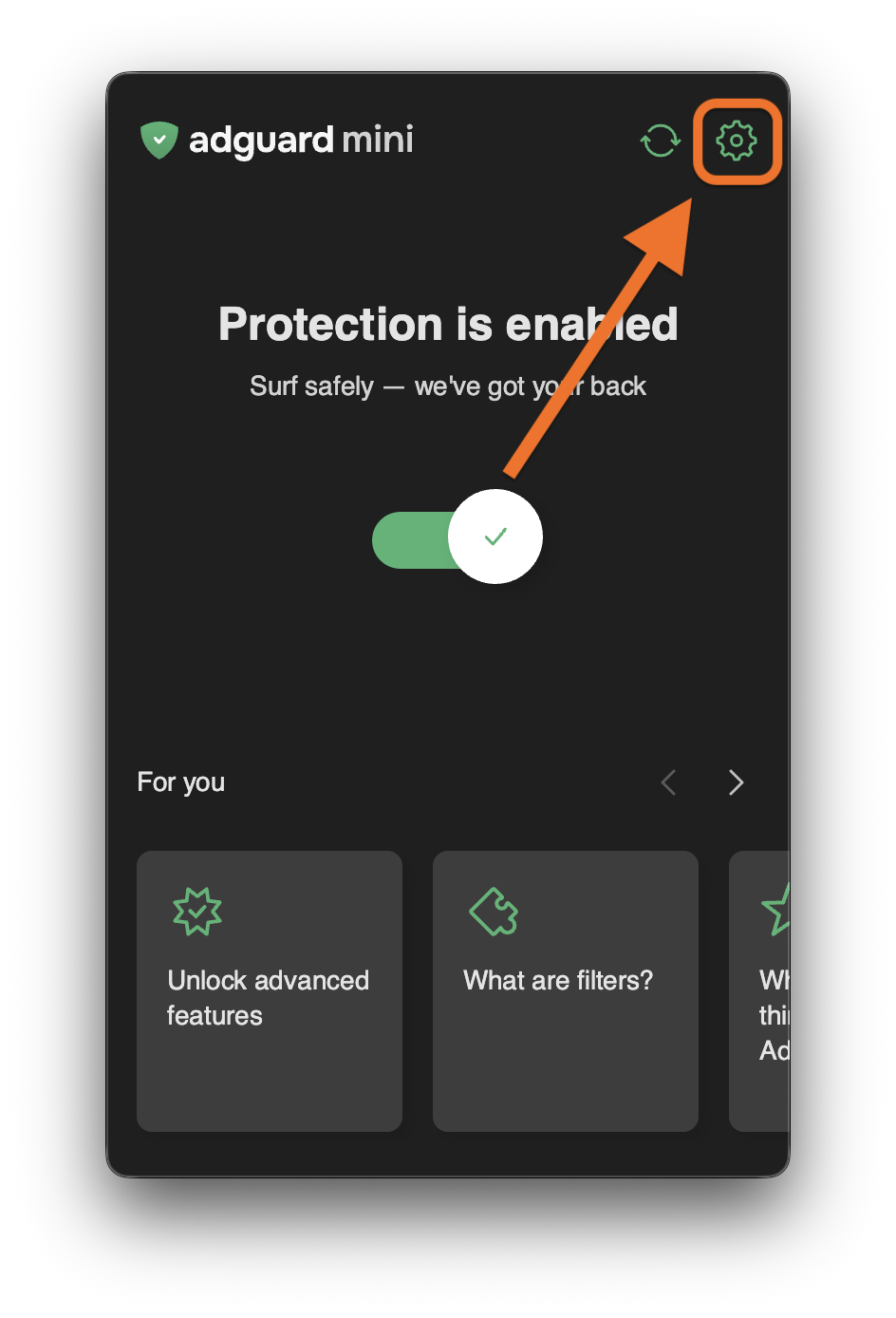
Click AdGuard Mini icon in the menu bar.
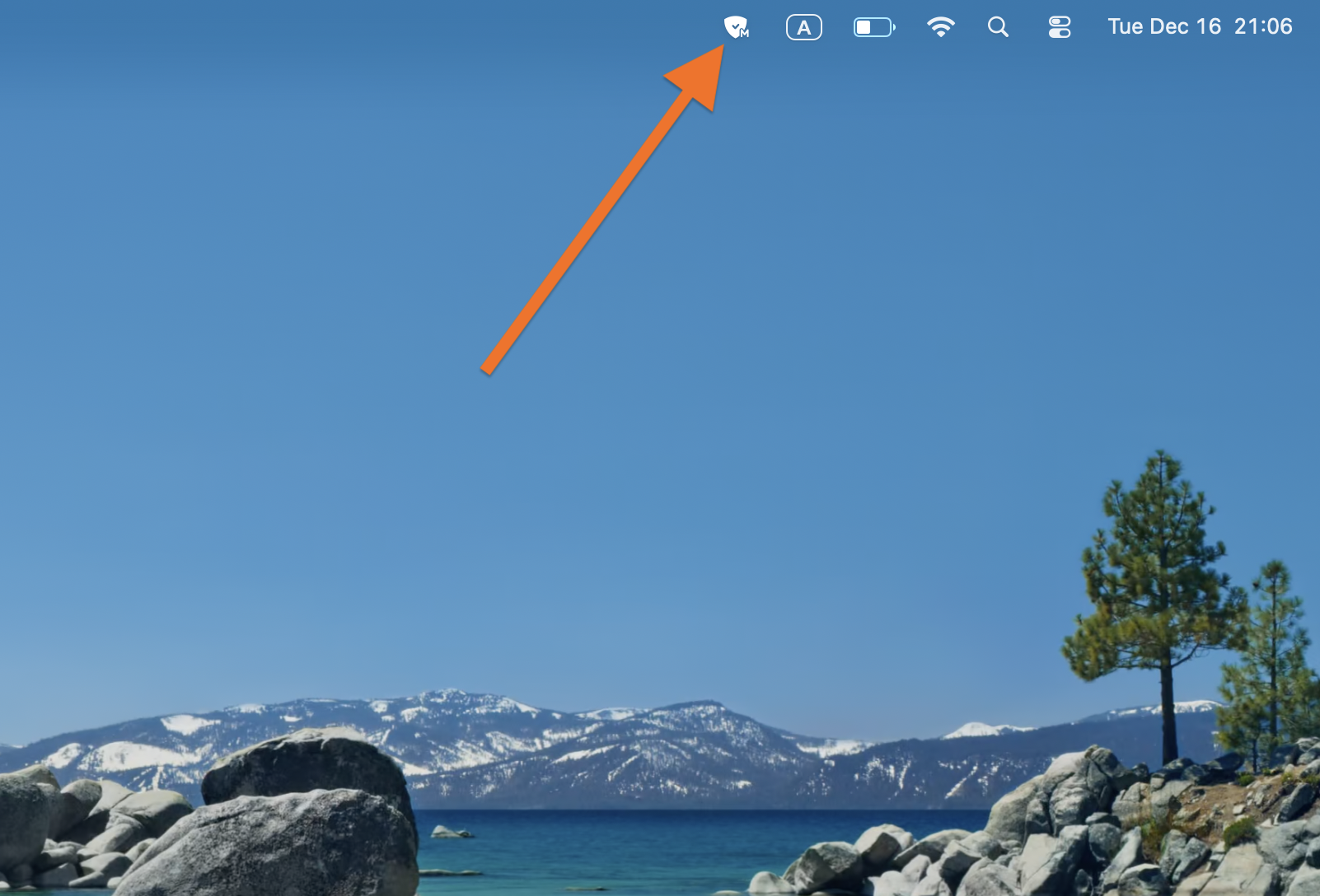
-
Click the settings icon.
-
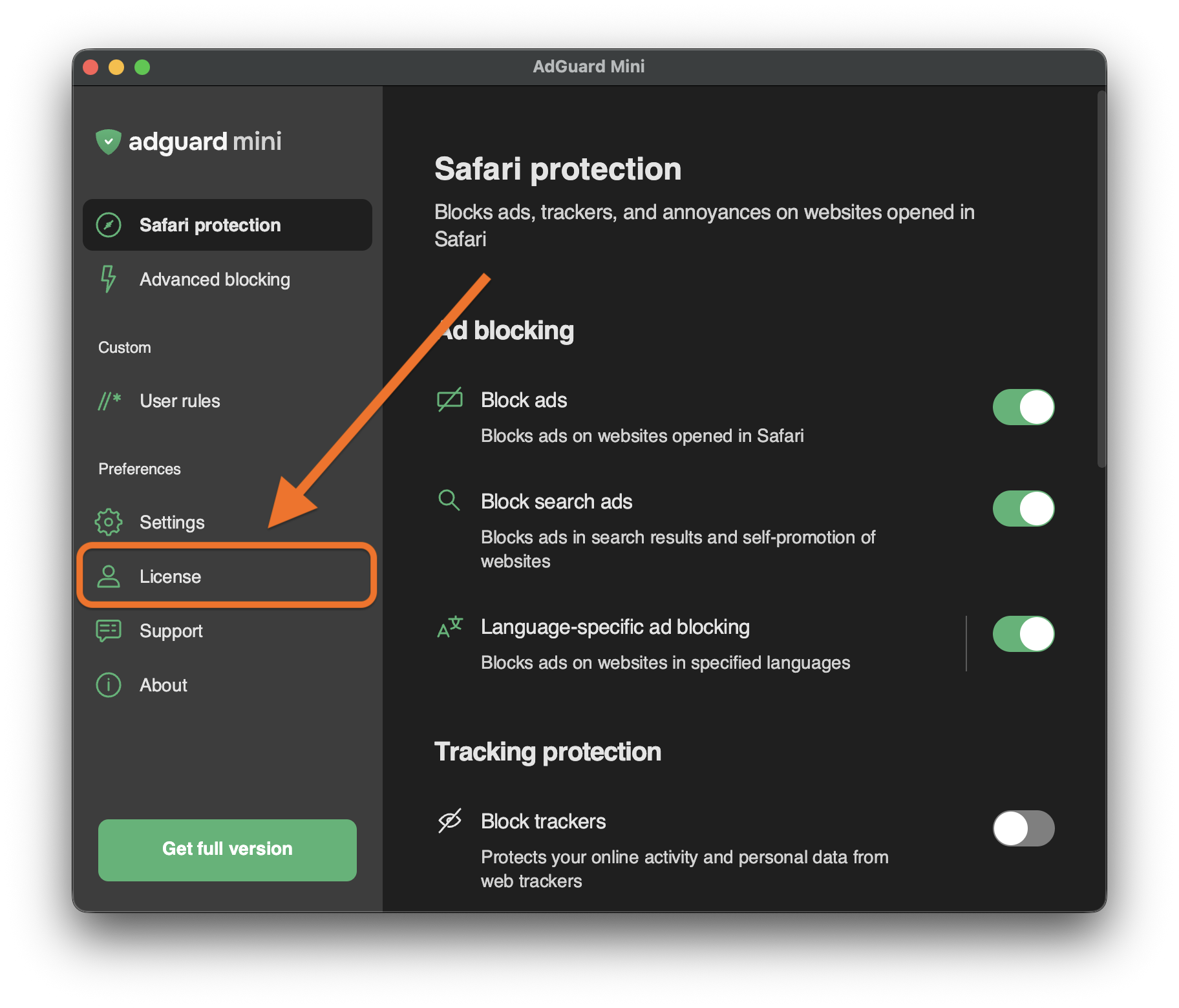
Go to License.
-
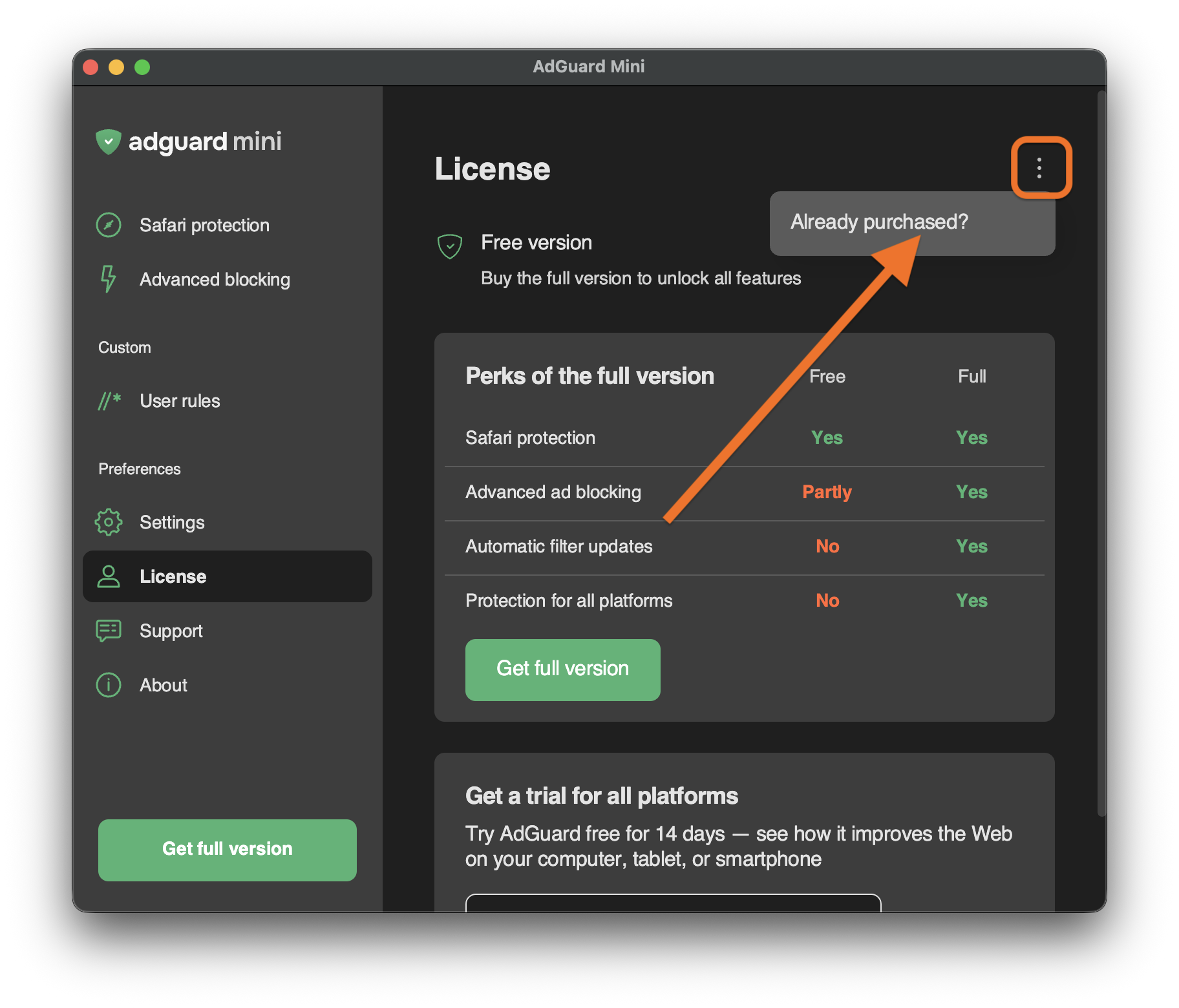
Open the menu (⋮) in the upper right corner and click Already purchased?.
-
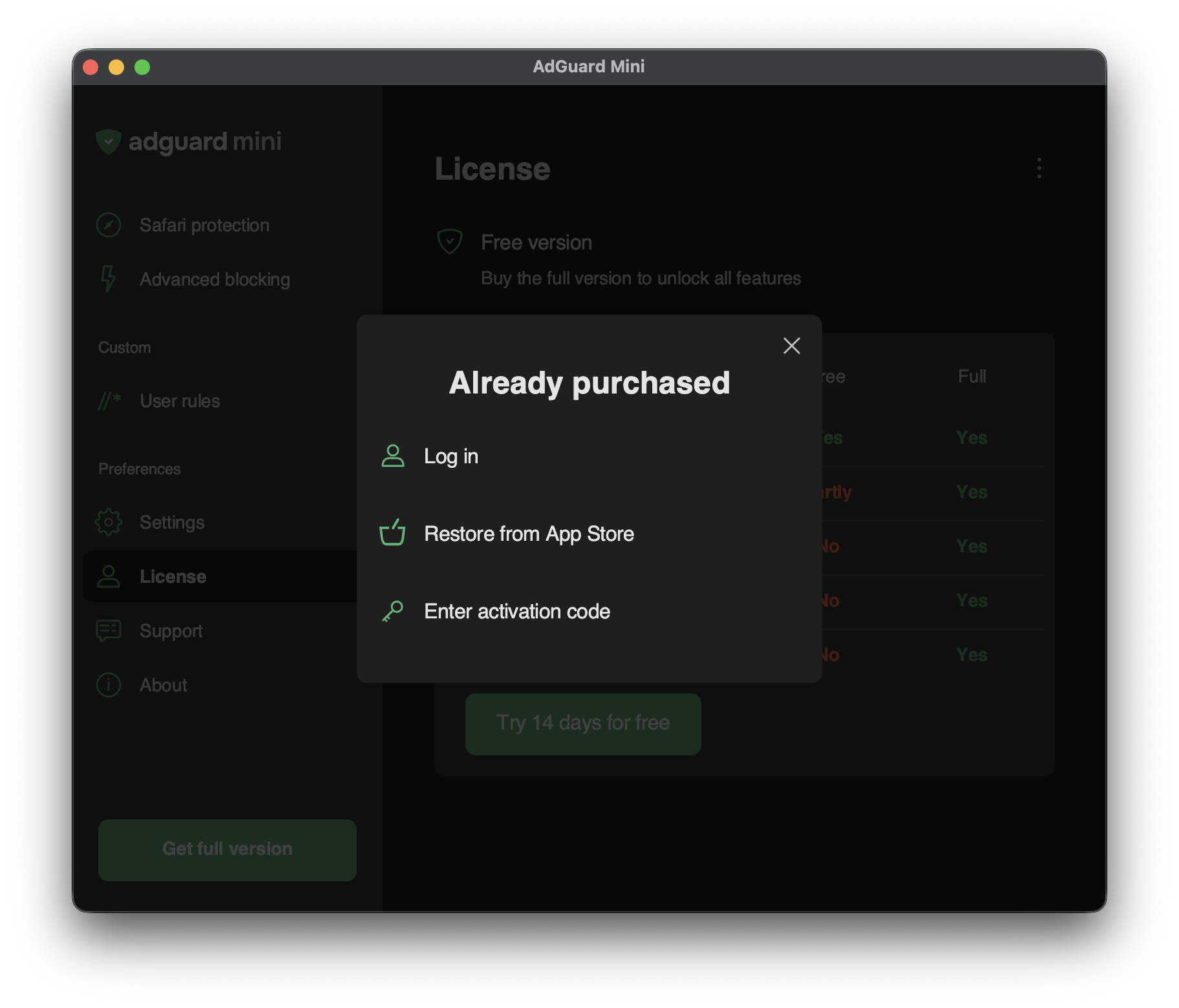
You will see the available activation options:
-
Log in
Log in to your AdGuard account that has a valid license in it.
-
Restore from App Store
Use a license that you have previously bought through the App Store.
-
Enter activation code
Enter your activation code.
-