Protection contre le suivi (anciennement Mode furtif)
Cet article concerne l'extension de navigateur AdGuard, qui protège uniquement votre navigateur. Pour protéger l'ensemble de votre appareil, téléchargez l'application AdGuard
Le but de la Protection contre le suivi est de protéger vos données personnelles sensibles contre les traqueurs en ligne et les fraudeurs. Il existe de légères différences dans les fonctionnalités de protection contre le suivi entre les navigateurs basés sur Chromium, qui prennent en charge MV3, et les navigateurs non basés sur Chromium, qui prennent en charge MV2.
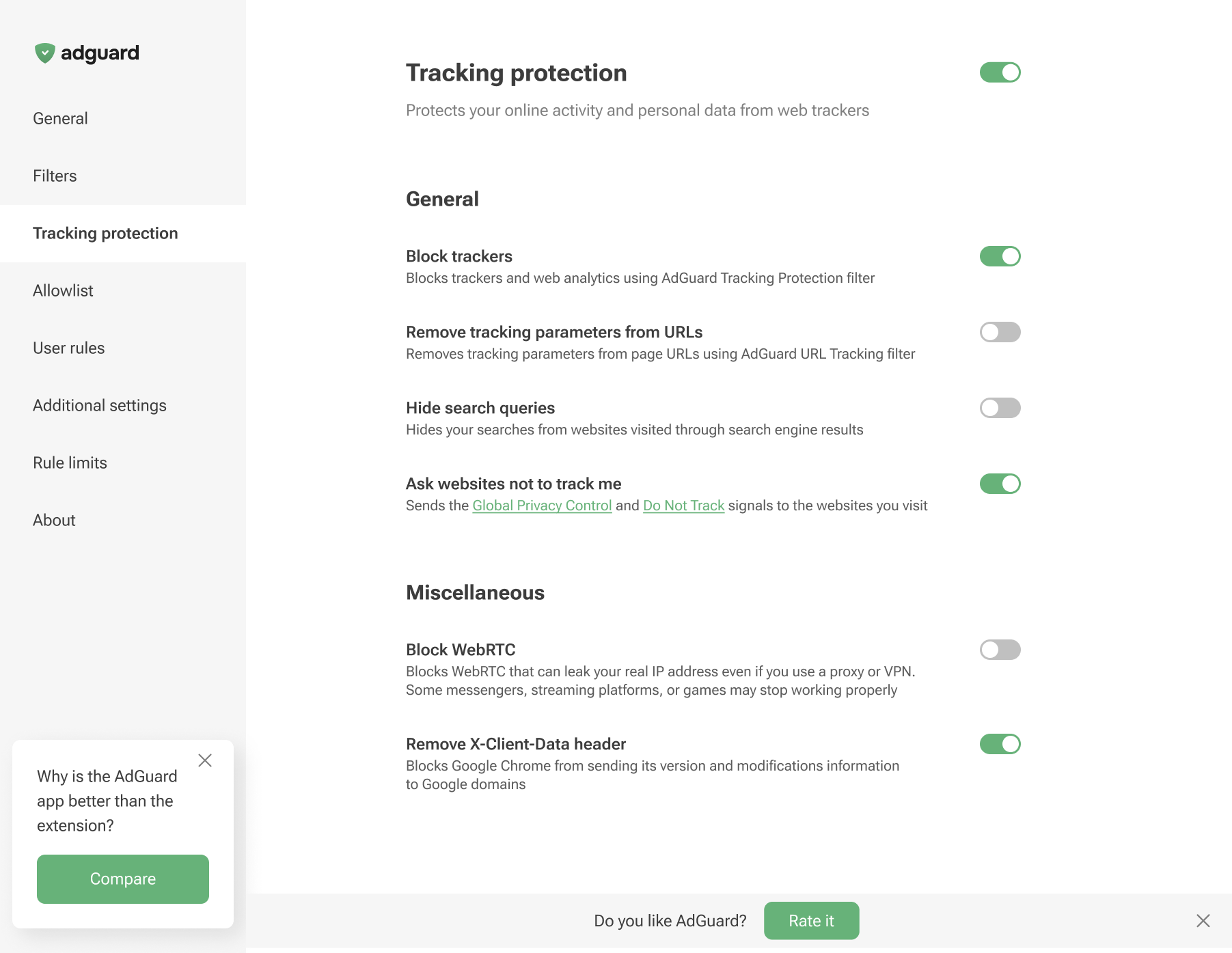
Tracking protection in Chromium-based browsers
Tracking protection in non-Chromium browsers
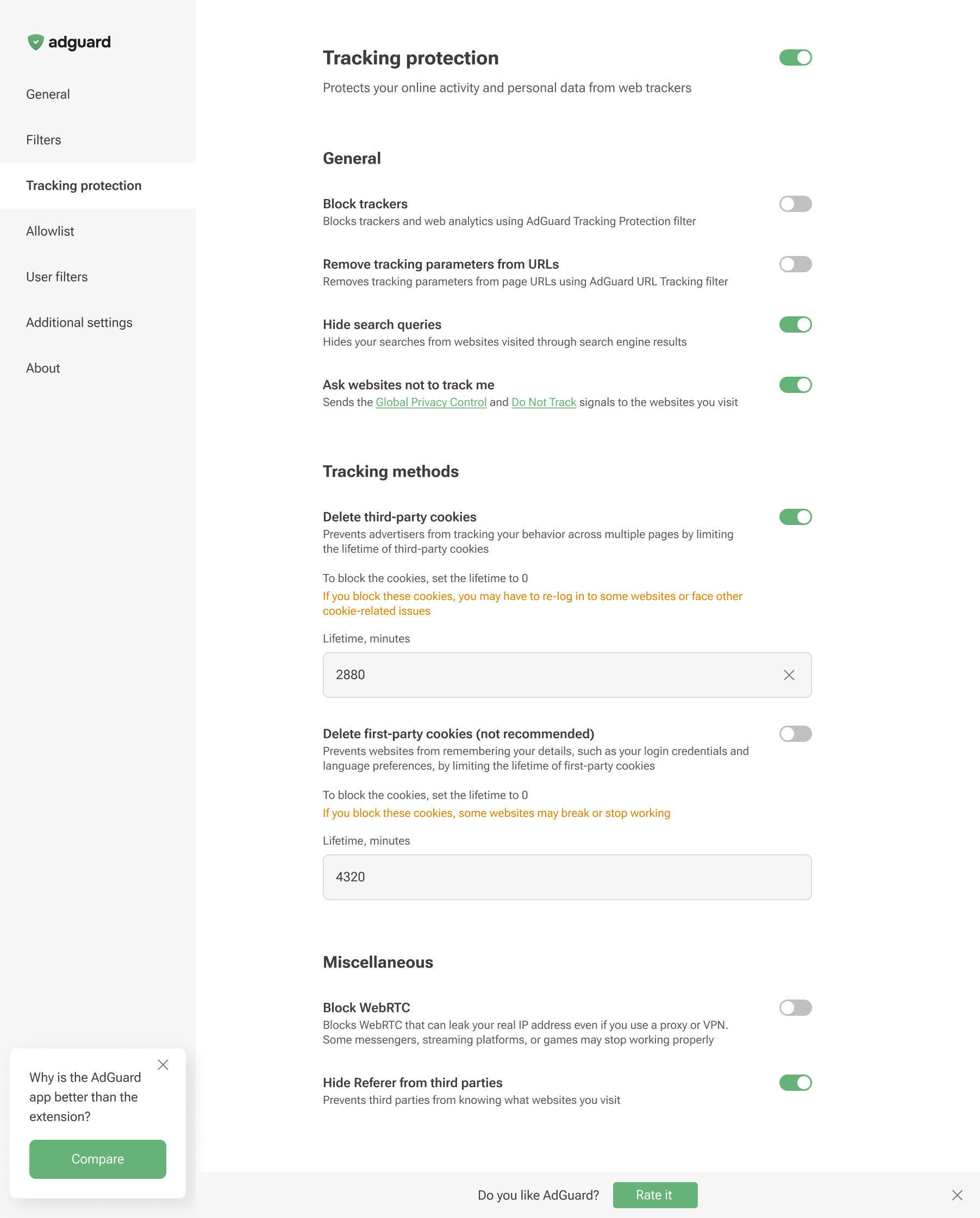
Tracking protection features prevent websites from seeing the search query you used to find them on the Internet, automatically delete third-party and website cookies, and more. A separate article is devoted to all these features.
Browser extensions are limited to a specific browser and are subject to its technical restrictions. Therefore, they cannot offer all the tracking protection features available in full-fledged ad-blocking apps.
In AdGuard Browser Extension, the Block WebRTC option works globally — it either blocks or allows WebRTC for all websites. It cannot be controlled on a per-site basis. Exception rules like @@||example.com^$stealth=webrtc have no effect in the browser extension because the webrtc option is not among the supported $stealth modifier options. If you need per-site WebRTC control, use the full-fledged AdGuard app for Windows, Mac, or Android.