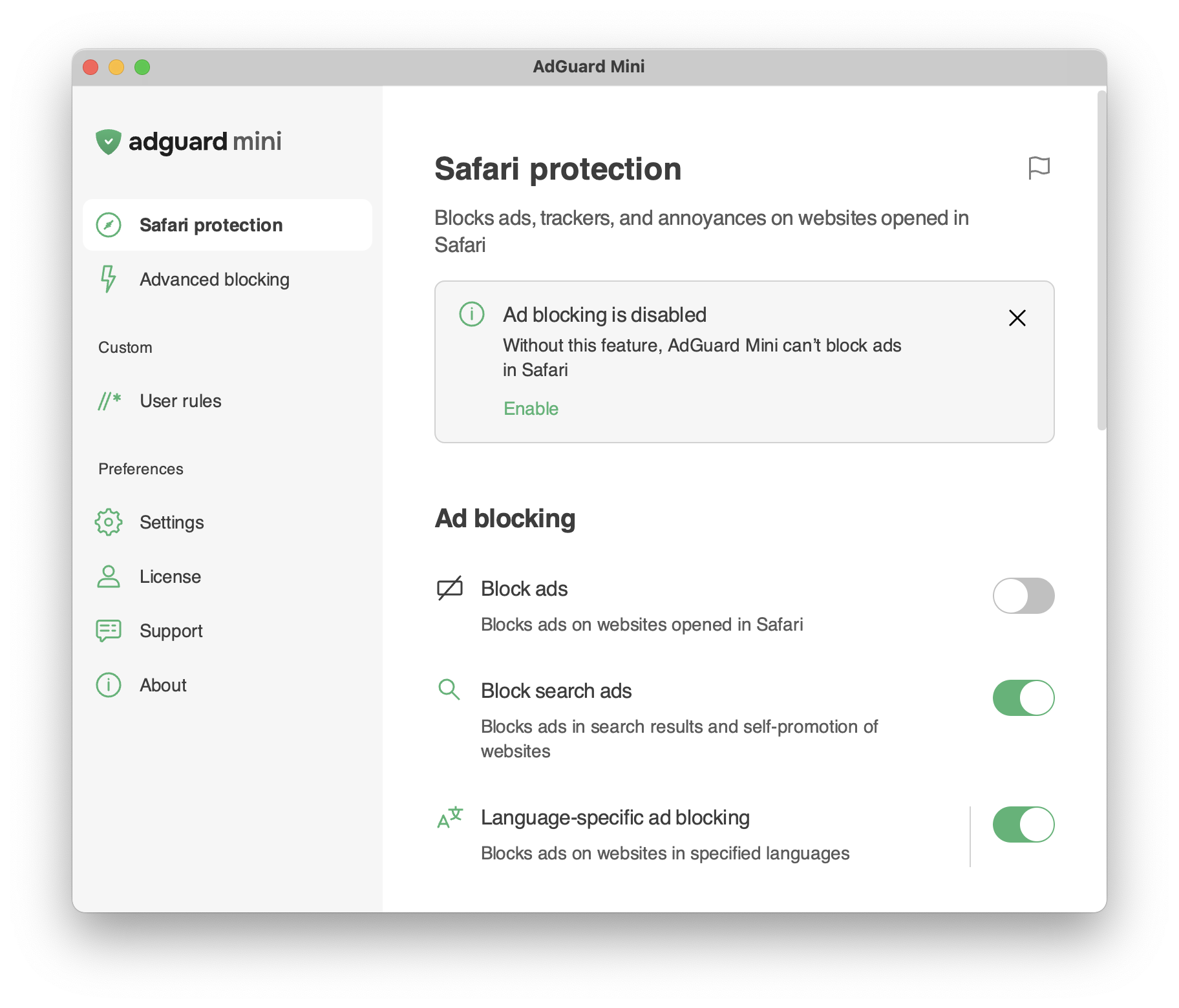
Safari-Schutz
Infos
In diesem Artikel geht es um AdGuard Mini für Mac, der nur Ihren Safari-Browser schützt. Um Ihren Mac vollständig zu schützen, laden Sie die AdGuard-App herunter
Safari-Schutz
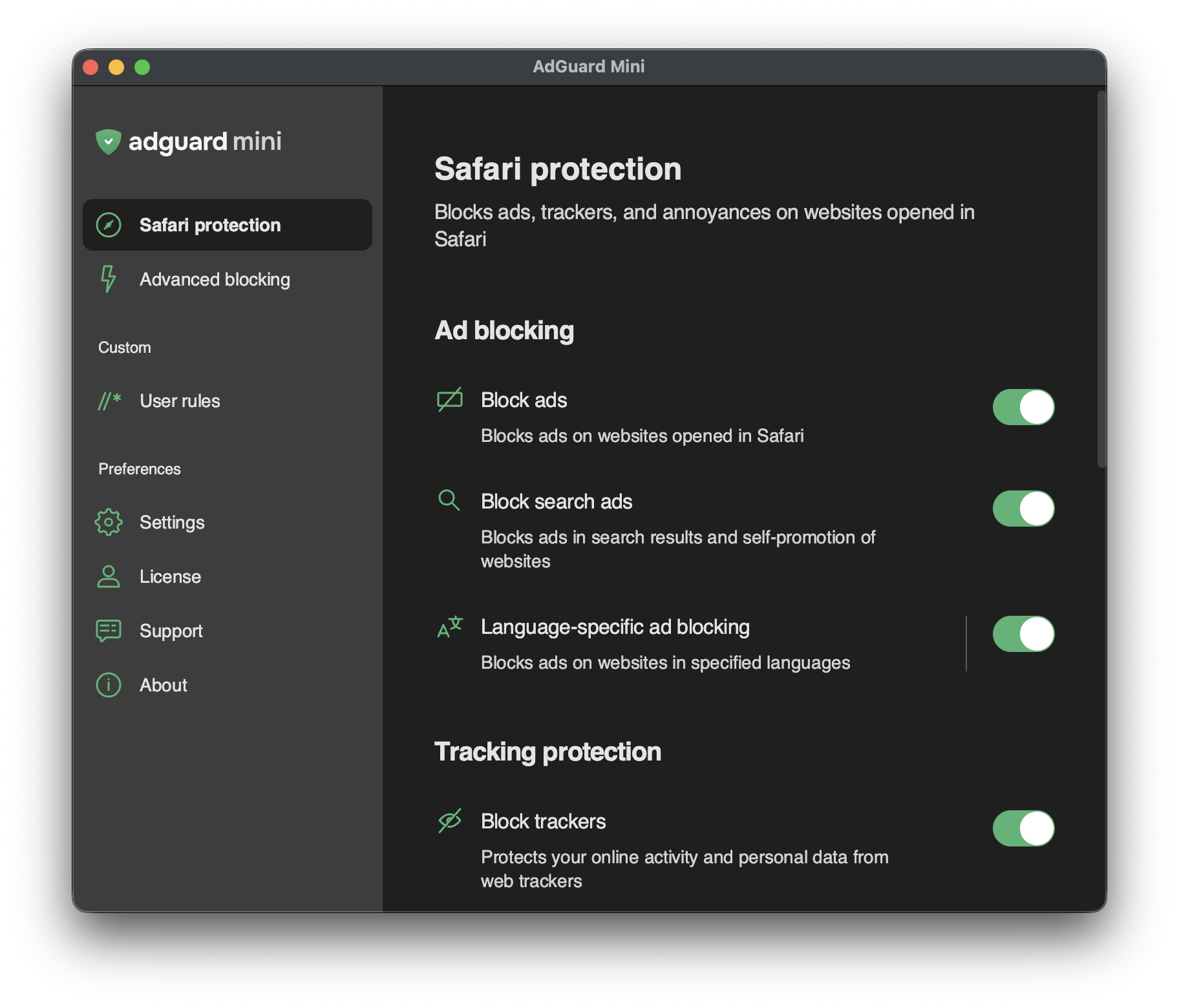
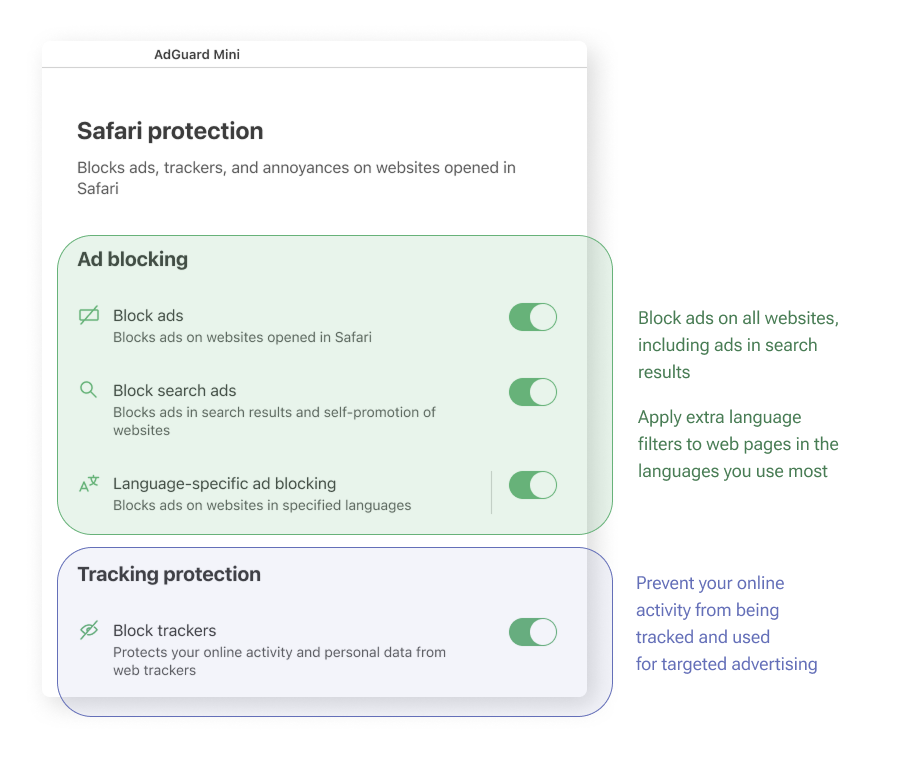
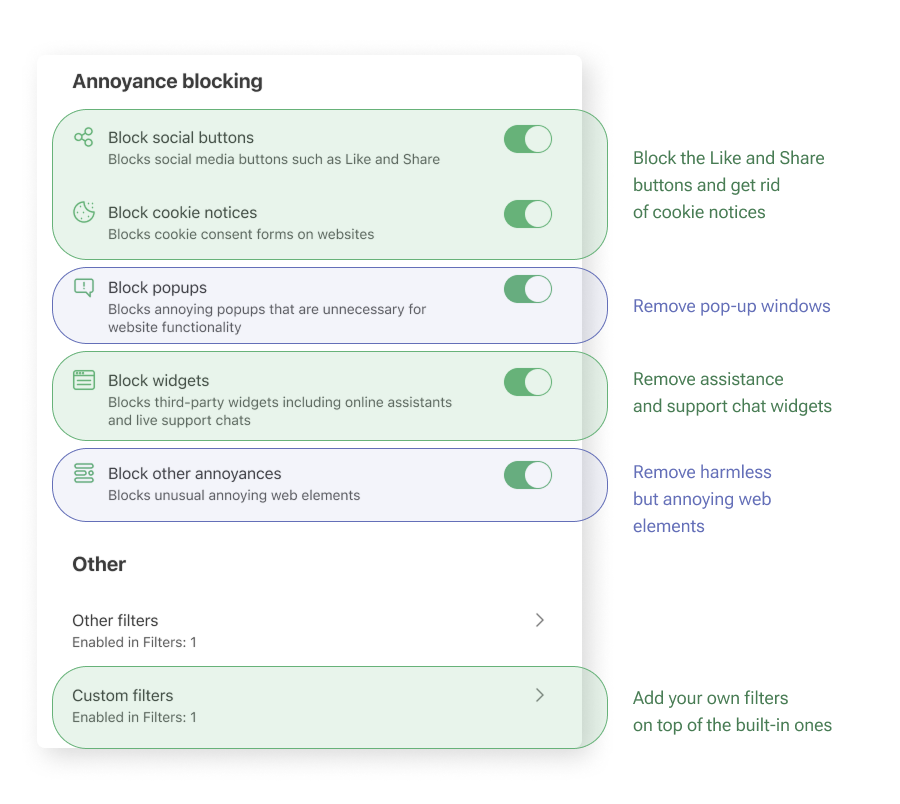
The Safari protection section is the most important area for the app’s core purpose. Einstellungen sind logisch gruppiert und in einfacher Sprache erklärt, damit Sie schnell sehen können, was jede Option bewirkt.
Hier ist eine einfache Erklärung, was jede Gruppe von Einstellungen bewirkt:
Health-check notifications
The Safari protection section includes health-check notifications that alert you to configuration issues that may affect filtering. Each notification describes the detected issue and suggests how to resolve it, where applicable.
Notifications are divided into two categories:
- Critical notifications are highlighted in orange and indicate issues that may prevent AdGuard Mini from functioning properly. These issues include missing background permissions, disabled Safari extensions, Safari extension errors, and reaching the Safari rule limit.
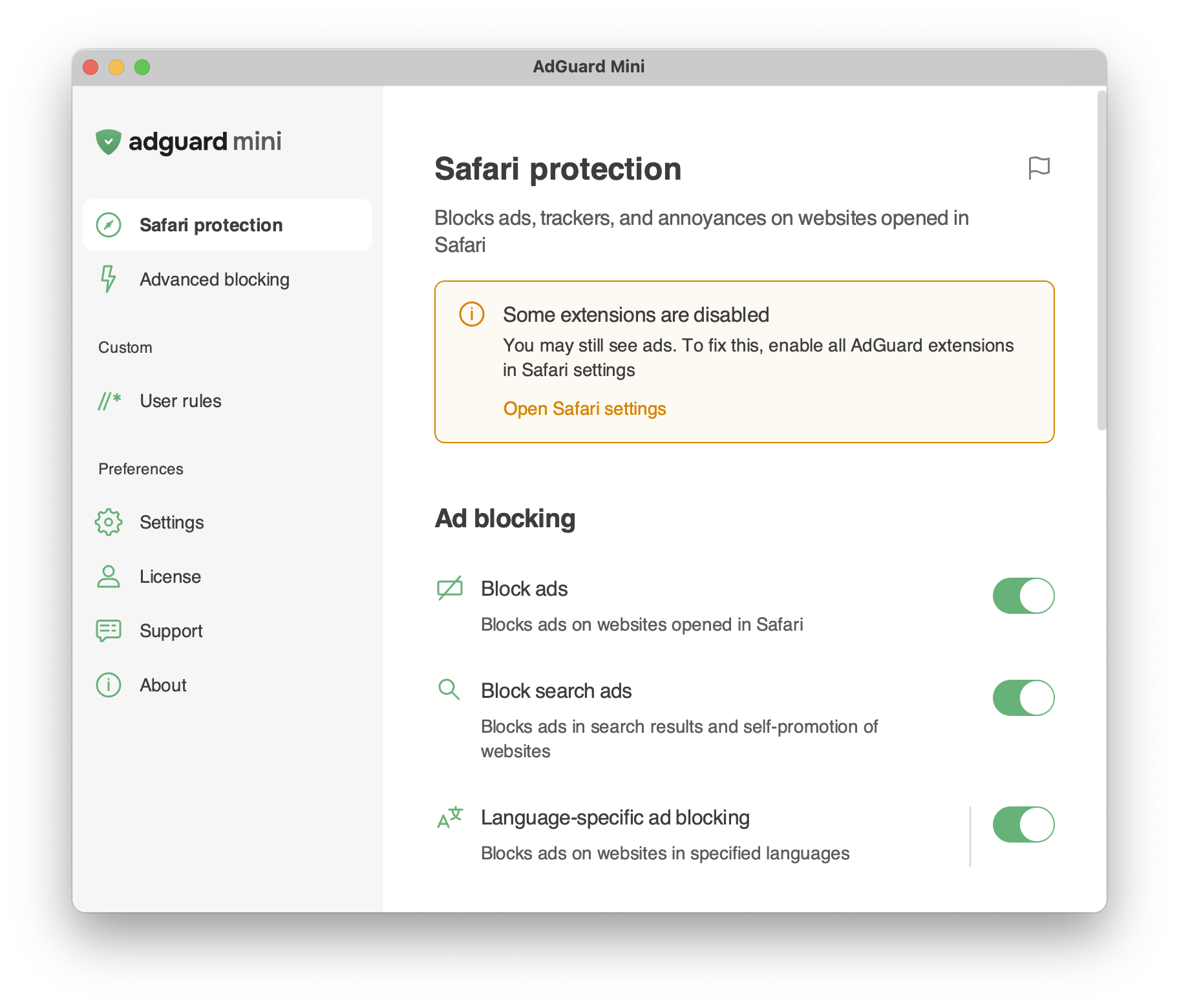
- Standard notifications are highlighted in gray and indicate less critical issues that can reduce protection quality, such as outdated filter lists or disabled features.