Instalace
Tento článek je o AdGuardu Mini pro Mac, který chrání pouze váš prohlížeč Safari. Chcete-li zcela ochránit svůj Mac, stáhněte si aplikaci AdGuard
Požadavky na systém
Vyžaduje macOS 12 nebo novější.
Jak nainstalovat AdGuard Mini pro Mac
AdGuard Mini pro Mac je aplikace zdarma dostupná v App Store pro Mac. Chcete-li ji nainstalovat do Macu, postupujte takto:
Otevřete App Store a vyhledejte tam aplikaci AdGuard Mini.
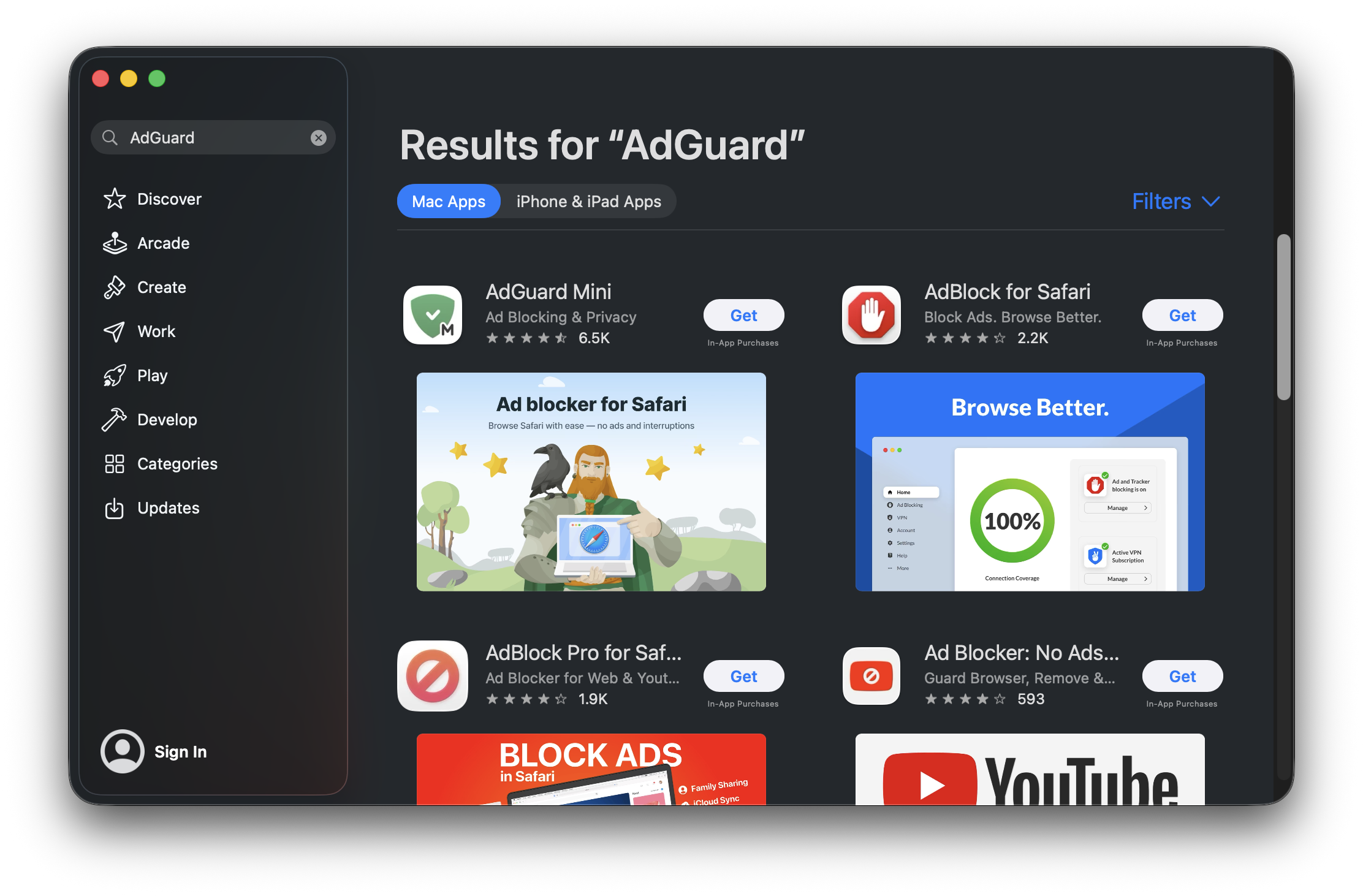
Stiskněte Získat → Instalovat → Otevřít.
V otevřeném okně AdGuard Mini přijměte smlouvu EULA a zásady ochrany osobních údajů. Zde se také můžete rozhodnout, zda nám pomůžete vylepšit rozšíření zasláním anonymizovaných údajů o používání. Poté klikněte na Pokračovat.

Zakazuje prohlížeči Google Chrome odesílat informace o verzi a modifikaci s požadavky na domény Google (včetně DoubleClick a Google Analytics).
Pokud se rozhodnete sdílet údaje o používání aplikace s AdGuardem, rozšíření bude shromažďovat anonymizované informace, jako jsou interakce s uživatelským rozhraním a identifikátory relací. Tento souhlas je dobrovolný a lze jej kdykoli odvolat. Všechny shromážděné údaje jsou zcela anonymizovány, používány pouze interně a nikdy nejsou sdíleny s třetími stranami.
:::
Klikněte na Otevřít nastavení.
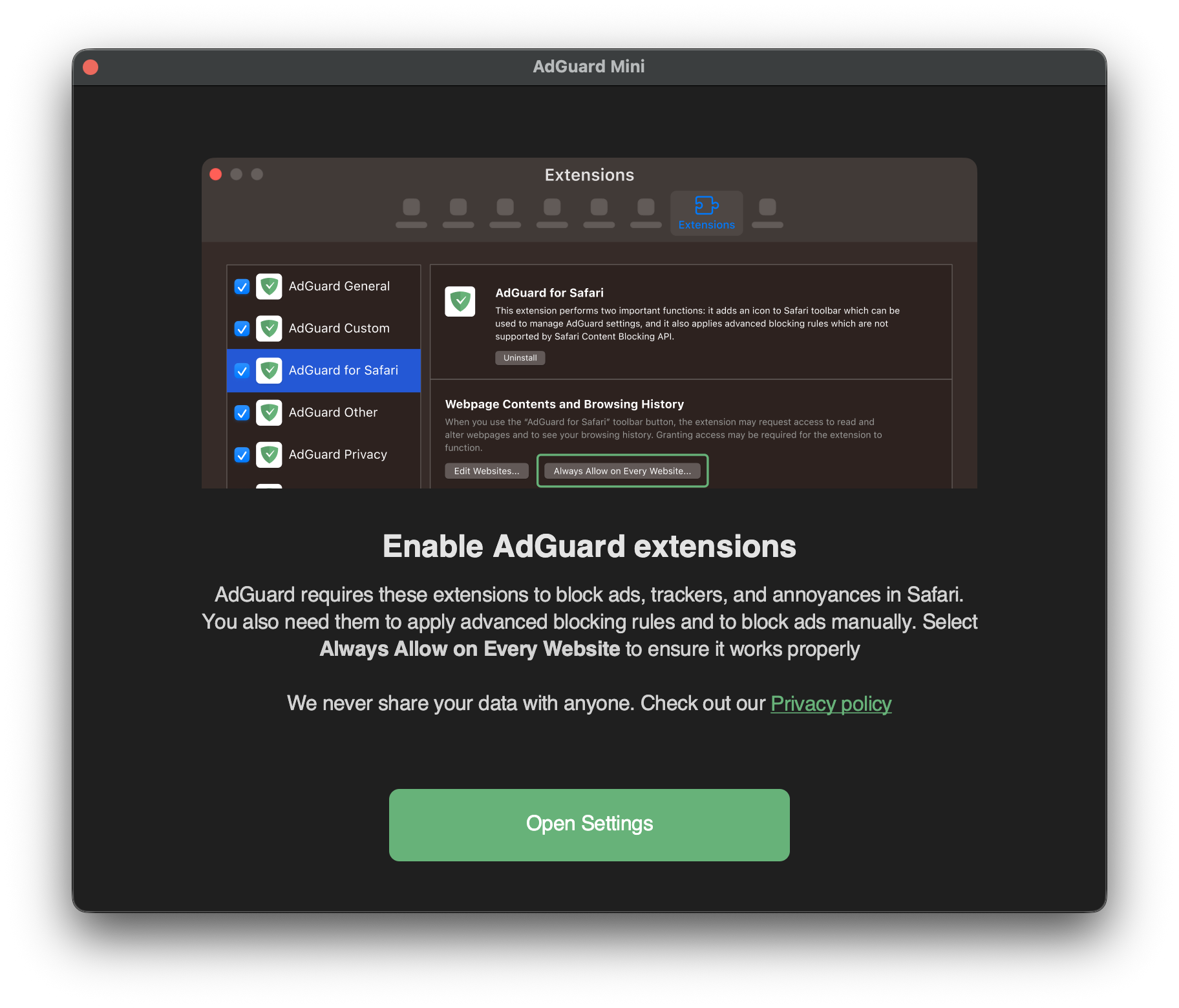
Zaškrtněte políčka u všech sedmi rozšíření AdGuardu.
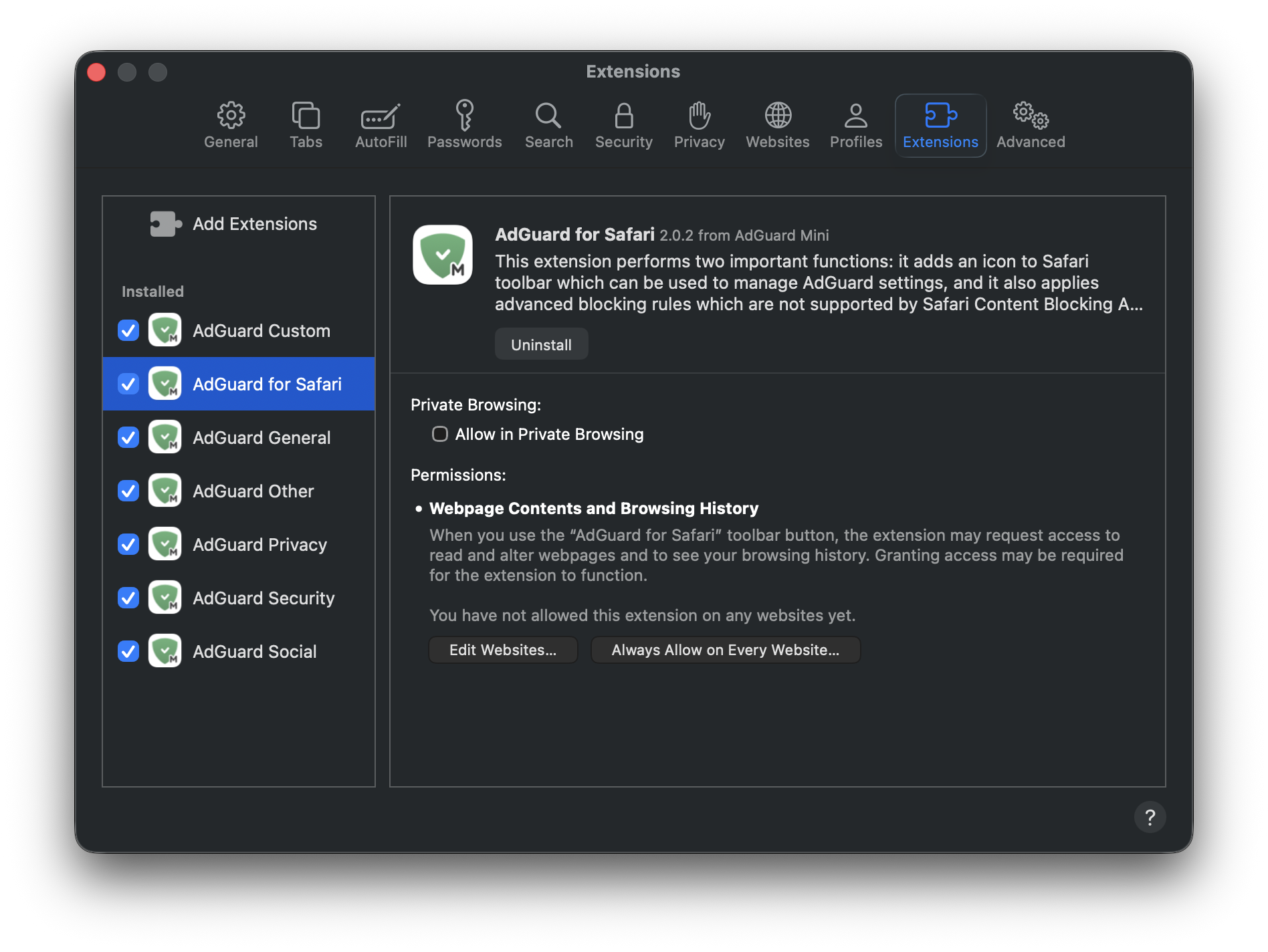
Chcete-li povolit aplikaci AdGuard Mini na všech webových stránkách, klikněte na rozšíření AdGuard pro Safari a poté na Vždy povolit na všech webových stránkách....
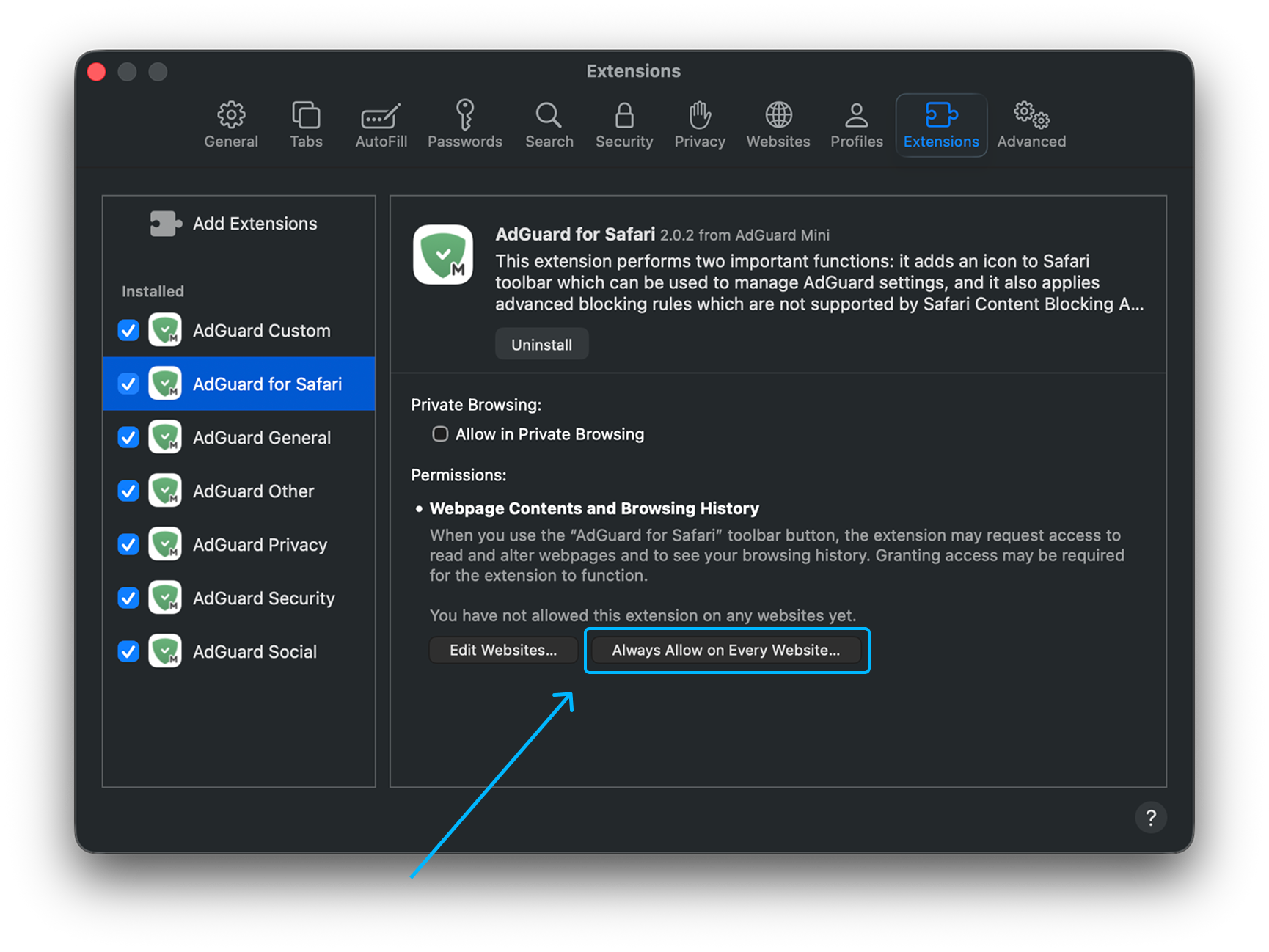
V zobrazeném oznámení klikněte znovu na Vždy povolit na všech webových stránkách....
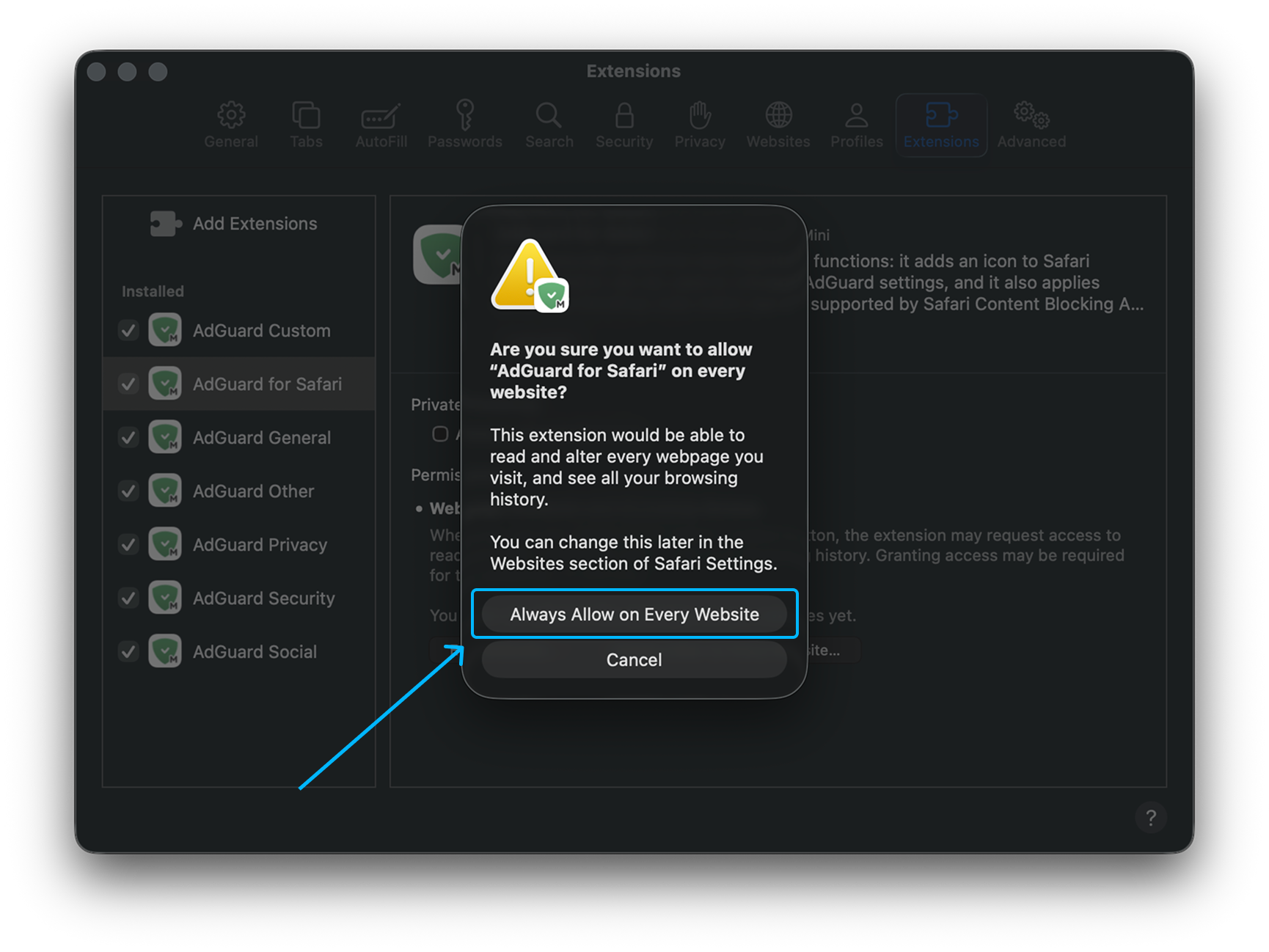
Po dokončení těchto kroků začne AdGuard Mini pro Mac fungovat v prohlížeči Safari.
Jak odinstalovat AdGuard Mini pro Mac
Chcete-li odinstalovat AdGuard Mini pro Mac postupujte takto:
Ukončete aplikaci.
Klikněte na Safari v nabídce v levém horním rohu.
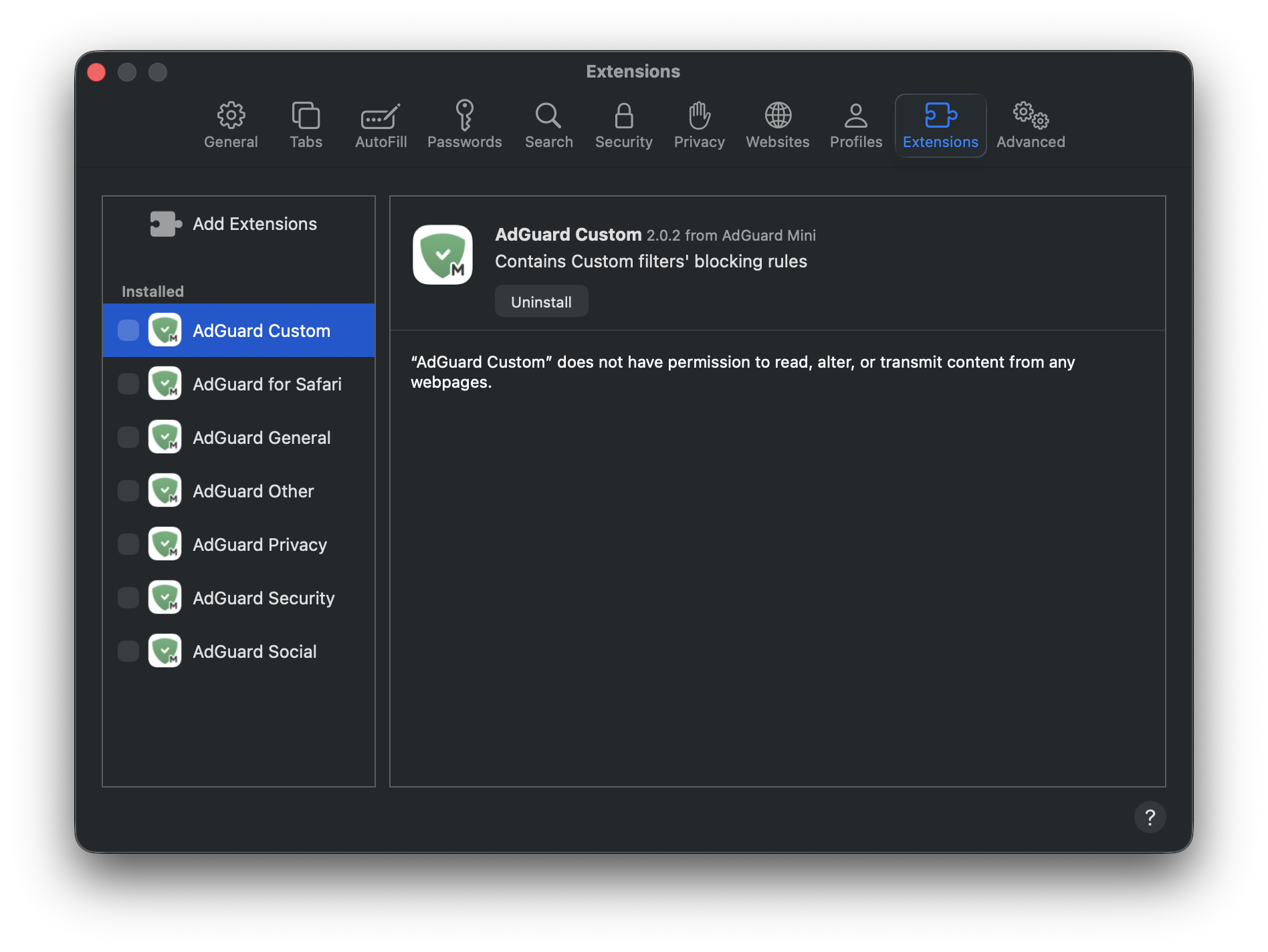
Klikněte na Nastavení… → Rozšíření. Zobrazí se seznam rozšíření, AdGuard Mini jich má sedm.
Zrušte zaškrtnutí všech políček a stiskněte Odinstalovat pod kterýmkoli z nich.
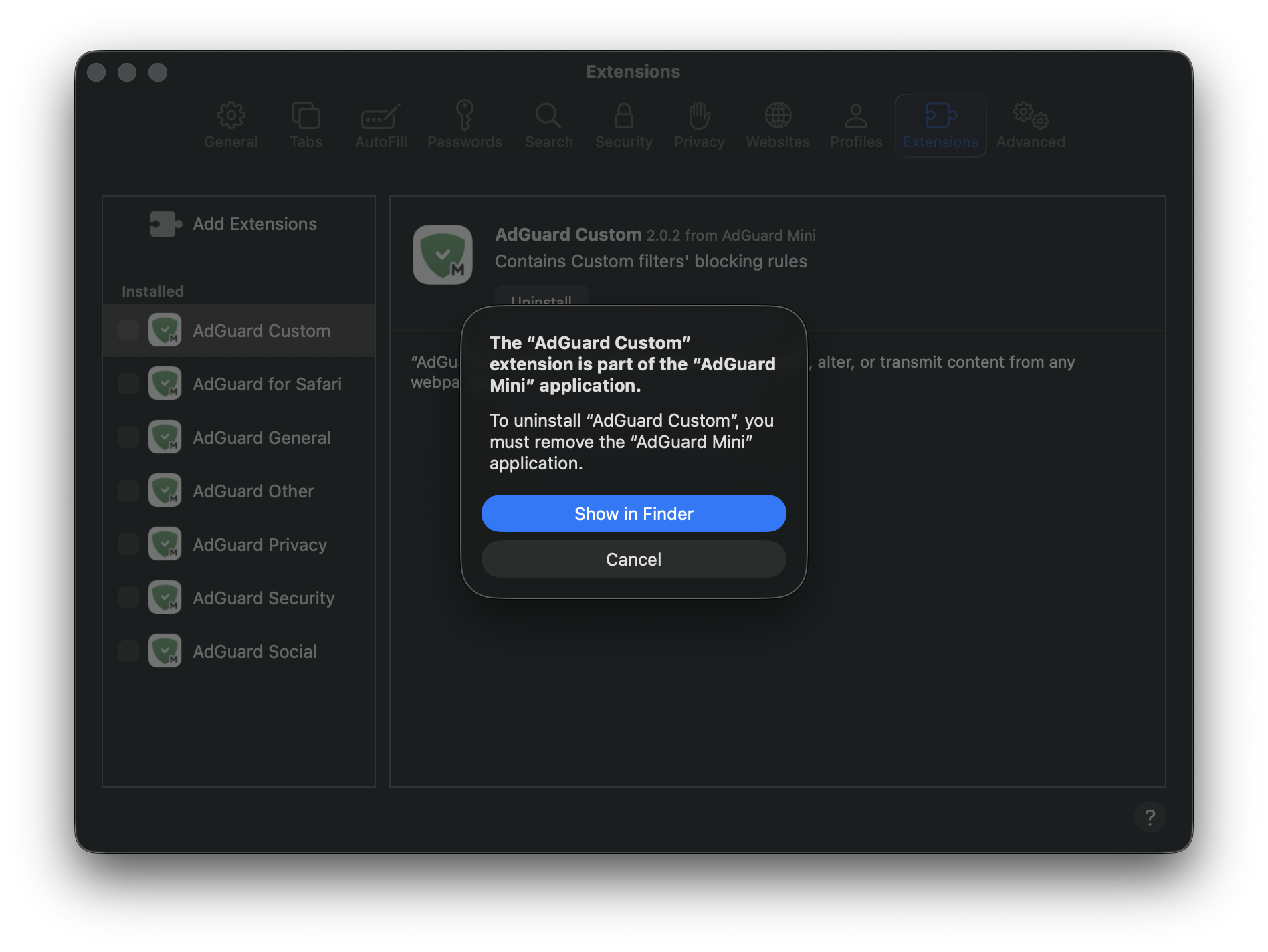
V zobrazeném oznámení stiskněte Zobrazit ve Finderu.
Klikněte pravým tlačítkem na AdGuard Mini a vyberte možnost Přesunout do koše.
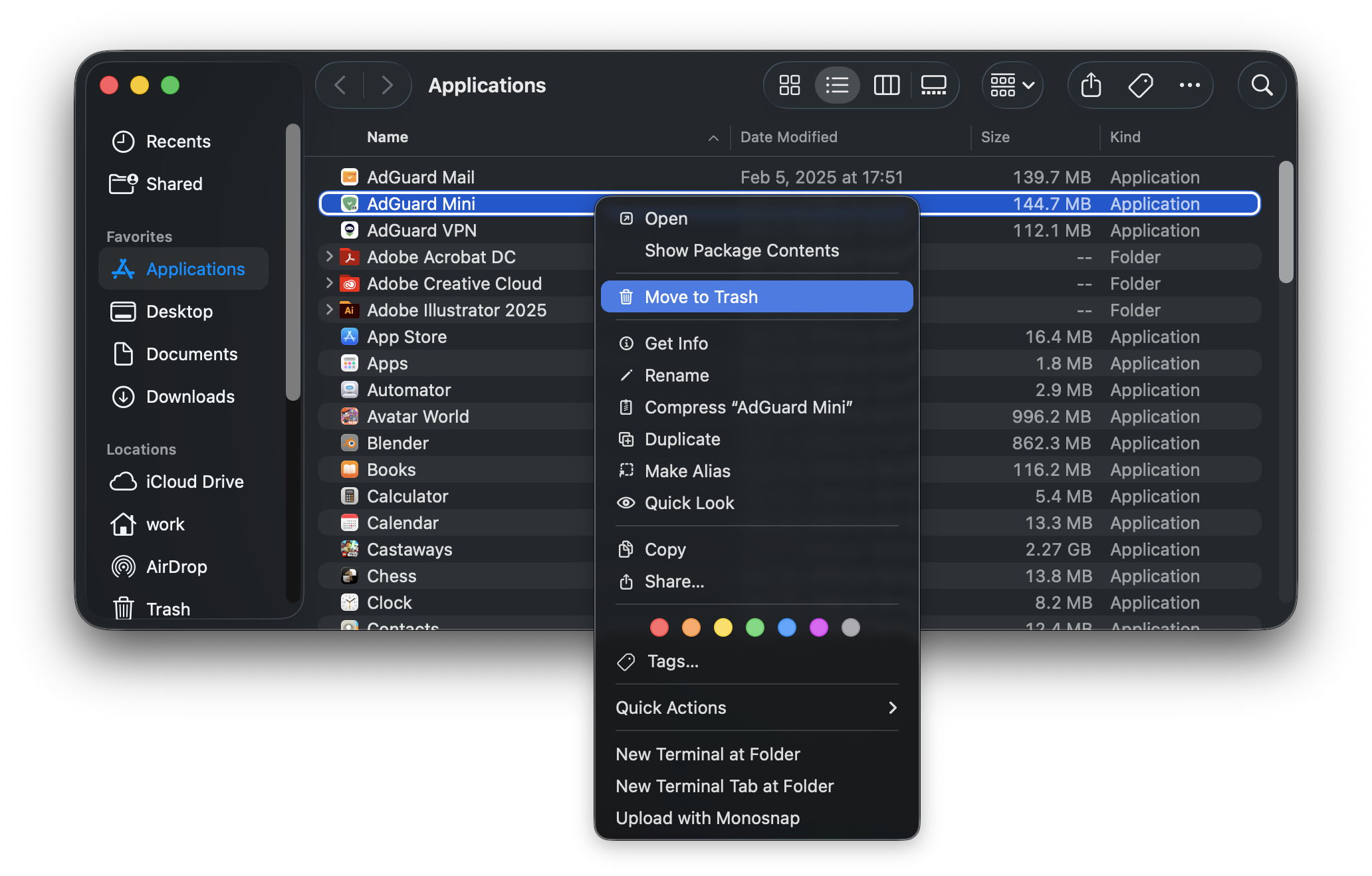
AdGuard Mini pro Mac bude z vašeho zařízení odebrán.