Nastavení aplikace
Tento článek popisuje AdGuard pro Windows v8.0, multifunkční blokátor reklam, který chrání vaše zařízení na úrovni systému. Jedná se o beta verzi, která je stále ve vývoji. Chcete-li vyzkoušet, stáhněte si beta verzi AdGuard pro Windows.
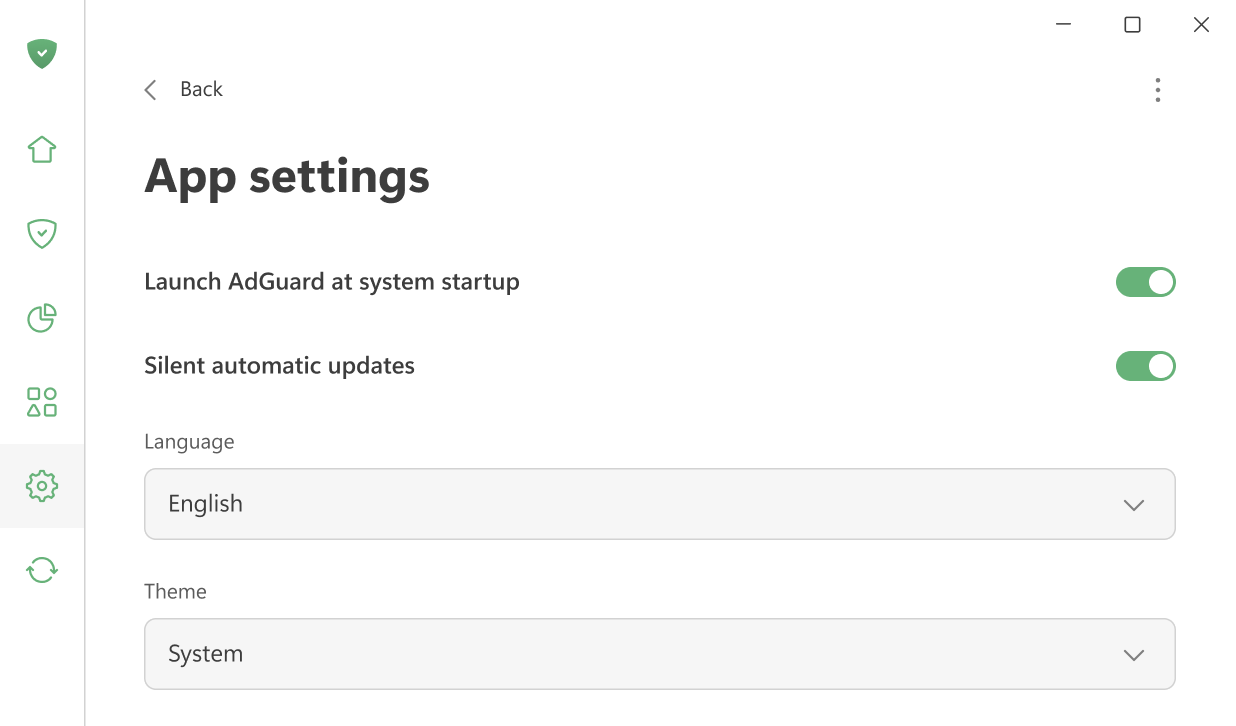
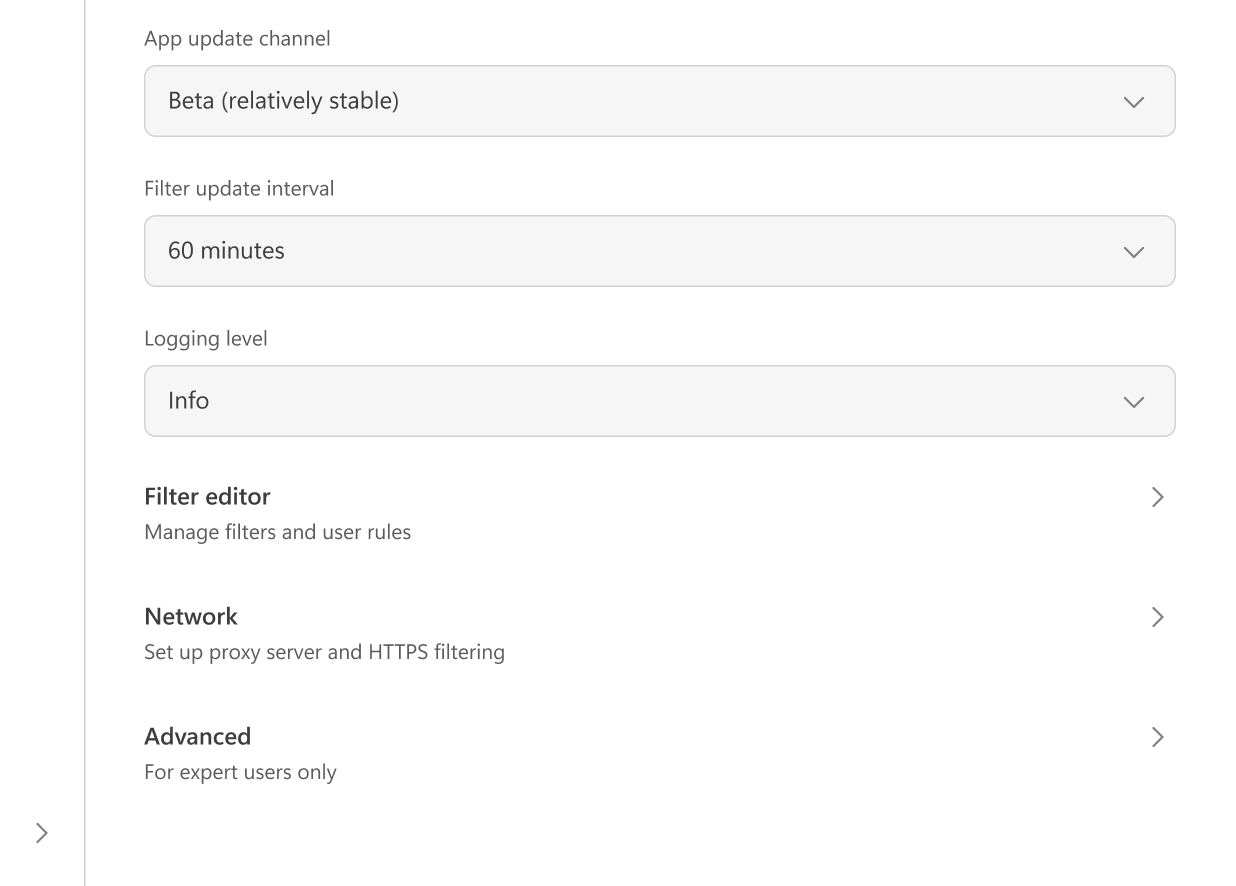
Zde můžete upravit hlavní nastavení aplikace: vybrat si mezi světlým a tmavým motivem, nastavit jazyk aplikace, povolit spuštění AdGuardu při startu systému a povolit tiché automatické aktualizace. Je také možné vybrat kanál aktualizací a určit, jak často má AdGuard kontrolovat aktualizace filtrů.
Pokud chcete, můžete souhlasit s odesíláním anonymizovaných údajů o používání aplikace, které nám pomohou vylepšit produkt.
V případě problémů můžete změnit úroveň logování a vytvořit podrobné logy pro tým podpory.
V Editoru filtrů můžete přidat vlastní pravidla filtrování nebo importovat hotové filtry.
Nastavení sítě zahrnuje všechny možnosti související s filtrováním sítě a způsobem, jakým AdGuard komunikuje se sítí vašeho systému.
Pokročilá nastavení jsou určena pro zkušené uživatele. V běžném používání jsou zřídka potřebné a měly by být měněny pouze v případě, že víte, co děláte, nebo pokud vás o to požádá náš tým podpory.