Network settings
This article describes AdGuard for Windows v8.0, a comprehensive ad blocker that protects your device at the system level. This is a beta release that is still under development. To try it, download the beta version of AdGuard for Windows.
This section lets you manage how AdGuard filters your Internet traffic and provides additional tools to control network-related features.
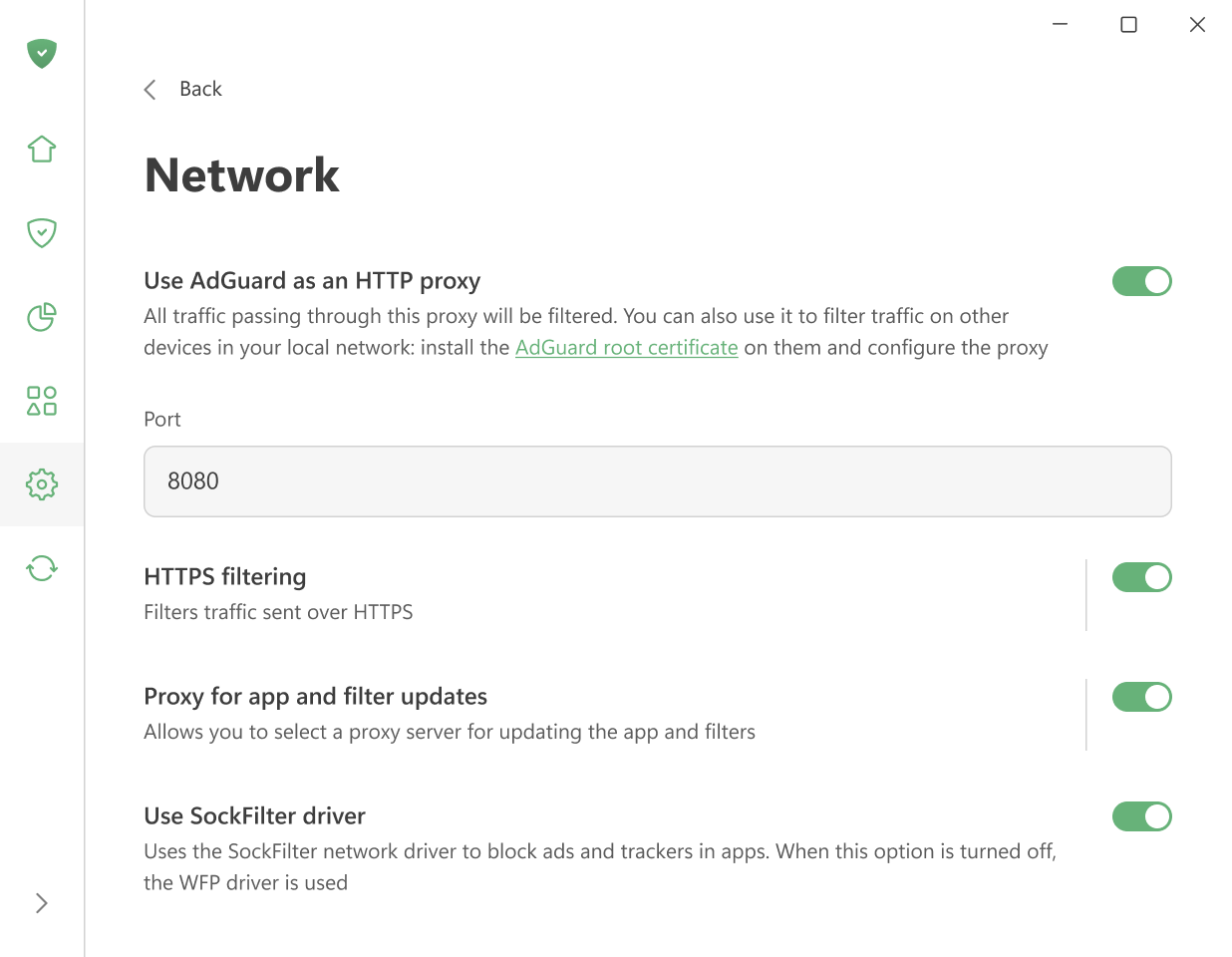
Use AdGuard as an HTTP proxy
Enable this option to make AdGuard work as an HTTP proxy. All traffic passing through it will be filtered — not only on your computer but also on other devices in your home network.
To filter traffic on other devices, install AdGuard’s root certificate on them and set up the proxy manually.
Other settings are enabled by default.
HTTPS filtering
Most websites use HTTPS encryption today. Without HTTPS filtering, AdGuard cannot block ads on websites like YouTube, Facebook, or X (Twitter).
We recommend keeping the Filter HTTPS option turned on unless you have a specific reason to turn it off.
With this option, you can:
Reinstall or download the AdGuard certificate
Add websites to a list that won’t be filtered
Choose whether to filter websites with EV (Extended Validation) certificates
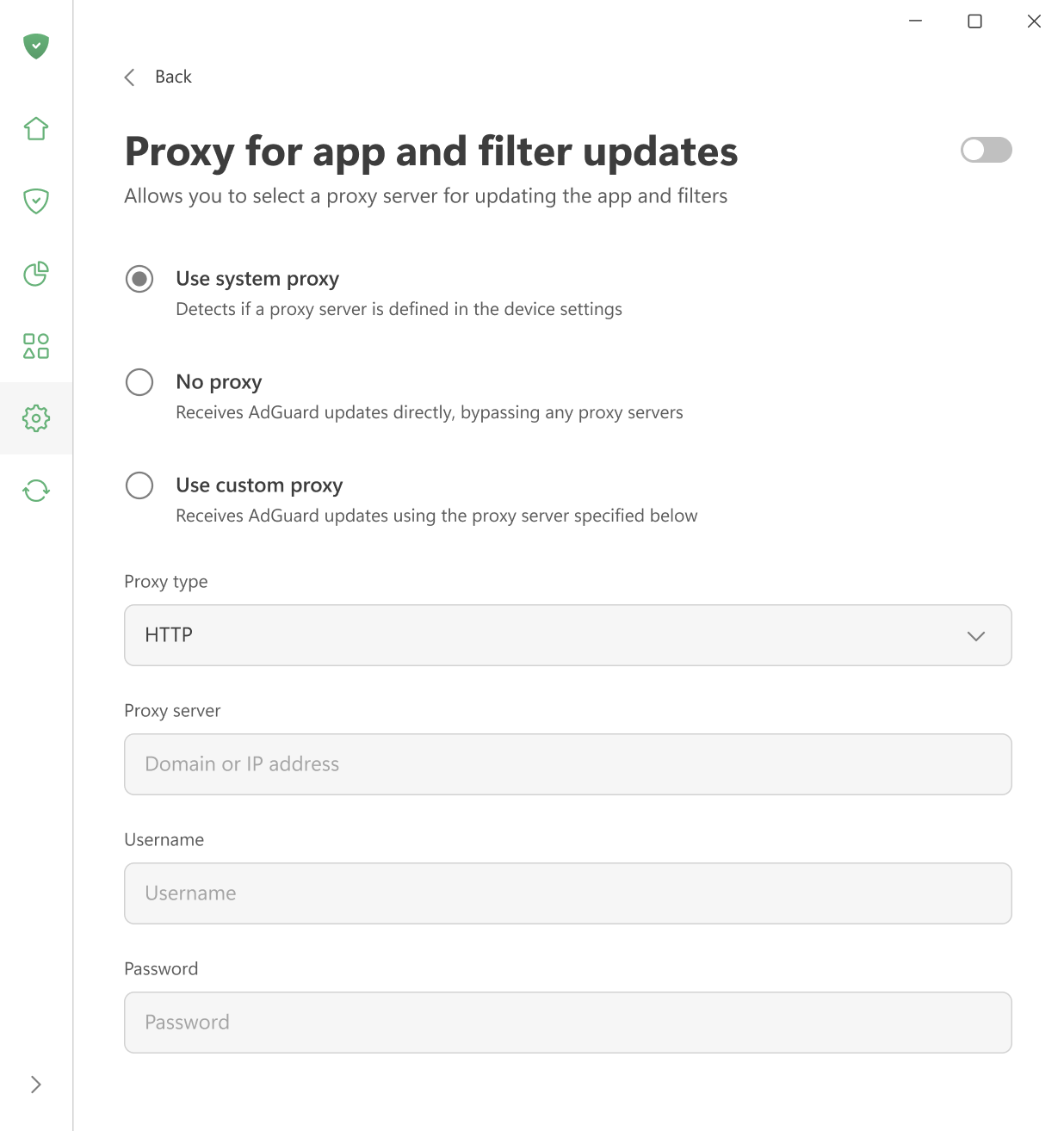
Proxy for app and filter updates
Here you can choose which proxy AdGuard should use to download filter updates or new app versions — the system proxy, a custom proxy, or no proxy at all.
Use SockFilter driver
Enable this option to use the SockFilter driver, which helps block ads and trackers in apps on Windows 8 and later. If this option is disabled, AdGuard will switch to the older WFP driver instead.
SockFilter was first introduced in v8.0 RC. It is an experimental, lightweight kernel-mode network driver that works at the socket level (TCP/UDP). Instead of inspecting or modifying packets as they travel through the full Windows networking stack, a sock filter intercepts socket calls (e.g., connect, send, receive, bind) at a higher, more stable abstraction level. This makes it ideal for applications that need to monitor or control network activity without deep packet processing.
When fully tested and implemented, SockFilter has the potential to bring several advantages over other drivers:
- It operates at a higher, socket-level layer: SockFilter works with socket operations rather than raw packets, making it less complex and more stable than WFP’s low-level packet filtering.
- No interference with other network drivers: Because it sits above VPN, firewall, and antivirus WFP filters, it avoids filter-ordering problems and compatibility conflicts common in the WFP stack.
- Greatly reduced risk of NETIO-related BSODs: SockFilter doesn’t run inside the NETIO packet pipeline, so it avoids the typical crash scenarios caused by WFP callouts mishandling buffers, classification results, or packet memory.
When it comes to disadvantages, SockFilter driver sees only socket-level operations and does not capture traffic generated by other kernel drivers or components that bypass the standard Winsock API. From a low-level networking perspective, this can be viewed as a limitation, since the driver cannot access raw packets or inspect non-socket traffic. However, for an ad-blocking application, this behavior is not just acceptable but optimal. All relevant traffic from browsers and user-mode applications goes through standard sockets, and that’s exactly what we need to control. At the same time, ignoring low-level driver traffic removes unnecessary complexity, avoids compatibility issues, and keeps the system stable.