AdGuard Browser Extension MV3
Chrome has removed all remaining Manifest V2 (MV2) extensions from the Chrome Web Store, and other Chromium-based browsers, Opera and Microsoft Edge among them, are moving to MV3 as well. Users of these browsers need an MV3 extension, compatible with the new API Manifest V3. Our thoughts on this topic are extensively discussed on our blog.
Our MV3 extension effectively blocks ads and trackers while seamlessly managing social widgets, banners, and video ads. Most users will not notice any operational differences, but there are some limitations and changes to be aware of.
Where to find our extensions
The MV3 version is our primary Chrome extension and is available in the
Chrome Web Store. MV3 builds are also published on GitHub Releases as chrome-mv3.zip for Chrome and opera-mv3.zip for Opera.
The MV3 beta is available in the Chrome Web Store.
AdGuard Ad Blocker MV2 was removed from the Chrome Web Store together with all other MV2 extensions. MV2 keeps working in Firefox and in Chromium-based browsers that retained support for it — see How to keep using AdGuard after Chrome removed MV2.
Main changes in features and settings
-
Filter updates. The options Auto-update filters and Check filters update are not available in the Filters tab: rules that ship as part of the extension can be updated only together with a new extension version, after store review. Keep automatic extension updates enabled in your browser.
Custom filters you add by URL update on their own, independently of extension updates.
-
AdGuard Quick Fixes filter. Because built-in rules can’t be updated on request, the extension ships the AdGuard Quick Fixes filter. It uses dynamic rules to react to newly introduced ads and broken websites between releases, so keep it enabled.
-
Filtering log
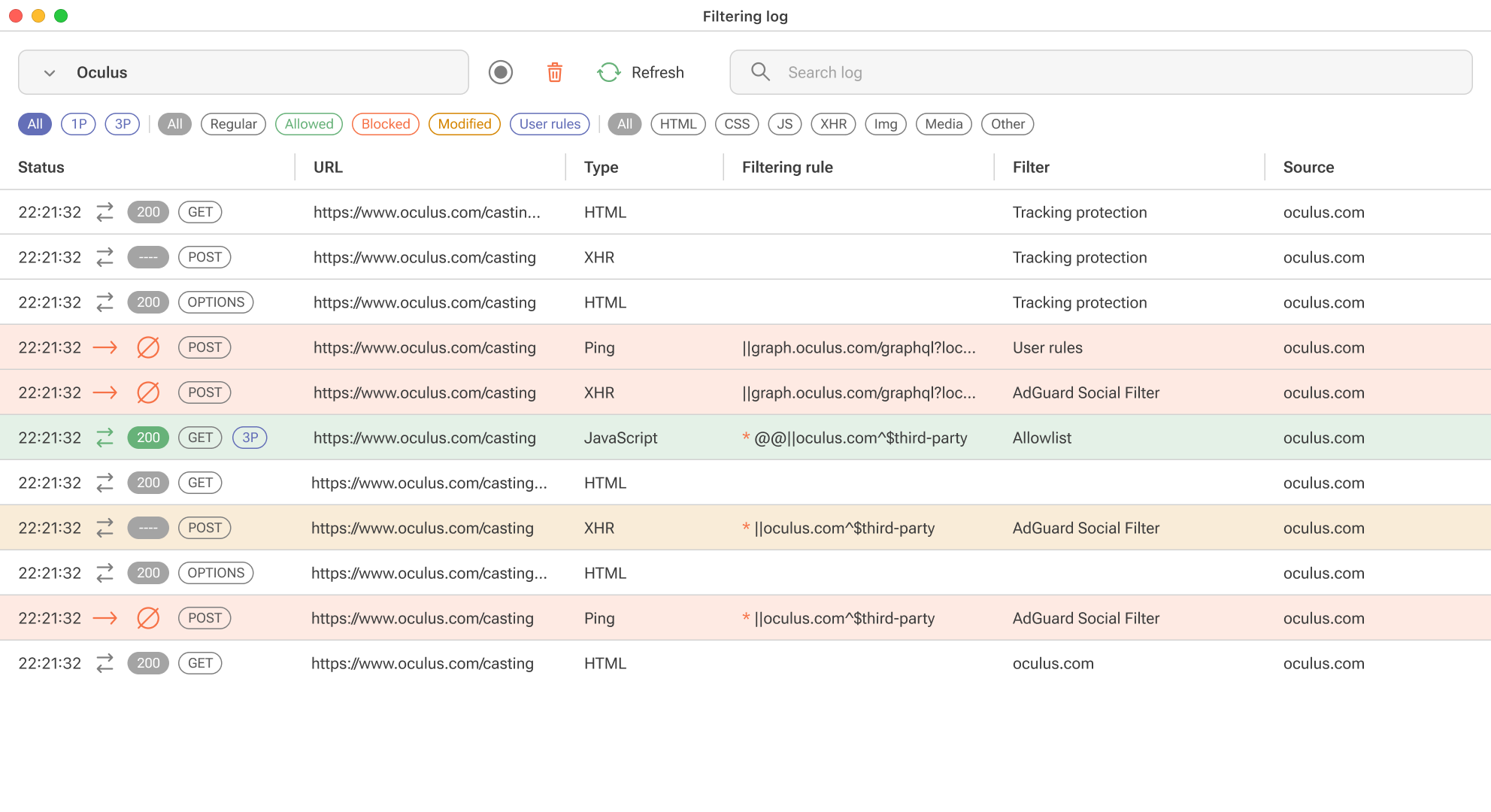
Due to DNR restrictions, we can’t show exactly which rule worked, but we will provide an “assumed rule that was triggered” based on our engine. For precise information, you’ll need to install the “unpacked” form of the extension in your browser yourself. You’ll find detailed instructions on how to do this in a separate article.
-
Tracking protection (formerly known as Stealth mode)
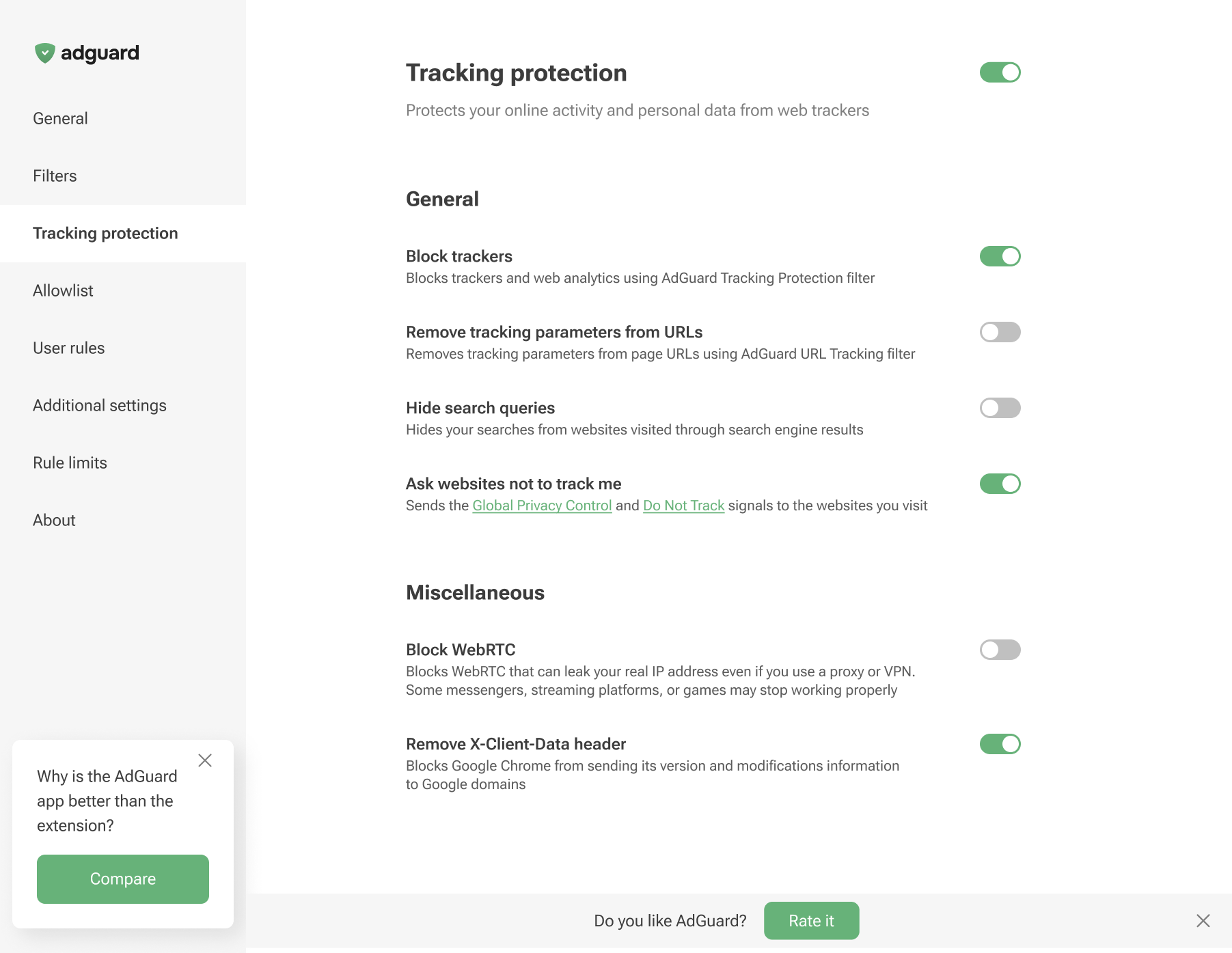
There are no Cookies section, along with Self-destruction of first-party cookies and Self-destruction of third-party cookies since we cannot set the TTL of cookies using declarative rules.
-
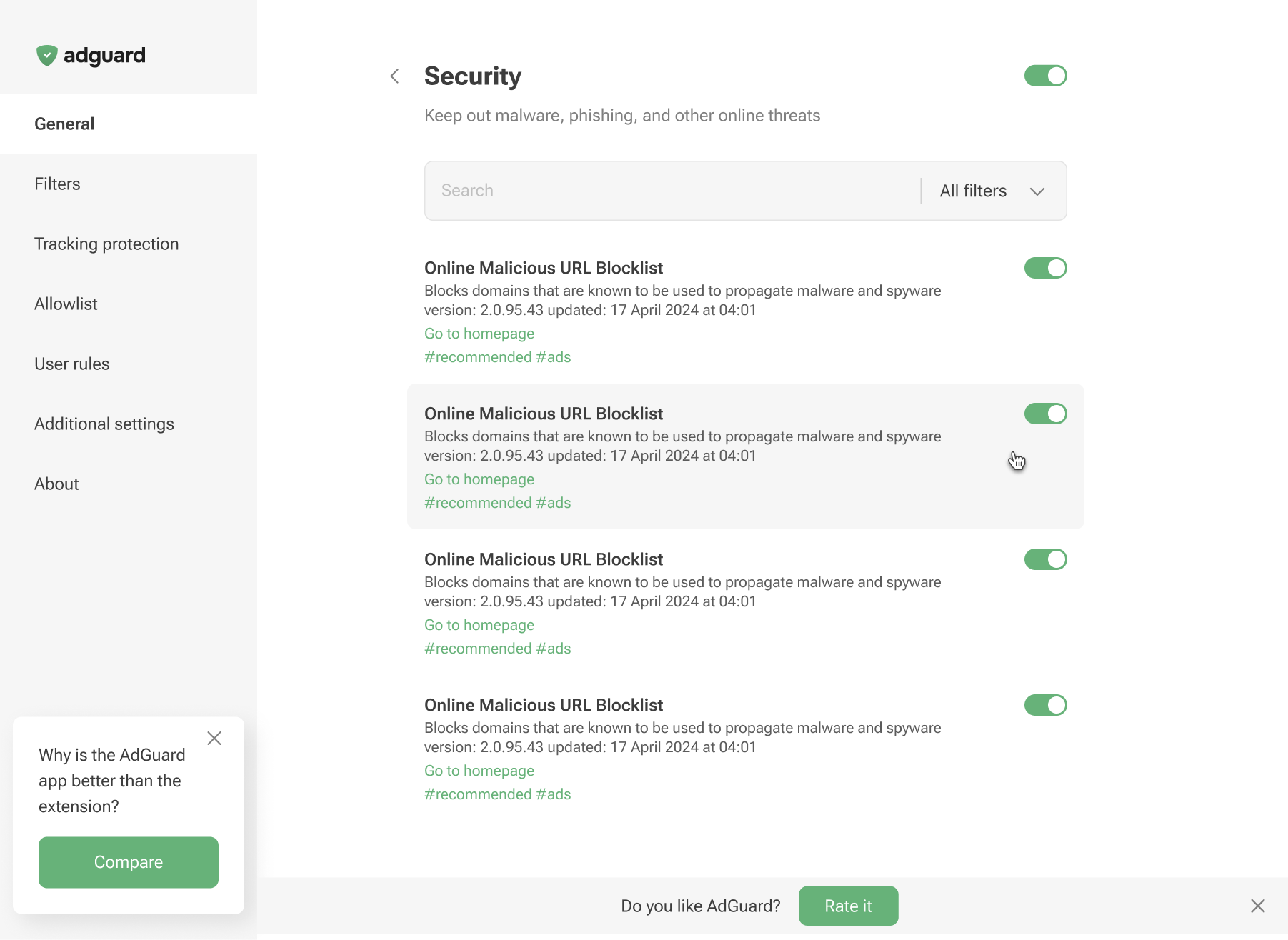
Phishing & malware protection is no longer available in the general settings. To protect yourself from malicious websites and scams, enable the appropriate Security filters in the Filters tab.
Limitations
Maximum number of rules and filters
Manifest V3 imposes limits on static and regex rules per extension. Users may receive notifications when these limits are exceeded.
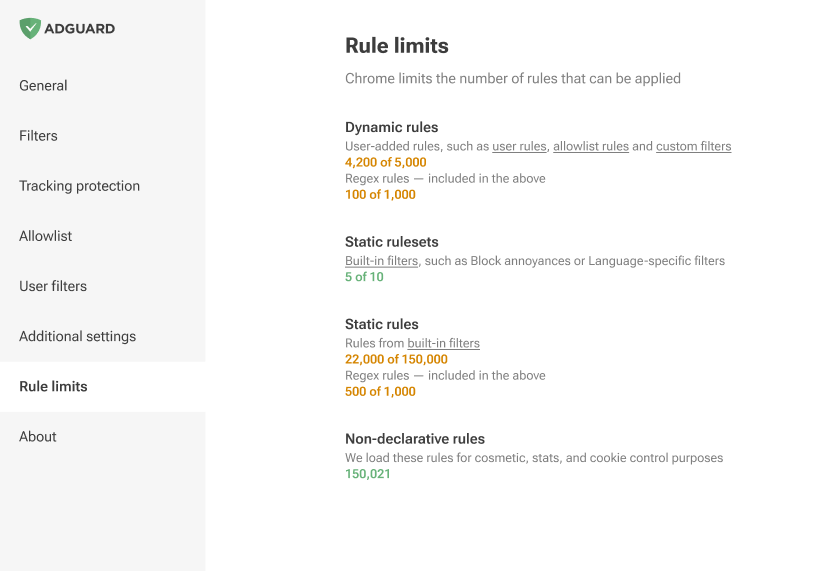
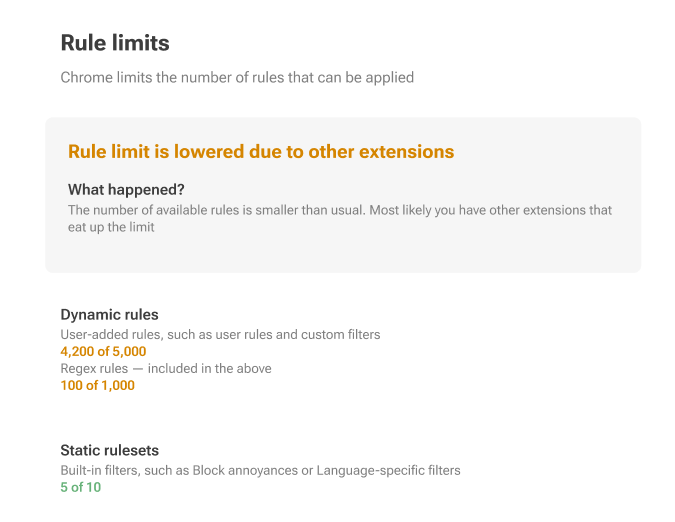
Basically, Manifest V3 divides rules into static (built-in) and dynamic, with strict limits in place.
Static rules: minimum 30,000 rules per extension, with a cumulative limit of 330,000 for all extensions installed by a single user.
For regex rules, the limit is set at 1,000 per extension.
The maximum number of simultaneously enabled filters is 50.
Dynamic rules: a strict cap of 5,000 rules is imposed, which includes a maximum of 1,000 regex rules.
If this limit is exceeded, only 5,000 converted rules will be applied in the following order: first Allowlist, then User rules and finally Custom filters.
Converted rules are rules that have been transformed to DNR format using the declarative converter. During this conversion process, some rules may overwrite others (
$badfilter), some may be combined ($removeparam), resulting in a list of rules with a slightly different order.From this list of converted rules, we will only use 5,000 rules. The rest of them will be displayed in the editor, but not applied.
Here’s how a rule with a basic modifier is converted to a declarative rule:
||example.org^$script,third-party,domain=example.com
is converted to
[
    {
        "id": 1,
        "action": {
            "type": "block"
        },
        "condition": {
            "urlFilter": "||example.org^",
            "domainType": "thirdParty",
            "initiatorDomains": [
                "example.com"
            ],
            "resourceTypes": [
                "script"
            ]
        },
        "priority": 302
    }
]
More examples can be found on GitHub.
Network rule modifiers
Network rule modifiers have limitations: some of them cannot be implemented in MV3, or can only be implemented with restrictions.
More details about the limitations can be found on GitHub. For further information on modifiers, please refer to our Knowledge base.