Main menu
info
This article is about AdGuard Browser Extension, which safeguards only your browser. To protect your entire device, download the AdGuard app
The extension’s main page can be accessed by clicking its icon on your browser’s toolbar.
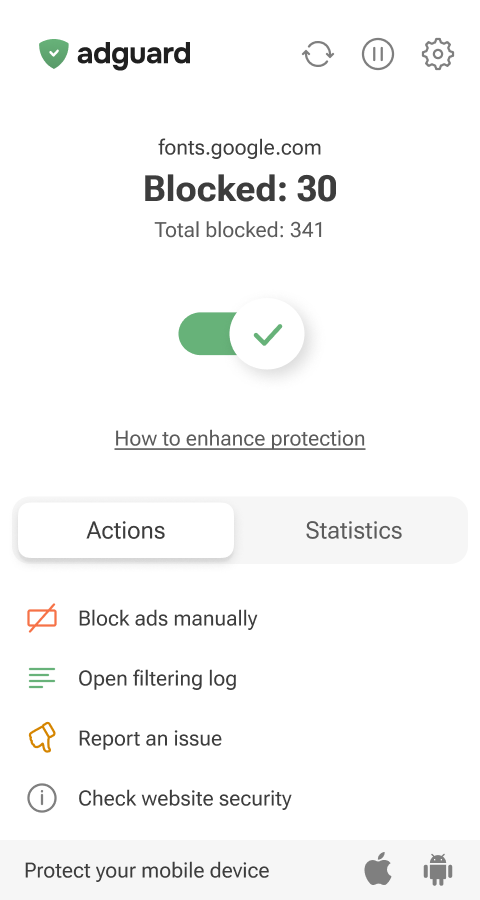
From the main page, you can manage your protection and access key features:
- Manually hide any element on a webpage (a custom rule will be automatically added to your User rules)
- Open Filtering log to view detailed information about your browser’s traffic and block requests on the fly
- Submit a complaint about missed ads or broken page elements so our filter engineers can review and fix the issue
- Check a website’s security report
- See statistics on all blocked elements
By clicking the icons in the top-right corner of the extension’s main menu, you can manually update filters, pause protection, or open the extension settings.